More than a decade ago, I bought a series of magazines by this German designer that were a great inspiration in my career. Today, I received a copy of Jan Schwochow latest edition in my mailbox, in which I had the great honor of participating in.
One of my pieces in this magazine has a very personal touch.
As a child in Costa Rica, I remember seeing the cow pastures filled with dancing lights. At night, my town was very dark, and on a moonless night, on a nearby creek, you could clearly see the edge of the Milky Way merging with the lights of the fireflies dancing all around you… magic.
It doesn’t look like that anymore, and not just in my town, but all over the world.
That motivated me to visualize the phenomenon to spread the message of what we are losing. My 17-year-old son has never seen what, for me, was the most impressive immersive light show. If you’ve never seen anything like it, you may never see it, or not anytime soon, if our cities continue to get brighter every day.
The piece shows areas around the world where some species of fireflies are disappearing and, at the same time, where city lights are brighter today than they were 20 years ago. It is designed on a dark background, and some of the text is blurred, a metaphor for what we are losing.
In a way, these pages are a portrait of what is fading into the void in the face of our progress as a species.
The yellow areas show where the fireflies are on a critical thread; the blue dots are lights brighter than they were 20 years ago.
However, if you know me, you know I can’t be serious for very long.
Ingraphics Magazine is somehow a white canvas, and Jan has managed to create a great diversity in this latest edition of the magazine. He even opened the door for me to sneak in one more page with something I’d wanted to do for a long time.
It’s a page about onomatopoeia, and it shows how, even though we speak different languages around the world, there are many things that bring us together; in the end, we’re not so different after all.
A close up of the onomatopoeias graphic for Ingraphics Magazine.
For this piece, I spoke with several people who are fluent in languages other than English and Spanish, and although it’s based on serious research, it also has a touch of humor. –I hope you can enjoye it as well.
Some of the illustrations used in the Magazine.
Ingraphics Magazine means a lot to me. In fact, more than a decade ago, I bought other books by Jan just to enjoy the pages and their beautiful design, even though they were in German, a language I don’t speak, and back then, Google Translate wasn’t an option.
Some of my inspirational books that I still keep in Costa Rica
Being a part of this revival of the magazine is a great honor, there are people with brilliant pieces and it’s truly an honor to be alongside people who have been an inspiration in my career, such as Frederik Ruys, John Grimwade, Jaime Serra, Nigel Holmes, and Nathan Yau.
This year I’ve found a lot of inspiration in various forms. There are so many professionals doing incredible things that I thought I’d create a special post to wrap up the year. I have something from out there, something from a colleague, something in paper, something of my own, something I found on social media, something from someone I admire and something that was recommended to me.
The composition of this piece not only captivates the viewer’s attention but also employs an unconventional format reminiscent of a comic strip. The narrative is compelling, effectively eliciting empathy for the individuals ensnared in this perilous predicament. Beautiful work to tell the horrors of abduction and scamming in a powerful way.
This piece successfully explains how quickly the dissemination of outbreaks can be under specific conditions. Unlike conventional explainers, it provides interactive simulations where you can edit the data and understand the effects in the outbreak, enabling a deeper comprehension of infectious diseases, vaccines, and related intricacies.
The topic is spicy and trendy. There’s an interactive version of the piece to explore some of the data, but I think the print is a great solution, great design to focus on the big picture. I think paper can make us better editors because of the nature of having limited space.
Scott always does very interesting things; this year he has posted many alternative ways to visualize winds, temperatures, and other atmospheric conditions in a really interesting way. Check this set of spheres driven by wind.
This project is exquisitely designed; every map, animation, and illustration is simply brilliant. The piece explains the details behind the distortions and biases in cartography within the framework of the African Union’s demand and initiative to promote maps that better reflect scale and proportions.
I asked colleagues for a little something (graphics/dataviz) they remember from 2025. Among the responses I received was this piece from the Straits Times, a very interesting analysis of women’s clothing sizes. To be honest, we’ve all been confused by clothing sizes at some point. A brilliant blend of graphics and personal experiences, wrapped in a highly engaging narrative. This piece is well worth reading again.
Image by The Straits Times.
What other memorable pieces from 2025 do you remember?
For the past few years, I’ve celebrated December by reflecting on what I saw, what I shared, the places I was invited to, and what I created throughout the year. I like to look back, remember the lessons I’ve learned and revisit the good times before starting a new cycle. So here we go once more:
–Jamaica, L.A. & Washington D.C.–
2025 was a fund and extreme year. I spent the first few days of the year on the warm beaches of Jamaica trying to escape the cold of New York. News were just around the corner, waiting for me to kick off a busy year…
Just a few days into the 2025 large areas around L.A. went into flames, we did a few stories around it including this story looking at critical 24 hours of emergency there. I did so many maps and visualizations for it that I even made an entry on my blog about it, scroll down and click the “load more” button until you reach entry number 10 to see some animations and aircraft visualizations like the one above.
January also saw another emergency when an American Airlines plane crashed with a military helicopter. I jumped in with some quick maps and reporting alongside my colleagues. Life sometimes is ironic, after starting this way the year, I think this was one of the years where I travel the most both locally and internationally. Luckily for me I did not got exposed to any dangerous situation… not even turbulence.
–Gaining momentum in NYC–
Being the shortest month, February really flies by! I spend most of the month planning projects and looking close to a range of things like data centers, the role of AI, the transformations in the battle fronts in Ukraine and even patterns in the butterflies populations. I don’t feel totally safe sharing a screenshot of my calendar, but it’s crazy to look back and see the many diverse meetings I had in February to chat about these and some other projects.
The dragon above (Víbra) This year I wrapped out my second year of my Sunday sketching exercise. That was a fun project for fun I did every Sunday, but after getting myself into way too many things I paused for a while after finishing it last summer. The image above belongs to week 87 of the project!!! (35 of the second cycle). The plan is to bring it back once I finish a few other fun projects that I’m cooking.
February might looks a little empty here, but it was super intense too. The first things I published in March (first story the 3rd) was all made through this intense a diverse planning in February.
It’s kind of funny to look back and remember moments by looking an old calendar. Give it try!
February was also the start of planning an SND project that I thought I could easily get off the ground; however, the initiative to create the SND mentoring program took me a few more months, as you will see later here.
–War, Butterflies, city spheres, Artificial Intelligence & Boston–
March was the month to collect the harvest. Just 3 days into March I published this story showing how the front lines in Ukraine changed with the intensification of drones as a main weapon. Drones have taken land, air and sea as main drivers of fight, so we used testimonials, maps, illustrations, videos, photos and more all packed into a tight piece in collaboration with the International desk. I work a lot with them, not just because of the visual potential in these stories but because of the smooth relationship to create pieces together.
Just 3 days after that war story, I did a little collaboration looking at butterflies and how their populations are declining or proliferating (spoiler, mostly declining). The project was super fun, but I did not had the chance to do all the stuff I wanted to do since a source provided a ton of good material.
In March I also published a personal little project to my carto blog, funtography. The ideas was simple, grab a piece of a city and make it its own little planet. Each sphere is a sample of about 80 km2 of various datasets. I choose a few cities with some particular meaning to me and render out a few of these just for fun:
After all, what’s life if you need to be serious and narrow your focus to work only. Take a look to entry 11 of my maps blog to learn more about that project.
After the war and butterflies stories went out, a week later the piece about artificial intelligence was also published. I used a bunch of different techniques to explain how the surge of A.I. changed data centers and many other things around. This story includes hand-drawn maps that I made frame by frame to create a spinning globe in combination with some video assets. I also used animated gifs to explain computer processing, diagrams like the one above to show readers how the data centers are also changing and a few other things there too. It was a fun story to produce, take a look if you have time for a fun experience: How A.I. Is Changing the Way the World Builds Computers.
Hello Boston! In March I also went to Northeastern University in Boston where I shared a little bit with students of design and journalism for a series of talk they do with professionals called IDDV360. I had a good time in Boston earlier this year.
In March I also showed up as guest speaker to a class at the School of Design of the Hong Kong Polytechnic University. I like to share experiences and exchange ideas as much as possible, specially with students.
–Health coverage & SND Minneapolis–
After a crazy busy March, I entered a new project to respond to the measles outbreak in the U.S.
This disease is simply terrible. The effects it has on the human body are devastating, and to make matters worse, children are often highly vulnerable if they don’t receive a vaccine, as is the case for many children in the south of this country.
Hello Minneapolis! It’s funny how many times I have visited Minneapolis for different reasons and 2025 was not the exception. The SND annual competition, the board’s in-person meeting and a short workshop was hosted in the QH of the Star Tribune. These trips have many cool things blended. So many friends come together, there’s also the inspiring portion of seeing some of the best pieces of journalism that media produces all over the world over a year, great views of the host city, of course time for museums and social life too. You go back fully reloaded to get back on your own pieces.
In May, I pushed to my cartography blog a new entry about the Kerguelen Islands (scroll down to entry number 12), there’s something in the geography of this place that is so appealing for maps, I have seen a lot of good professional cartographers doing great stuff with these islands.
In May, there was another slowdown for planning, some projects materialized, and others were canceled; meanwhile, I virtually presented to students from South America some of the work we do at the Times and how my passion for graphics led me to this company. I feel joy in sharing with students, I would like to travel to South America sometime and do this in person perhaps.
By May I was in week 99 (or 47th of the second cycle) of my sketching project looking at the Qatari “lord of the sea”, the light at the end of the tunnel was almost there!
In May I speak to a class of design from Belgrano University in Argentina. I was nice to see so many students gathering for the presentation, organizers told me that some +100 students joined both in person and virtually.
–Breaking news, military parades, Florida and South Korea –
June was super intense and exiting, one of the first thing I did was a piece showing how regimens use military parades for different purposes, from diplomacy to the show of muscle, to leaders glorification, to acrobatics and pride… all in the eve of a celebration of a new parade in the United States for the first time in a long time.
Early in June I also went to Florida to attend the Outlier as speaker where I shared a bit of my career and the stuff I’ve doing in the last 20 years of my life. The organizers recorded the presentation and it’s free to play in youtube now. Take a look below if you have 30min to spare.
No more mythical creatures! In June I also wrapped out my second year of doodles, a project in which I dedicated every single Sunday for 2 years finally came to a break to re invent. 104 entries later I finally paused this crazy idea posting nonsense illos just to give room to other projects.
I have some plans to retake this into a different shape, if you follow me in social media you might hear about a new crazy idea involving illustrations soon.
Hello Seoul! After I finished my silly illustrations cycle, published a few pieces on the news, did a conference in Florida, visited the Little Habana and celebrated some birthdays with my family, I packed my bags for an assignment in South Korea. That was my first time in Seoul, I got the chance to meet almost all the colleagues working at the NYT Korean Bureau and prepared myself to explore the place, learn from the team and enjoy Seoul.
While I was in South Korea, I started one more personal project, like if I had a lot of free time to divide my attention… I was waiting for my colleague Pablo to come over to the parking lot in the office and started to sketch passing by people, really quick. Then I thought, hey… would be nice if I do this in every city I have been this year? A quick sketch, probably imperfect, but just to remember fragments of my travels and special moments. I’ve done several, but time has caught up with me… In some places, I couldn’t sit down to get out my sketchbook.
Some pages of my 2025 travel journal
Perhaps I’ll try to finish my 2025 travel journal in the last days of December, although it wasn’t the original idea to do them while I was there. Maybe next year, hehe.
Hello again HK! During my assignment in South Korea in July, I took a weekend trip to Hong Kong to visit friends. I had left the city more than six years before, but it was wonderful to return: the sounds of the traffic lights, the trams, the subway announcements, people speaking Cantonese… Everything was so familiar and pleasant that it brought back so many good memories.
After my short visit to Hong Kong I returned to finish my work in South Korea, but I went back so nostalgic. I visited my old neighborhood, took the same ferry I used to take every day, saw old friends in the same spots we used to visit regularly… I guess the nostalgia came to me because when I left the city in my head it would be so difficult to comeback that it was never a real opportunity or idea in my head… and suddenly I was there again! ❤️
–The weather and a little summer break–
In August I finally published this piece we delayed for so long… Many reasons hold the piece, but it was meant to explain the vast symphony of instruments necessary to get you the forecast in your phone using some 3D animations, audio and data into a swipe story format.
I think that one of the most important assets of the meteorological industry is the people behind all these instruments, the scientists who have dedicated their lives to processing data and providing information that makes it possible to know when it’s going to rain, as well as the extreme weather alerts that save millions of lives.
In August I also contributed with my colleagues of International to put together a piece explaining why it was so difficult to asses the damage caused to Iran’s nuclear facilities after the U.S. attacks. Fordo is a facility burred depth into the heart of a mountain, very little was known about the facilities it self so it’s hard to tell if the bombing of it was efficient or not.
Then summer arrived. My son has very little time to completely disconnect from his responsibilities, so at the end of August I took the opportunity to go on a short trip 100% dedicated to history (he’s a huge history buff). It was great spending a few days exploring historical sites and thinking only about what would be good to eat in Europe.
During September I turned back my attention to the war in Ukraine, I partnered with Thomas Gibbons-Neff to do a piece looking at how tanks are changing in due to the extensive use of drones. I did a backstage story here to look at the process behind and a little bit of the context if you want to review it once more.
September is also the month to celebrate of my natal country, along with many other countries in Latam, Costa Rica celebrates it’s independence of Spain in September 15, since I’m far away from my land, I did a little map in my blog. Look at entry 13 for the full version of it.
–Washington D.C. and giving back to the community–
In October things got crazy with a few projects, mostly in response to the renovations in the White House. This was part of a large project we spent some time working on, but with the rush of the news and the demolition of the east wing, the project broke apart into smaller pieces.
Since my work responds to whatever is in the news, sometimes I have to do stuff related to politics. But as I state in my NYT byline page, I don’t participate in any political parties in the United States or abroad, and I choose to remain neutral on political matters.
September 2025 was also important for my alter-ego personality, I joined the SND Board of Directors with one mission in my head only. Help others involved in areas like news, arts, design and communication and narrow the distance between students and professionals around the world in those areas.
One way of doing it was to push an idea through the SND to create a free mentorship program with Universities in North and South America, Asia, Europe and more. The initiative officially launched in Nov. 2025, but we will see results until next year.
I hope this program can keep going for many years more to reach as many people as possible. Learn more about it on SND’s website at snd.org/join-the-snd-challenge/
In October I did 2 presentations for students, one virtually as guest speaker to ‘Semana del Diseño’ from the Peruvian University of Sciences (UPC), by invitation of UPC school of Design. Then a second session in person here in New York to a Datavis class at the Cooper Union for the Advancement of Science and Art.
–sky, water, maps–
November started with news from the U.S. Federal Aviation Administration responding to the Government shutdown and preparing the people for delays and cancelations across the U.S., I spend a few days preparing data updating maps and sketching ideas to react to the event. Eventually another project pull off from the effort but my colleagues continued to update the story for about a week, some days even with updates in the morning and in the afternoon.
A bunch of colleague and I jumped into the most rushed project I have worked this year so far.
Earlier this year, while I was on assignment in Korea, I collaborated to a breaking news piece looking at the flash flood that killed several in a camp site in Texas. After that, some of my colleagues continued to look into data simulating the water levels of that night.
However, the rush begun when the lawyers send a heads-up to the Times saying they were suing the camp for what happened there. Basically we talk to both sides and got access to exclusive information with way details that we know before. All of this under one condition, whatever we publish, we have only 5 days to do it before all the material become public.
In such a rush, a few of us rushed to the camp to fly drones collecting lidar to create a 3D model of Camp Mystic, take photos, do interviews, process data, create animations, maps and setting everything that usually would take minimum a month.
It was a tremendous effort from my colleagues, I helped a little bit putting together pieces and helping construct the narrative, I think now days my roll is less and less in the heavy production and more into the support of others helping with concepts. You can take a look to the piece here.
November was also the moth for the map challenge, yeah one more challenge, why not?
I was in the mood to do the whole challenge following the prompts they publish earlier. However, things rarely go as planned. My own curiosity and procrastination caused my to derail from the goal, and projects like the Texas flood reconstruct added the final stone to the idea. You can read a little about me setting obstructions to this idea in one of my infofails post here.
Anyway I managed to do a few maps to join the celebrations. Of course, not on time nor the whole series. I like the one about aircraft because it has additional context, not just a map, but a little story behind. You can read about it in my mapping blog here, just look for entry number 16.
Some other maps like the one of Myanmar’s political violence also made it, that one was in the highlights of Datawrapper’s Dispatch. It was nice to see it there because even tho the whole thing did not ended up like I wanted to, some people appreciated the few pieces I managed to do.
November was heavily packed. In the last week of November we published one more piece looking at the situation of one the city’s biggest headaches, the Cantilever section of the Brooklyn-Queens Expressway. It’s a section of road carrying 130,000 vehicles every day, today is 70-years-old, it’s falling apart and to this date (Nov. 30, 2025) there’s no consensus on how to fit it.
The piece is full of 3D renderings, maps, video, photo and illustrations, but one of the things that I enjoyed the most was to conduct a visual survey of the piece. We rented a car and drove up and down in the crumbling structure to document with 360 footage every single patch that the city has installed to prevent pieces of the cantilever to fall on top of passing-by vehicles. It was almost like our own version of google street view but way more detailed and in crazy high resolution. You can see a glimpse of the 3d footage in this promo video we did.
In November I jumped into the scenario once more for a live interview with Reuters reporter Ben Welsh. The interview went around our practices in journalism, trust in data, collaborative reporting and a touch of the surge in artificial intelligence. The event was organized by the School of Visual Arts, SVA in the frame of the launch of their new Data Visualization and Communication program. Here’s a recording of the interview:
Students, Rhythm and Ballrooms
December kicked off with a talk to a class from the Craig Newmark Graduate School of Journalism at the City University of New York (CUNY) hosted by The New York Times. It’s nice to wrap-up the year with one more session for students.
This month I’m adding a new section to my website, I’m adding little stories with interactive features, some animations and touches of humor. It’s like a playground to me where I want to put stuff I found interesting about random things. You can dive in with me into some slightly nerdy topics on my website; this month I’ve prepared a story about sounds and rhythm.
Before the year ended, discussions about White House renovations resurfaced. The first of the month concerned the details of the ballroom renovation plan, after the president announced he would change the architectural firm in charge following constant disagreements.
You can take a look to some 3D models we did here to show the latest know about the multi-million project of the Trump administration for the White House.
In the next few days we will be publishing one last story to close out the year and get some rest. Meanwhile, I wish you all the best in this new beginning and a productive and prosperous 2026!
Every November map makers from all over the world join the challenge to create maps from a common thematic. The list of prompts is posted few weeks earlier in October I think. The initiative is similar to inktober, same idea but doing illustration which happens (yes, you guessed it) in October.
Both are things I’ve follow all the time and really enjoy; however, I never had the courage to join either for one simple reason: my obsession with commitments.
I love the work the creators do for both initiatives; I deeply admire people who can take one of these opportunities and successfully made it.
In October I told my family that I was thinking of joining this year’s map challenge. My son and wife saw me and said, “Okay, how many maps do you have already?” to which I enthusiastically replied, “One… maybe”. They know my obsessions so well that no more words were required.
😒
After a laugh, I told them I was worried about starting something like this because if I didn’t finish it, I’d be stressed. The days went on, and when November arrived, I didn’t have many more maps, so my attempt to join the maps celebration turned into one more episode of Infofails. And then here’s how it happened:
Day 1
The excitement was through the roof; my plan was to create a different styles for each map, I could also work on a different region with each day theme… Yeah, what a wonderful plan.
To kicked off, I went with a in minimalistic vector style, maybe places in the middle east? –I thought– So, I downloaded data points using the QGIS geoparquet plugin and set out to funny thematics.
Day 2
Second day theme was lines, so what about visualizing trains network in NYC? Here’s what I ended-up with:
But then, just like in cartoons, that little voice over my shoulder started saying: Don’t you think this wants to experiment a little with animation? Nothing complicated, perhaps one of the things you already have installed like MMQGIS… And so everything began to go off the rails.
Day 2 (take 2)
I turned that static map into a sequence of images using MMQGIS. With not much sense actually, but who cares? It’s all about having fun, isn’t?
Day 1 (take 2)
Then I thought, hey, I also have more points showing other things for that one map of the UAE, what if I revisit day one as well? So instead of having one map for day one and one for day two, I had 20 frames for the NY trains, and 12 maps of the UAE showing different things. Here you have some of those maps showing fun stuff:
Okay, no problem, there’s still plenty of time, I thought. Yes, of course, I’ll keep my anxiety quiet and make it simple with the others.
Day 3
The next challenge was about polygons, so I chose to explore the biodiversity of Central America.
I think learning things is the fun part of doing these maps. To explore biological diversity the Conservation Biology Institute offers a great dataset. I actually learned about a thornscrub area in Guatemala that I didn’t know about before.
Detail showing the Motagua Valley thornscrub (in gray)
After pushing the limits a bit too much in the previous two maps, I kept this one pretty straightforward. Perhaps the #30daymapchallenge is about doing simple things that don’t require you to spend days and days searching for something.
Day 4
Day four was about personal data, this was fun because I learned how to pull out data from my Google Maps app, simple yeah, but I never thought about this before.
I exported my data and grabbed all the locations where I launched google maps. Fun stuff, I selected 5 cities I visited this year and mapped out where I pulled my phone out to see a map and start navigating. Fun and creepy, not sure if you want this data to be publicly out even in an abstract way like in the map below, but it was a fun exercise.
Way too much fun. Again instead of 1 map, I ended up with 5.
Day 5
For this one I wanted to do something in Africa, I started to explore the topography near Somalia in the search for a singularity with data enough to map.
After looking a different sources and things from here and there, I decided to map the Afar Triangle, an extreme corner of the continent in the great rift valley in eastern Africa. There, a triple junction of plates pulls in opposite directions and different speeds, just to mention one extreme thing happening there.
Here’s my map of the Afar triangle:
The northern point of the triangle is below 100m under the sea level, it’s also the hottest place on Earth and it has hypersaline hot lakes. What a place, it deserves more maps than I can do.
A view of the Dallol volcano in the northern area of the Afar Triangle where some of the hypersilane lakes are.
The region is also home of the oldest human ancestor, Lucy who died and probably lived its life in the Afar Triangle some 3 million years ago.
A detail of the Afar Triangle map showing the Dallol volcano in the picture further up in this post.
So far so good, I was having so much fun learning new things and procrastinating like a pro, then I looked at the calendar and November was almost here! 😳
Day 6
I was feeling a little more confident I thought I have learn the lesson with distractions. Maybe it’s not a big deal, maybe I take these things too seriously, because the thoughts that I’m running late or failing constantly haunt me. Sometimes I can’t sleep thinking I’m falling behind. Non sense I know.
As November approached, I made day 6.
A map with dimensions to show political violence in Myanmar. Visualizing reports from ACLED to a 10km base grid.
Then I thought about looking at the other side of the coin; that map in red above represents violence perpetrated by state forces, so maybe I needed another map showing the counterpart…
Or perhaps I didn’t need two maps, but a single map that combined both reports. Then I noticed I had mixed up the data and perhaps I should start over with this map…
By this point I knew I‘ll never make it, so I decided to leave this one for a quick review later and bring it on tofuntography.
I posted some there already if you want to see them bigger or with a little more context.
Day 7
By day seven I reached the breaking point.
The calendar said November 3rd, and I hadn’t finished anything, I didn’t like that much the first 6 maps I did, and I was walking in circles thinking on how to re-do all of them.
Feeling discouraged and frustrated, I gave free rein to one more idea—something between a poster and a map. I looked for train stations in several cities and finally decided on Berlin just to try a different location with available data.
My idea was to see where I could go within a 250m radius in a wheelchair using trains. I’ve never been to Berlin, so probably my idea is in the wrong approach, but I thought of dividing the city into 250x250m squares.
It’s very likely that wheelchair users travel distances greater than 250 meters (approximately 270 yards) as part of their routine, but it must be a tremendous effort to do so for half a kilometer (just 2 of my squares).
Green indicates accessible stations, red inaccessible stations, and gray areas are built-up areas that are out of reach.
There are some adjacent areas in green which is good, but also many red squares, meaning that if you go there in a wheelchair it’s almost a 50-50 chance that you’ll be able to get out of there where you need to. In short, it seemed to me that if you are limited to one or two squares, in the big picture, it’s more about where you can’t go than where you can go.
Here’s a version with a bit more context, a heart-shaped areas representing blocks with accessible stations, Black circles marked with x are stations without wheelchair access; all other x’s are areas where there are buildings, but without nearby access to a station. I added little dotted lines to the adjacent 250m blocks with accessible stations.
A detail of the accessibility map.
And the whole area with the broader region:
It must also be considered that the demand to access these places is not the same; the areas with more hearts, near the city center, are accessible and perhaps are the areas that people need access to the most.
For all these reasons, I abandoned the idea, got stuck trying to solve it, and ultimately ended up killing the idea of entering the #30daymapchallenge on time for each day.
The lessons I learned from this: [ 1. ] Keep your ambition in check if you want to achieve something bigger little by little.
[ 2. ] Avoiding procrastination is difficult, especially when you’re passionate but not good on something.
[ 3. ] An finally, I need more free time somehow. 😂
About infofails post series: I believe that failure is more important than success. No one sets to fail as a goal, but by embracing failure I have learned a lot in my quest to do something different. My infofails are a compendium of graphics that are never formally published by any media. These are perhaps many versions of a single graphic or some floating ideas that never landed.
In short, infofails are the result of my creative process and extensive failures at work… and I fail frecuently:
I’ve reported on different aspects of the war in Ukraine since I joined the New York Times. I have done hundreds of maps and gathered my thoughts with documents, interviews from experts, and chats with my colleagues about many aspects of what’s been going on in Ukraine for years.
You would be surprised about the many pieces projects leave behind in the sake of editing. But sometimes those “unseen” elements can come back, maybe even as a whole new story, and that’s exactly what happened recently with this piece we published titled “Tanks Were Just Tanks, Until Drones Made Them Change”. Take a look there if you haven’t seen it already, then come back here if you want learn more on how that piece was born.
The New War in Ukraine(Feb. 2025)
Back in February, I was working on a piece to show how the battlefields in Ukraine were changing due to the intense use of small drones. The introduction of those little unmanned attack units changed completely how the front lines look.
The New York Times.
It’s true that drones have been around for a long time; they are not a “last-year” innovation, but they have never before been used as intensively as in Ukraine. The war now is fought mostly with First Person View (FPV) drones and many other unmanned vehicles.
Ukraine maps from Feb. 2025 story about drone attacks.The New York Times.
That piece from February touches slightly on how tanks started to appear with improvised structures on top. Known as “turtle tanks”, they look nothing like a regular tank; soldiers added structures on top as a way to reduce damage from drone attacks.
We used photos on that story to illustrate the turtle tanks.
Among the many materials we got access to, I saw videos of a Russian workshop showing how tanks were being repurposed to become transport vehicles. The inside was just a box with layers and layers of protection, including even tree logs to shield from the drone bombs. Really fascinating aspect on how vehicles were dealing with the increase in drone attacks. I did a quick doodle to describe that, but since the piece’s focus was a little different, I actually cut it off since the photo was serving the same purpose.
Unpublished doodle of a repurposed tank, Feb 2025 Story, [ SQ. reference #1 ] The New York Times.
Then jammers came in to tackle down wireless drones from the skies, so pilots started to use miles and miles of optic fiber directly connected to the drones so they can keep control of them and get over the jammers… And there is where things get wild once more for big targets like tanks and vehicles in general.
I was involved in other projects, and the time went on, but the idea came back after a conversation with one of our correspondents who has been to the Ukrainian battlefields many times. Thomas (TM) has a lot of experience when talking about guns and war in general. He was a Marine himself. TM continued to think about the various types of tanks and vehicles in Ukraine, and with his expertise on the subject, it was easy to convince me to take a closer look. I did some cursory research and found a wealth of material.
The hunt for turtle tanks (Aug. 2025)
In my regular process, I start with a text document where I add links, notes on elements relevant to the story, visual references, names and emails of potential experts to interview, references to similar articles, and in some cases, some draft paragraphs that could later help define the structure of the story. Then I add everything to a drive folder to keep the reporting doc alongside PDFs, videos, photos, and any other material I might need later. I keep everything I find forever… or maybe until something extraordinary happens.
An screenshot of my reporting doc. The New York Times
Visual references are very important. Social media like X and Telegram are good ways to improve the understanding of the structures. I often keep every link with a little context of what it is about, the original link, and some sort of initial categorization that might help to group things later. As a visual storyteller, I think it’s important to explore themes for your sections. Perhaps things can be grouped by common characteristics, chronology, aspect, or function. That kind of grouping, if possible, helps give a sense of harmony to the story.
Perhaps the only downside to social media material is that it takes time to verify it. You must navigate through many precautions, including copyright, veracity, the tone and source in which it was shared, among others. I spent about 2 days chasing links and references this way. Below is a mix of some of the references (both social and wire-sourced) I used for the drawings and the article itself. At the end, I discarded about 80 images and videos from social media for diverse reasons.
Some references from photos and videos about turtle tanks and vehicles with additional protective structres. The New York Times
Luckily for me, our correspondents and news agencies have extensively documented the turtle tanks, and I only spent a few hours searching the archives for verified images from photographers I could use in the story. Way easier, but I think it’s always necessary to check as many places as possible before actually starting the production.
Drafts for a new story
Once the research phase was over, I dedicated myself to making a very basic structure with some doodles for some visual moments in the piece and writing some paragraphs to guide the narrative.
Projects at the New York Times require a google document where we drop text and parameters for components, it’s mostly Svelte and Archie Markup Language(AML). The tanks project looks like the image below from the main driving document and its wired to a package of local code files with a back-up in Github.
We use the same document to write the text and manage the components, including the visuals and any other features or functionality we add to the page. My role often includes creating a draft with the basic ideas written down to serve as a guide if I’m collaborating with someone else, as in this case. Of course, as you can see here, my expertise is not writing, but it helps to wrap up the ideas to engage better with the story. Sometimes, I do the whole piece on my own, including the words (my apologies to the copy editors who might have headaches with my text). However in this case, TM would be the one writing the final copy, so I didn’t want to interfere too much with the text anyway.
Hands on doodles!
About a week later the next stage began, up to this point I hadn’t even seriously touched my Wacom to start sketching. But it’s impossible to start that without doing research, adding a structure, and connecting some web components first.
I defined the tank models I would need based on the references, documents, and stories I found during my previous process. I needed at least one Soviet T-series tank and an Abrams to reflect what had happened on both sides of the battle. Even with the intention of making the piece interpretive, the first step for me was to make some rough doodles, then model some guidelines for the illustrations using Cinema 4D, then returns to photoshop and finally to illustrator for labels and other stuff.
Preliminary drafts and renders, Photoshop > Cinema 4D > Photoshop. The New York Times
I didn’t model all the structures, just basic guides to maintain proportions. Here you can see how I did some basic geometry to guide myself later in photoshop on the free hand-drawing.
A render ref for the soviet tank made with Cinema 4D. The New York Times
Then, with the images I collected, I gradually drew the improvisations the soldiers had made on the corresponding tanks. The final versions were sketched in Photoshop, 3 times the size of the publication to gain some detail in the final result.
I usually sketch using photoshop, I have some sets of custom brushes and define layers for each piece separately. Overlaying color by layer also helps to highlight parts of the sketches. Here’s a view of the master document for the soviet tank modifications. The New York Times.
Finally one more step to add labels and play around with the layout and text blocks if required. Below an early version of one of the graphics.
The New York Times.
This was going to be an illustrated piece; I was clear about that from the start of the conversation. Illustrations, in general, help unify a piece visually. While it’s true that not every story can be solved with drawings, sometimes the abstraction of doodles and even their imperfections provide the reader with a bit of room for interpretation.
However, it’s good to accompany these types of pieces with some photos to show the real evidence. After all, it’s not that I’m imagining these vehicles; each one must come from reality. That ethic still distances us from artificial intelligence, even if only temporarily.
Some of the tanks in the piece published. The New York Times
If you look back to the top of this article and find SQ. reference #1 you will see the the diagram we did not used in the February story, in the most recent piece I turned that into a scrolly explaining how the modifications transformed the T-Series tank into a troop-transport vehicle.
Published version of the SQ. reference #1 above. The New York Times
Because of the way our team works, once the pieces are published online, I have to move on to the next project. Part of the graphics team at the Times is dedicated exclusively to graphics for the print version.
That means I have to prepare pieces for one of my colleagues in that group, along with another editor. The text is repurposed so it makes sense on paper. Occasionally, I have to produce additional asset at a different resolution or with particular specifications, like when I use animation, but often I’m already working on another project, as was the case with this one.
Print edition of the New York Times, Sept. 18, 2025.
The print version was published today in the US, you can take a look to the double page and a little detail in the front page if you have access to the paper.
Thanks for reading, and see you next time!
Note: –Although the images in this post are part of my production process, they are property of the New York Times.–
In November 2024 I launched a new website to put into a single place all the stuff on which I spent my time at work and in parallel activities like sketching things or mapping for fun. That last point was a fun thing I started to rescue from my external drives files that doesn’t fit into work nor doodles either.
Part of the plan for a new website is to have a space for these things that are lost in space/time. One of the things that makes me happy is making maps: mhinfographics.github.io/maps.html
Eventually I was able to hang there a few more pieces, all in different styles from personal explorations of data and tools. This tutorial meant to explain how I used QGIS, Blender and little optional touches of Photoshop and Illustrator to create a voxel like map like the one below:
Please note that I’m doing this in good will, I’m not offering any corporate endorsements of the following procedure, software companies or resources, even on open source resources I mention here. Likewise I’m offering this without any warranties or compromise of further assistance.
🎁
Follow me step by step or get the files ready
Here you can find the files ready to use, download the packs and set you render to go, or follow me below to produce the data and render your own. If you are downloading the files, skip to the section titled “Set up the render” and choose either plugin or image input.
Defining the AOI and getting data
I usually start defining the are I want to work on adding first an xyz layer on my blank project on QGIS. If you don’t have that set up, check this link first, and then come back, it’s a quick set-up anyways. Once you have that done, zoom into the area you want to map, create a new scratch layer to define your area of interest (AOI), we will use it as a reference for many things.
This’s the area I choose for the map above, a rectangle of roughly 120×200 km near the Lake Baikal.
Next let’s download some DEM data for the project here https://download.gebco.net/ you will see a panel to the left with some options like in the image below, select a GEBCO data version, enter the coordinates as 52.7 for top; 51.4 for the bottom; 105.11 for left and 108.37 to the right, that would be enough to cover our AOI. I’ll use a ASCII grid, but Geotiff is also ok. Click “Add to the basket” then “View basket” and download the data.
Sampling a grid
Now we need a grid to sample our new base, in QGIS go to vector/research tools/create grid. That would give you a pop-up window, select Rectangle for the option “grid type”, on grid extent use the drop-down menu to select the AOI layer we created earlier:
We want each rectangle to be 1km wide so select “Horizontal spacing” as 1 “kilometers” using the drop down menu, the default is 1 “meters” if you are using a EPSG:3857 projection. Do the same for the “Vertical spacing” option, we want squares of 1×1 kilometer.
Finally, we want some overlapping to prevent gaps in the render, so add “10” meters to the Horizontal and Vertical overlay.
Keep the CRS as the default EPSG:3857 and save the grid as a geojson using the dropdown menu option, your panel should look similar to this:
Once you click “run” after a few seconds an army of squares will fill-out your AOI, if you can see them, go to the menu Vector/Geometry Tools/Centroids to create points that would sample our DEM data. In the input layer choose the 1km-grid file we just created and leave the rest as it’s, that would give us a bunch of dots in the center of each square in a temporary layer.
Re-project the data
To extract the data samples, we will to make the GEBCO layer and the new centroids in the same projection. I’m using a pseudo-mercator projection EPSG:3857. But you can use whatever you prefer, just make sure both layers have the same projection.
GEBCO default projection is CRC84, is you are not sure what you layer projection is double click the layer and selection “source” that would show you the projection. If you need to change it, click the layer name, go to the menu Raster/Projections/Warp and create a temporary layer using EPSG:3857 as target, or what ever your preference is.
Sampling the new grid
We will use a plugin to sample values from our raster into each dot, if you have the Point sampling tool plugin you’re ok, if not go to to the menu “Plugins/Manage and install…” click on ALL in the left panel and type “Point sampling tool” in the search field, install the plugin and close the Manager window.
To run de plugin go to the menu Plugins/Analyses/Point sampling tool in the pop-up window, select the centroids with the dropdown menu, and in the lower field click the GEBCO layer, finally click on Browse and navigate to your project folder and name the result file 1km-grid-zvalues.shp using the shapefile option there.
If you reprojected your raster, this is how the plugin window should look.
Once you executed the plugin, remove all temporary layers, you should have a layer with the new dots named “1km-grid-zvalues.shp” one layer with our 1km-grid, the AOI layer and the xyz google map layer.
Next step is to create a spatial join, basically we will take the value of the dots to be the z value of each polygon in our 1km grid. You can use the QGIS join function from the menu Vector/Data Management Tools/Join Attributes by location, But be aware that would take a little while to process. I recommend to use a little custom python script instead. But to use it, you would need to export our 2 data layers out as geojson files, right click on them and select “export as”, while doing that you can turn off all the fields but the ID in the 1km-grid.
Save them into a new folder, I’ll call mine “intersection” and place this script next to it, name it whatever you like, but use .py so you can run it from your terminal window as ” python intersect.py “
Your folder with the following script and new geojson files.
# Ensure both layers have the same CRS if zvaluesLayer.crs != grid_layer.crs: zvaluesLayer = zvaluesLayer.to_crs(grid_layer.crs)
# Check if 'zvalues' field exists in zvaluesLayer if 'zvalue' not in zvaluesLayer.columns: raise ValueError("The 'zvalue' field is not present in zvalues.geojson")
# Remove duplicated features joined = joined.drop_duplicates(subset='geometry')
# Save the result to a new geojson file joined.to_file('1km-grid-zvalues.geojson', driver='GeoJSON')
Remember you can run this file from the terminal using the commend ” python intersect.py ” while in the folder we just created. Once you run this script a new file would be created next to the script, look for 1km-grid-zvalues.geojson and drag-and-drop it into QGIS.
Style your new grid
You would only need this new files we just created and the AOI layer, remove the rest of the layers if you like to have a clean panel before to continue.
Double click the new 1km-grid layer, go to symbology and select Graduated in the top panel, set it to gray scale, use the mode natural breaks with some 50 classes, in the Value field pick zvalue and click apply. (be sure the negative values are assigned to black, if they are on white invert the ram using the dropdown menu.
Your new grid styles.
We are almost there with data process, here comes the fun part. We need basically 2 layers of data, this black and white layer we just created will serve as base for terrain, create a duplicate of it to make a color layer.
Double click that copy and go again to Symbology, but this time in the color ramp menu select “create a new color ramp, in the pop-up window you will see a few options, change it from gradient to “Catalog: cpt-city” and click ok. Navigate to Topography/bathymetry and select “colombia” that’s a blue-green-brown pallete that would assign a color range to differentiate our terrain from the lake.
You can also create your own gradient and make the value ranges as you like if you want to ink all the water blue for instance, but for the purpose of this exercise all keep the same classes and set up as we did for the BW image. (50 on Natural Breaks). You should have now a black and white layer and a color copy looking something like this:
Set up the render
So, here you have 2 options, one is to export tif images out of QGIS to render the tiles, or export a shapefile to be used with the GIS blender plugin.
Option 1: Using the GIS plugin
If you are using the Blender GIS plugin, click in your 1km-grid-zvalues layer, choose export and select ESRI Shapefile. I have saved a copy of that file in the assets folder, the link is at the top of this page. The follow the instructions here to setup the plugin. If you need a litle more of explanation of how it works, this video has a great walk thru.
Once you are all set up with the plugin, you can import the shape file using the 3D viewport in object mode, use the GIS option there to get the shapefile in, just brow for the file we exported earlier from QGIS:
A little pop-up window emerges usually near the bottom right of you screen, you should select “extrusion from field” use the drop-down menu to find “zvalue” and apply it to the z-axis, leave everything else off, you don’t want to check “separate objects” because we are using a large scale object with a lot of polygons, that option come handy if you are importing smaller data sets to handle objects individually.
Once you are all set, you can create a new material for our terrain, use the z-coordinates to apply a color ramp, you basically need a “texture coordinate” node, a “z” selector, the ramp, which I basically copied color-values from QGIS, and link all that to the default material, here’s a little visual of the wiring:
Once you added a light on your preference angle and intensity, your render should look like the one below, if wyou want to save some time you can use the demo I left for you, I have there 2 cameras, one perspective camera for a close up, and one orthographic camera to get the whole map. Note that there are also 2 lights depending on what you want to render, but that’s just a personal preference.
Option 2: Using images from QGIS
If you opted not to install the plugin and render images, go to the folder named tiff-based. Let’s get those images out of QGIS first:
Enable only your AOI layer in QGIS, then go to the menu Project/New print layout and add an xxx name there, I did “selenga” for mine. You would get a empty layout window, select the “new map” feature in the left panel, click and drag in the canvas to create a preview, set the scale to 1110000 and turn off the background and frame options.
That set-up would give you a full end-to-end raster, turn off your AOI layer and turn on the color layer you have there. Export the layer as a tiff image using the picture icon next to the printer in the print layout. The do the same turning off the color, and turning on the gray scale image. Save both files next to your .blend file, i have called them selenga_color.tif and selenga_terrain.tif
A little trick to prevent weird gaps between the tiles, even if they don’t have gaps the grid effect seems to create lines between the tiles, to prevent that run a buffer clicking the grayscale image, go to the menu Vector/Geoprocessing tools/Buffer add some 10m in the distance field set the caps to flat and miter in a temporary layer:
Leave that layer under your grayscale, copy and paste the styles to the buffered layer, leave that on only for the grayscale image before exporting. I have left both images in the demo folder so you can see the difference on rendering later.
Go to Blender
We are all set, now, go to the blender template. A few things you should be aware first, this blender file uses cycles render engine to get nicer shadows, and its set up to experimental. I’m using v 3.6.4. The print resolution (in the printer icon panel to the right) is the same as the original images we created in QGIS: 4677×3307 pixels. The plane used to load the textures should be scaled to fit those images too, so in the orange icon I have scale X as 4.667 by 3.307 note that’s correspondent to the image physical size. Finally in the camera, I’m using an orthographic camera, click the camera in the collection and then the little green camera icon in the panel below, use the scale field as double the size of the image, you can type there 4.667*2 so your camera resolution matches the plane size as 9.334. Keep that in mind if you want to use another image with different dimension, its all about the original asset.
Navigate to the textures folder and replace the color and displacement terrain accordingly in the shader editor.
Your final render should look like these using the perspective-camera:
Or this if you are using the orthographic-camera:
Keep in mind I used photoshop to tweak a little the color hues in the original map I did in Fun-tography, I also added labels using illustrator. The nice thing about using the orthographic camera is you don’t loose the georeference from QGIS, so if you export labels from there you will get them in the accurate position into illustrator, Inkscape or any other software you use to add vector details on top of the renders.
I hope you can create beautiful maps, go crazy and do taller columns, play around with the color ramps… have fun!
Even if you don’t use this complex approach, you might gain experience familiarizing yourself with super powerful tools like QGIS and Blender.
A while ago I started to look at the API of a company that does high res aerial imagery overlapped with FEMA’s damage reports. Truly it’s a great and detailed resource, here’s an example of the data, each dot here is a building classified by FEMA after a weather disaster, in this case a 2023 tornado in Little Rock, AR:
Data sample from VEXCEL API.
My original idea was to putt together all the destruction in 2024 across the US. And to some extent, I managed to extract all the information and create some visualizations that look like pages from a book written in an ancient language. Below is an unpublished piece with buildings damaged throughout 2024 by natural disasters such as hurricanes, fires and tornadoes, the area in detail is the just the ones affected by 2024’s hurricane Helene:
A detail of the non-published piece “footprints of damage”
The abstraction of taking footprints out of the map was a fun idea, I think that shape allows you to see beyond the location, you can compare buildings, some states show larger damaged buildings, others are super tiny, also you can notice that there are places with larger clusters of damage due to certain events, works well to show scale of damage, but it’s a quite deep graphic with many layers of information.
I learned a lot from this project, for example I printed out SVG maps with the building footprint by county. But the dilemma was how to take each polygon and reposition it into line-blocks without changing the scale… That to thousands of polygons in different files. Python and js helped me out to read each of the 73 maps I got and align groups of buildings into these blocks.
I wrote my own script using svg.js, then a colleague sent me over this other nice way to re-arrange svg shapes using SVGnest, so fun! maybe this can help you if you are trying to achieve something similar.
An example of SVGnest.
However, looking at where all that happened is interesting, so I did a series of state maps to visualize clusters of damage. I created grids of 5km and counted how many buildings fall into each quadrant using one of the point analysis tools in QGIS. Then I took the result to blender to create one map per state like the one of Florida below.
The animation showed one of these maps per state while counting the cumulative number of damaged buildings each time a new state was added until each record for 2024 was complete. That for +57,000 footprints.
Focus shift
In a turn, I found that 2024 was a very active year for tornadoes, I did some interviews to researchers in different universities and found out more and more interesting data on these events, so the story went from mapping damage across the US to report on how intense the tornado season was in 2024.
All tornado tracks in the US between 1980 and 2023. Based on data from NOAA. (Green the most recent 20 years, gray the oldest. Same data as the one at the top of this article but in single shot.
I did used a little fraction of the footprints I prepared for the original story, but I guess this reflects how sometimes the stories can evolve into something else, talking to people might make you realize that there’s another interesting angle of things.
You can read more about the company providing the data for footprints and HD imagery on the tornado story I published at the Times here: [ UNLOCKED STORY LINK ]
A screenshot of the published page at the NY Times, Dec. 2024.A screenshot of the published page at the NY Times, Dec. 2024.
Tornadoes turned out to be super interesting, there a lot of caveats on this data from NOAA, the CDC, FEMA and the private company doing the imagery. I guess my infofail here was spending too much time trying to map every damaged building in the U.S.
Digging into the data a little more and talking to experts can save you time and maybe, as it did for me, even give you a new perspective on a story you want to tell.
About infofails post series: I believe that failure is more important than success. One doesn’t try to fail as a goal, but by embracing failure I have learned a lot in my quest to do something different. My infofails are a compendium of graphics that are never formally published by any media. These are perhaps many versions of a single graphic or some floating ideas that never landed.
In short, infofails are the result of my creative process and extensive failures at work.
Are you liking infofails?, have a look to previous ones:
We’re leaving another year behind, and as usual, I like to close it with a summary of what I’ve seen, shared and created during the last year, so here we go:
––––––– :::: 🗓️ ::::: –––––––
January: Santa’s surprise visit
2024 started slowly for me. In the middle of the snowy days, I did a quick trip to DC to boost my inspiration with the museums of the city and of course meet some good friends who live there. But one of the most delightful moments of last January was when I returned to the office on the first day after vacation. That day there was a mysterious package on my desk, it felt like a late visit from Santa, a wonderful book compiling cartographic works of Xemartin Laborde. I enjoyed a lot looking at the maps that Xemartin kindly shared with me.
The rest of January I spent it doing research on extreme weather events. And of course, looking a few times more Mappemondes and talking about geography with my son. Once more thanks Xemartin!
––––––– :::: 🗓️ ::::: –––––––
February: Satellites
Back in February I was collaborating with the Climate team, Mira Rojanasakul and I did this pieceexplaining how the US East Coast is sinking, based on a recent study using radar technology onboard of the Sentinel constellation. I did a lot of iterations for this project, from maps styles to charts, illustrations and following up interviews with the scientist too. I spent some time looking closely at this data, looking for AOIs in various forms including levees, roads, bridges… I even looked at old records like this area of Massachusetts mapped in 1838 to which I overlaid SAR detections (in red) to see where the land is sinking:
I had a lot of nerdy fun with this project, here’s a piece we did not used explaining one of the many issues this phenomena causes, copy was not proofread as you might note:
We used a drone to fly over the Rio Grande in the area controlled by the military, we also spoke to locals to see how their routines had changed after the waves of immigrants and the military presence. 2024 was an intense year for immigration issues and it is likely that this coming year I will do some more reports on the subject.
––––––– :::: 🗓️ ::::: –––––––
April: Gaza & Georgia
In April we kept an eye on the situation in Gaza, and I was part of a team tasked with investigating the deployment of the floating dock that the US intended to put at the disposal of Gaza to facilitate the entry of humanitarian aid. The project failed and ended up being dismantled. You can read more about that story here.
For that project I was working with Cinema 4D, but I’m using Blender more and more. That was the last thing I did in C4D in 2024, not sure if I would need it again in 2025. Should we all move to Blender anyways?
At the end of April I took a few days off and went with my family to northern Georgia and North Carolina, we spent some great days near Chatuge Lake and in the town of Helen GA, a super nice short vacation in the mountains.
That month I also took the initiative to travel on my own to Minneapolis to be inspired by the best of the Design Society that held its annual competition there, but also to see so many friends and colleagues who came together for a few days in this city from different continents.
May was also a month to monitor the development of the war in Ukraine, in the middle of the month Russian troops made an incursion near Kharkiv, I reported it with a map of the area showing Russia’s sudden push across Ukrainian lines.
––––––– :::: 🗓️ ::::: –––––––
June: Ukraine
If you know me, you know that since I joined the Times I’ve spent a lot of time reporting on the war in Ukraine, I’ve made hundreds of maps, charts, diagrams and so many other things, but finally publishing this project that we had in our hands for about two years was felt really good.
Hello Chicago! In June I also traveled to Chicago to attend for the first time The Outlier, a conference organized by the Dataviz Society. I really liked it because of its diversity. You can find people from very diverse sectors with great energy it’s a great community. Of course, what we all there had in common there was that we all work with data to tell stories. If you also work with data and want to see for yourself, in 2025 it will be in Miami, I’m sure it will be great again.
Love to see an screenshot of my map at Kuhu Gupta talk at #outlier2024 we add those little things to provide a better context to our readers of what they are looking at.
This year I have traveled a lot within the US. At the beginning of July I was in Hollywood giving a workshop at the annual conference of the Association of Hispanic Journalists (NAHJ). I’m very pleased to know that many attendees started to use the tools and sources that we shared. Helping others who are at the beginning their careers is very gratifying for me.
Run Marco, run! Upon my rushed return to New York over a weekend, the very next day I grabbed my Secret Service credentials and prepared to travel to the Republican National Convention in Wisconsin. The Times sends several reporters and photographers to these events, so it doesn’t make much sense for us to do exactly the same stories, so we focus on doing pieces with a twist.
My colleague Ashley Wu and I went there to listen, interview, and sketch scenes we encountered at the convention to capture the atmosphere of the convention un-staged, you can see all 20 scenes here.
––––––– :::: 🗓️ ::::: –––––––
August: Back to Chicago
In August I was back in Chicago, and my colleague Ashley and I traveled to the DNC to replicate the same format we published with the RNC. The experience was a bit different as expected, but it was an interesting exercise. You can see all the 20 scenes we captured from the Democratic National Convention here.
During September I collaborated with colleagues from Times Magazine, basically we were investigating the actions that Trump had described up to that point to use the judicial system and other methods against his political adversaries. Here’s a nerdy fact: This scroll-driven piece was built with After Effects and an internal tool that spits out json files, those files are then interpreted by Svelte components to generate the story you can see. If you want to read more about that story here: “Trump Wants to Jail His Political Adversaries. Here’s How He Could Do It“.
Hello Boston! I spent the last days of September in Boston with my family. We walked a lot to enjoy the magnificent architecture of the city and its museums. I already have plans to go back there to share some slides and stories from my work with the students at Northeastern University.
––––––– :::: 🗓️ ::::: –––––––
October: Roads & Whales
In October I collaborated with the talented Leanne Abraham and a few other colleagues on this story about how things are much more difficult if you are a Palestinian driving on the streets of the West Bank than if you are an Israeli. You can read more about this story here. My role this time was very much tied to narrative analysis and video editing, but I loved seeing Leanne’s process, I have a lot to learn from her to make better maps.
In October I did a quick collaboration with the Climate Desk to tell the story of Squilla, one of the last remaining right whales, and the challenges her species faces. Learn more about Squilla here.
––––––– :::: 🗓️ ::::: –––––––
November: Polls time
In my case, it was weeks of preparation, hundreds of graphics, concepts and templates that I created in anticipation of the first US results coming in. Personally, I was astonished at how quickly things moved, as all the maps quickly turned red… and you know the rest of the story. The first thing my team published was this piece showing the trend of shifting to the right, that’s the screenshot above.
I did a lot of pre-sketching to conceptualize those graphics using test data, but it’s hard to predict what the final result would be, a lot of the pieces we designed and programmed weren’t used, but it was necessary “just in case”.
A new website Shortly after the elections, I launched a new website too.
I'm starting a new page to put all my mess in one place. I added a bit of humor with little illos all around. The plan is to have an arcade of pieces I've worked on, illustrations and maps from my blogs and some other stuff. You can check it out here: mhinfographics.github.io
I’ve been working on this for a while because I felt like everything was so scattered here and there. I’m still making improvements and I hope to eventually consolidate everything into one place so I don’t have so many separate domains, but I think it will take me more time.
––––––– :::: 🗓️ ::::: –––––––
December: tornadoes
Earlier this year I went down a rabbit hole to understand the data behind tornadoes a little better. Shortly after, by coincidence, I also stumbled upon a company that does damage analysis after natural disasters; the data was just astounding, so I held onto it for a while before pitching the idea with the goal of coming up with a slightly more solid draft with some real data, aerial imagery, and maybe even a super detailed graphic of all the destruction from the year across the U.S., or that was my idea in my head, you might saw the story of how that went few days ago.
But anyway, the story turned a little bit into a more specific and narrower angle, I had the opportunity to learn a lot from many researchers I spoke with, it was a nice way to close the year doing maps and charts. You can read the piece here if you want to learn more about it, its an unlocked link for you. I still have a few more things in the works, but since vacation mode is coming, these projects probably would be in my 2025 year in graphics, leading January as the new beginning.
2024 was a wild year at work, I wish you the best in this new beginning.
In June 2022, with a very basic understanding of the SAR technology, I started to use Sentinel-1 data to report on the progression of damage in Ukraine. Shortly after, Tim Wallace, our Editor for Geography connected me with Oregon State University, Jamon Van Den Hoek and City University of New York, Corey Scher, two leading researchers in the field of InSar sensing. They have been using this technology for a long time and were also exploring its use in Ukraine shortly after the beginning of the war. They have also help us to analyze the development of destruction in Gaza more recently.
Corey and Jamon help us to process terabytes of data to flag areas where structural changes happened. The first rounds were a challenge, the data is so sensitive that it was influenced by things like vegetation, soil conditions and snow. Things like mining activity, construction areas and train stations represented a challenge too.
A mine in Poltava. Red marks flag changes happening in the surface. BASE IMG BY PLANET LABS.A port area in Odesa, red flags showed up probably due to vegetation and the moving shipping containers. IMG BY PLANET LABS.
Somehow we needed to filter out all of those things. I was doing a roll of analyst testing the data the researchers provide with HD satellite images. I spent weeks looking at the areas flagged to find things that maybe interesting to highlight later, but I also encountered weird stuff, which is normal in early stages of data analysis.
The image below is an screenshot of one of the many QGIS files I created to explore things in different ways, the rectangles there are areas I flagged for myself to follow closer.
While exploring the data, I also noticed these long straight lines, which seemed to be the data tiles overlapping or something.
Looking down from space
I used QGIS, the Planet explorer, Maxar imagery and Google earth to crosscheck the data and be sure we were pointing at real damage related to the war and not something else.
Hundreds of buildings destroyed block after block after the battle for Mariupol, this is a detail of one of those blocks. IMG BY MAXAR, May 2022.
Every corner of the country had its own story to tell, some bettern known like the case of Mariupol, but during my exploration I learned about many places I had never heard of before, many villages that were destroyed far from the media spotlight.
A destroyed school in Izium. IMG BY PLANET LABS, March 2022.
In the satellite image below, the town of Kamyanka, in Kharkiv, shows the remains of what were once homes. When you look closely, you can notice the multiple craters, presumably caused by explosions.
IMG BY MAXAR VIA GOOGLE EARTH. March 2022.
Google has being updating imagery in Ukraine, this is one of those places you can easily see with Google Earth. As I’m writing this post the buildings are still in ruins accordingly to the image from August 29, 2022.
Damaged buildings… but what type: houses? stores? military?
I used OpenStreetMap to identify some of the damaged buildings, however, even tho OSM has a lot of good data, I needed more to fill the gaps.
Around June 2023, Microsoft Bing released a great data set of millions of structures in Ukraine, so I merged it with my existing OSM records, and ended up processing +17 million of building footprints. But it was also a nightmare, I tried to use Google Cloud and a few more things to get overlapping records with the damage flags, short story… all collapsed. –I probably set it up all wrong.
Finally I found a quicker way using a script python, reducing the time of cross check from weeks to a few hours running the code in my laptop overnight.
After overcoming that hurdle, I began collecting evidence of sensitive damaged locations.
I first identified schools, but I accumulated hundreds of these images for hospitals and churches too.
New data sets were back and forth, from that first version to a better, more precise and clearer one including additional months of data. Meanwhile I was going through hundreds of photos, fighting and shelling reports and other damaged related information. We accumulated so much data since the war started that it took me weeks to classify all of it and get a better sense of the mayor events happening in different cities.
Photos from our correspondents in the ground and wire providers also provided dates and places to confirm damaged records in certain locations.
I also explored social media for evidence of damage, like this footage of a warehouse in Partyzanske in Mykolaiv Oblast, media by Мужской Клуб Донбасса via Telegram here: https://t.me/donbass_mens_club/3691
A dosage of ‘infofails’
If you have read my blog before, you know what an infofail is. But just in case, I tend to save pretty much all the stuff I do, even if it’s just for my own understanding of the information. Here’s a little of a wonderful date set I spent a lot of time in, but we left out of the project.
I did a lot of sketches to understand the data we have from fires, some seemed to align to the front lines after plotting the data like in the image below showing clusters of fire detections in a year.
Fire detections from various satellites clustered in grid cells, the darker the cell the more fires registered. Front lines data via ISW.
As I mentioned, we abandoned this data for editing reasons, but also because some months showed some sort of alignment with war events, and others just weren’t very clear. One idea I have was to use the large amount of photos we have showing explosions/fire in certain locations where the satellite also picked up a thermal signature.
I also rendered a 2022 country wide “calendar of fires” (see below), there’s one row per month, taller and warmer colors represent more fire activity, some months match intense battles around the country, unfortunately other seasonal fires were also blended in the data.
From a csv file with values of thermal detections, rendered in Blender.
In the image above, January is at top, note the 3rd line were the columns are taller and warmer. That matches when Russia launched its full scale offensive over Ukraine.
But the data also slightly varies by region, so I also did 2d graphics looking a different locations, including a few more data and in different sorting of time.
Sketching data
As time went on, I continued sketching maps and other visualizations for this project. This was not full-time dedication, while working on this project, I published 17 other projects and explored about 15 more that led to nothing or are still in progress. So I had to do quick and easy things to distribute my efforts. But let’s take a look to those quick sketches.
Part of my process is to annotate screenshots, just to remember things later. Below is an area of Kharkiv, highlights in red are buildings damaged during the first months of the war in 2022.
This probably turns out to be obvious, but I found it quite interesting to see how in the first versions of the damage data some patterns emerged, the damage followed the roads leading to the cities. Can you see the lines too?
Damage over the city of Kryvyi Rih in Dnipropetrovsk Oblast.Damage over the city of Kharkiv.
I spent long hours just exploring the map, turning layers on and off, adding before and after HD images, making things jump off my screen. Most of the exploring was made using Felt, Google Earth, Google spreadsheets and QGIS, screenshots and annotations on photoshop by copy+paste portions of my screen.
I did a lot of maps reporting on different of battles in other stories, so, some places seemed more familiar to me. Somehow the shape of the damage logs matched what I saw before, and that was a relief.
But also, other things, where it seems like the data tells a story that I can’t confirm. In the timelapse below, using the ISW control areas, you can see how perhaps Ukrainian troops tried to take this city, as the front lines move away, the records also cease.
Areas of control by ISW.
Ukraine has a huge territory, so I identified regions to look closer, sometimes because the change over time was interesting, or because the amount of damage registered. I guess my interest was too wide, I selected almost half of Ukraine, these are some quadrants I was interested in explore deeper:
Just to be clear, explore deeper mean I went on looking for more images, reading reports and blogs about what happened there… It took me months, but I did explore all of them.
I also did some sketches using 2d geometries based in the totals of area damaged per settlement.
Damage around Kyiv
The are of Dnipro and Zaporizhzhia
The area of Kherson
I also sketched some of cities data through time using photoshop:
Then modeled in blender using an early version of the data, just to get a sense of a few cities and how they compare to each other. Note the colors are key in time, older records are cold (blues) while more recent are warmer.
Modeling data
We also tested some building height data, following the idea of full 3D transitions from the photos we had of the Marinka town where we focused our story.
Transitioning concept from drone footage, to the city 3D model, to a satellite image.
We changed the top sequence a few times, but it was always focused over Marinka. The concept was to look close to a building with meaning to the residents, then scale to a street, to the town, to the region, to the country. That setting up to the reader the scale of data we analyzed.
Early concept to show damage recorded in Marinka
Here you have some of the first demos I did using the data on a larger area to eventually move the camera far enough to see the whole country.
Workflow
To get you an idea of my workflow, I started with a set of geotiffs, shapefiles and geojsons. We applied some python to filer the data and focus on the things we wanted, clustering data in different resolutions, then added all into QGIS to export tiff layers out. I used one black and white file for each feature, one for water, one for land, one for how high each polygon should be, one for color highlights and so on.
I like to use QGIS to wrap-up everything, but I feel better styling the data in photoshop, so some of the work in styles was done there, mostly color using the black/white tiffs as a mask over solid layers.
Then I exported a layer out of photoshop with colors and overall styles, plus one more with the elevation data matching the same crop from the original QGIS outputs.
Those tiffs went to blender to be rendered as 3d objects.
From blender, I moved all to After Effects. There is handled the timing, labels and transitions, a custom built script takes each layer and exports a single json file for the web component. The file includes the basic properties as position, styles and timing. The svelte component takes that and arranges the assets depending on what device you are watching on.
I tested a few different set ups changing styles and clustering, here’s one of those versions with a flight-over camera.
I did a few versions more just to find the one that feels right. Sometimes happy accidents happened like this inverted render, which is nice but not the thing I was looking for:
some more versions…
and versions…
Binary maps and storage
Many more versions later, I did a series of custom cities showing only buildings colored by damage as true/false. Red is damaged, by this point we were in the version 40 of the data, 1 terabyte of maps, photos, videos, scripts and many other assets. I bought an external drive for this project, every time I was going to move files I left my laptop running for a day or two to make sure I didn’t lose anything.
Damage in Bakhmut
Damage in Mariupol
Damage in Sieverodonetsk
Damage in Rubizhne
Damage in Kherson
Damage in Tsiurupynsk
Zaporitzhzhya
Damage in Odesa
But that was just a little portion of the data we used. Corey and Jamon, the researchers you meet at the top of the long page, accumulated more than 50 times more data than me to get the right data set for this article.
Around +40 versions later, we landed in the definitive data set.
Introducing the story for readers
The story was almost there, but some small tweaks here and there, mostly in the copy side and technical descriptions, but there was yet one more thing to take care about, and that was explaining and introducing this to our readers in the home page.
I prepared still images and animations for this purpose, the video colleagues also help me prepare a reel that would be shown on the main page and on social networks. Basically me talking about the project, you can see the final version of it at The New York Times instagram account here.
Preparing the print
We usually go first on the web, then on print. So that means after we hit the publish button, I started to plan the pages for the print edition with a different team. Even tho we are using the same story as base line, the way of presenting things is different, new pieces should be produced taking into consideration the requirements of paper.
The process was sort of similar, first preparing assets in QGIS, render out black and white .tifs to be later used as color mask in photoshop, then merged in a color layer plus a black and white layer with the heights data baked in. Then those 2 layers went to blender to get the final base map. Annotations and other small details were done in Adobe Illustrator.
Blender setup for print.
A few different versions went around, because we move it to the front page, some small charts of context were dropped off. Here some of those early testing versions, some even with a few errors:
The print edition was published today (June 22, 2024) on a special format displaying the large map and a few more pages inside wrapping up the whole story with adaptations of the original content. The print team did an exceptional work, they have a lot of experience in getting the best version for the readers out there.
I started exploring this project in June 2022, and today, two years later, I find myself reading the last piece of the project finally published, there’s a sense of relief to know that I fulfilled the mission of reporting on this very relevant topic with such a display for the New York Times.
Thanks for reading, and don’t forget to buy this special edition of the paper.
As we prepare for the next year, it’s always nice to remember what we spent our time on during the latest Earth’s lap across the orbit. So, here’s a collection of my favorite details at work and other things I have done in 2023.
January: Wild weather
The beginning of the year was full of extreme weather events. We covered some, including the flooding in California, I was immersed in the coverage of the war in Ukraine, but, I did some maps that were not published, among them, a flood map showing the extent of the water using SAR data, and a count of buildings affected by the flood.
January was a month to think about all that I do, and no one sees. I thought that maybe, some of that stuff could be helpful to students or other professionals who are starting their careers. So I made a post showing how to visualize global temperature with data provided by NASA. Quickly I started to receive questions about it, so, I did my best to answer them all. Thanks all of you who reached out.
Later I learned some journalists around the world published stories with visualizations using my tutorial. It was very nice to know that I was able to help and I would love to do more of this next year when my other responsibilities allow me.
––––––– :::: 🗓️ ::::: –––––––
February: The next stage of the war in Ukraine
At the beginning of the year we were trying to find clues about where the war in Ukraine was going. Military analysts gave us some opinions as to what the objectives of both sides could be for the spring, although none of the forecasts were accurate, we were able to create a series of maps explaining the aims of both sides.
I always make basic maps and draw things on top of them, like when you use a marker to explain ideas to your colleagues. My editor saw that and convinced me to publish a version of the maps with marker-like styles. You can see the piece at the following link without a paywall: The War’s violent Next Stage.
––––––– :::: 🗓️ ::::: –––––––
March: War and Basketball
Earlier this year, all eyes were on Bakhmut. I did some pieces about how the Russians were slowly advancing from the east towards the city while the satellites captured the destruction caused by the fierce battle that the Ukrainians fought trying to maintain their positions.
But small projects also come while we are doing some other long or mid-term stories, like this one I helped with to cover college basketball player Caitlin Clark. The main visuals in the piece are photocompositions showing several of the player’s many shots. The images show the distance and position of each shot as if it were captured in a single photo.
––––––– :::: 🗓️ ::::: –––––––
April: The fierce battles in the Donbas
After months of pouring resources into the war, we analyzed the progress of Russia in Ukraine in 2023, the declarations of taking over the Donbas were not accomplished, and in fact, the progress was reduced to just 4 small settlements. I particularly liked the concept of inking the streets according to whether they were either Russian or Ukrainian held, highlighting the urban areas a little better.
In May, the battle for the city of Bakhmut that we had covered for almost a year finally reached a favorable outcome for the Russians when they managed to take the center of the city. We made a series of maps showing how the Russian forces slowly moved to engulf the city.
Almost at the end of June, we published an analysis of the challenges that Ukrainians face in their counter-offensive in the south of their country. The story shows some of the obstacles along a strategic 21-mile stretch that the Ukrainians must navigate if they wish to make their counteroffensive effective.
––––––– :::: 🗓️ ::::: –––––––
July: Paper editions
The print edition always comes after we publish our stories online. And since the story of those 21 miles of obstacles was published near the end of June, it wasn’t until July that the paper version was published with the help of the print editors.
July was also a special month, I also received my copy of Nightingale magazine, where I contributed with an article about my reflections on things I have learned in these twenty years making graphics in different media/continents.
August was a month completely dedicated to a long-term project I’ve been working on for over a year now. As I write this post at the end of November, my hopes are that we will be able to publish very soon. I think once we publish I’ll be able to make a long #infofails post with all the stuff we won’t use including things like this:
But since I still can’t share much about it, I leave you an image of something else from August:
In the first week of September, an intense earthquake hit a mountainous region south of Marrakech, causing extensive damage to villages and leaving a high number of deaths and missing persons. During that weekend we made a series of maps to report the situation with various updates as we received updates.
Just a few days later, a storm system over the Mediterranean Sea wreaked havoc in Libya, especially over the city of Derna where shocking images showed how the water swept away the city. The rains were so intense that huge temporary lakes formed in the desert, some big enough to be seen from space.
––––––– :::: 🗓️ ::::: –––––––
October: NY + Amsterdam
Reporting and preparing projects on Ukraine continued throughout this month. However, I was able to take made a quick pause to participate of Information Design Conference in Amsterdam for a few days. I shared a little about the work we do at the New York Times and my personal interests while I’m away from work.
But I have to say that the best part was the wonderful people I had the opportunity to meet there, including some well-known names in the data visualization field based in the Netherlands.
––––––– :::: 🗓️ ::::: –––––––
November: The war in Gaza
A conflict that has been active for many years intensified at the end of the 2023. It is a really complex and delicate topic, so it’s not wise to provide opinions behind it. However, in November we took the initiative to gather information to report on the structures that are under Gaza and that have been documented by various sources including both sides of this conflict.
Even though my trip began by forgetting my phone in a taxi in New York before entering the airport, the conferences with the students and every moment of that intense week were memorable.
––––––– :::: 🗓️ ::::: –––––––
December: A chance for a snowy xmas
I’m not sure how intense this winter will be, I wrote this post at the end of November and we already saw a few snowflakes this week in New York City. Last year we barely saw snow in New York, the winter was very mild here, but maybe there is a chance for a white Christmas after all this 2023. I collected data from the US National Ice Center (usicecenter.gov) to make the map below showing the extent of the snow. The purple spots are population density from the SEDAC (sedac.ciesin.columbia.edu).
I promise I’ll make a tutorial to create snow visualizations soon. I did those maps above to see how the snow is already dancing around the north pole, but maybe we can run a story on snow if this winter turns out to be extreme (hopefully not).
Anyway, that was my 2023 in graphics.
Once again we say goodbye to the year, but before I switch into holidays mode, I want to thank all my colleagues at the Times, this was a great year, I couldn’t be more grateful to be able to share my days with all of you.
And to you all my www-friends, I wish you the best in this new beginning. Happy New Year!


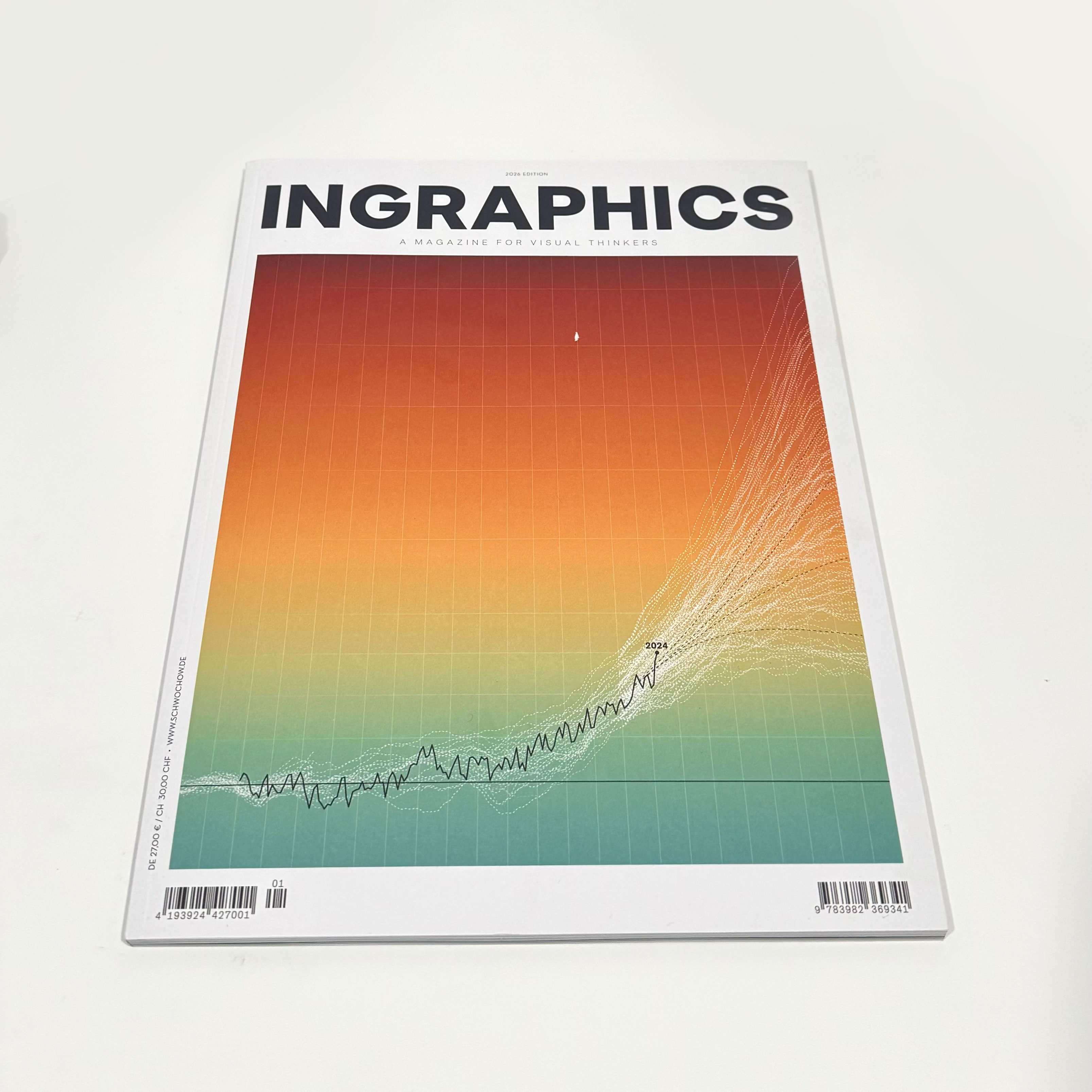
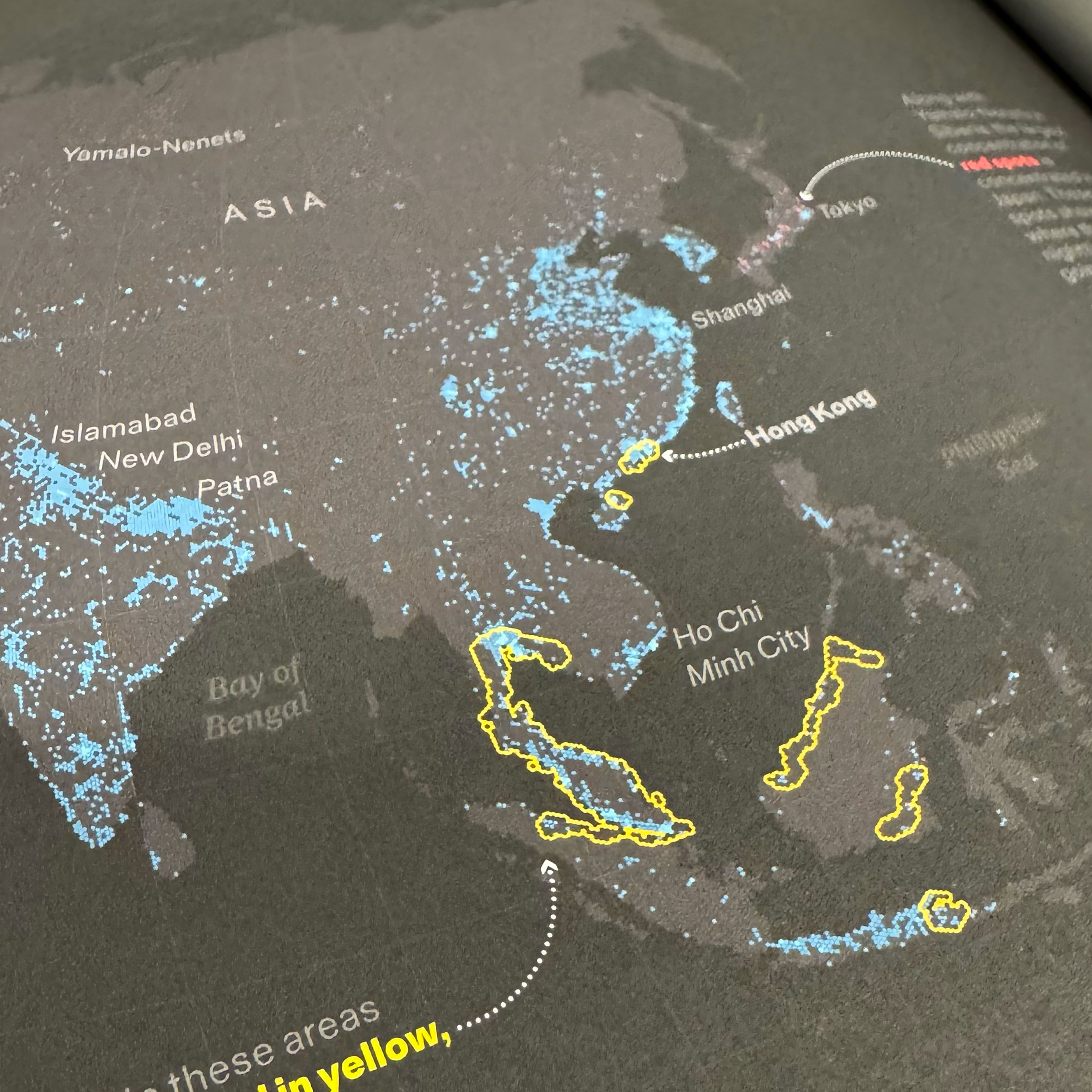
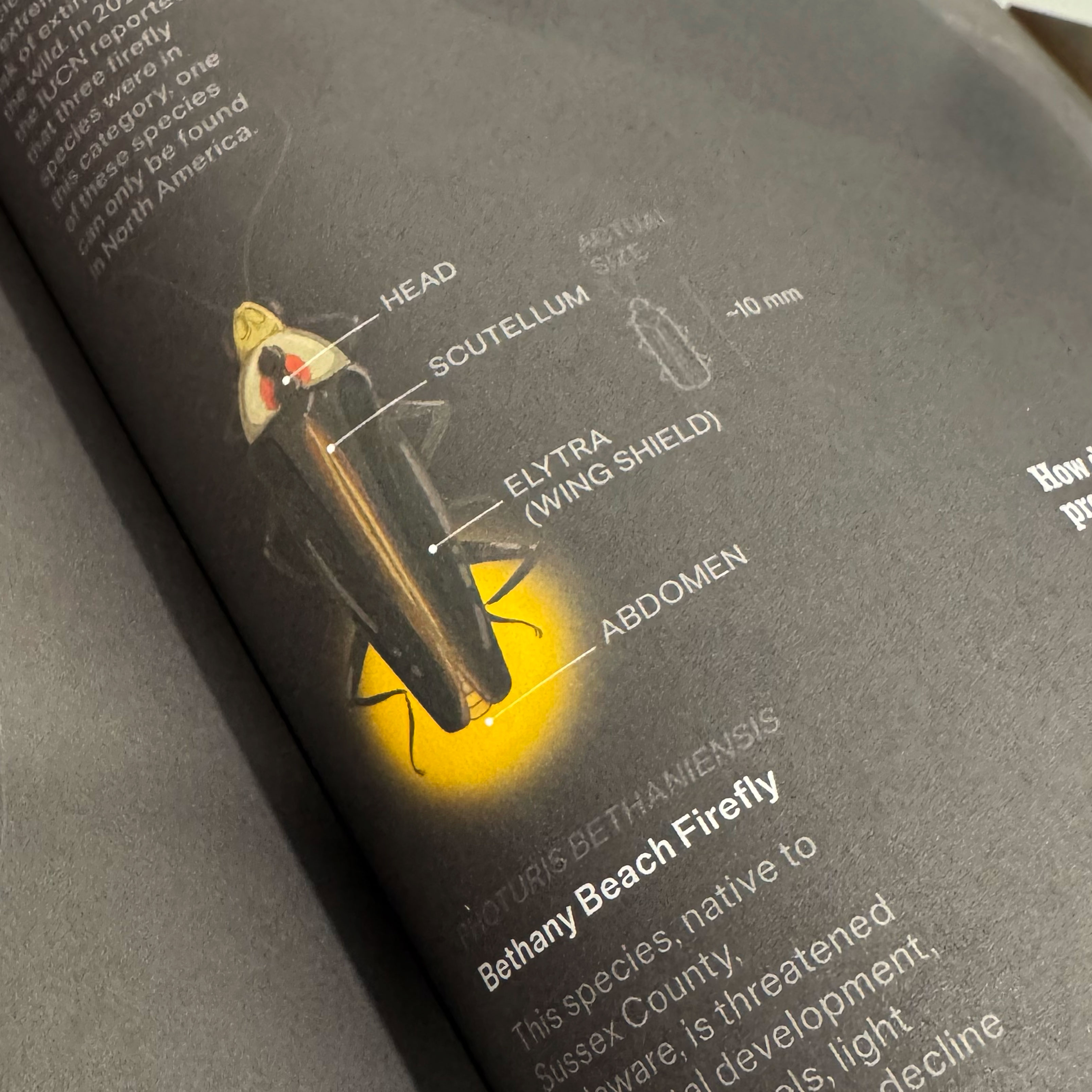
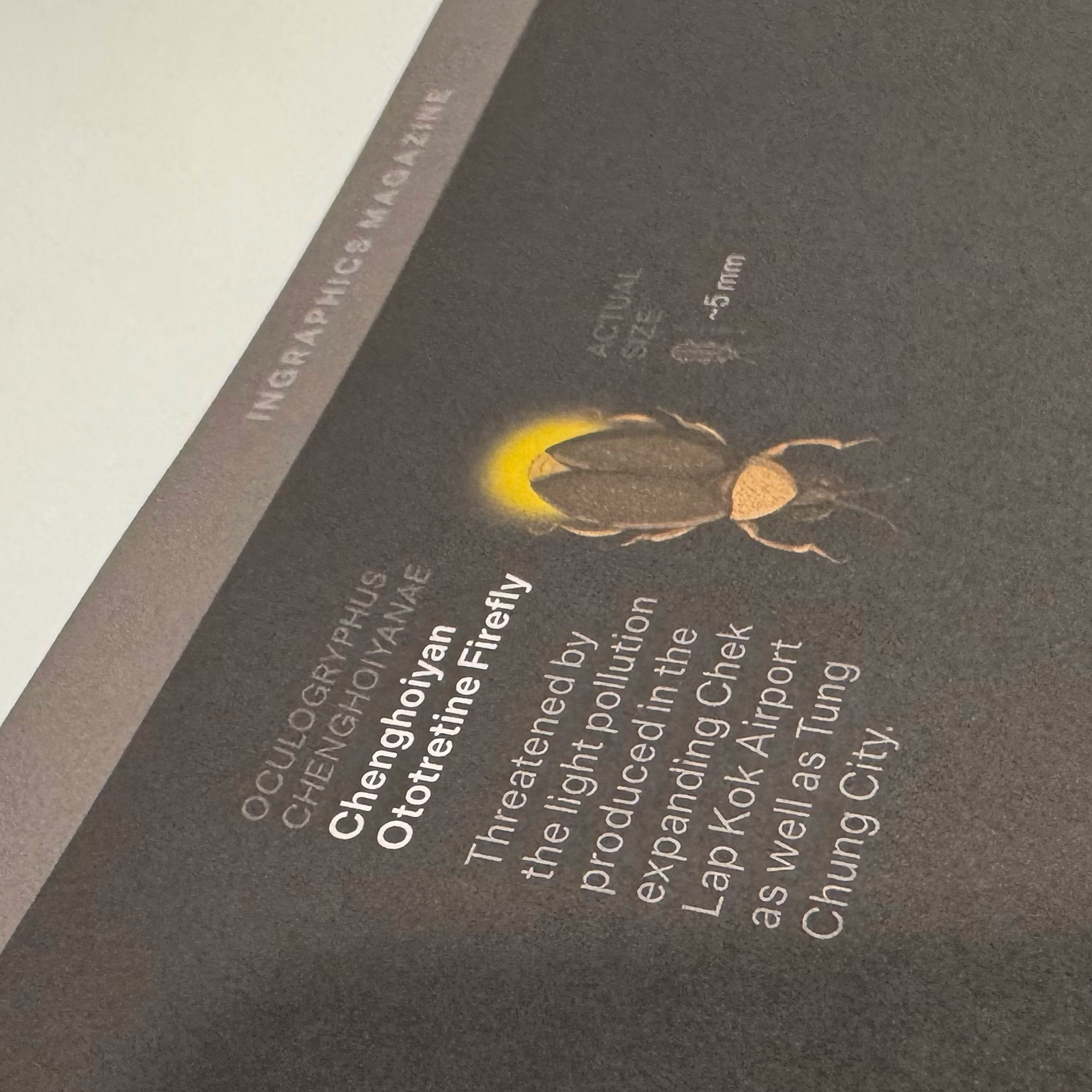
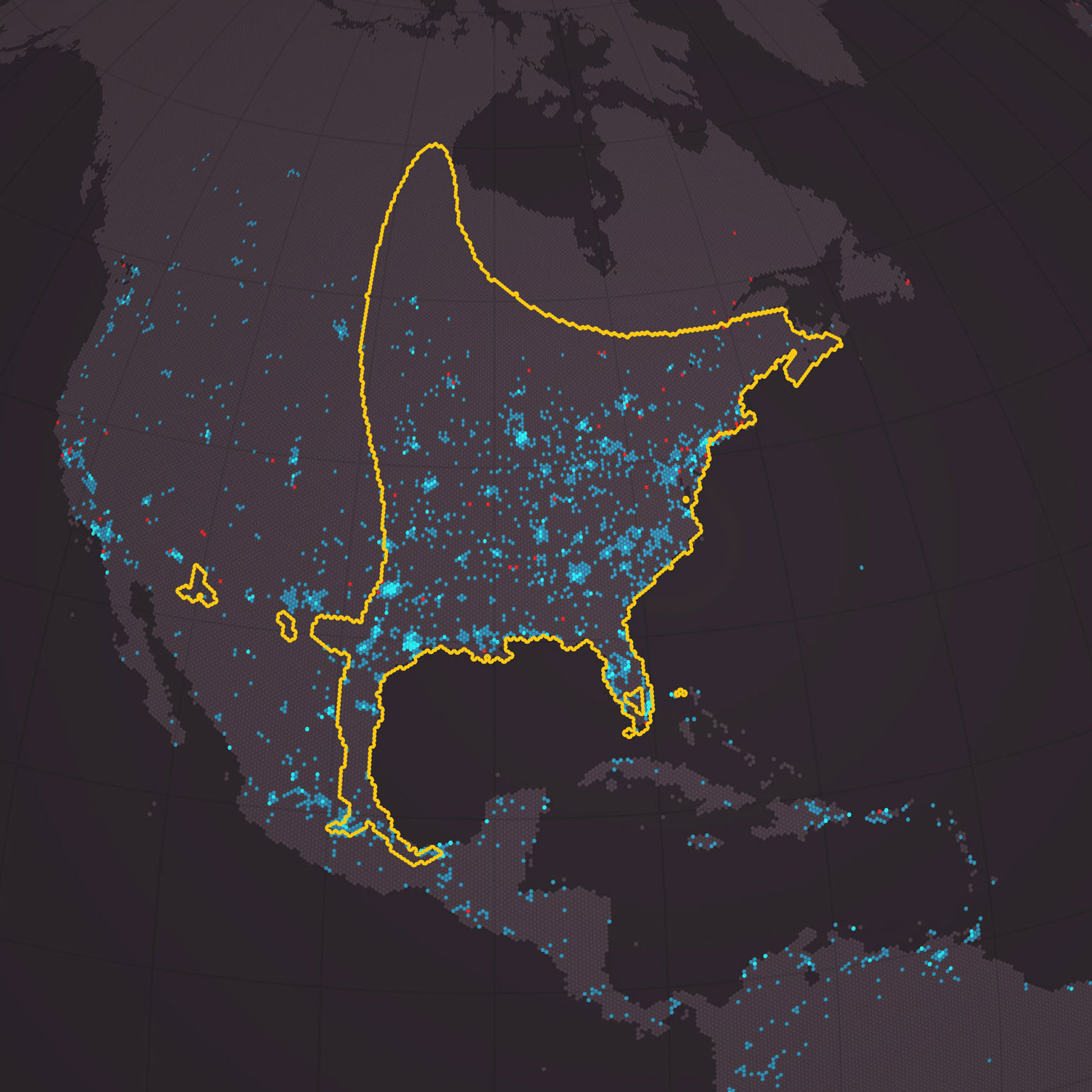
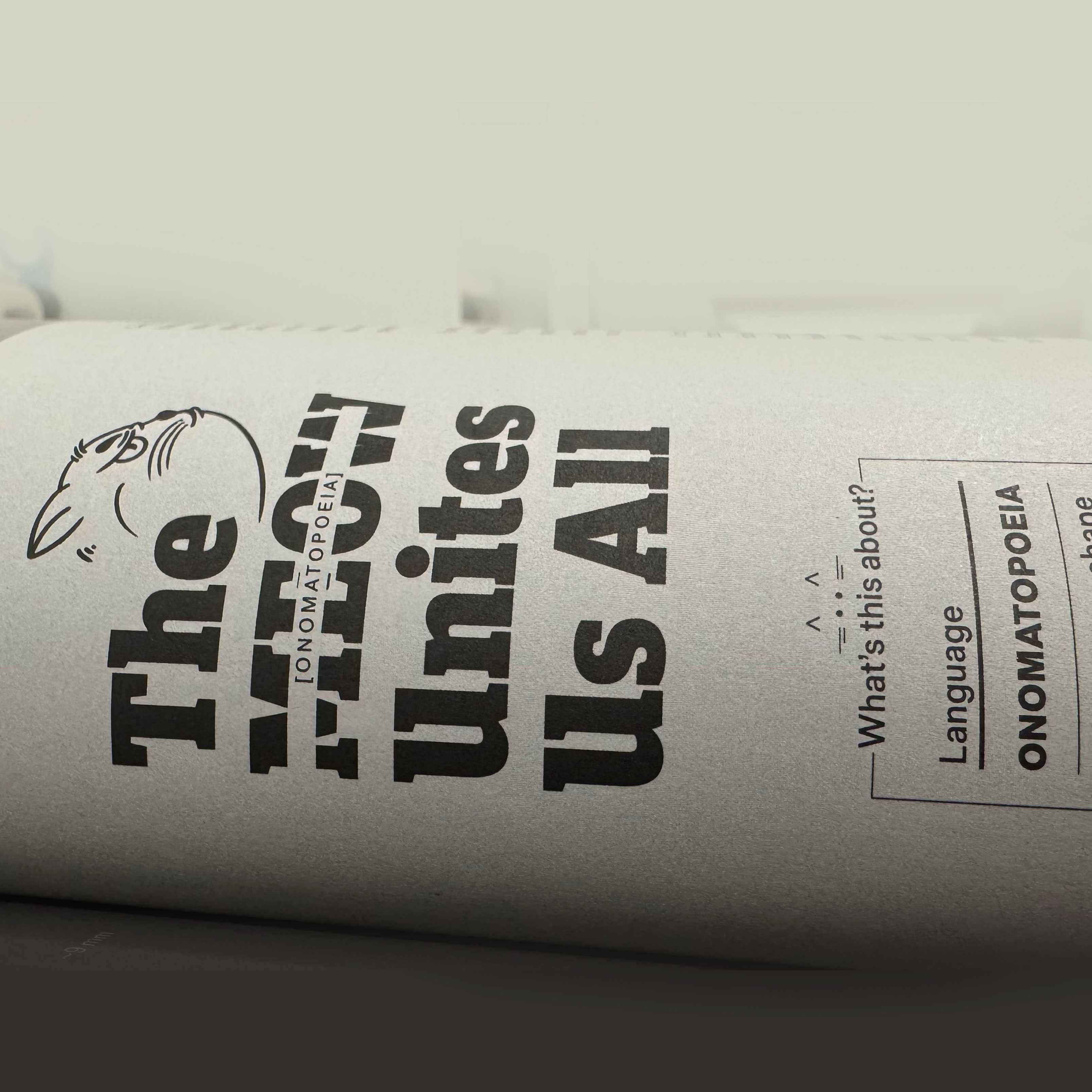

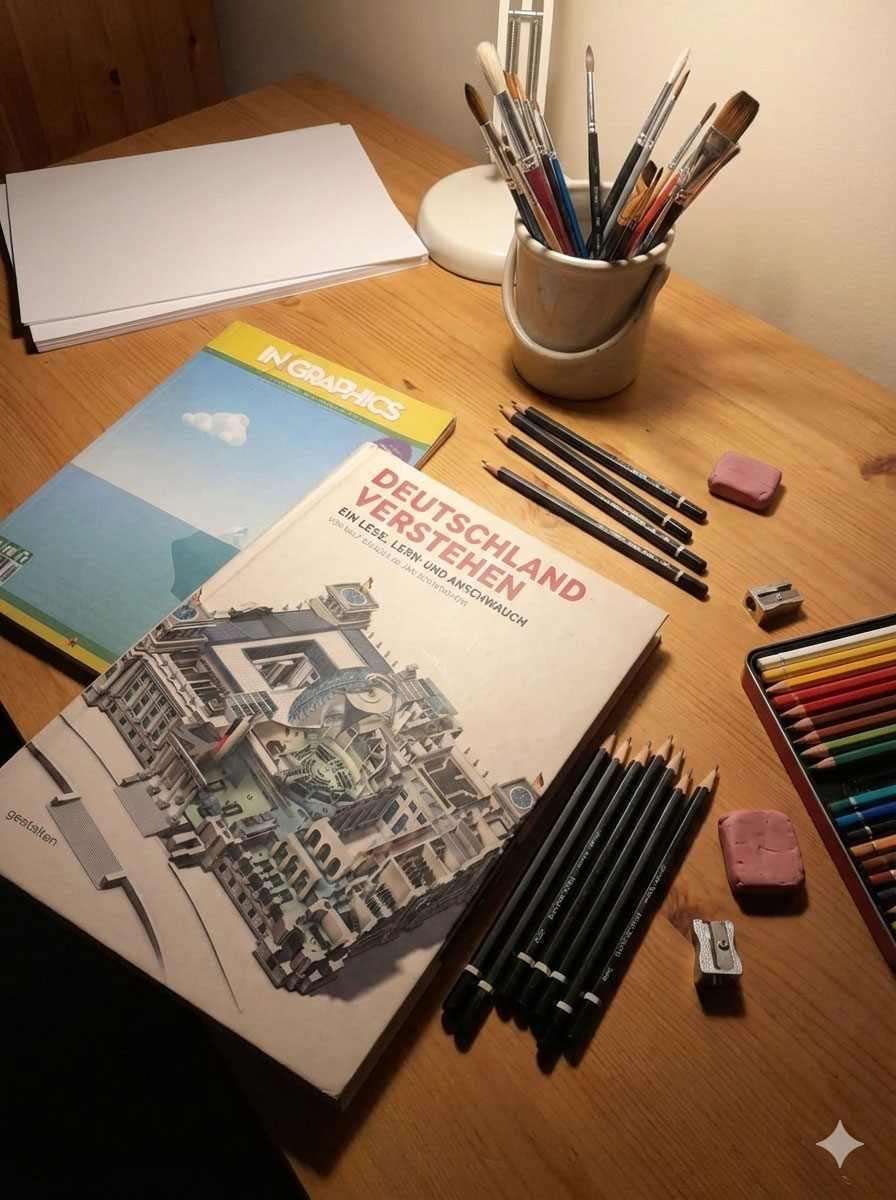
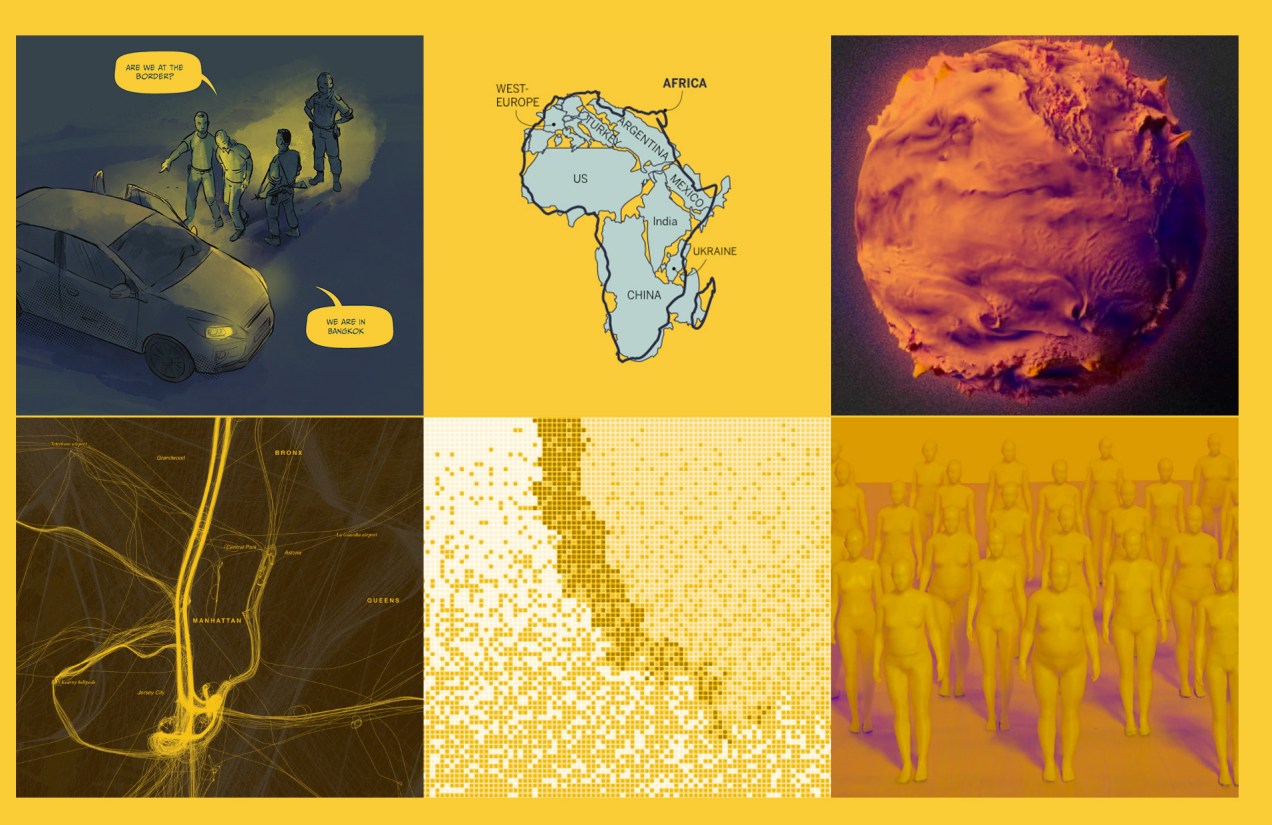


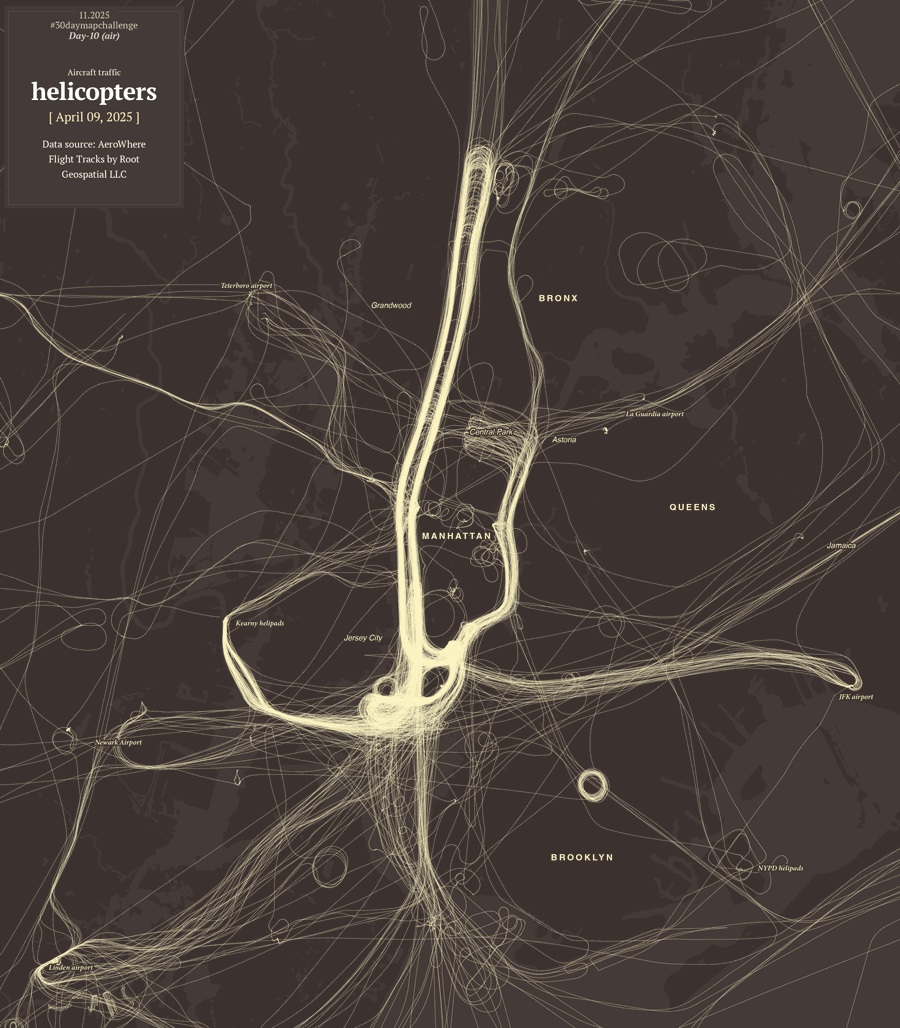
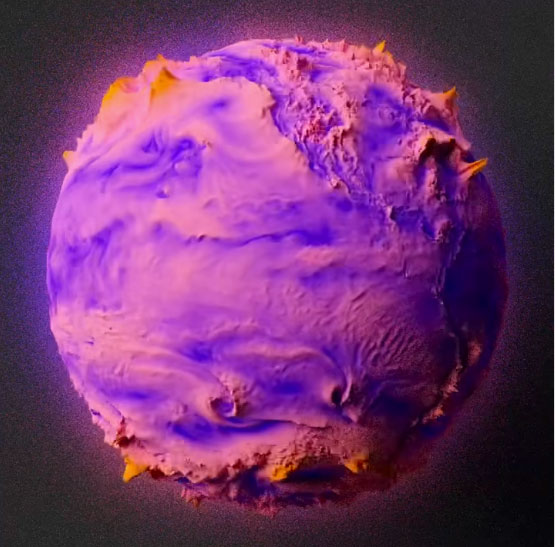
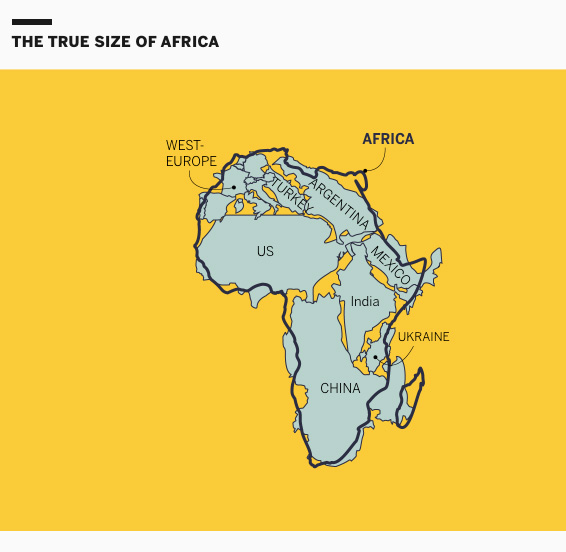


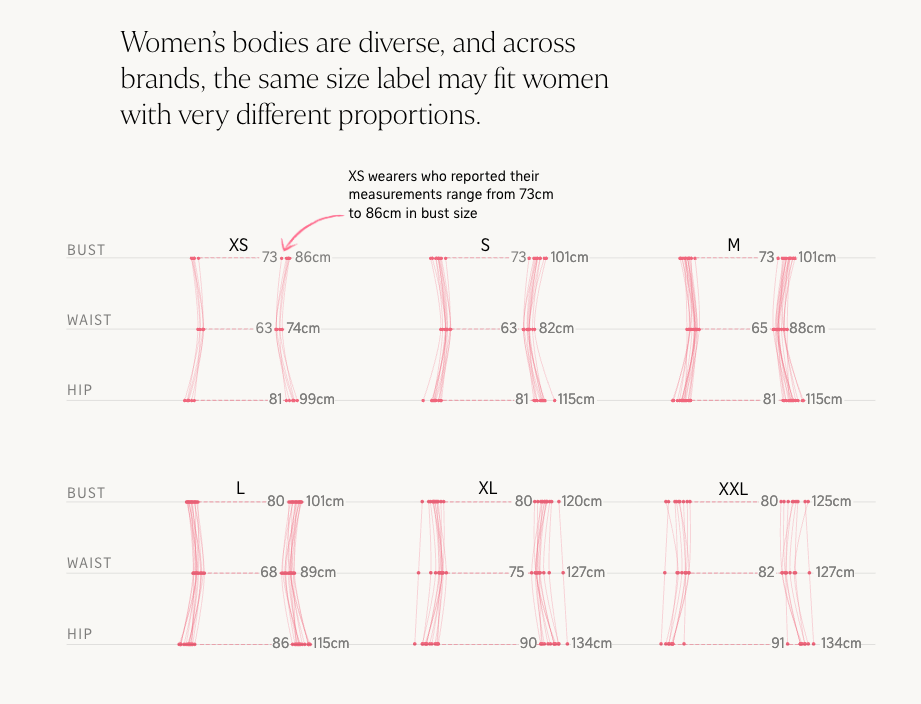
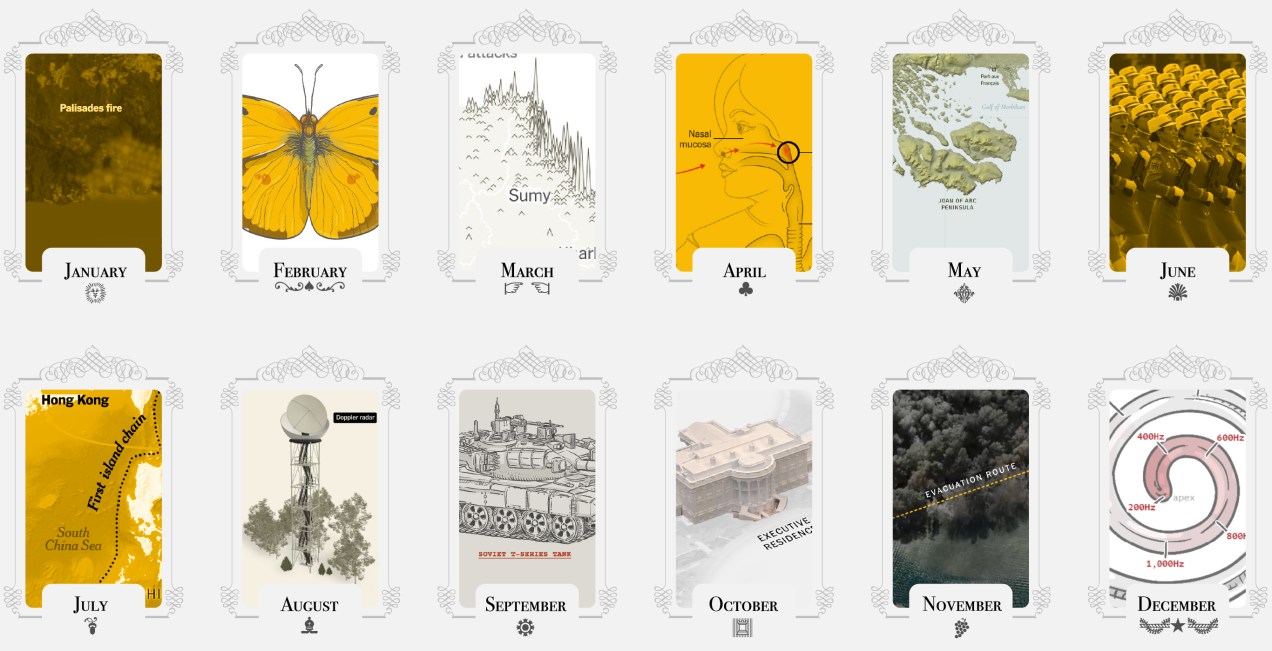
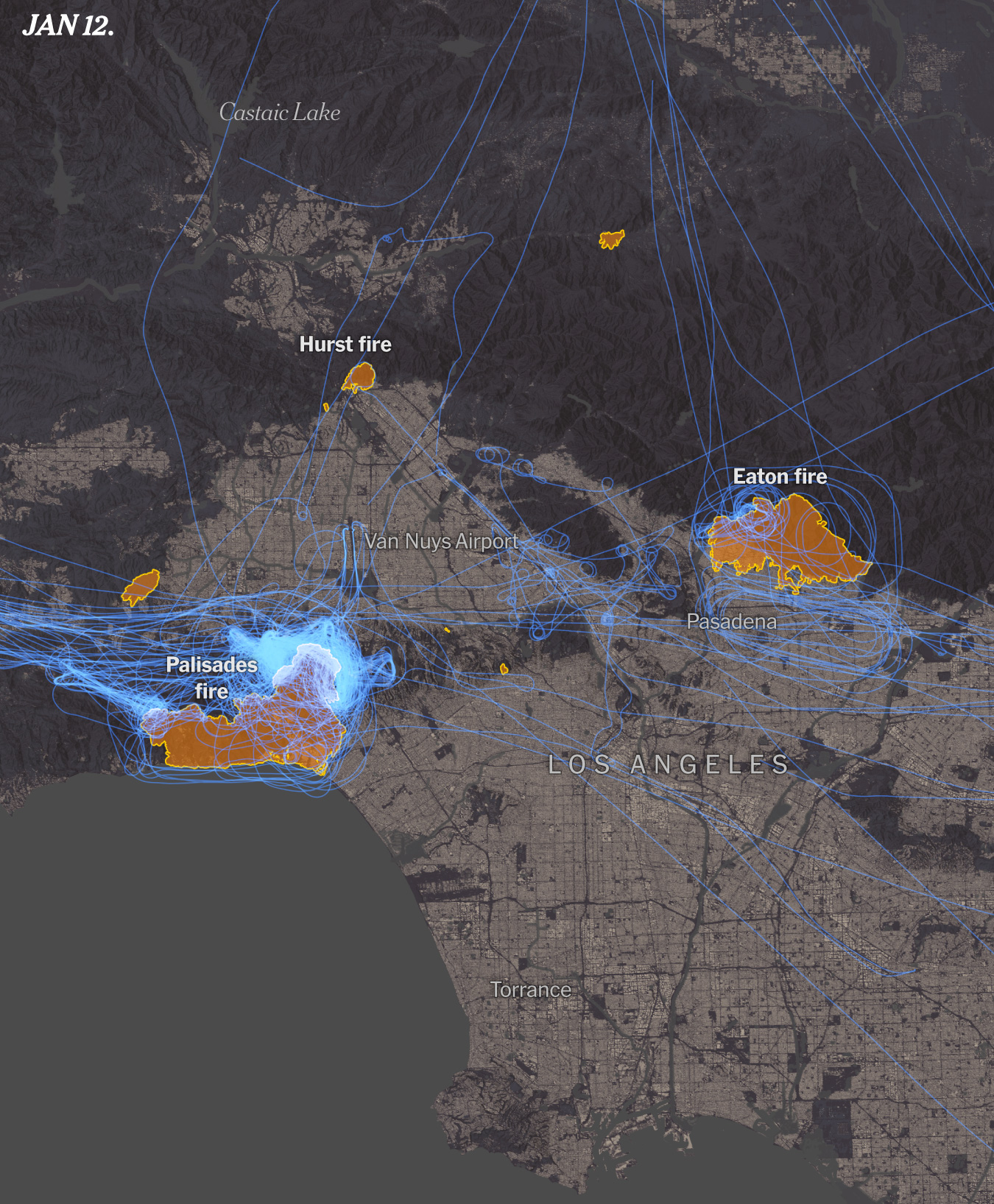

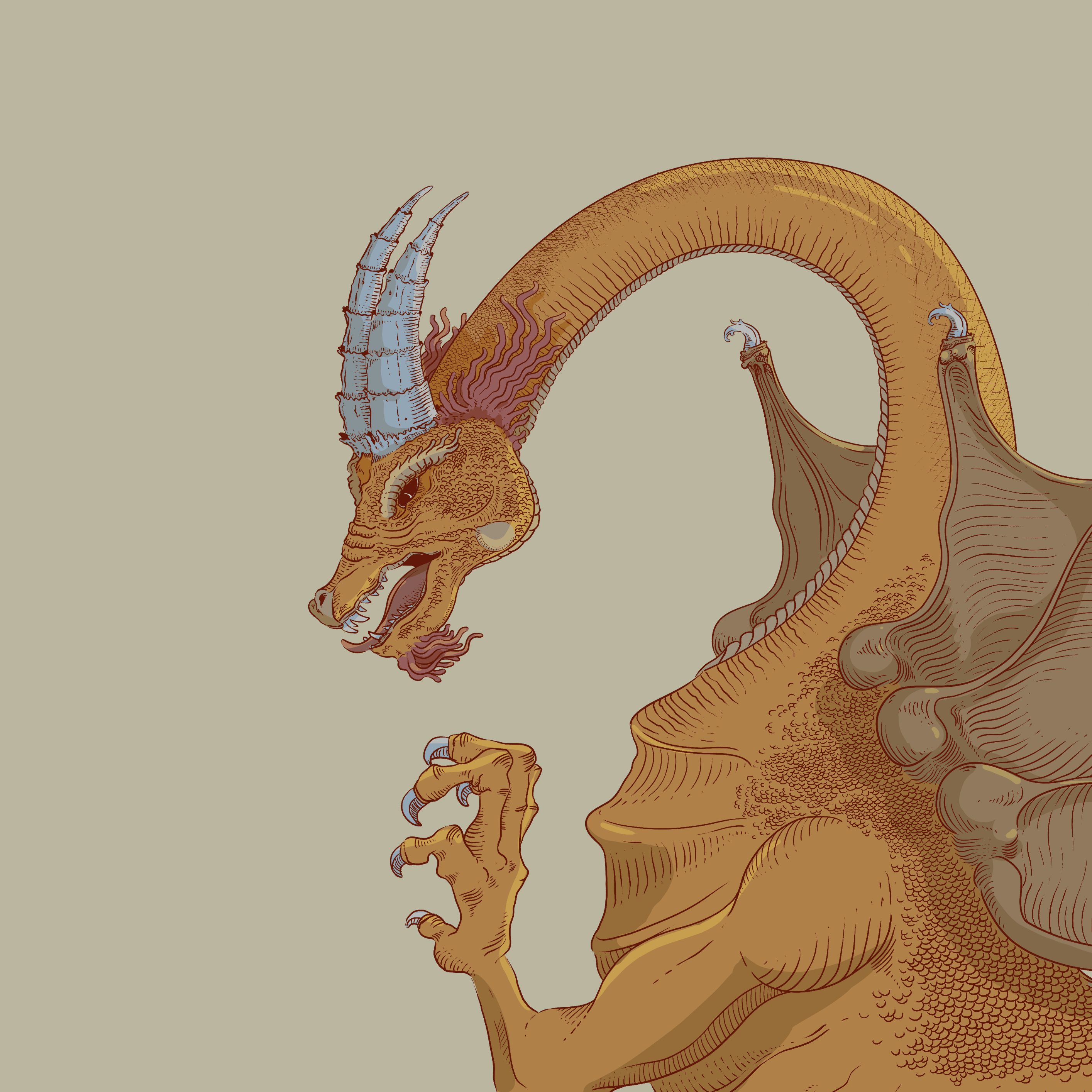


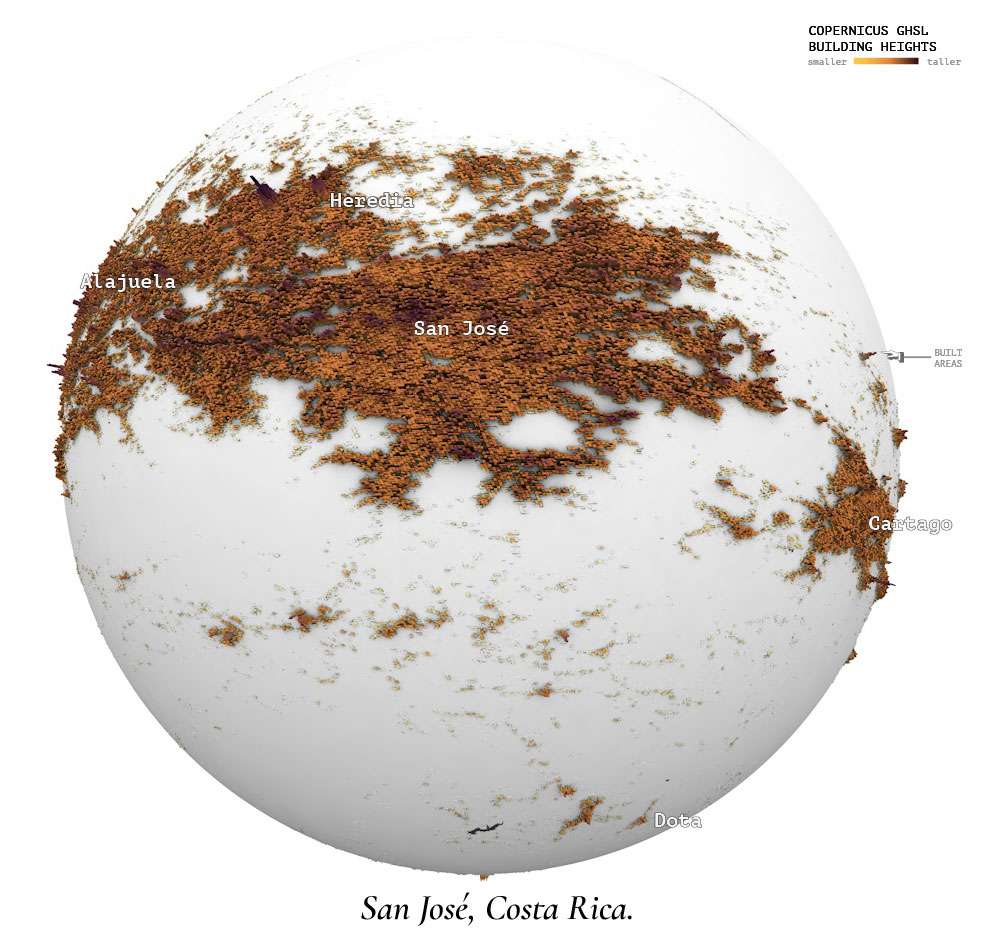
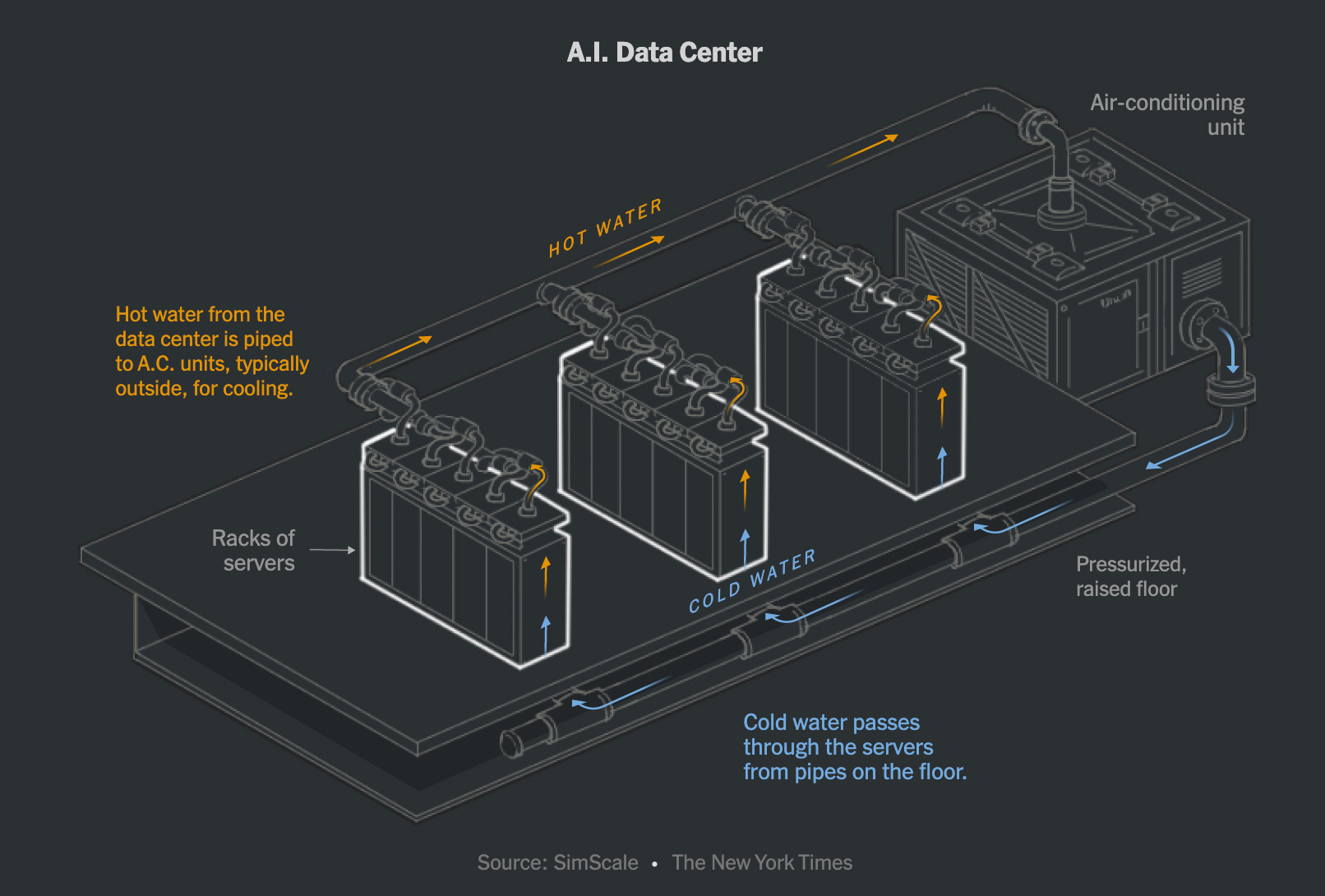
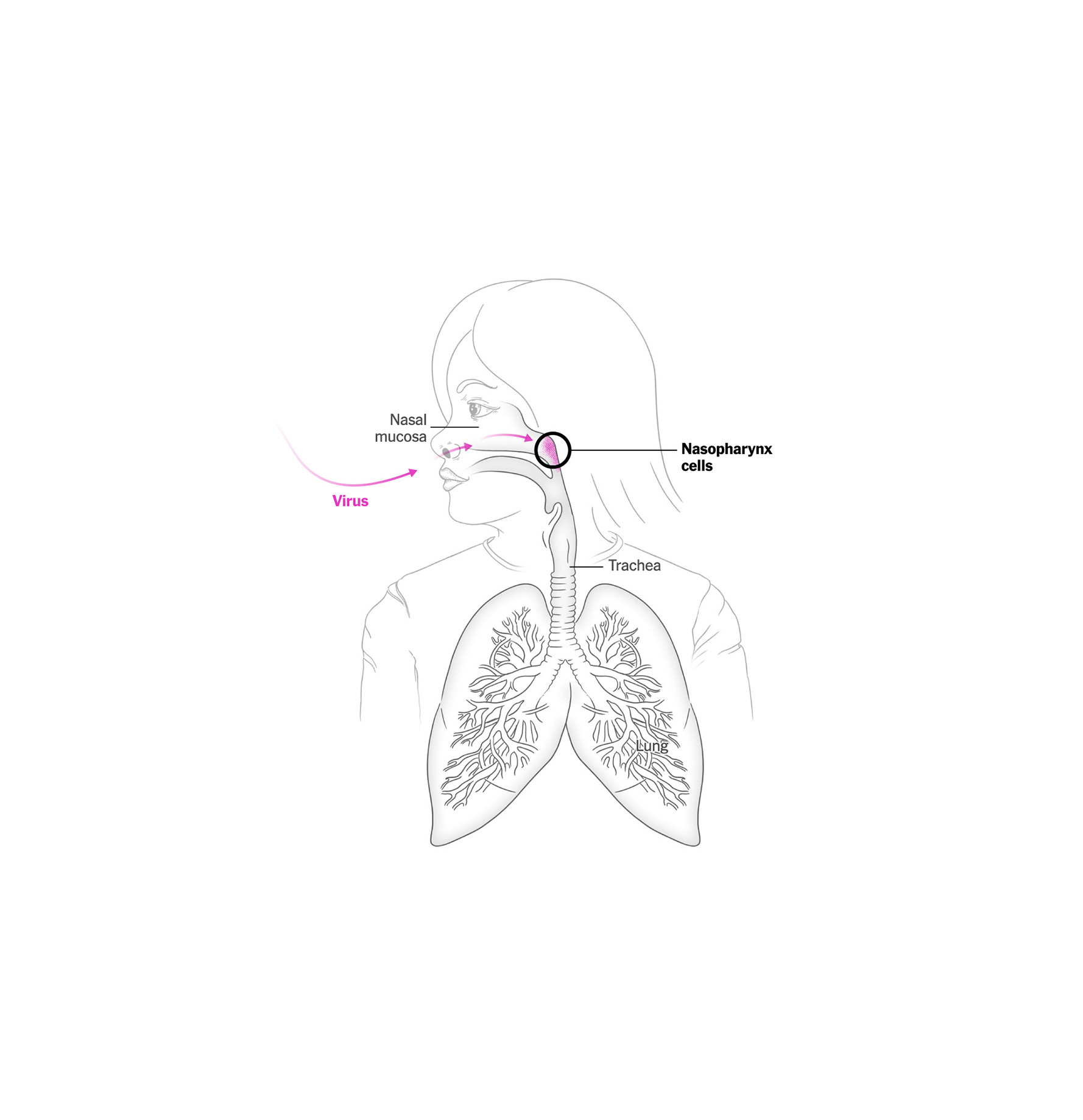
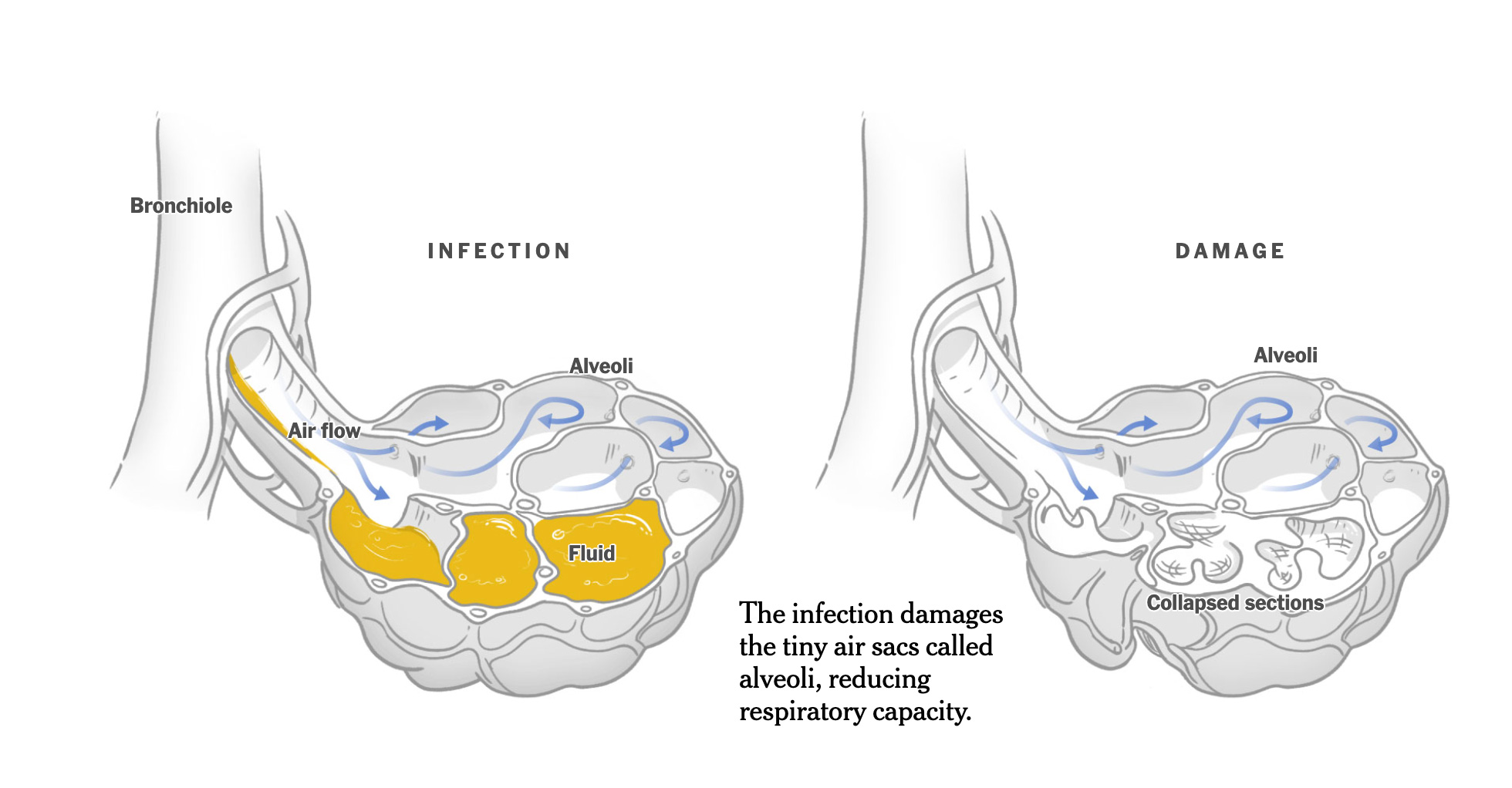
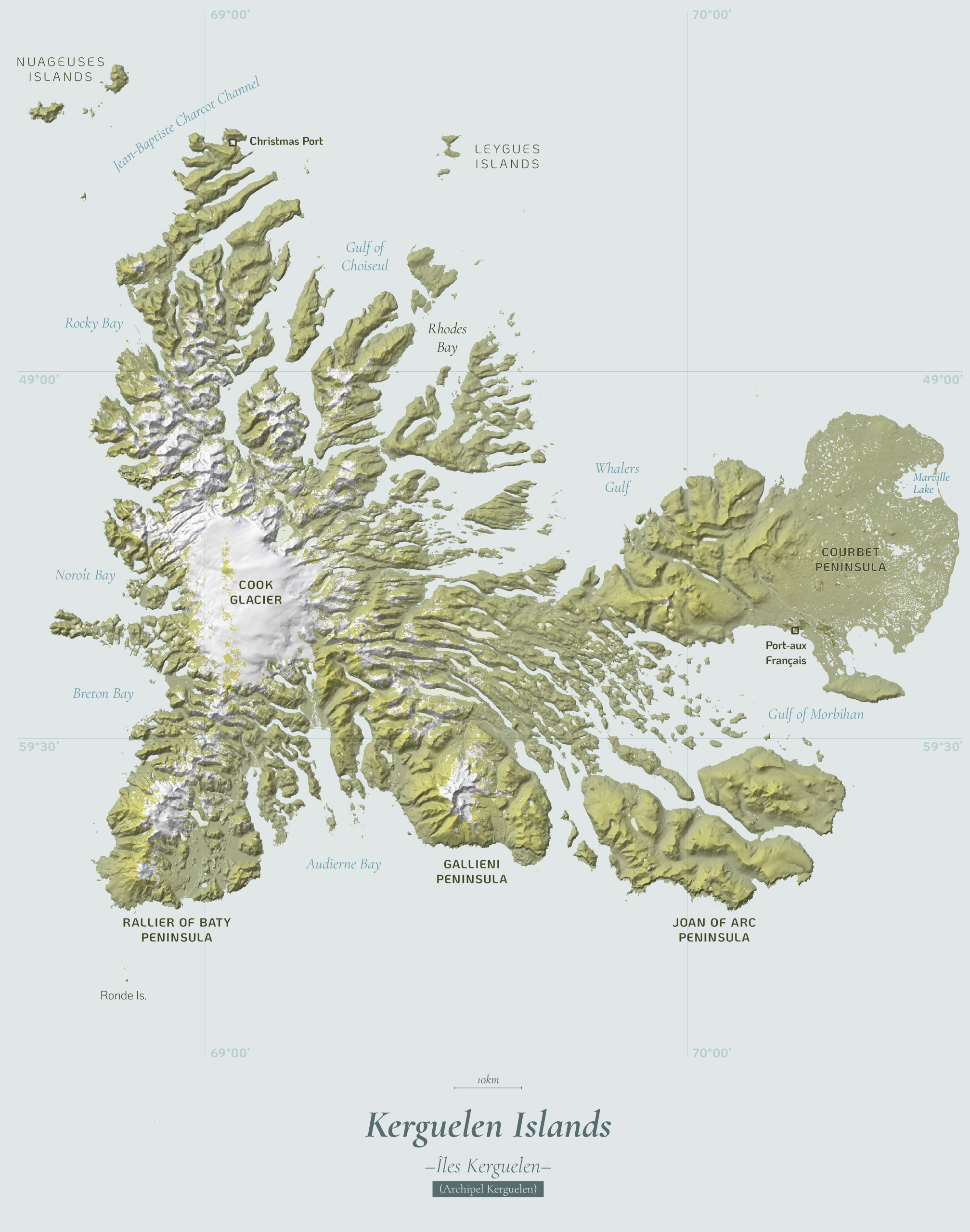


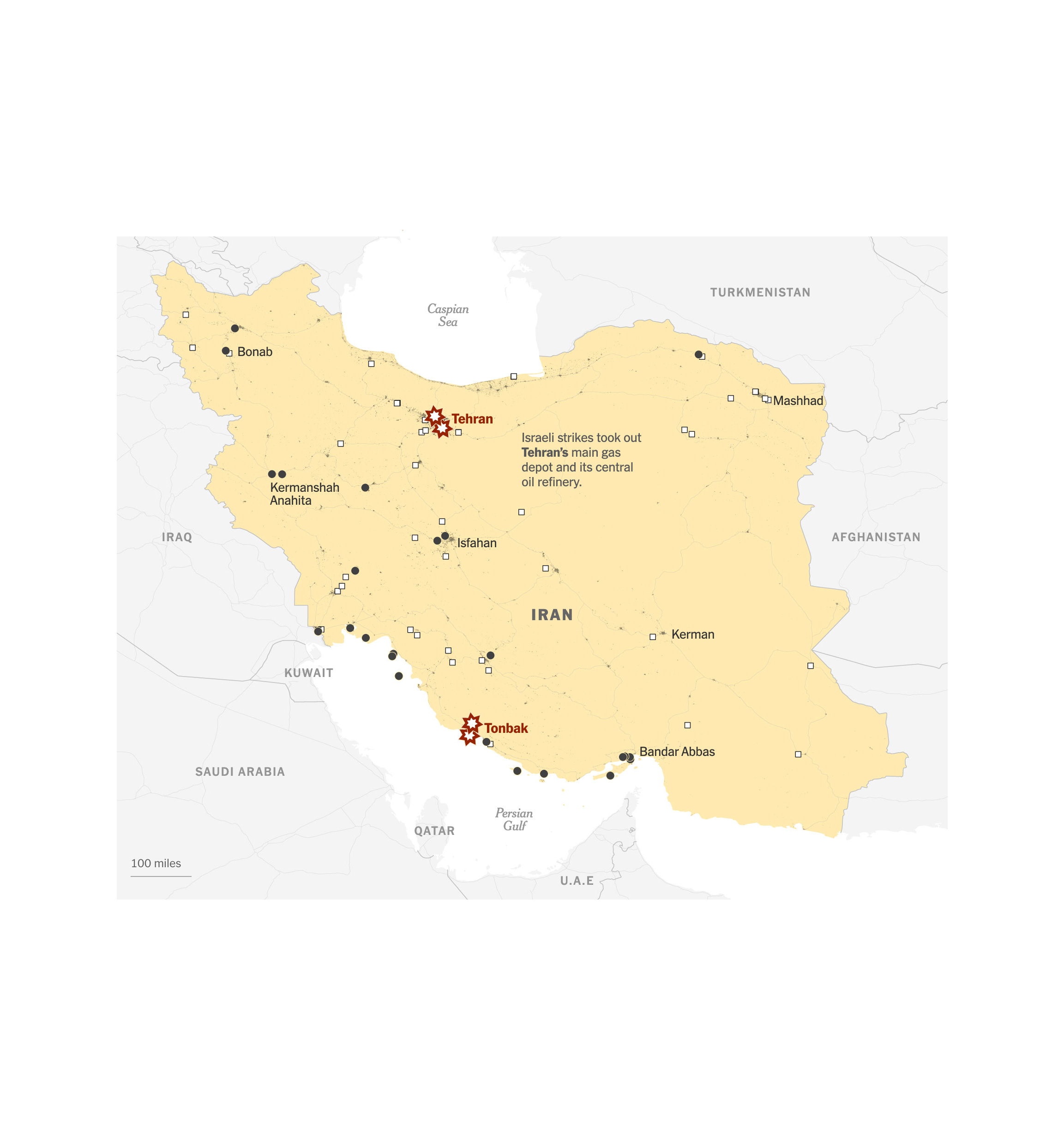
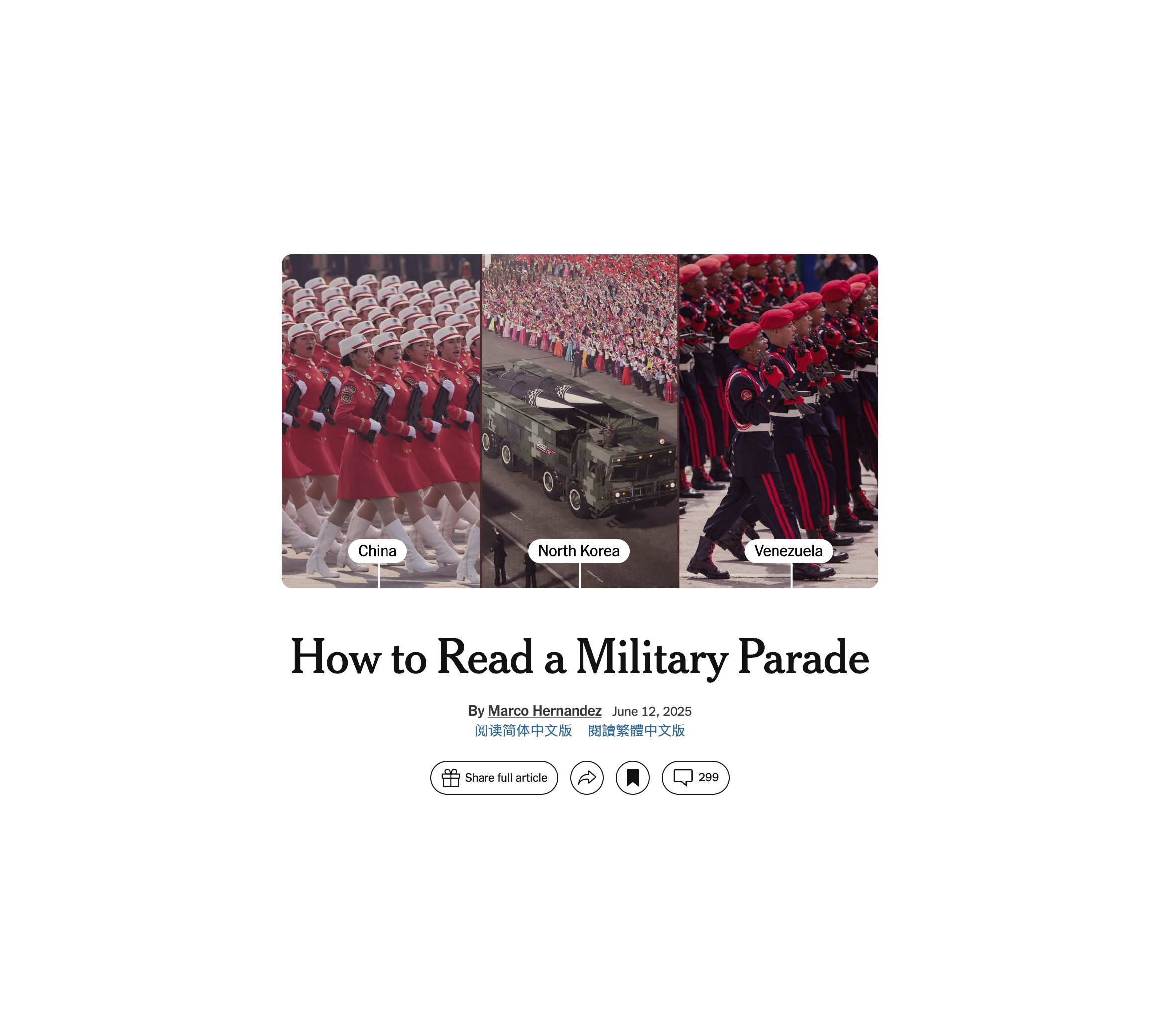
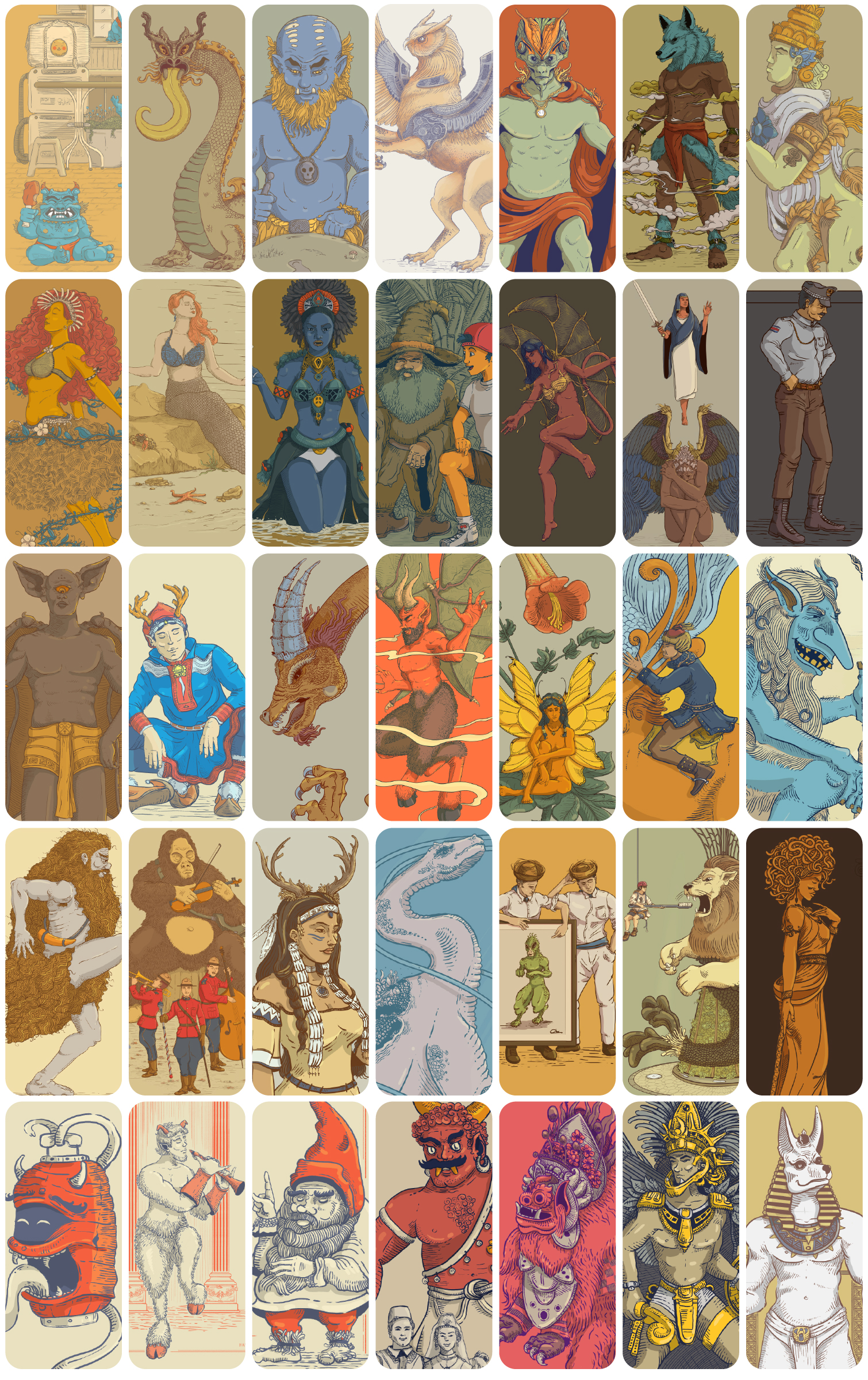
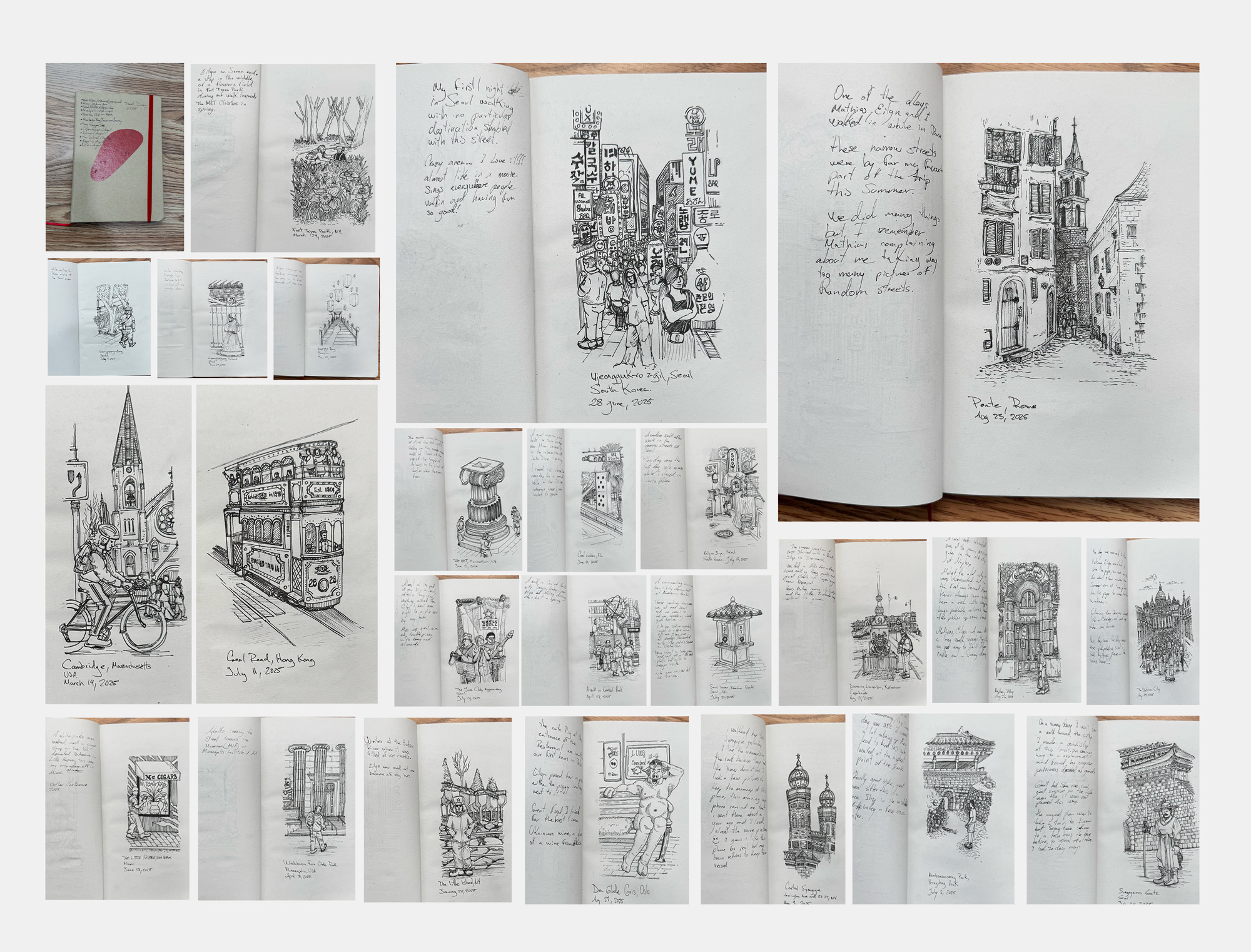

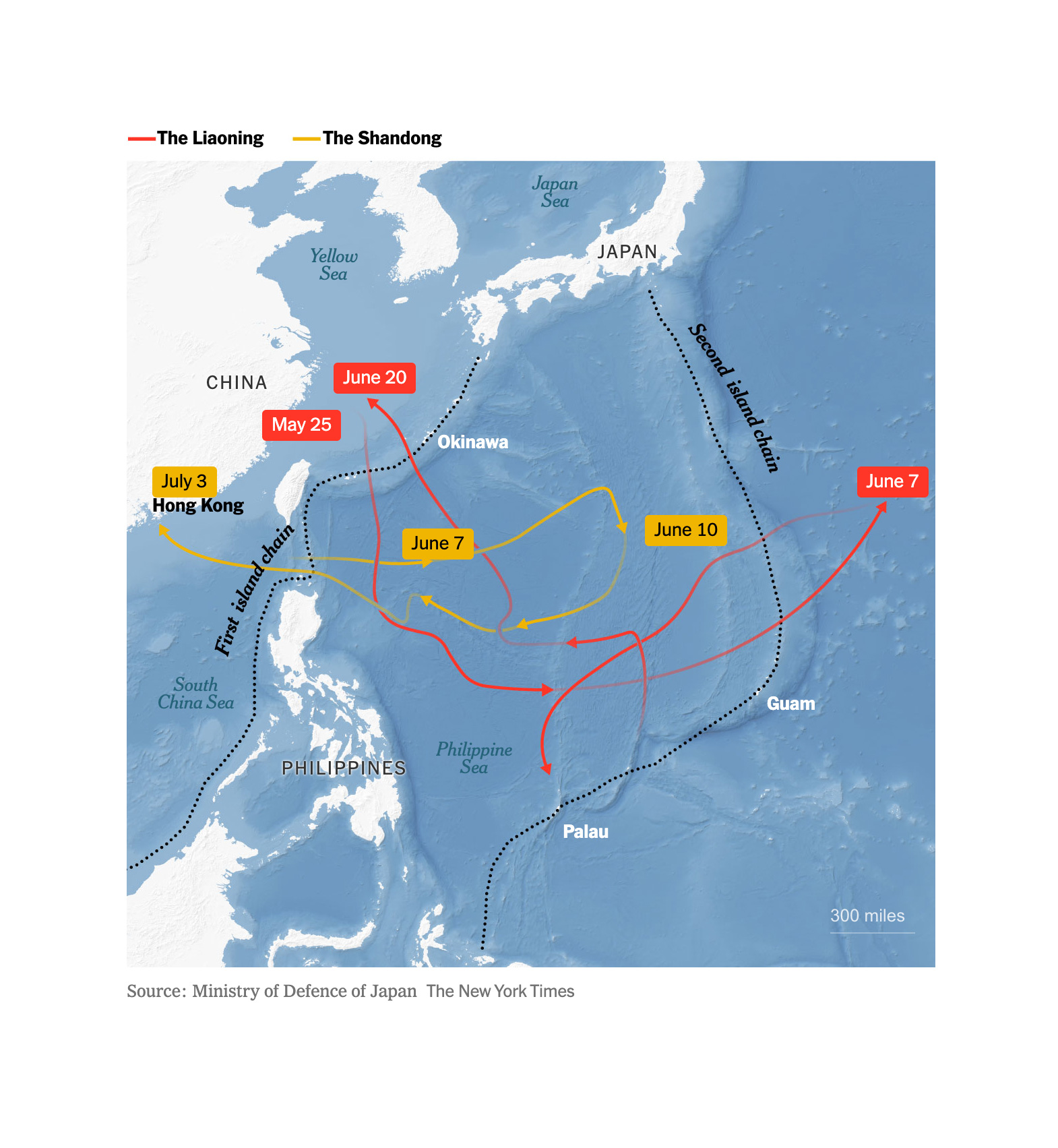
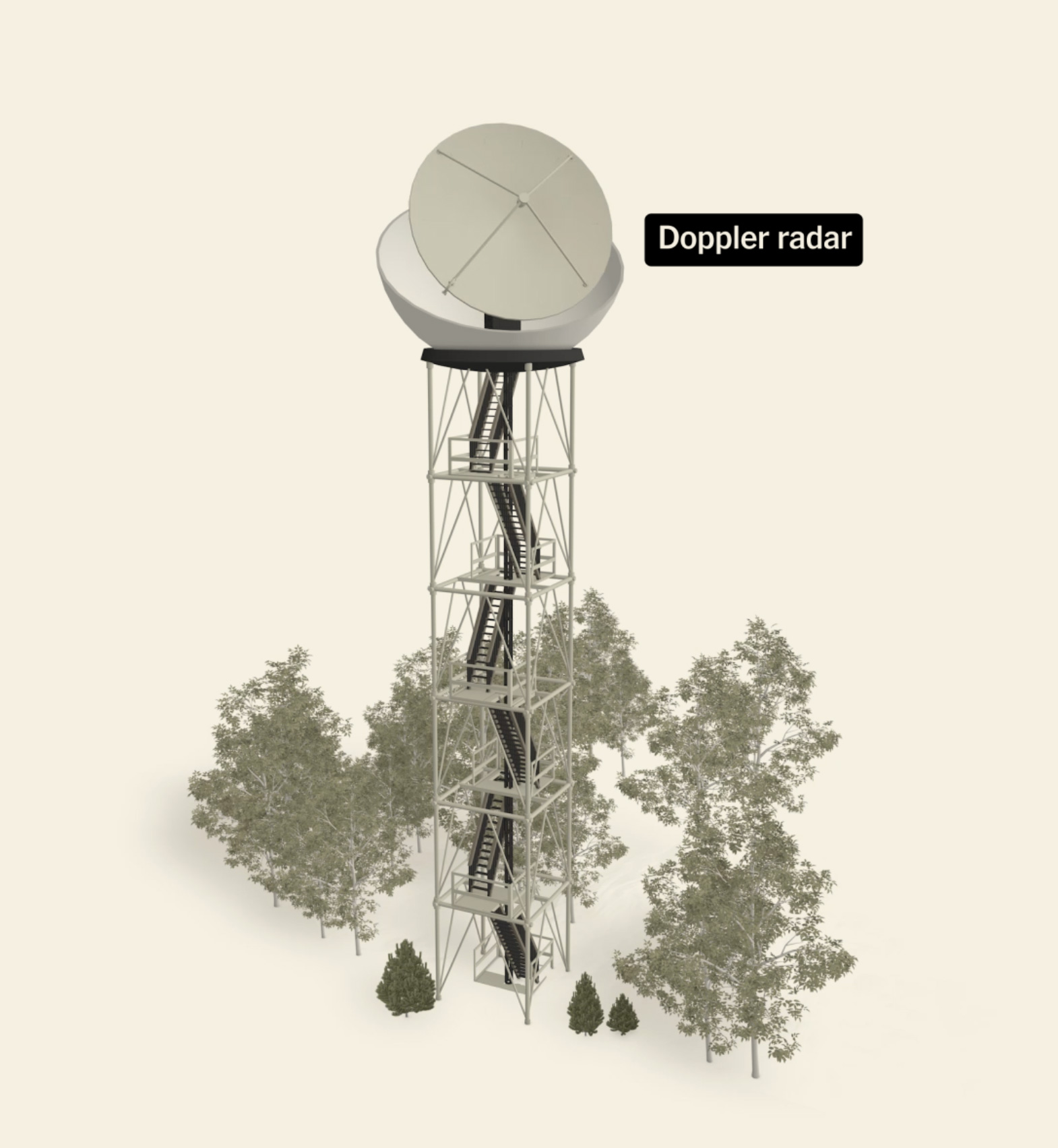
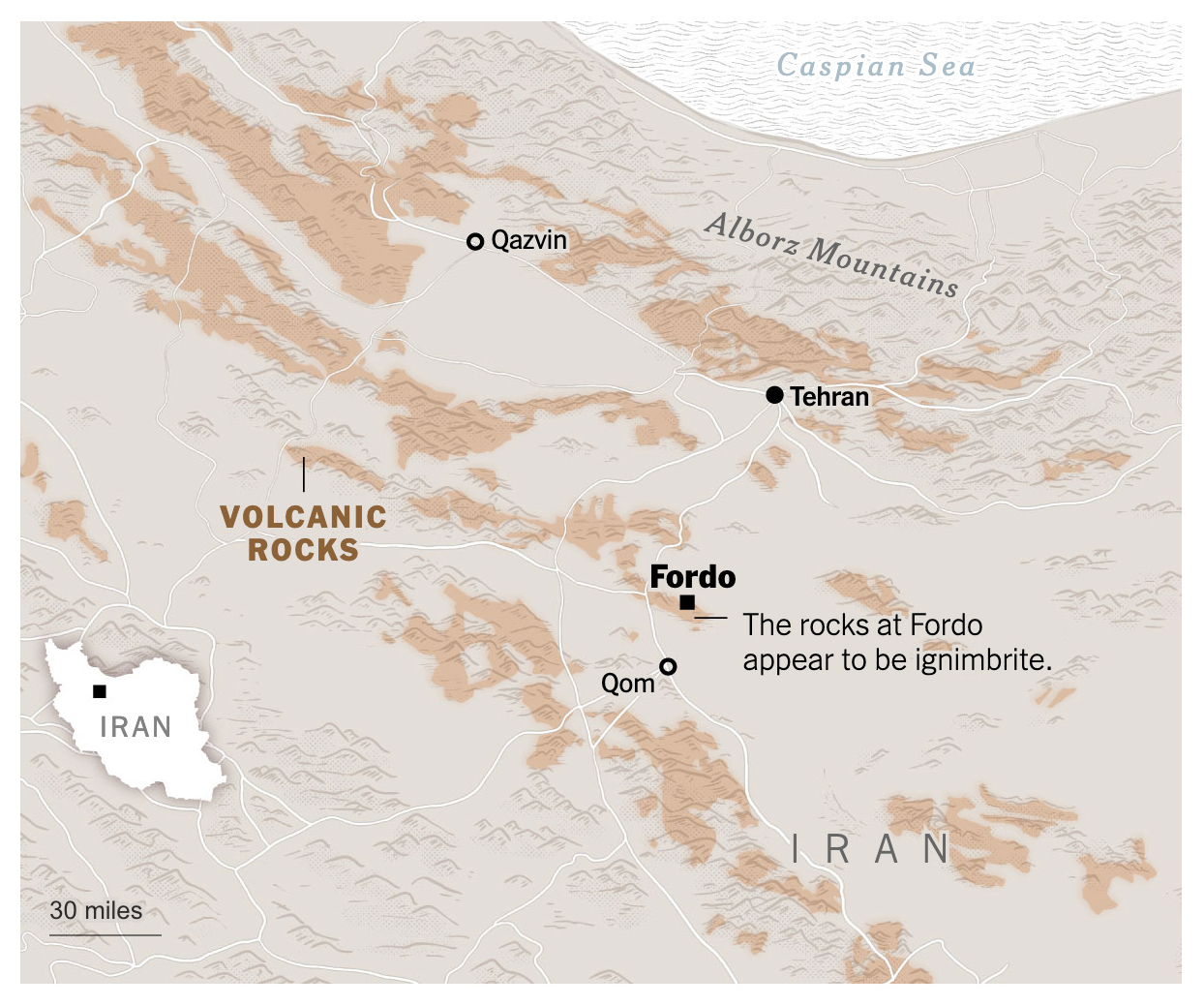
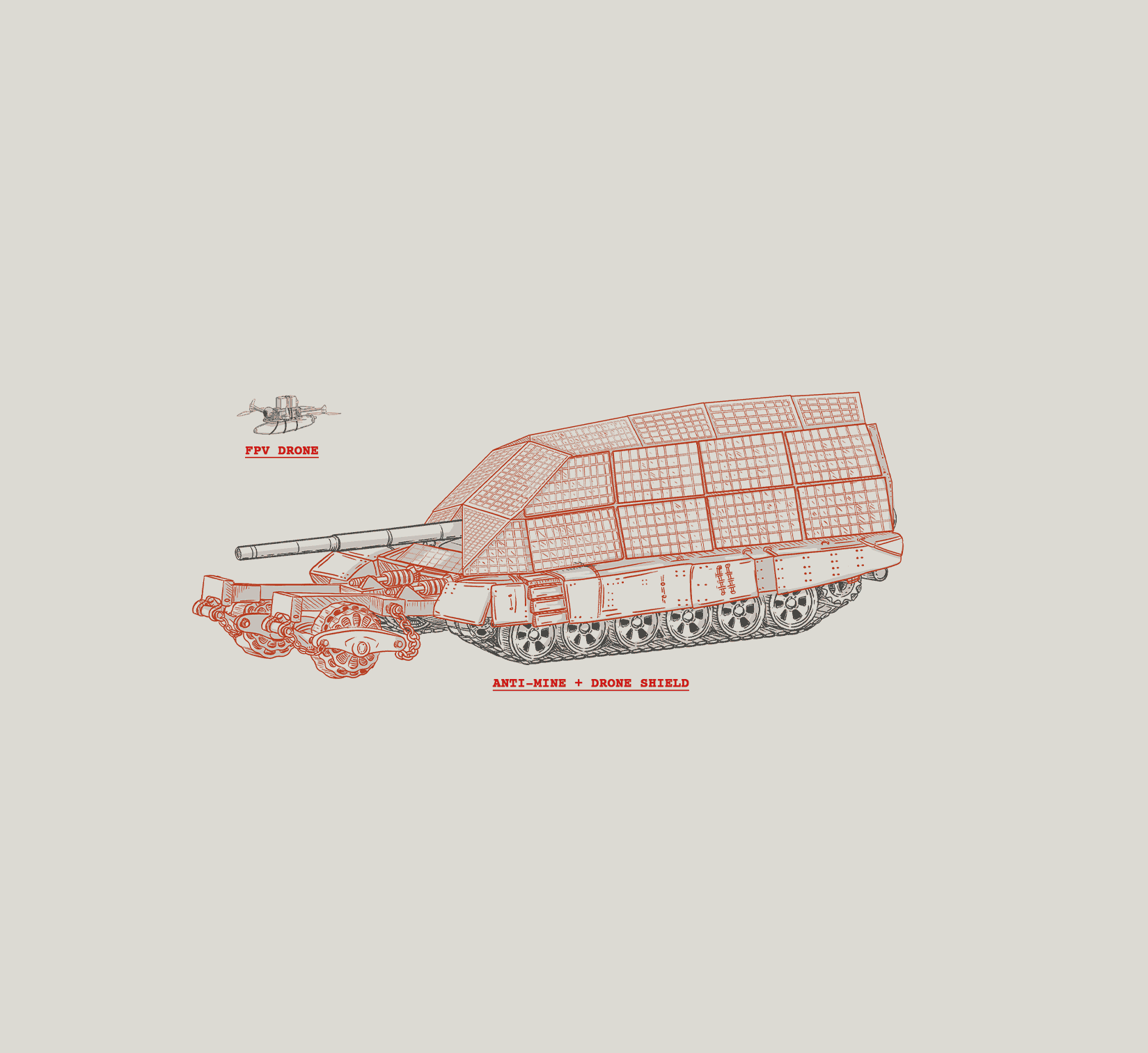
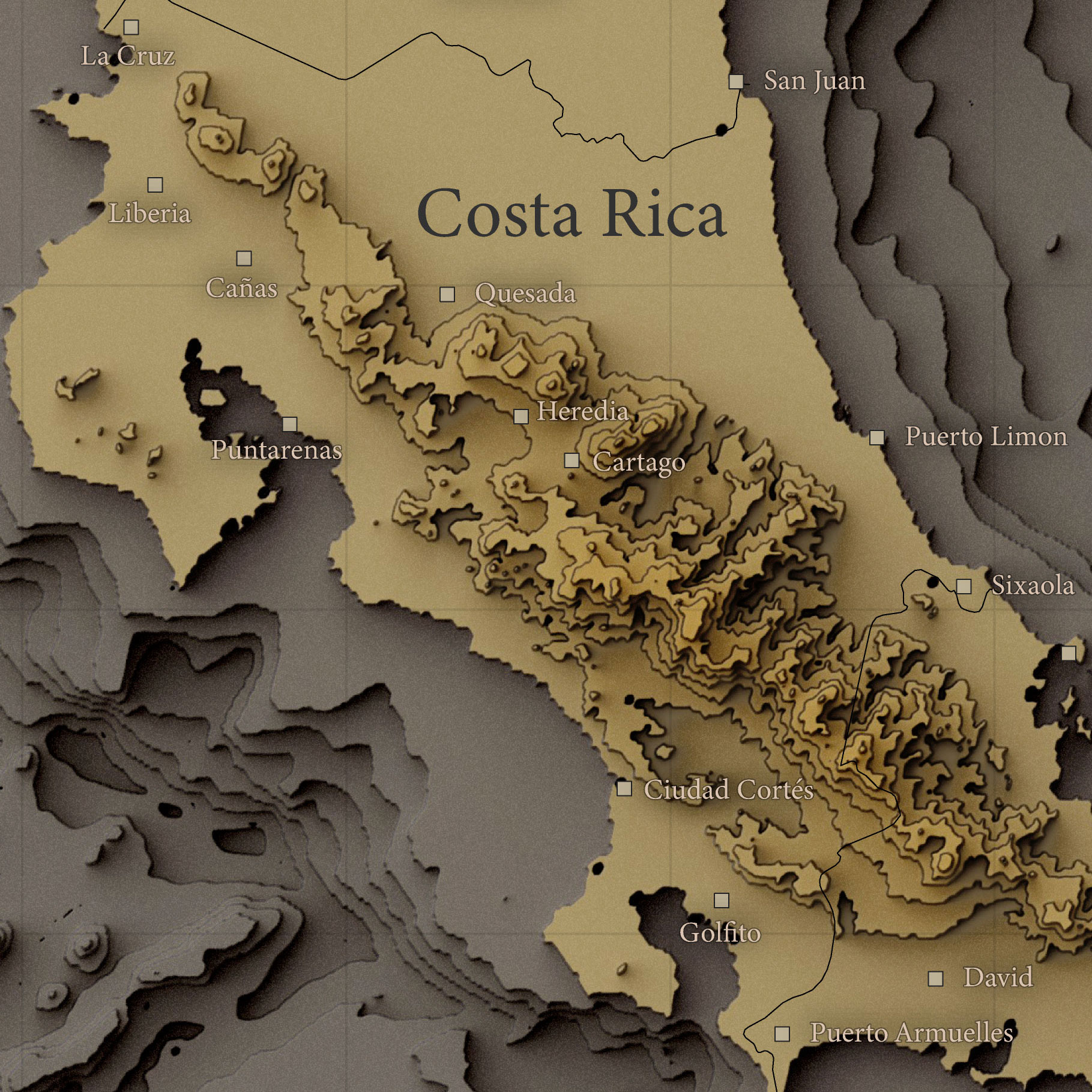
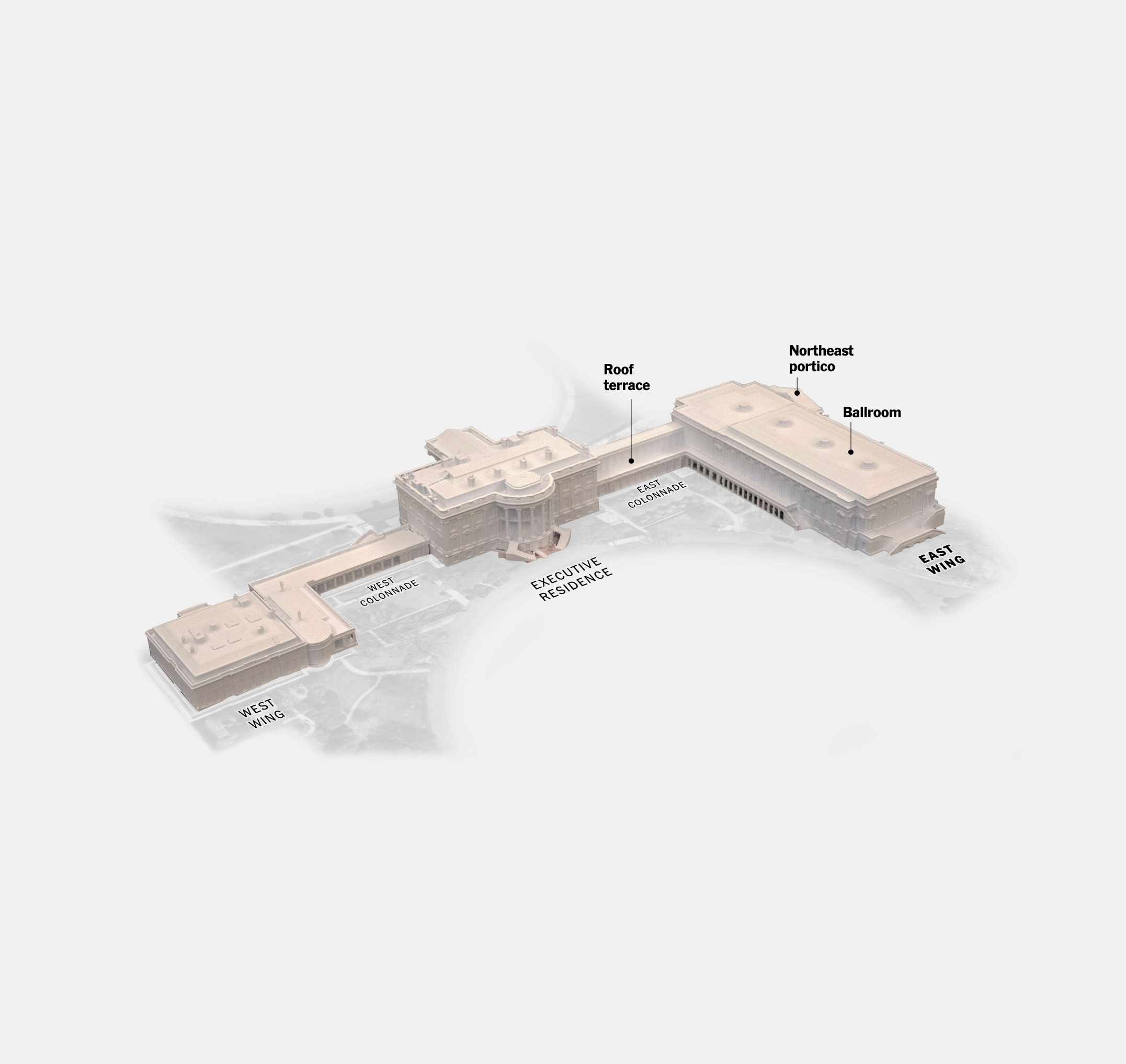
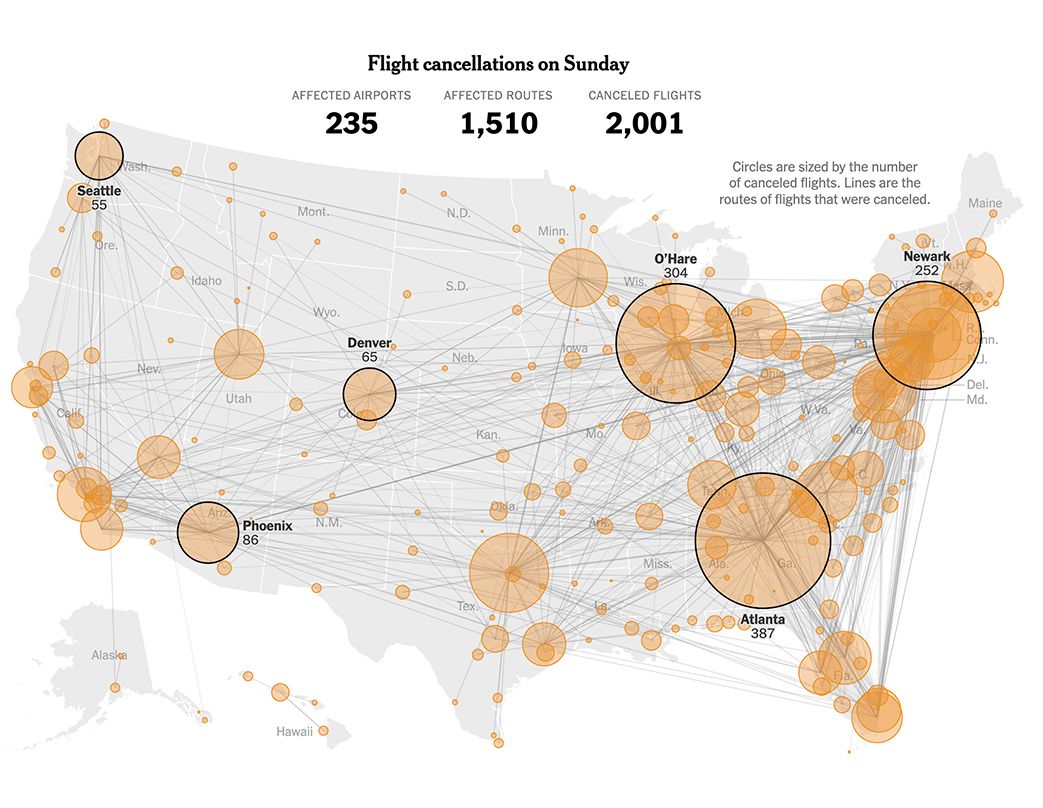
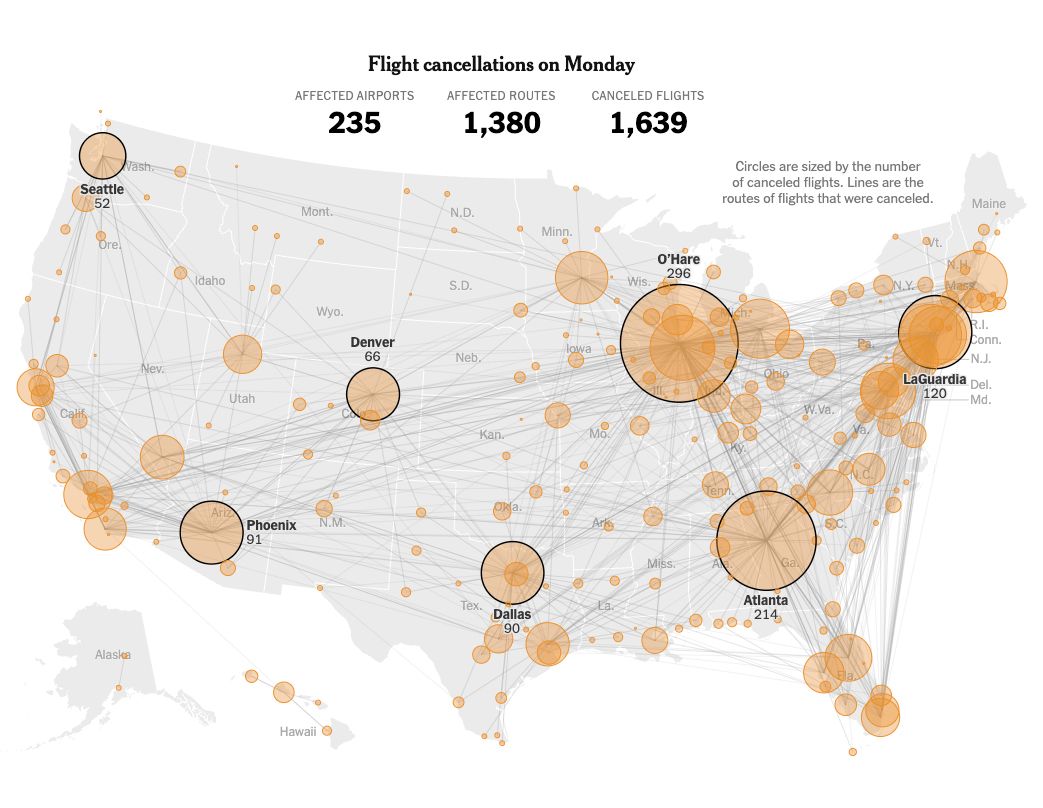
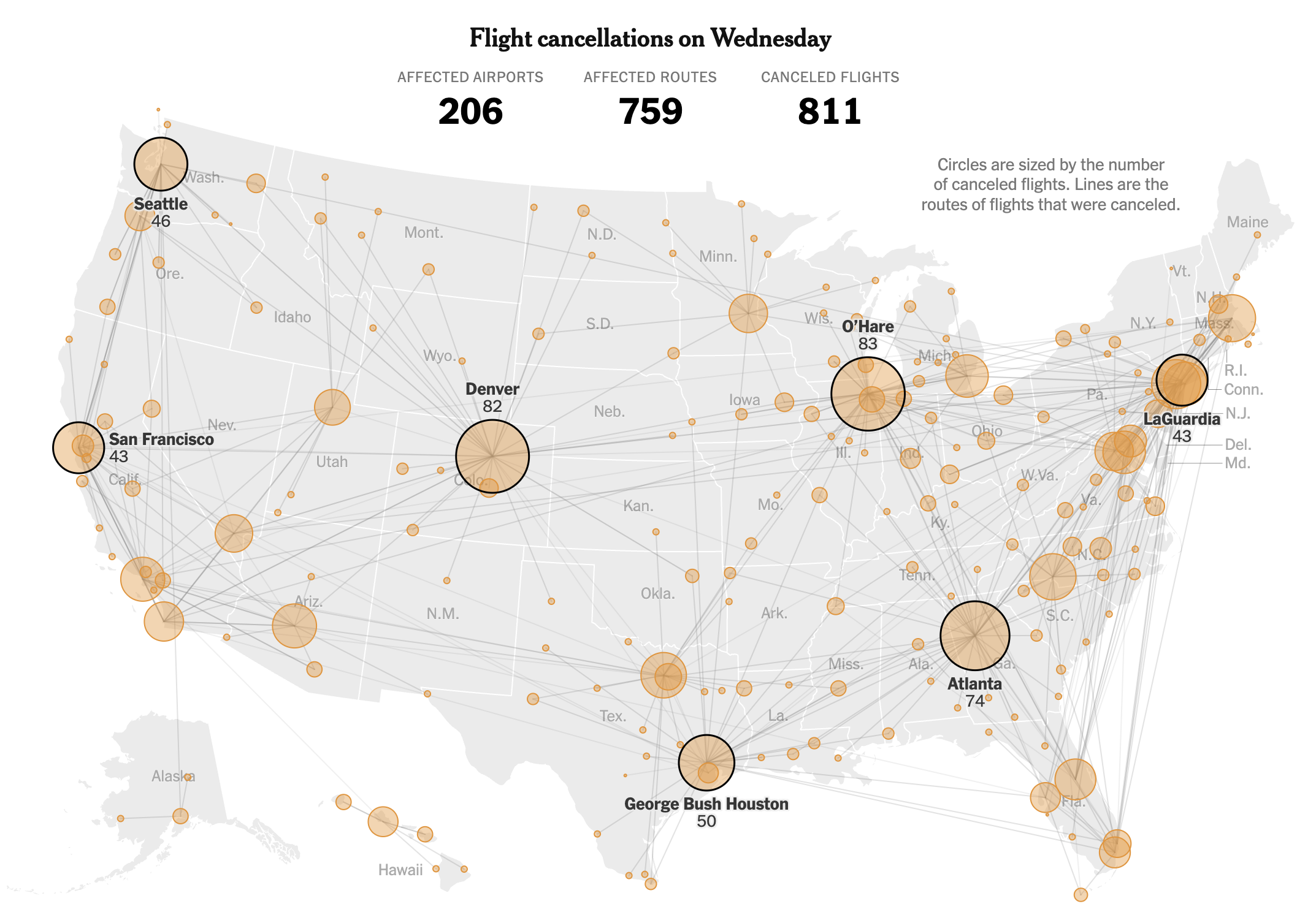
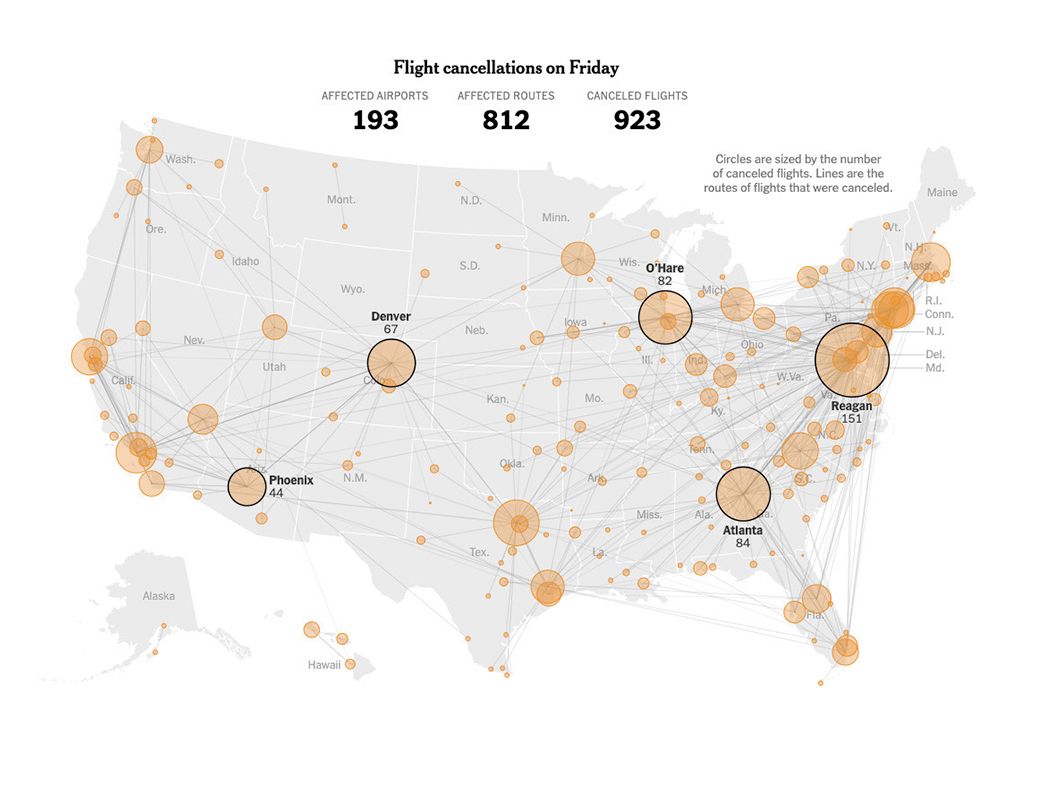
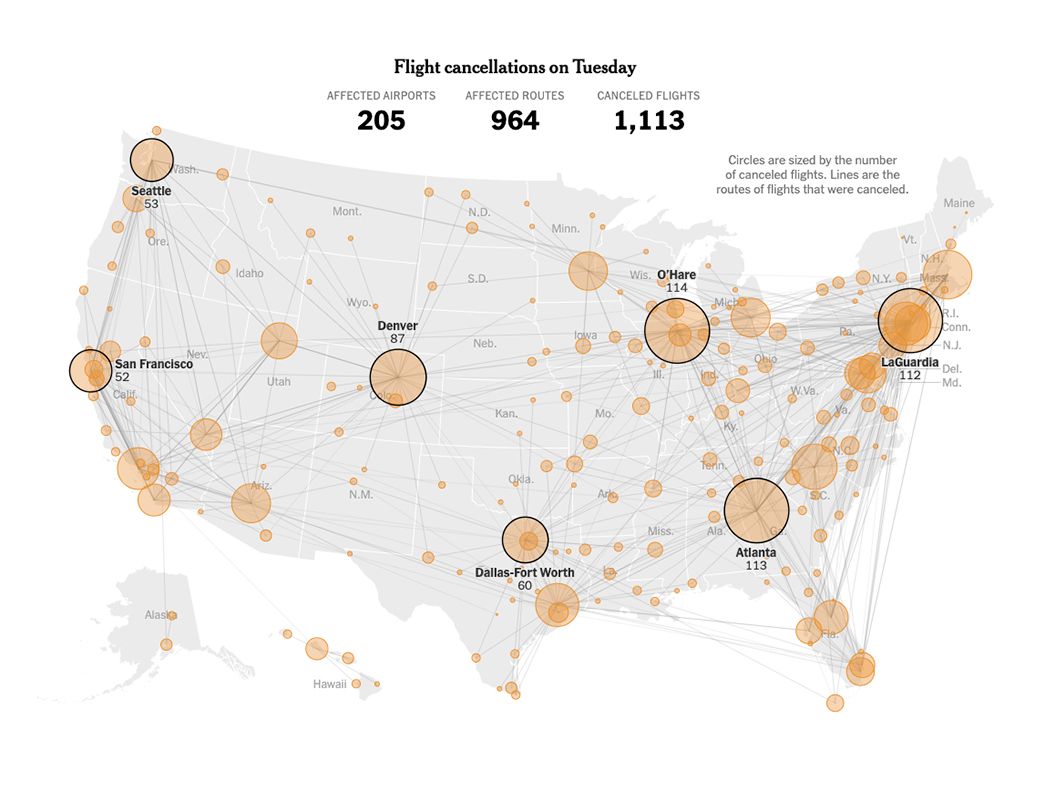
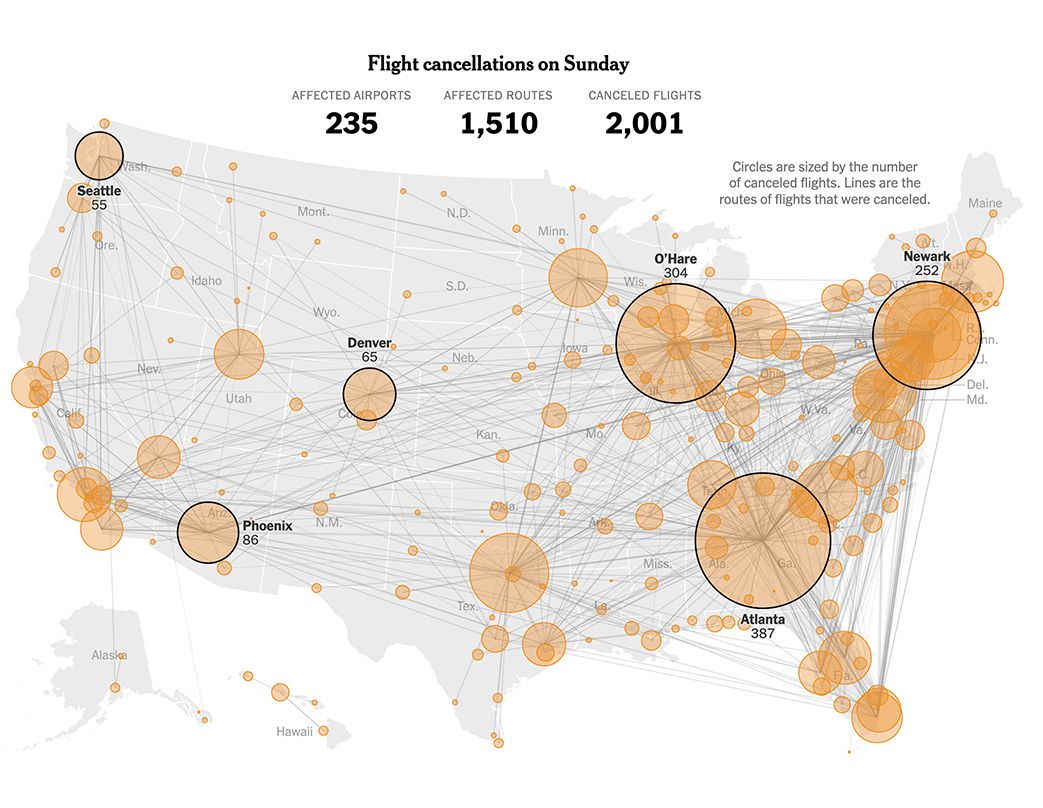
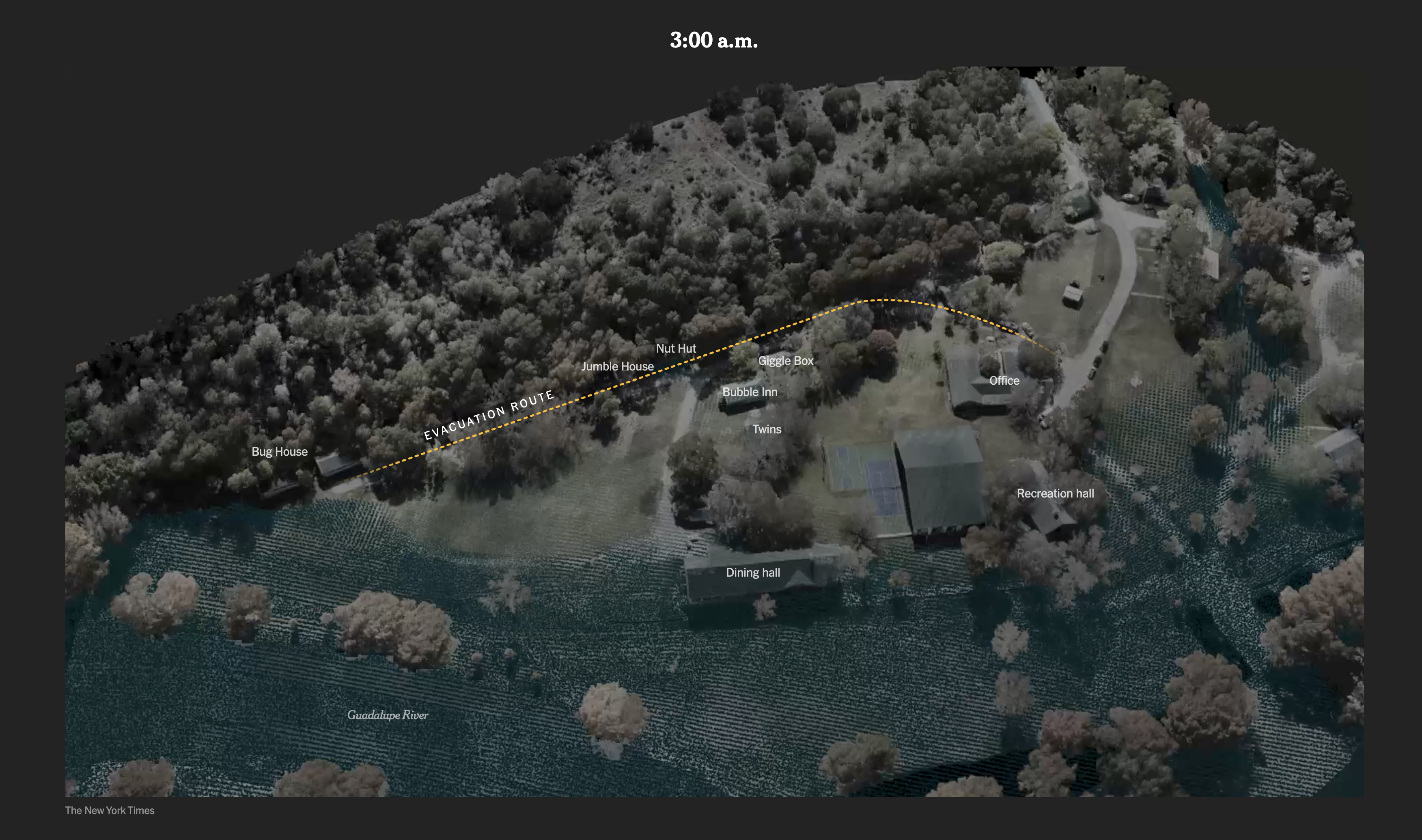
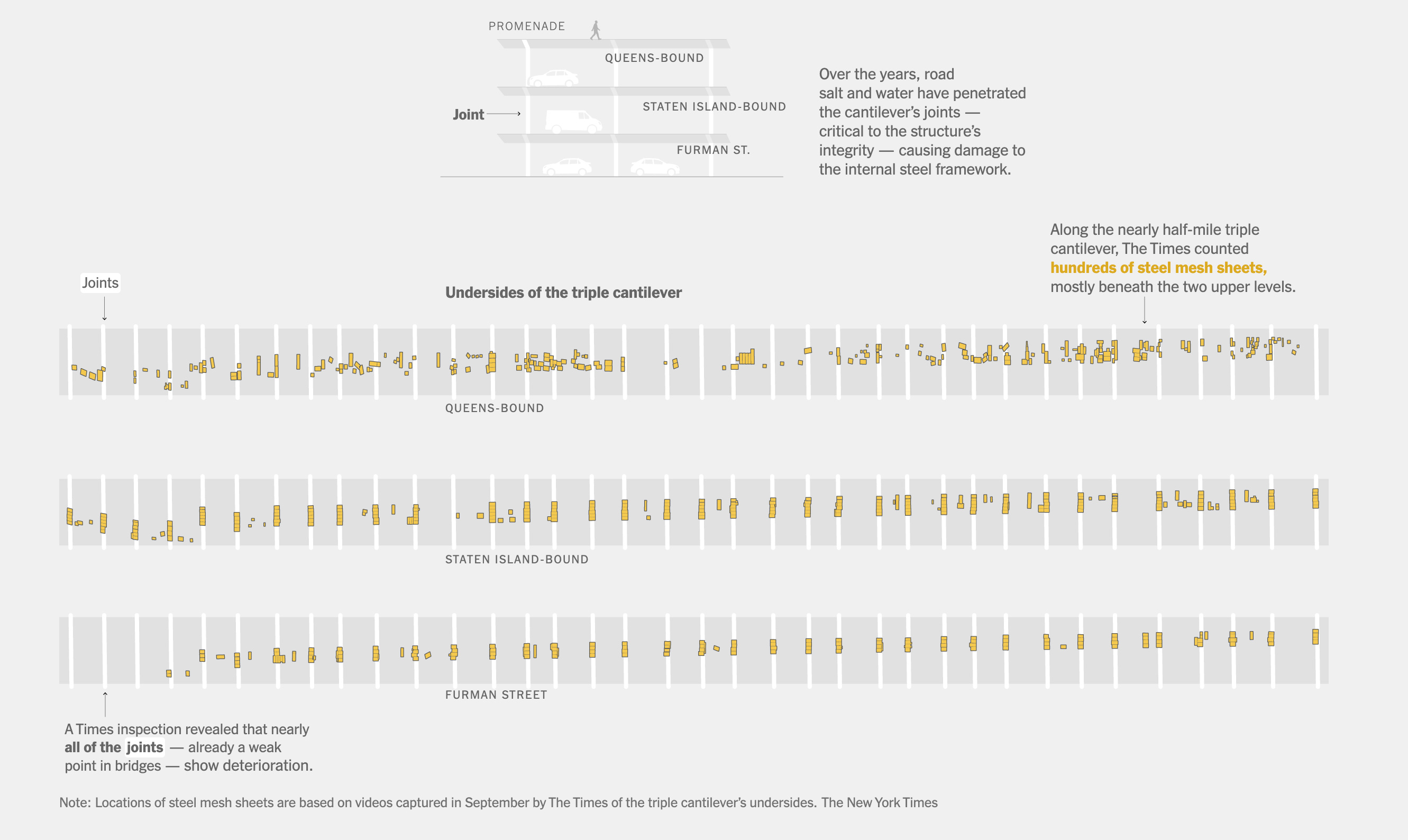

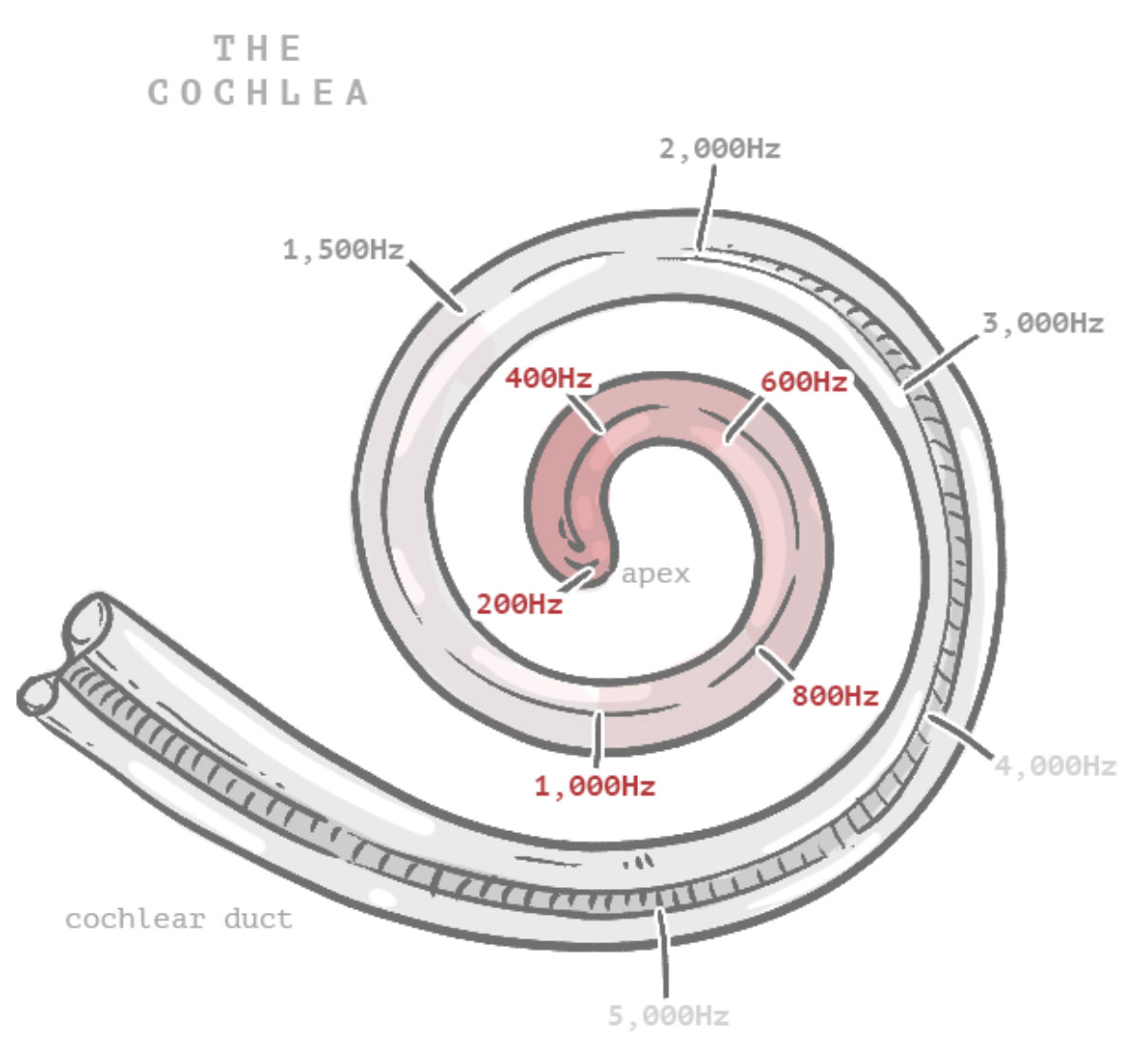
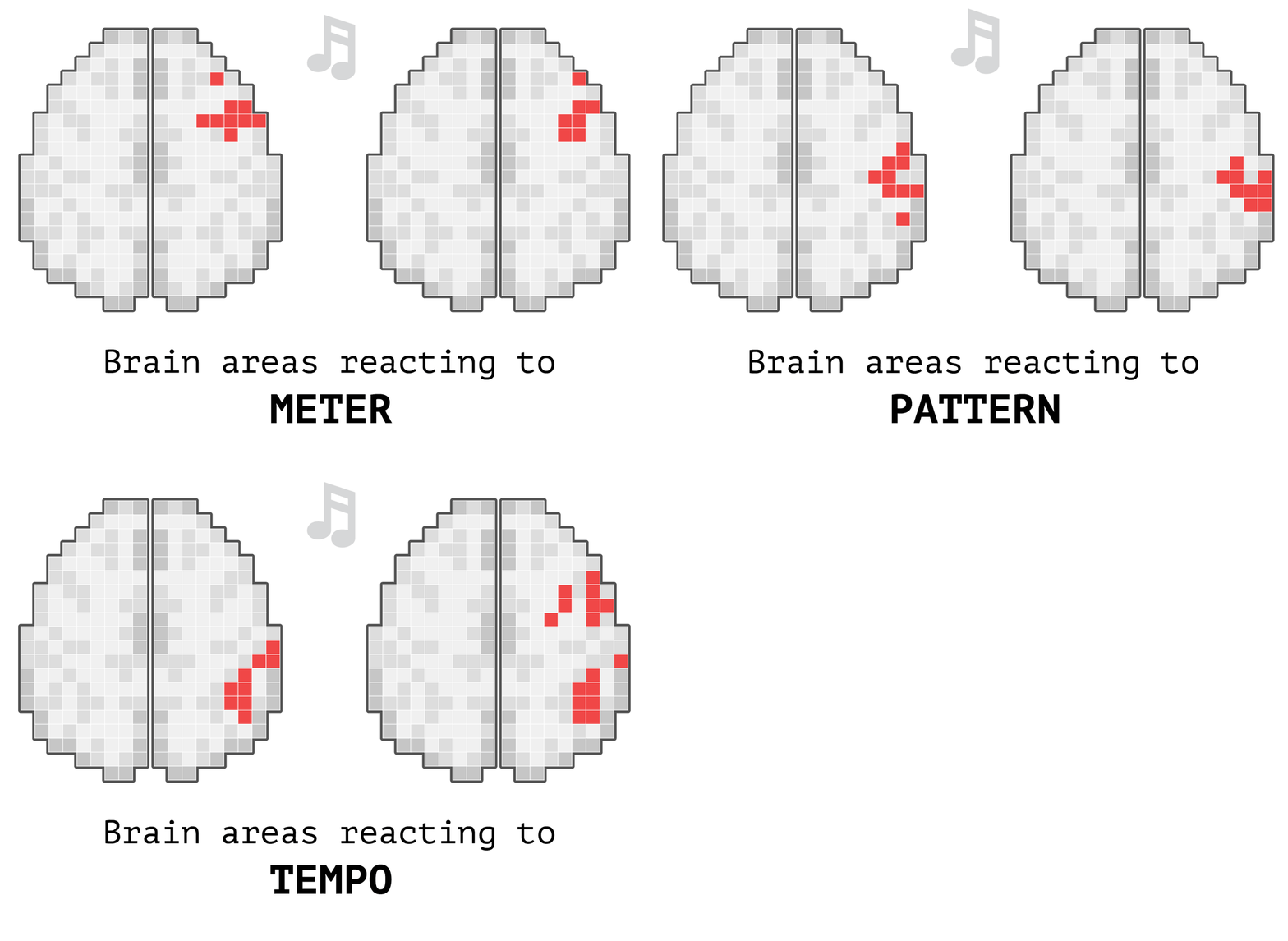
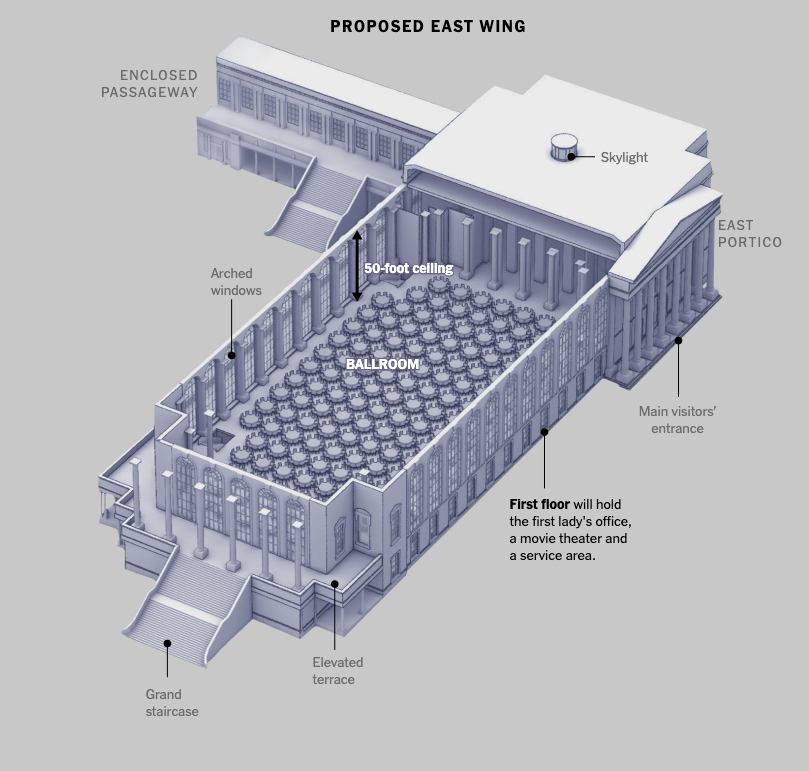

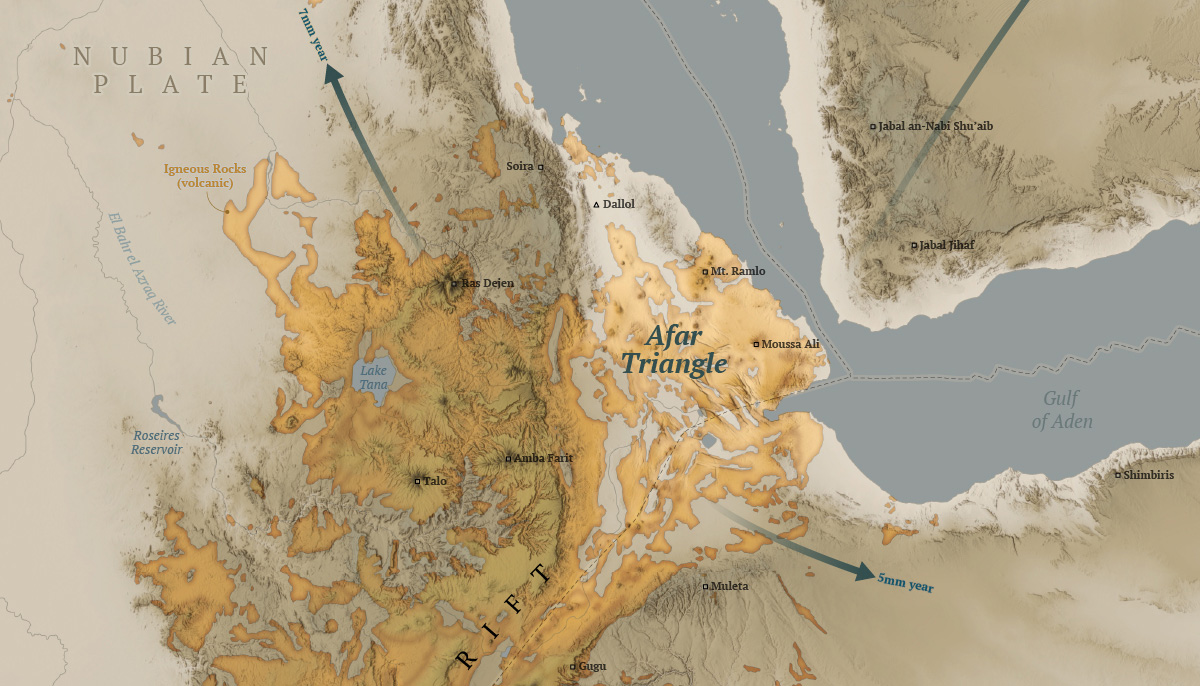
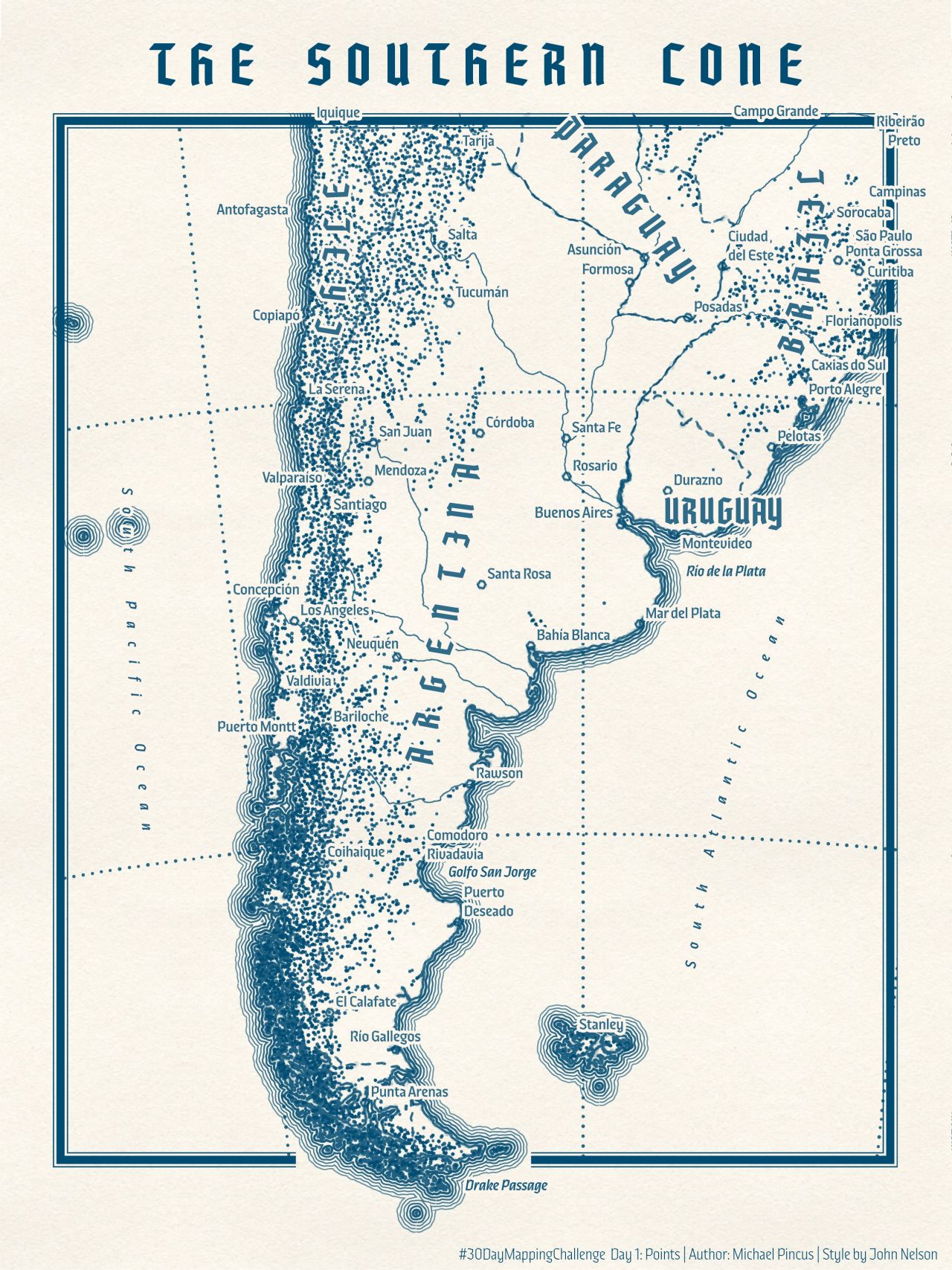
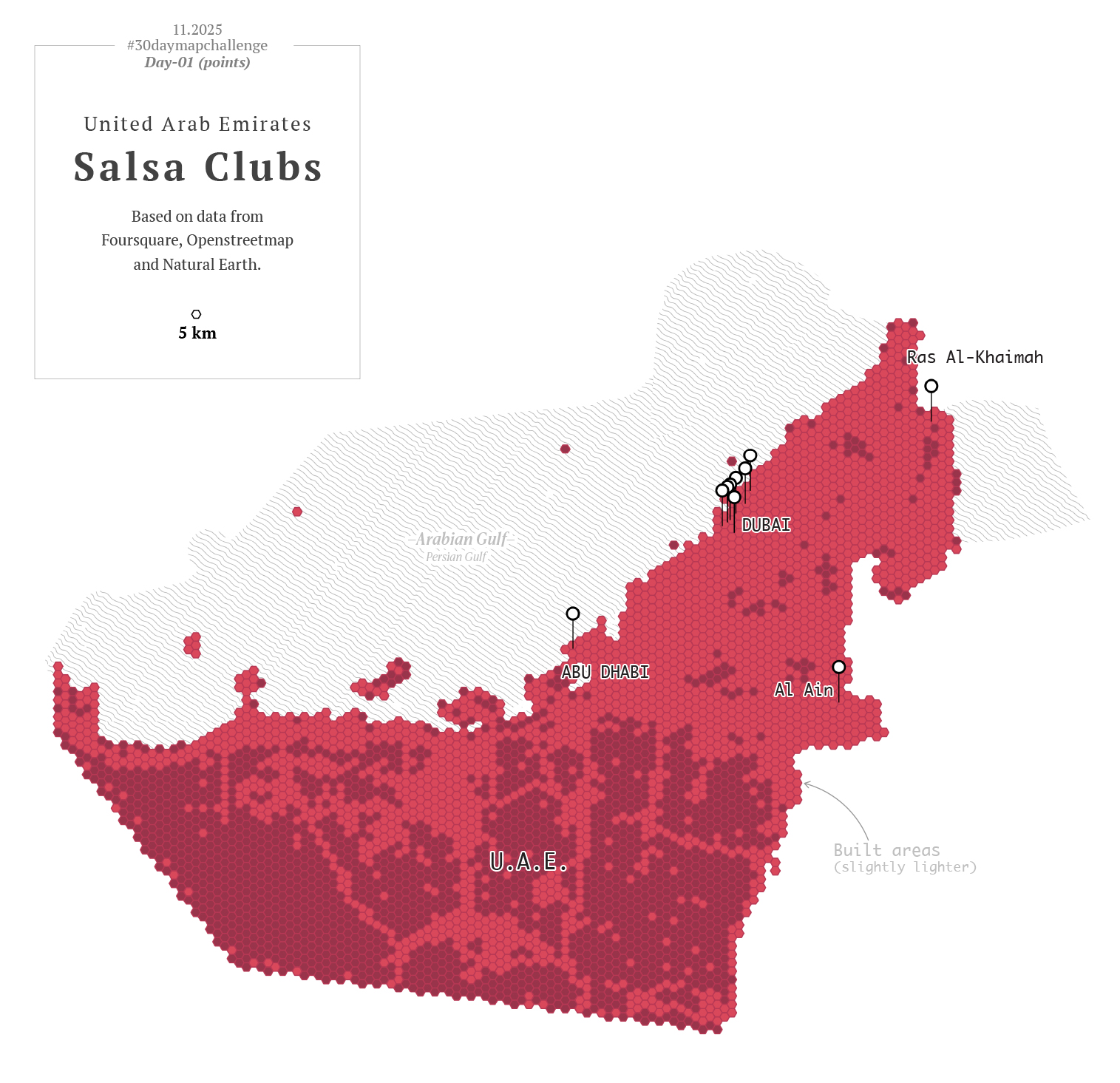
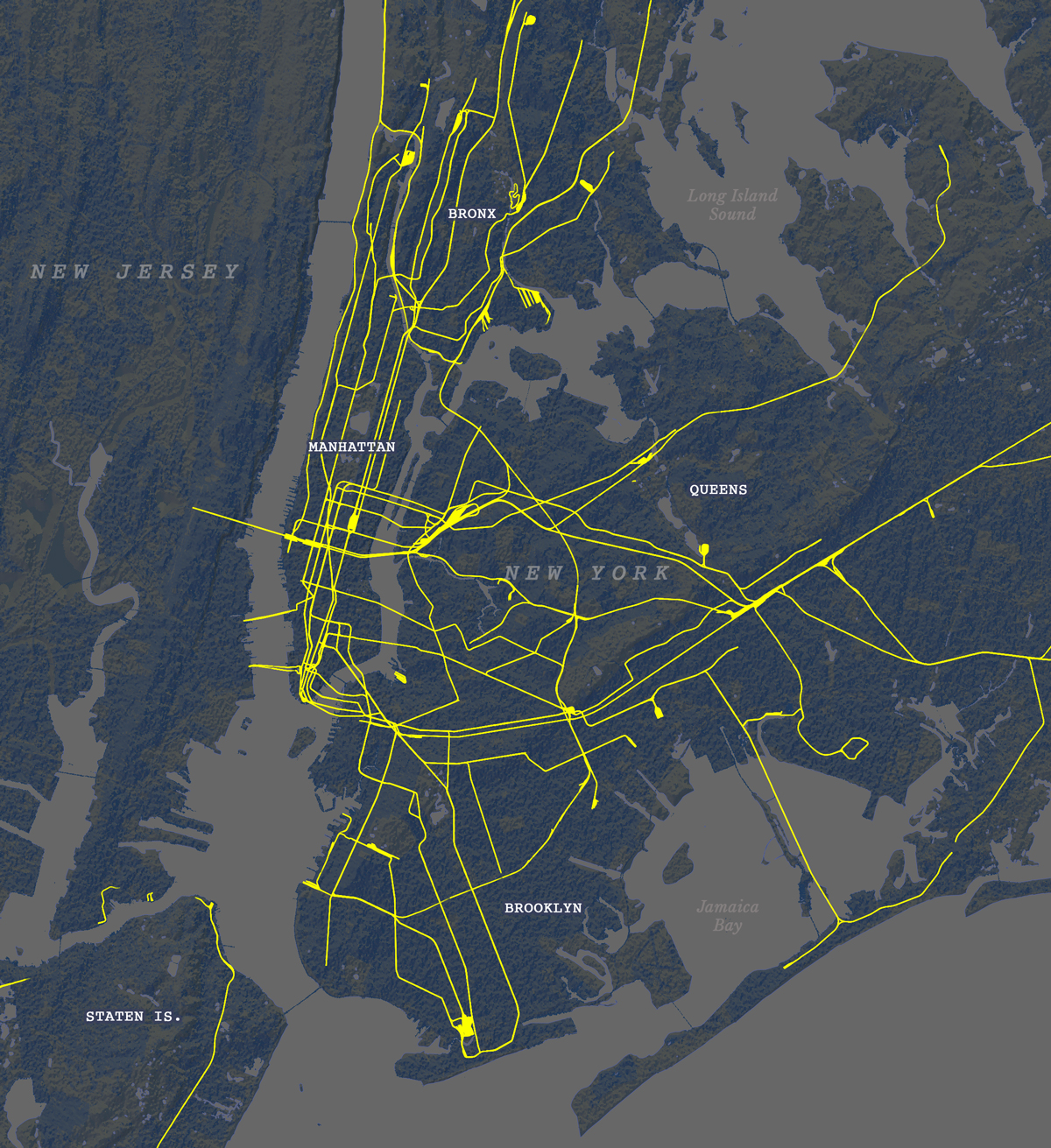
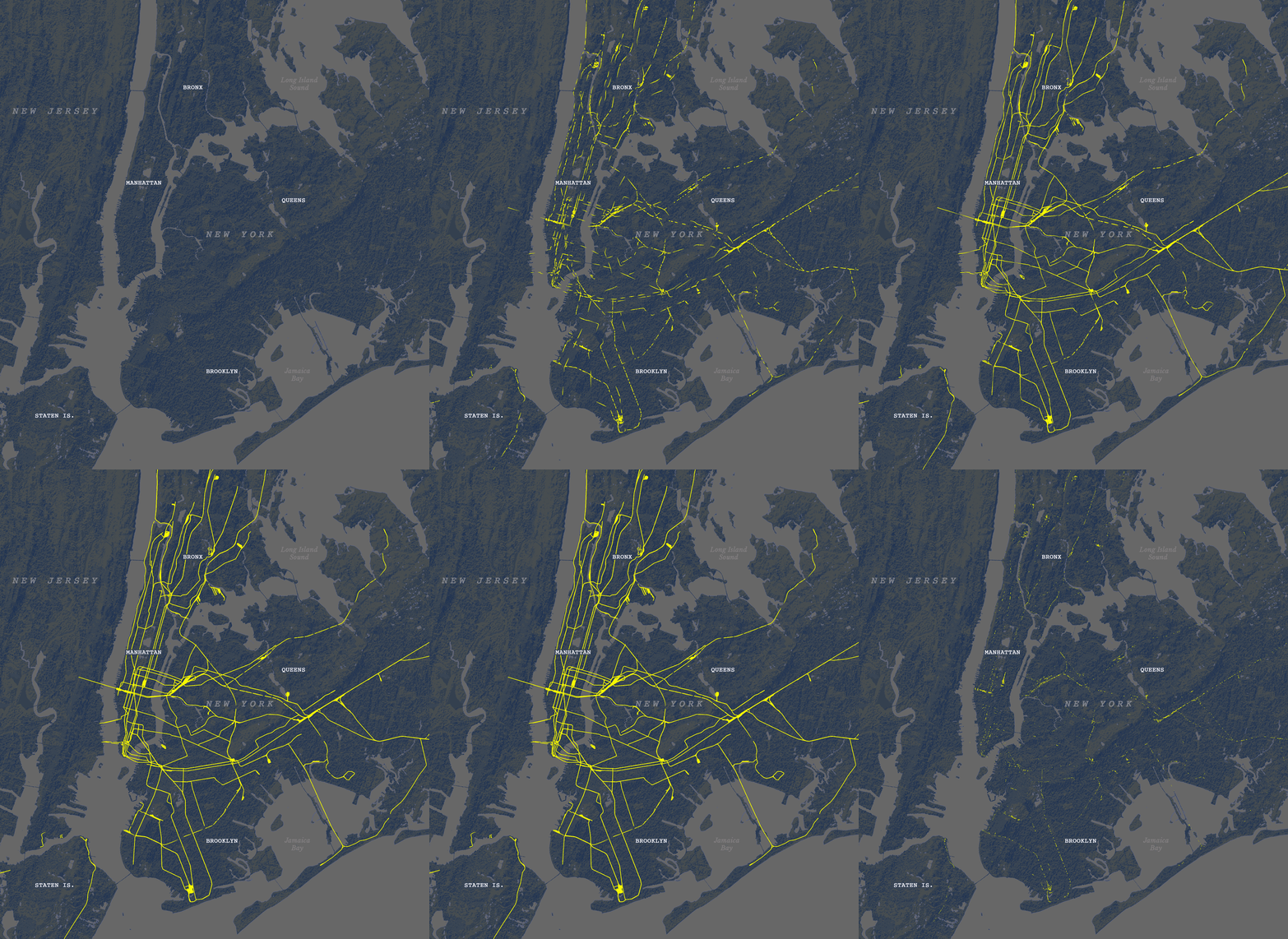
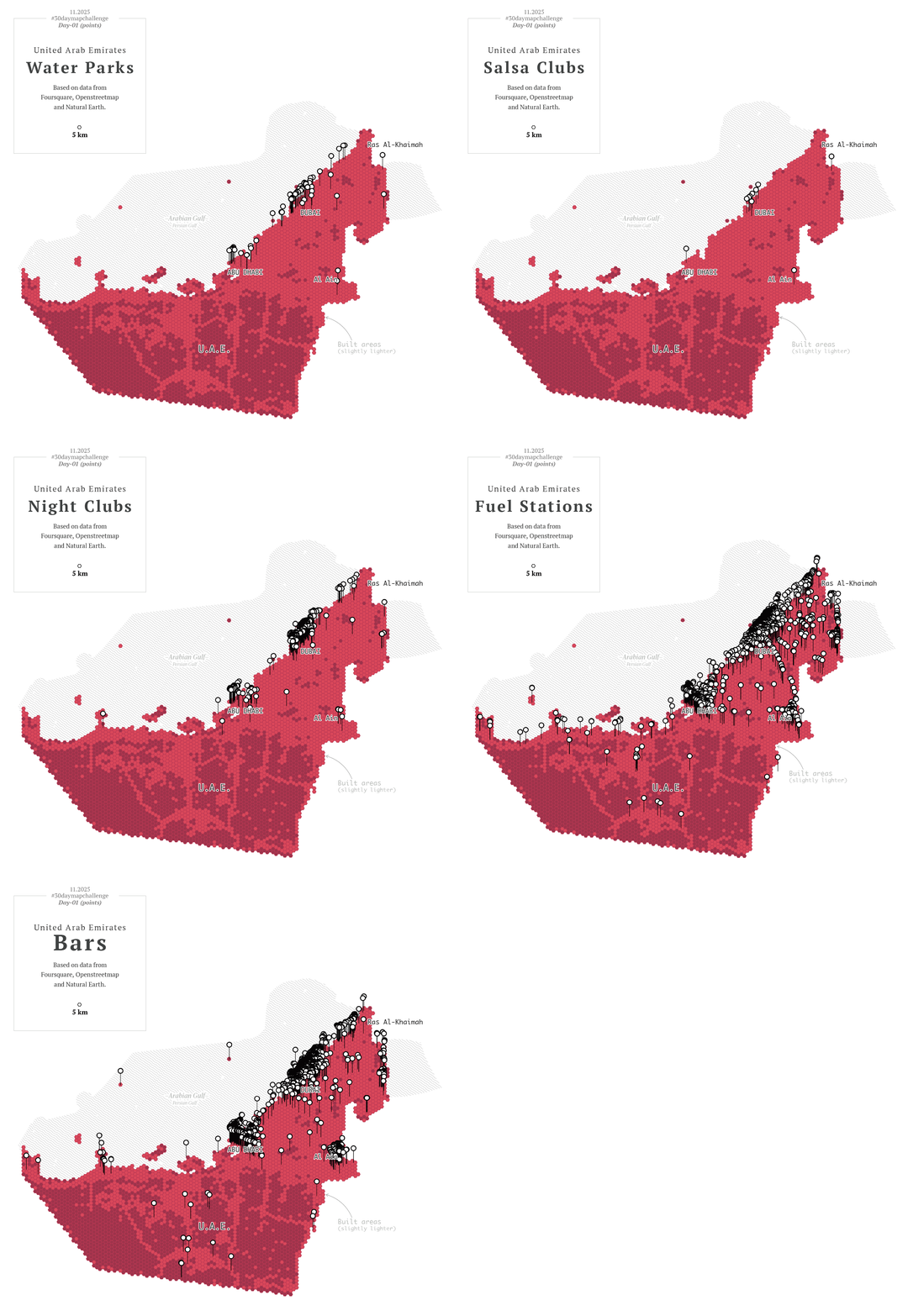
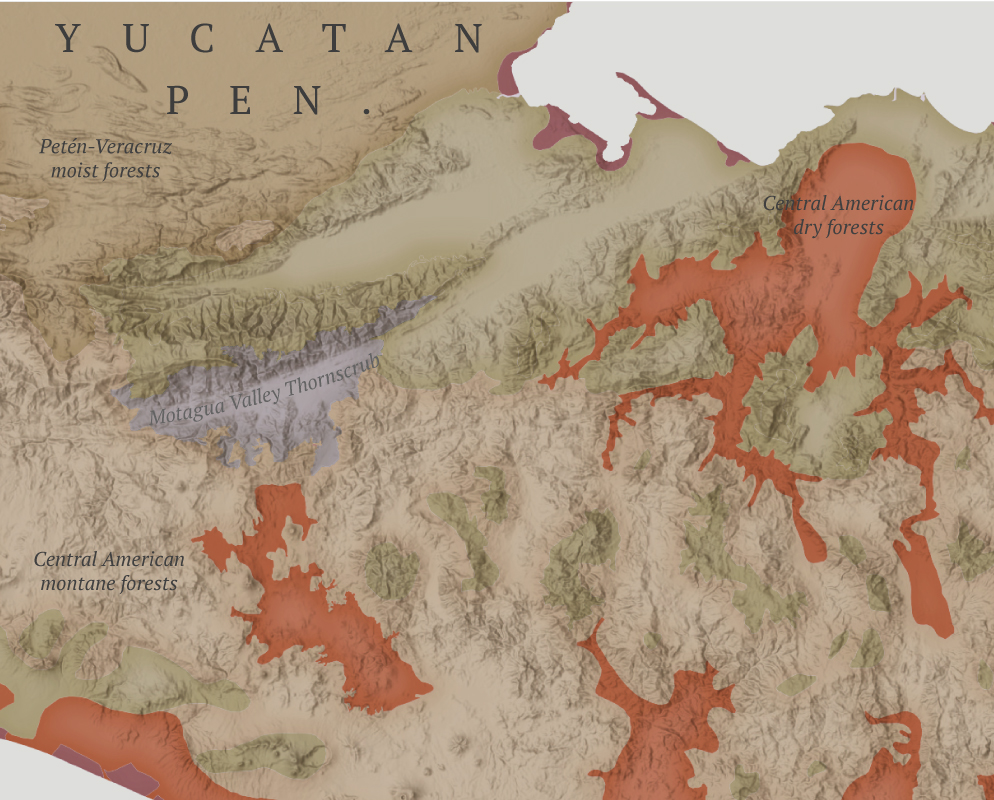
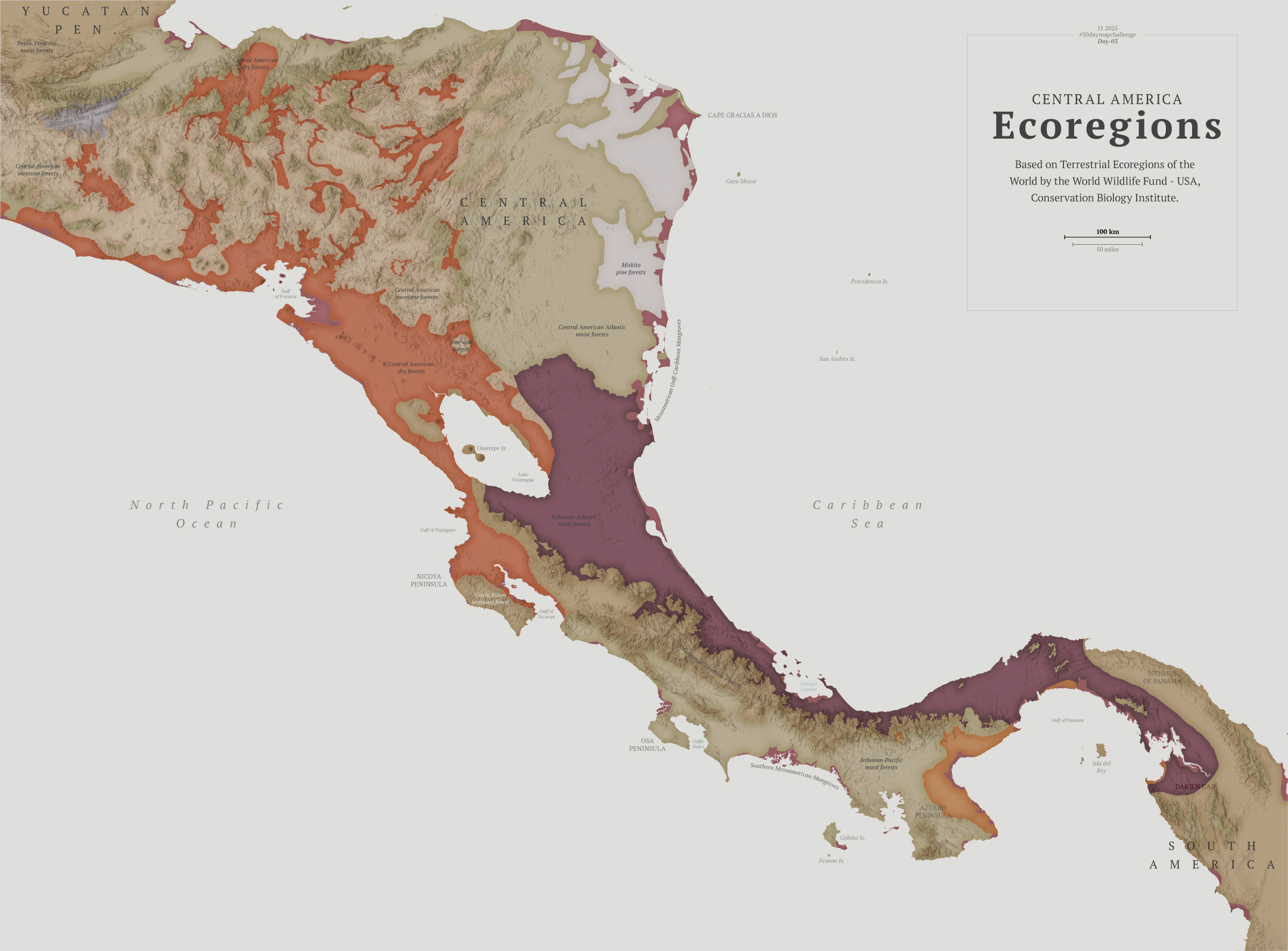
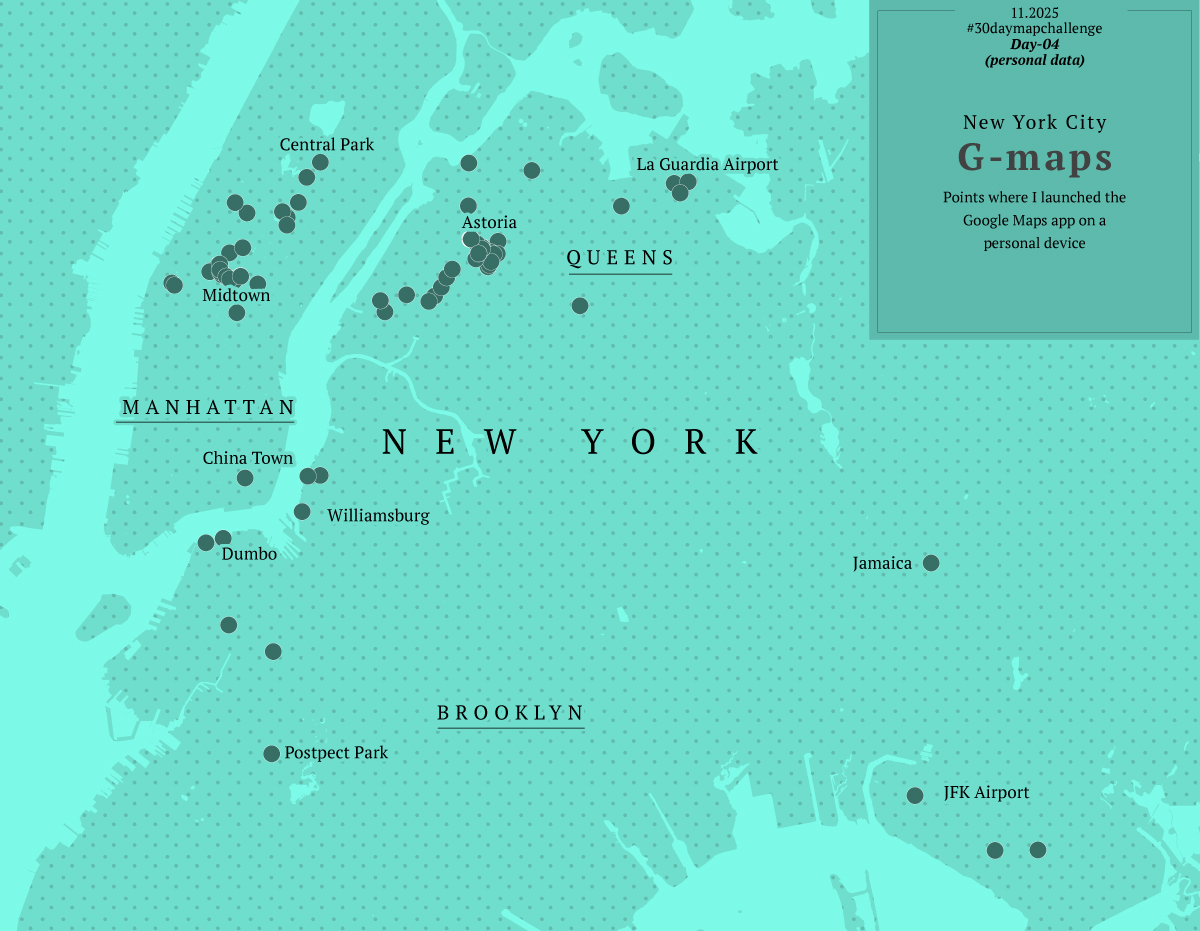
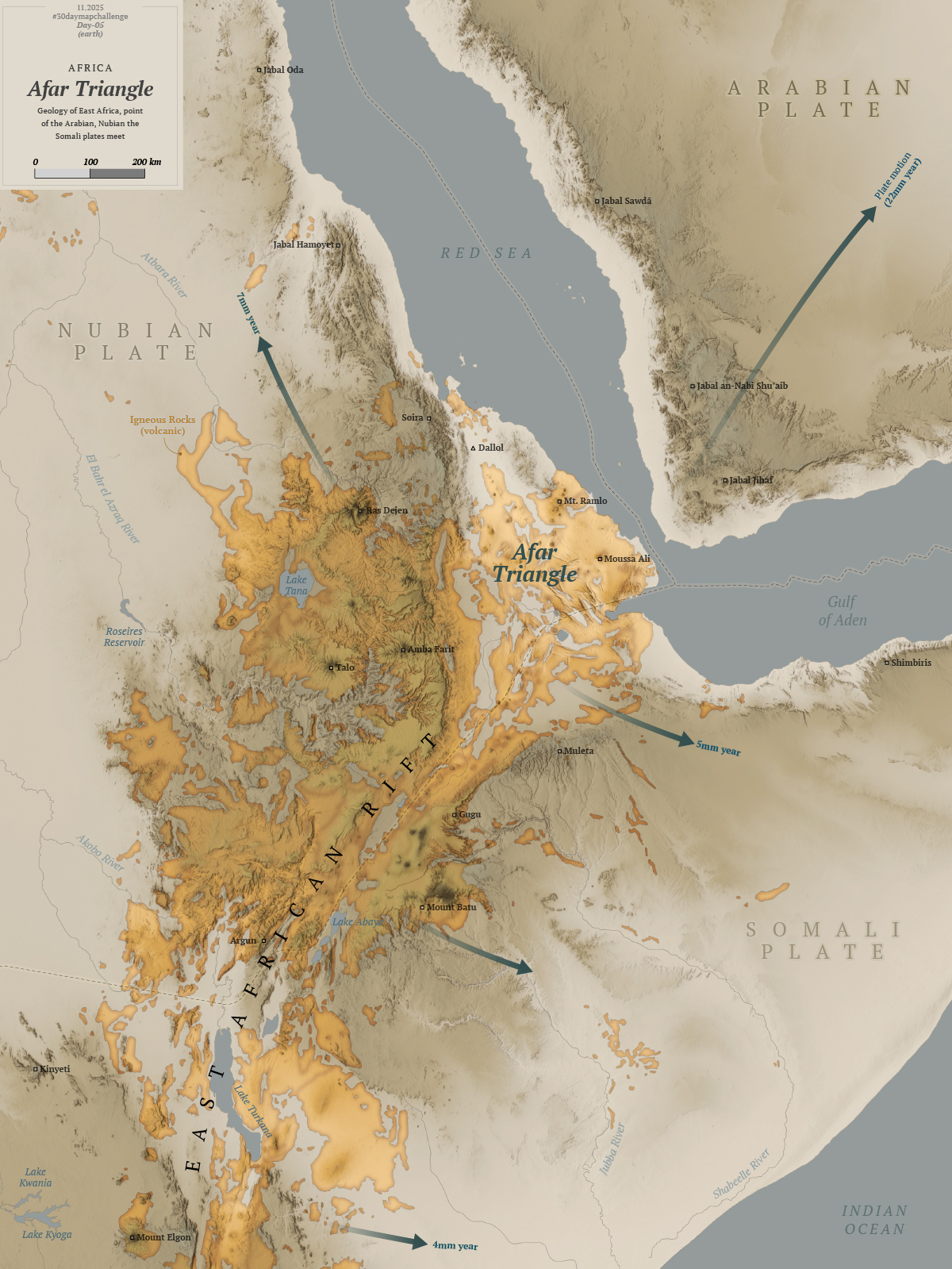

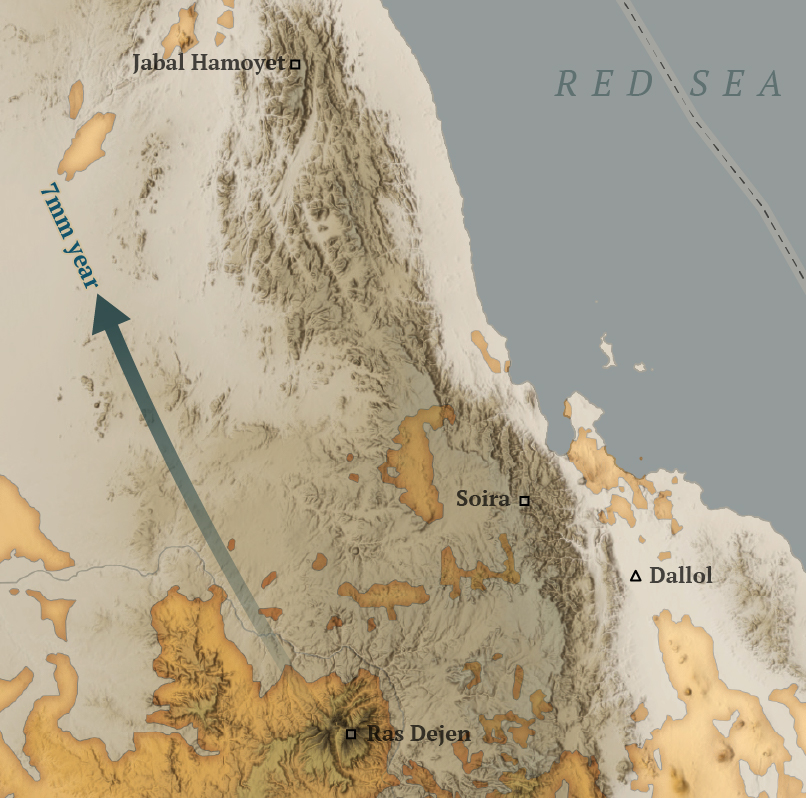
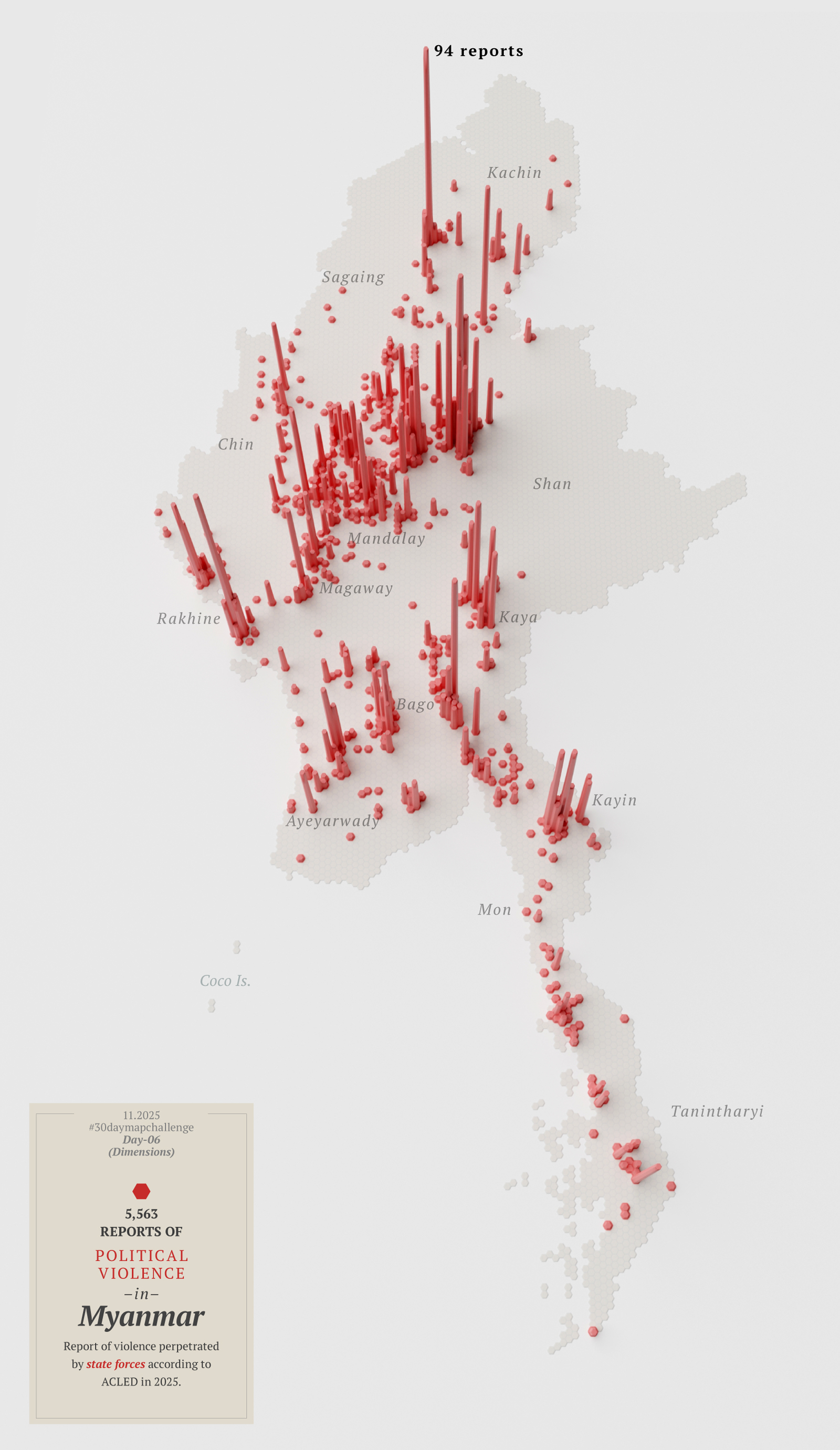
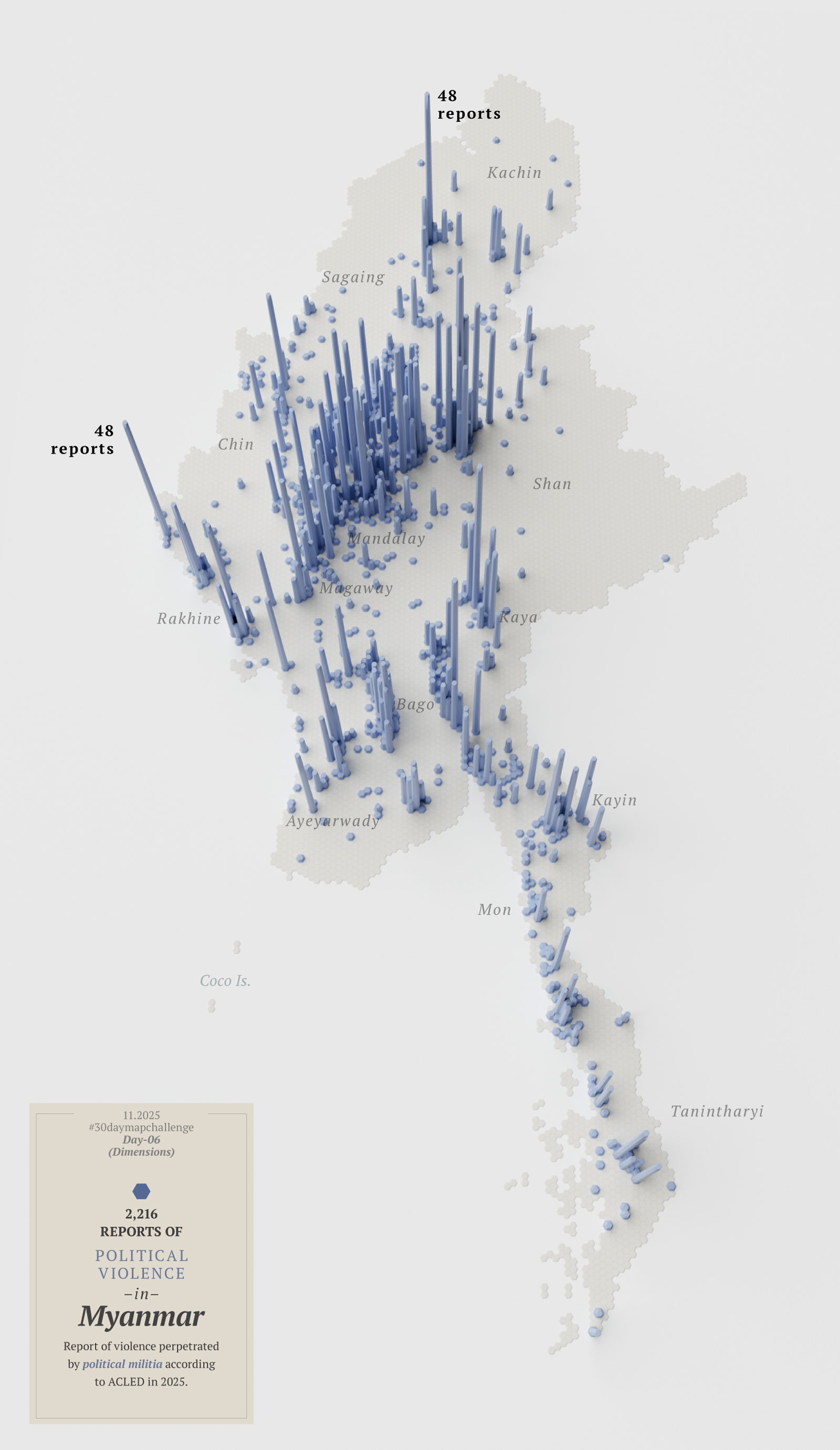
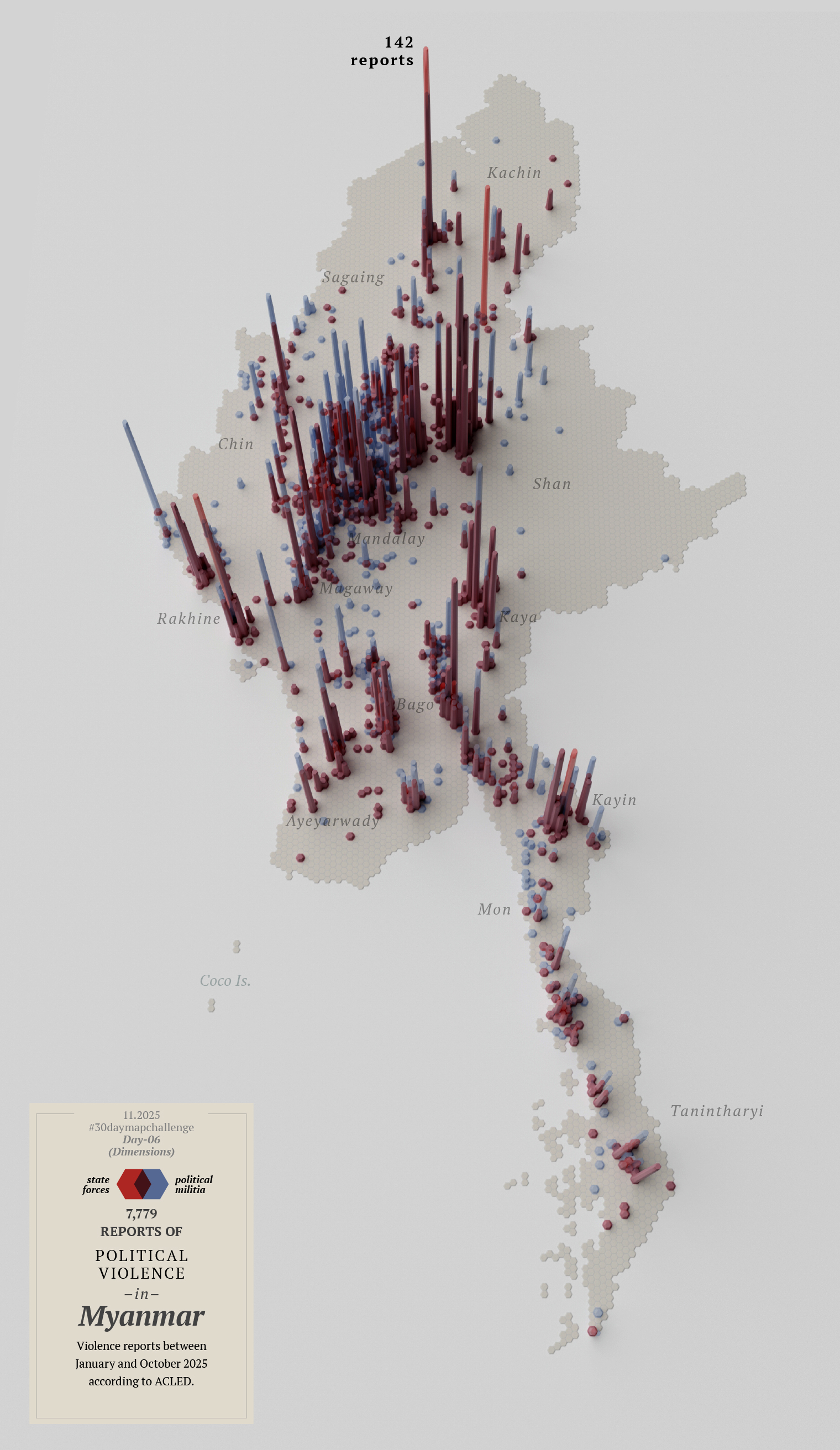
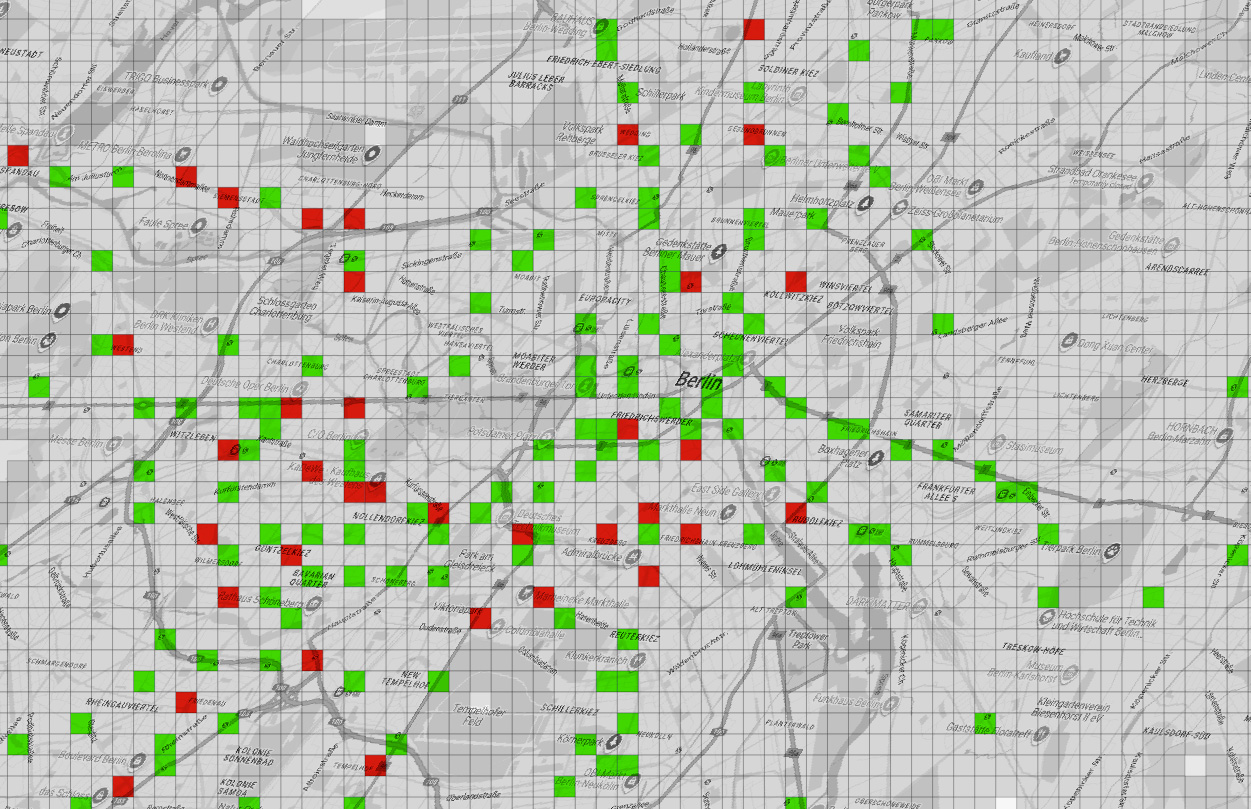
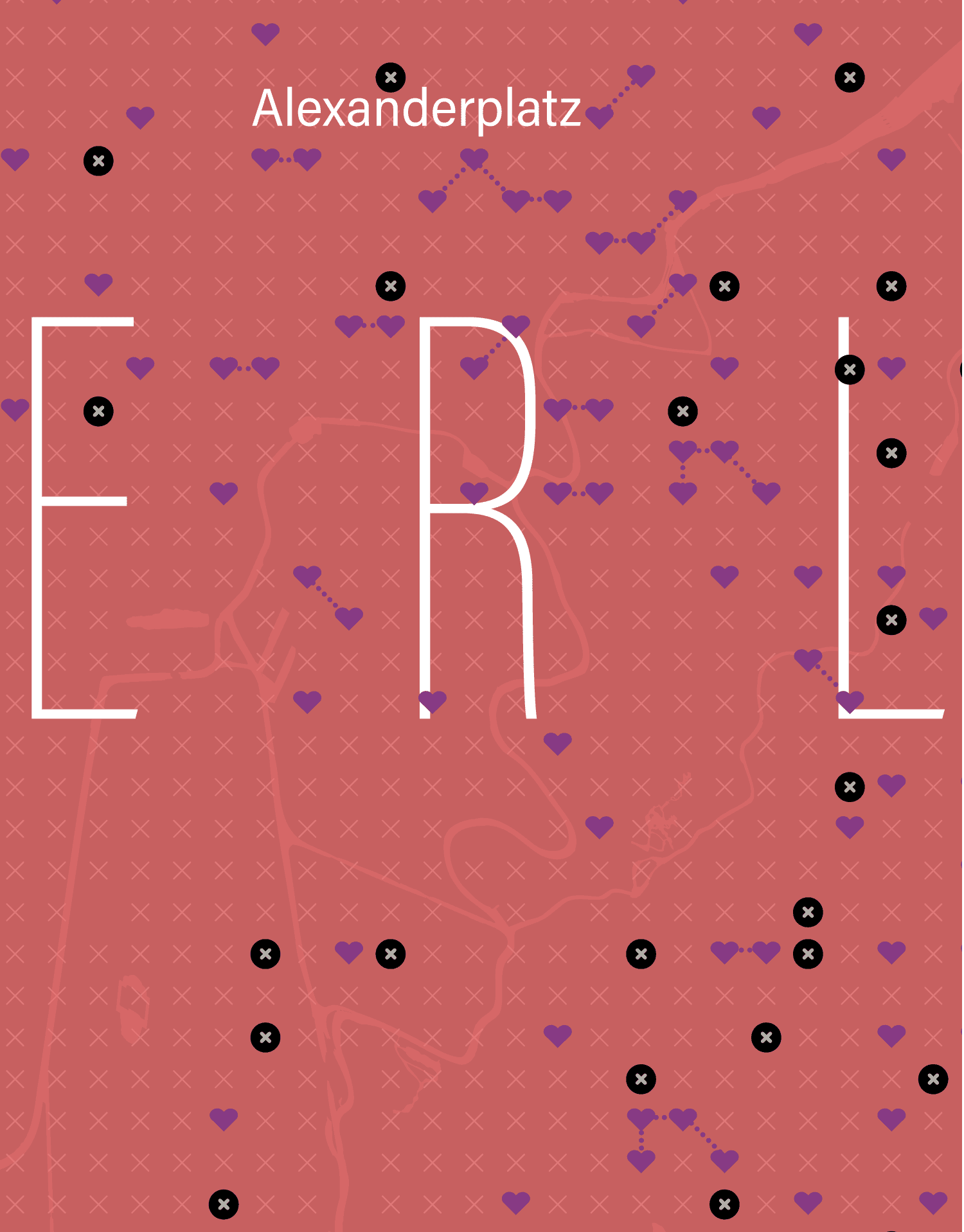
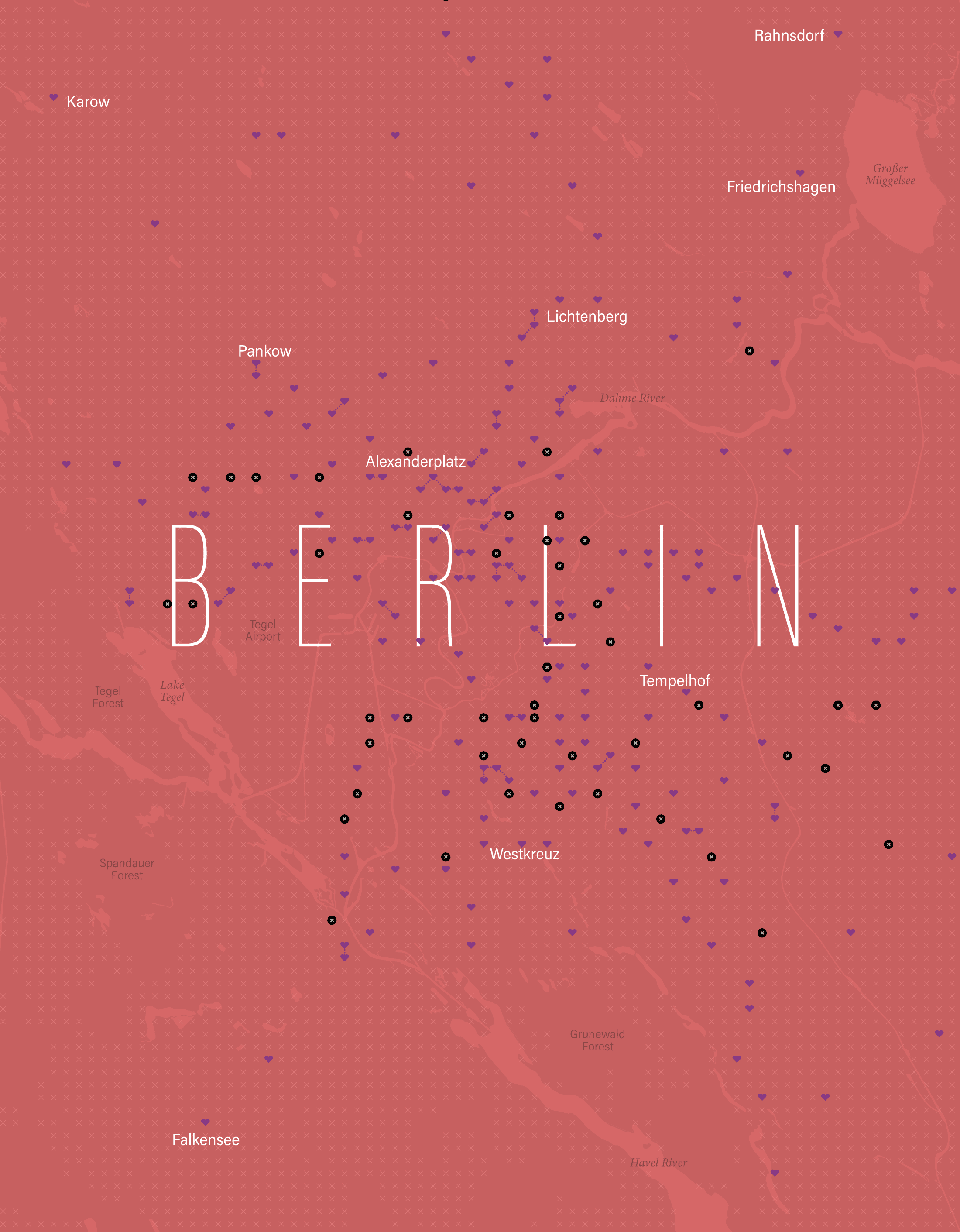
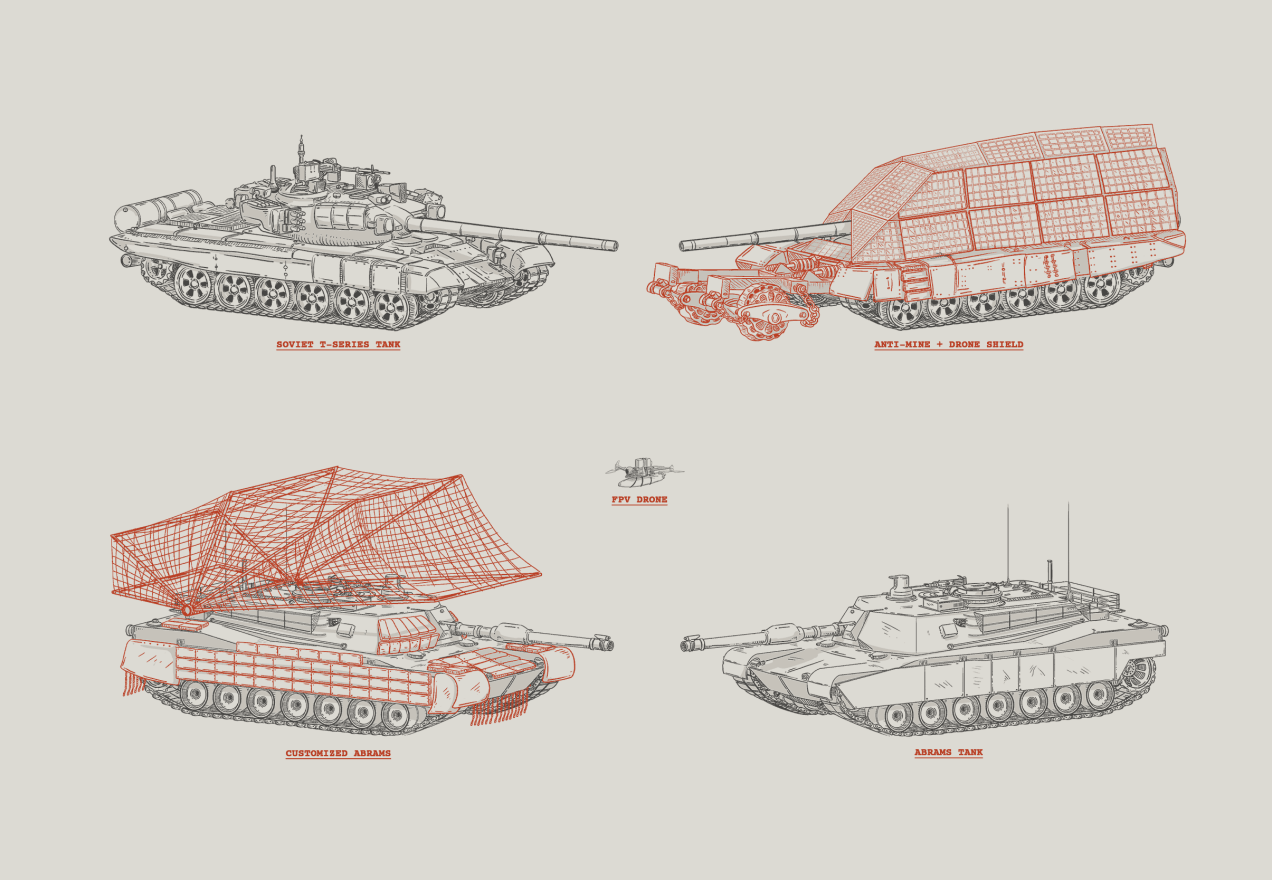
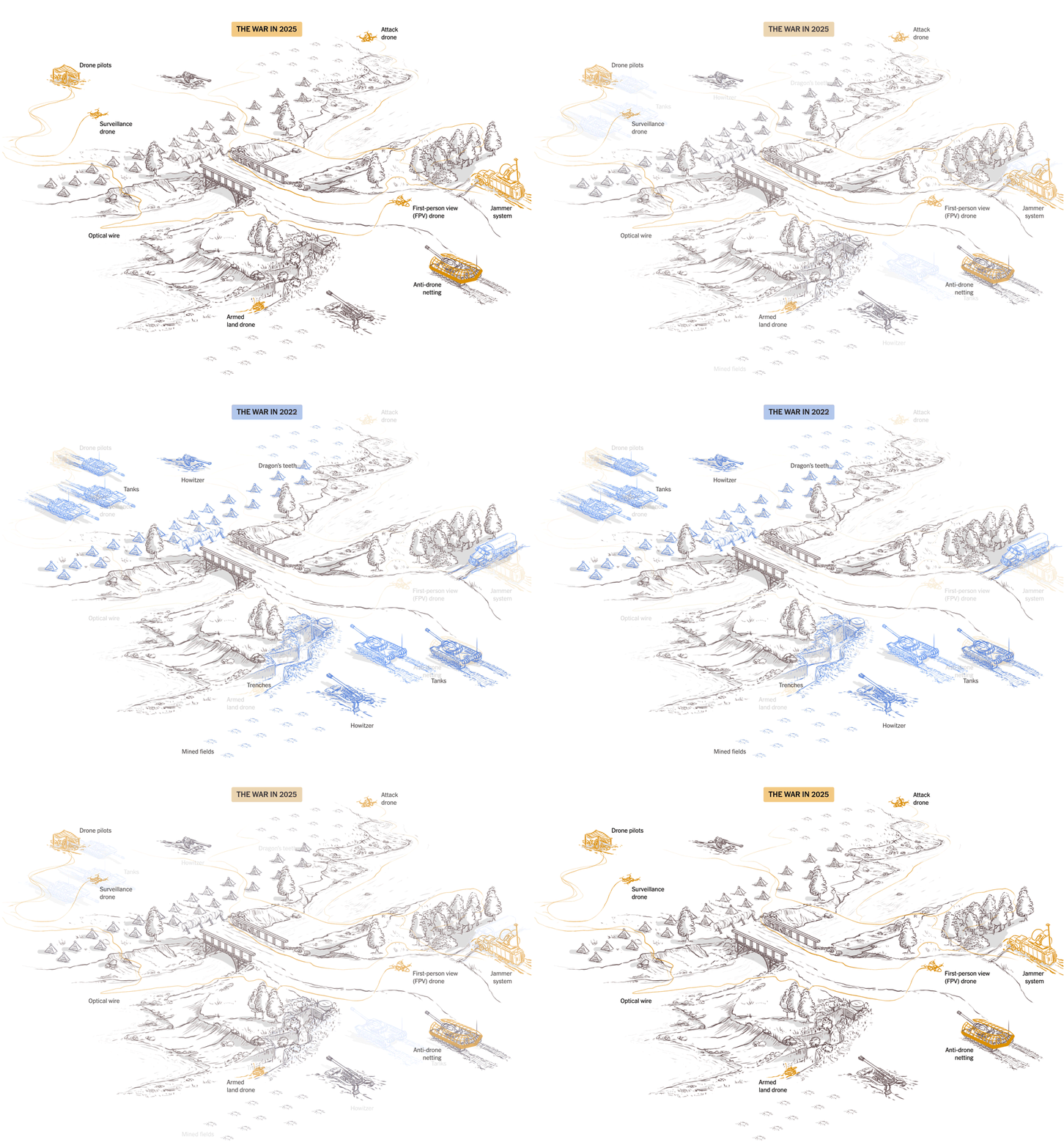
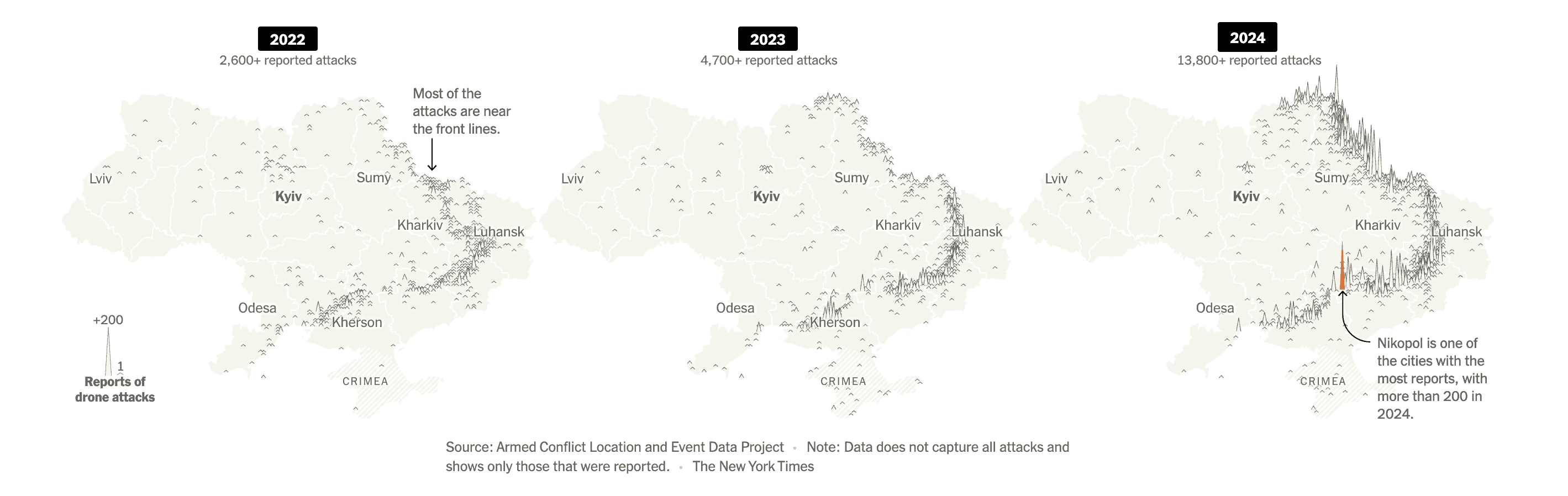
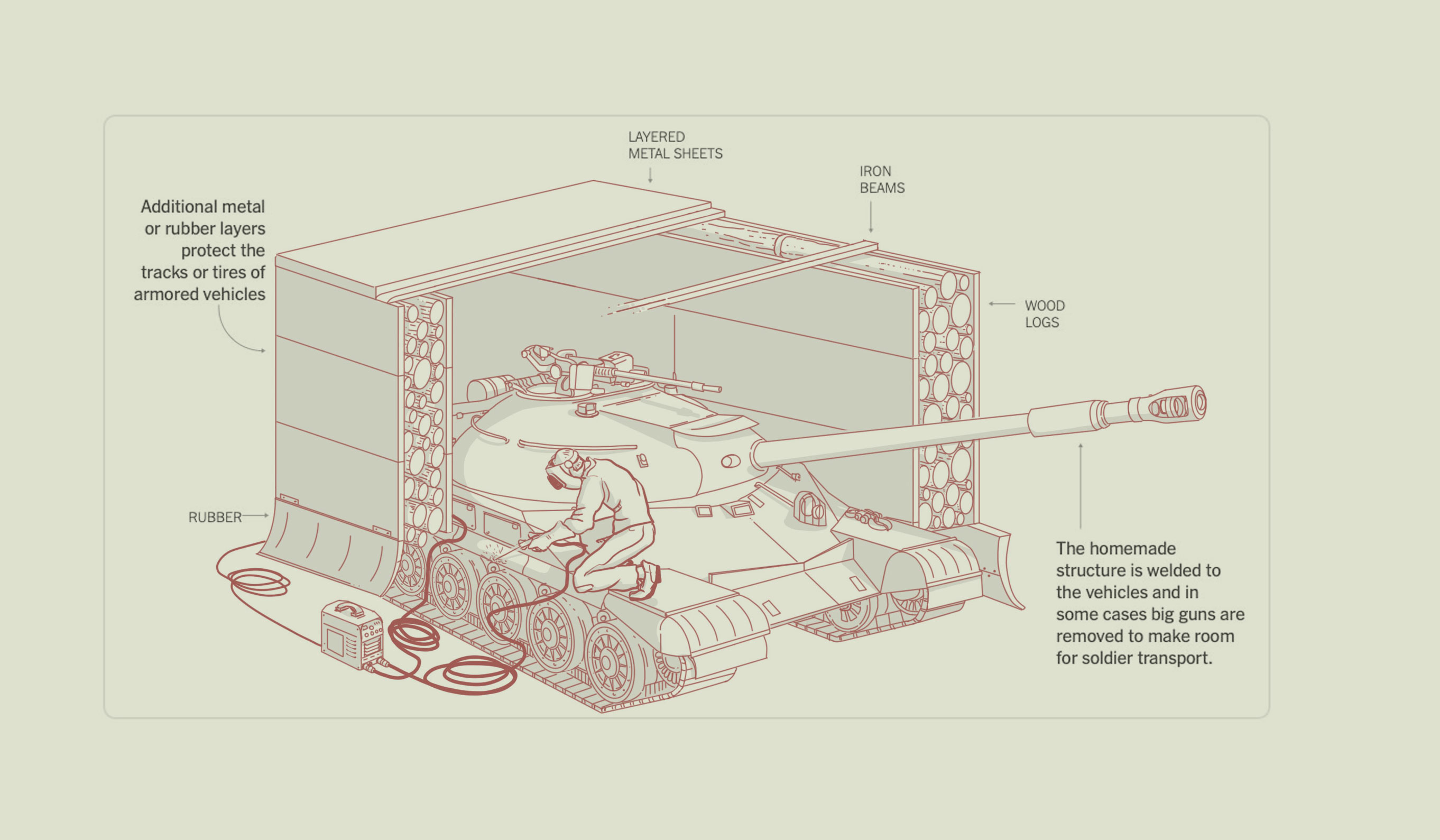
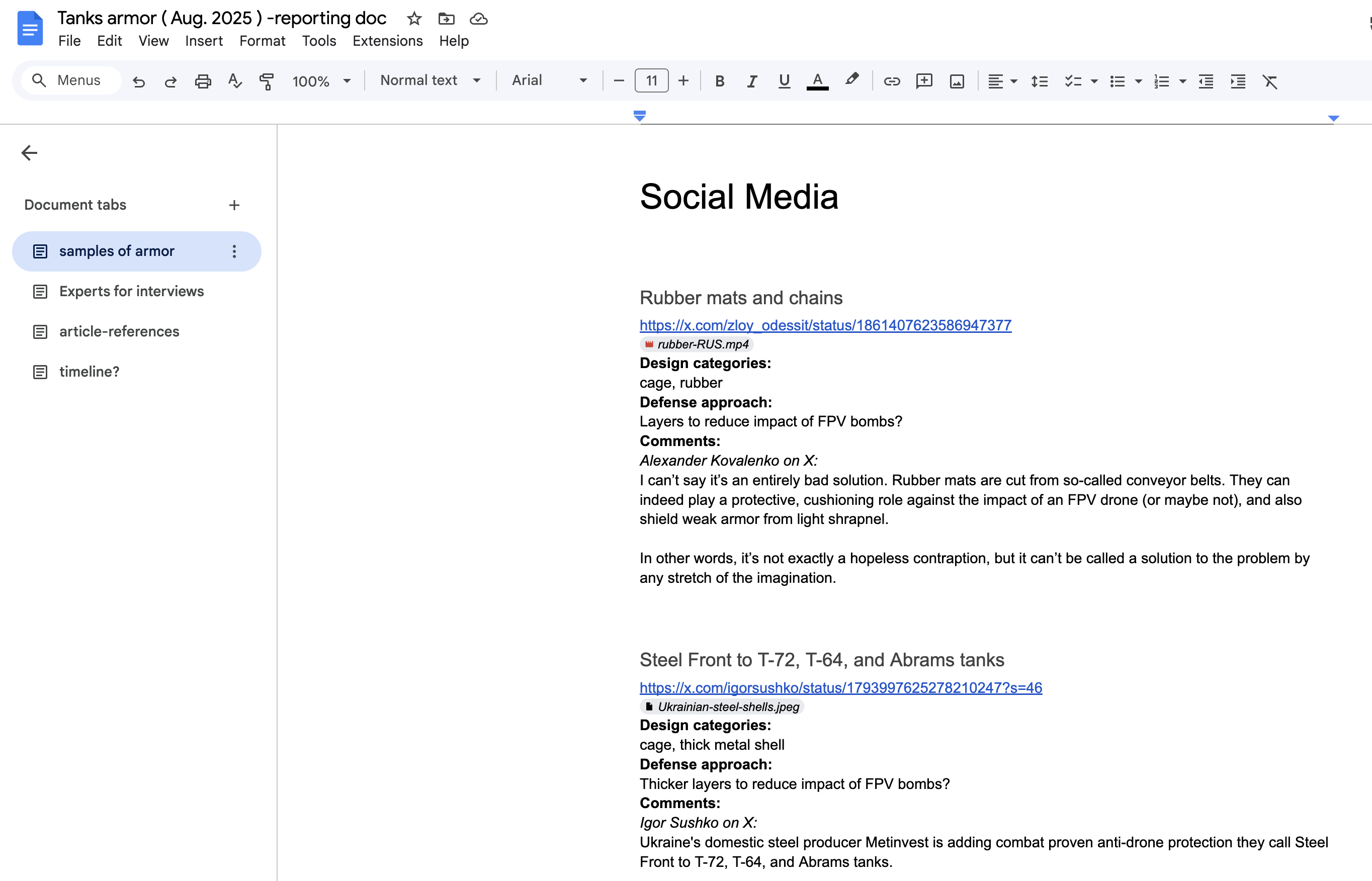
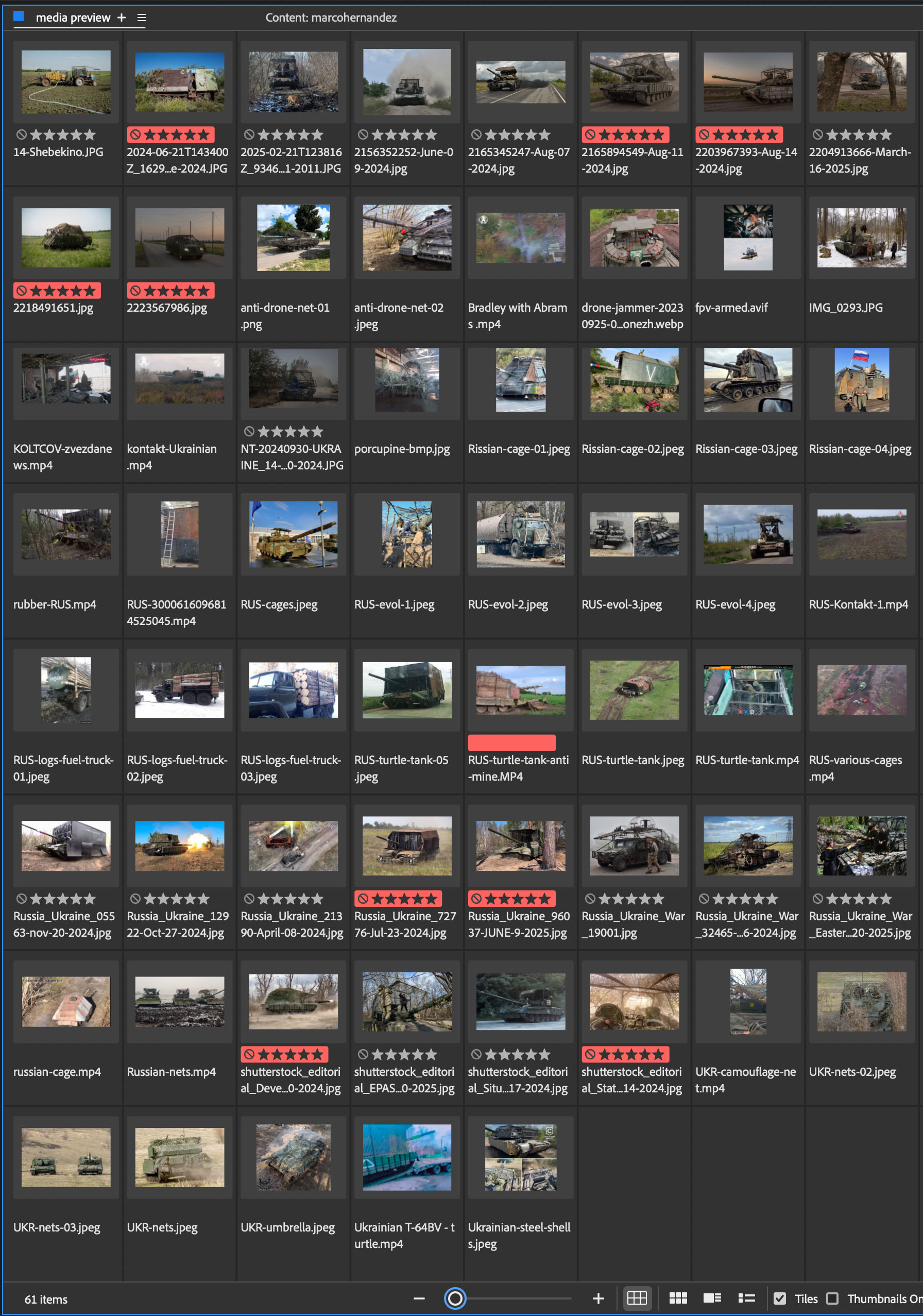

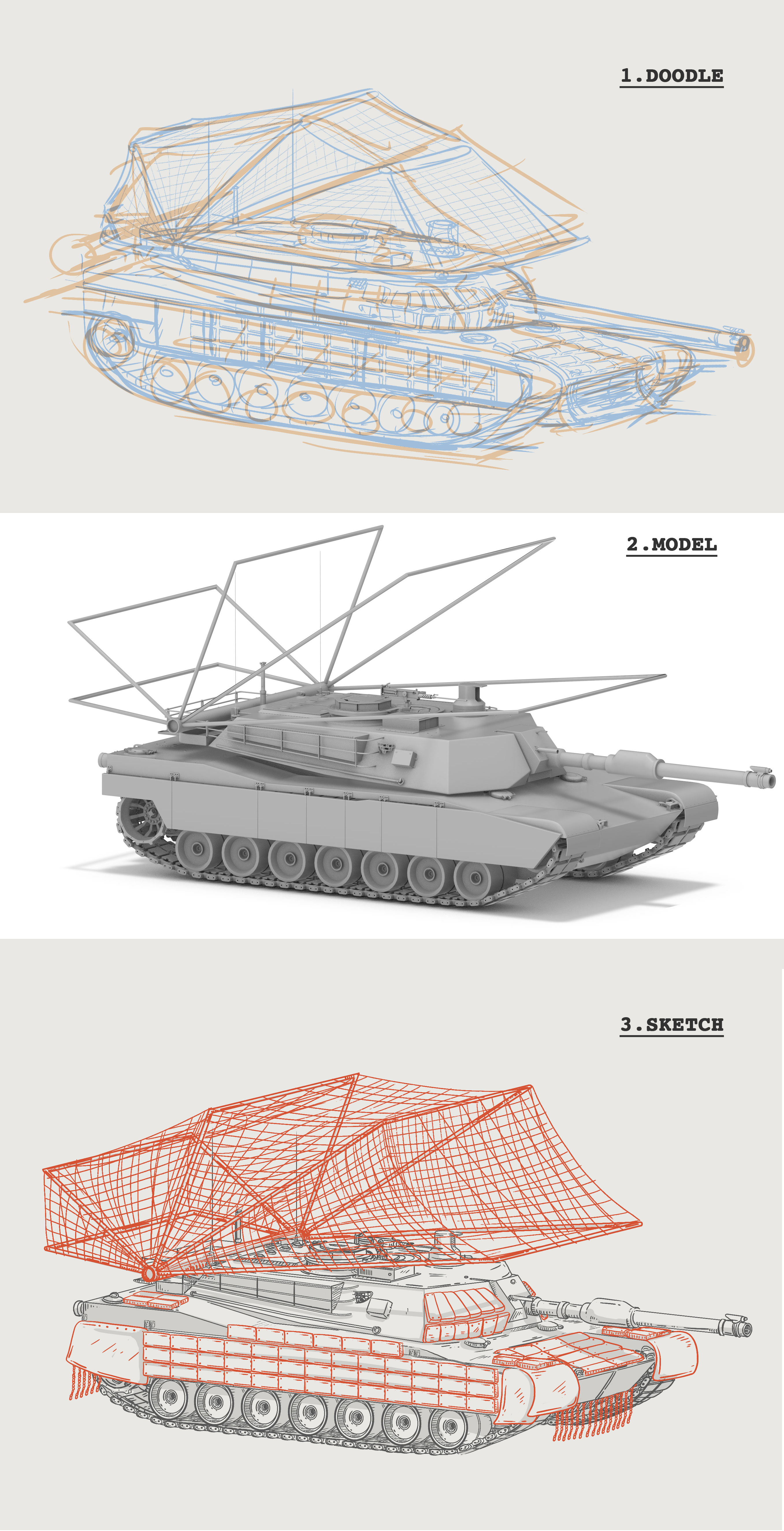
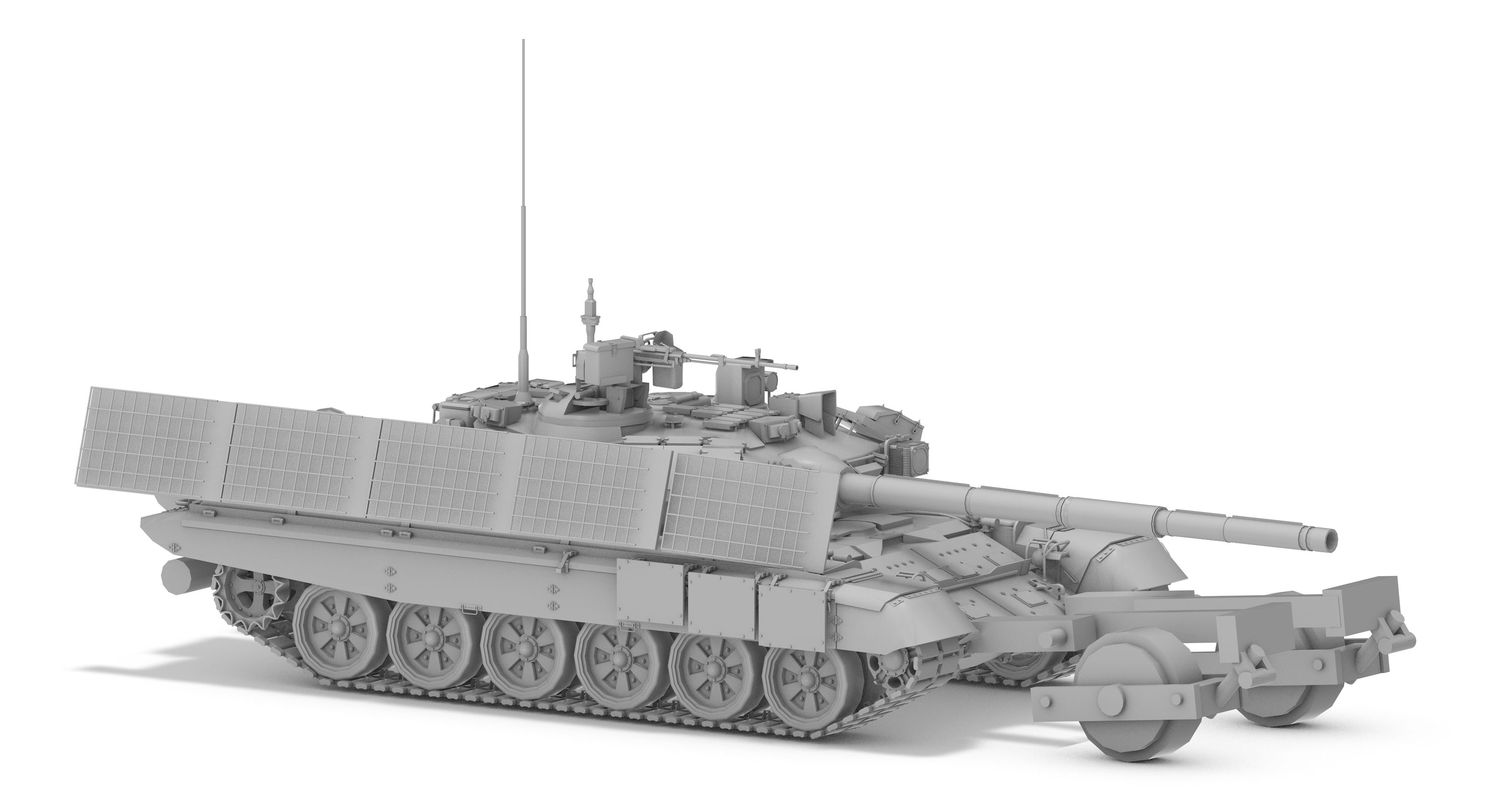
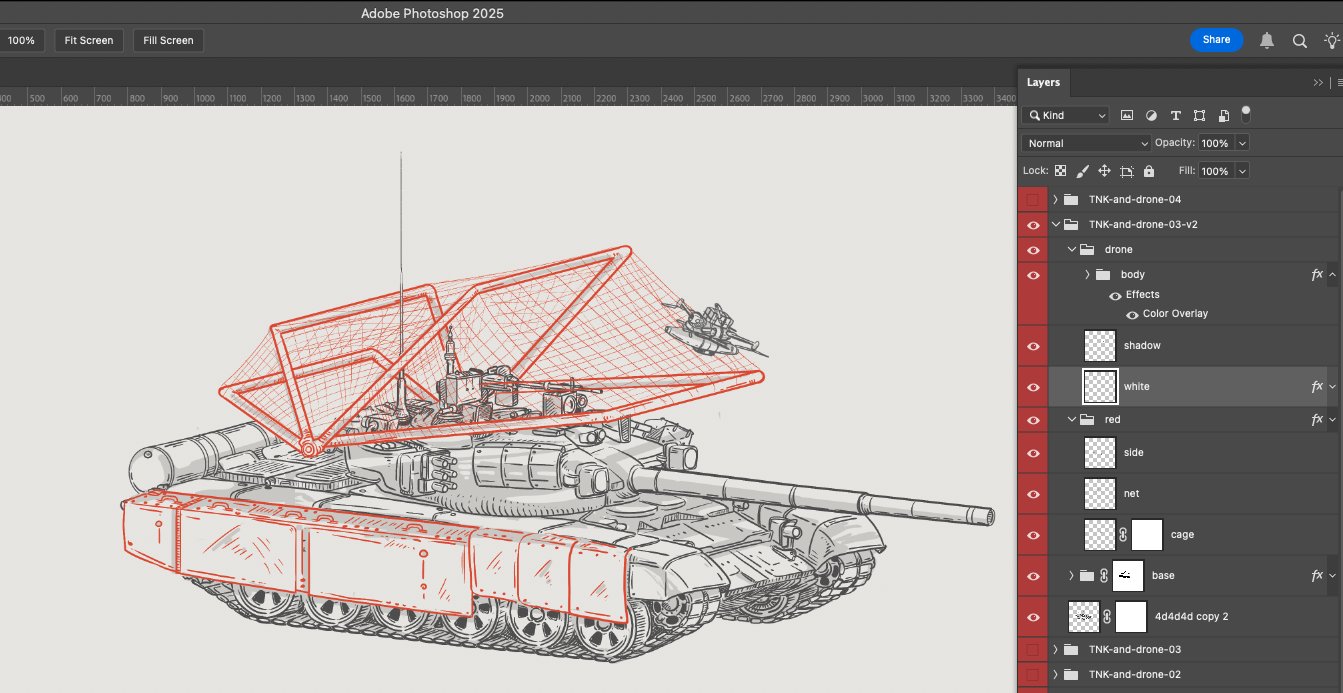
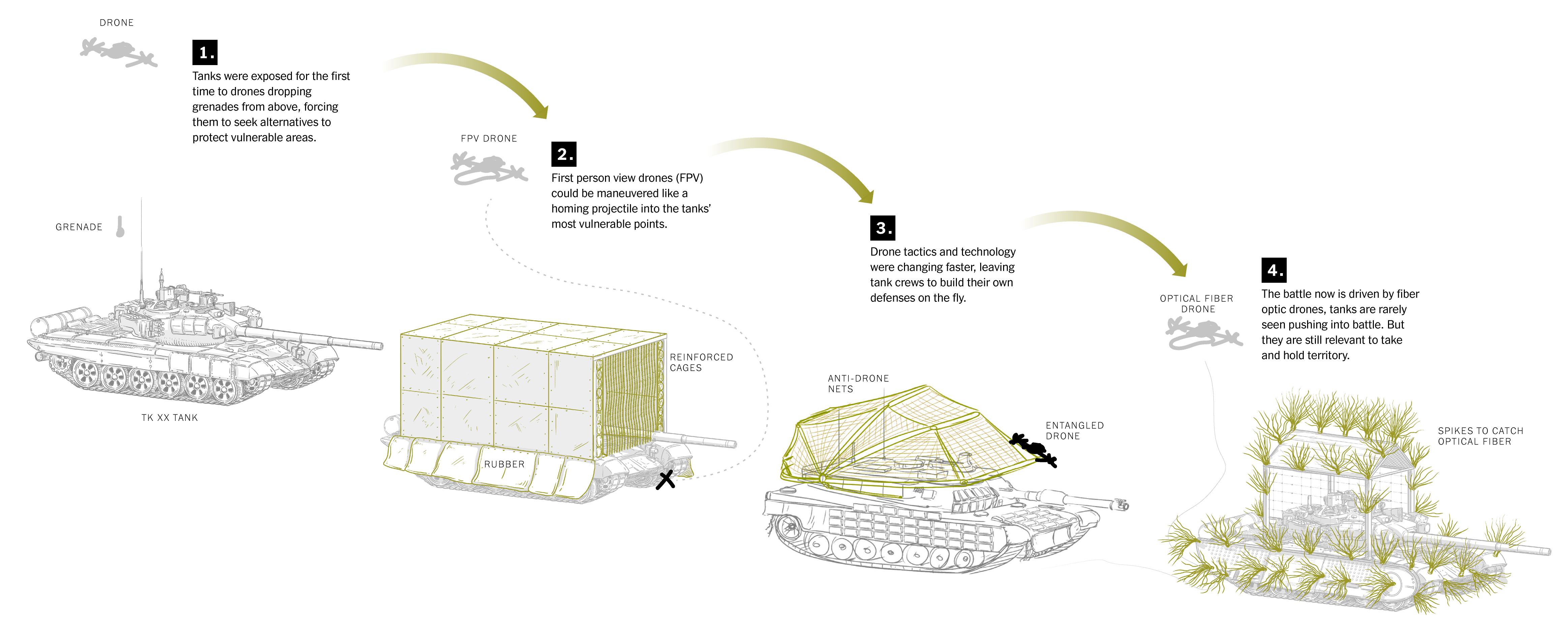
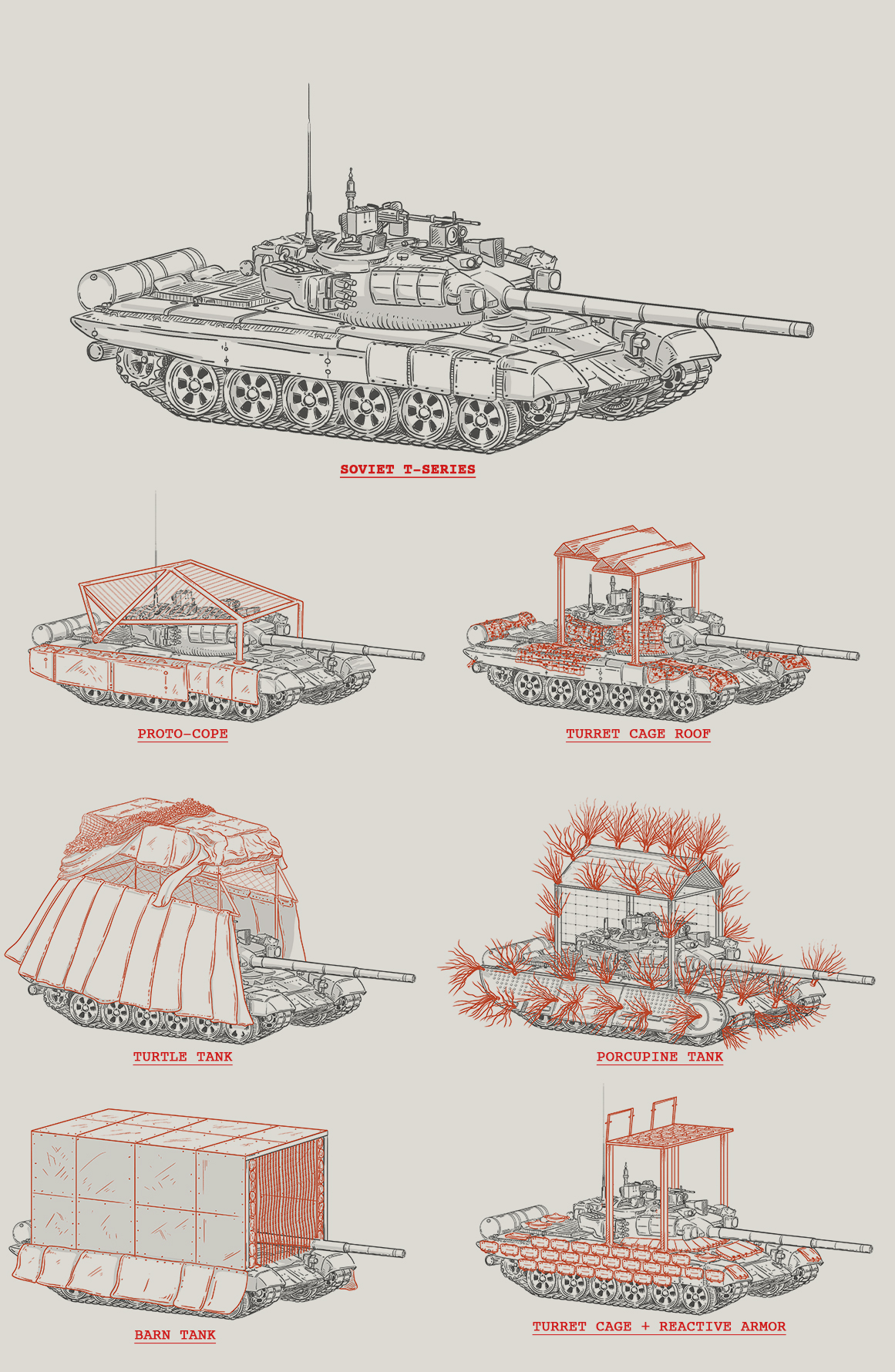
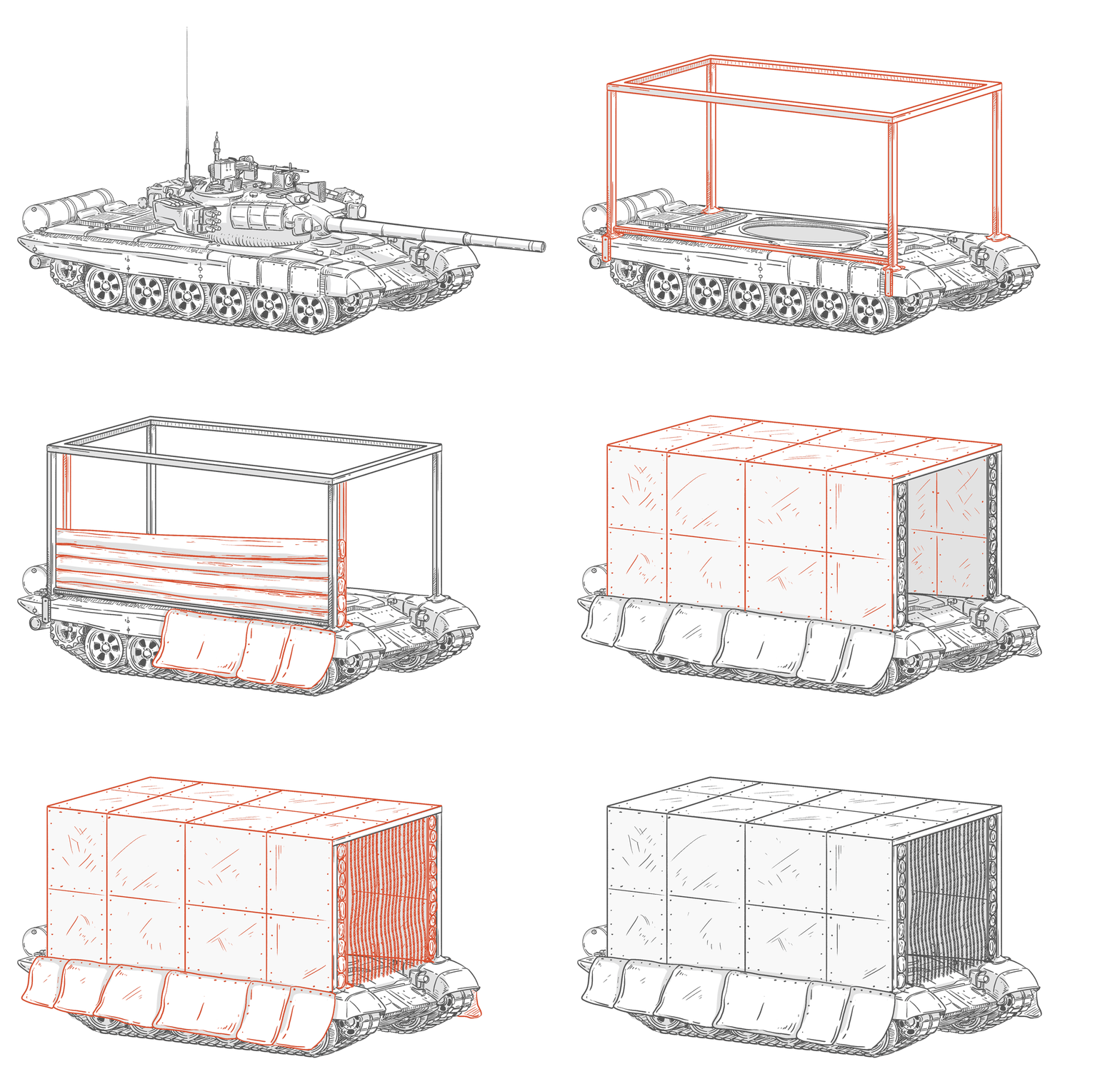
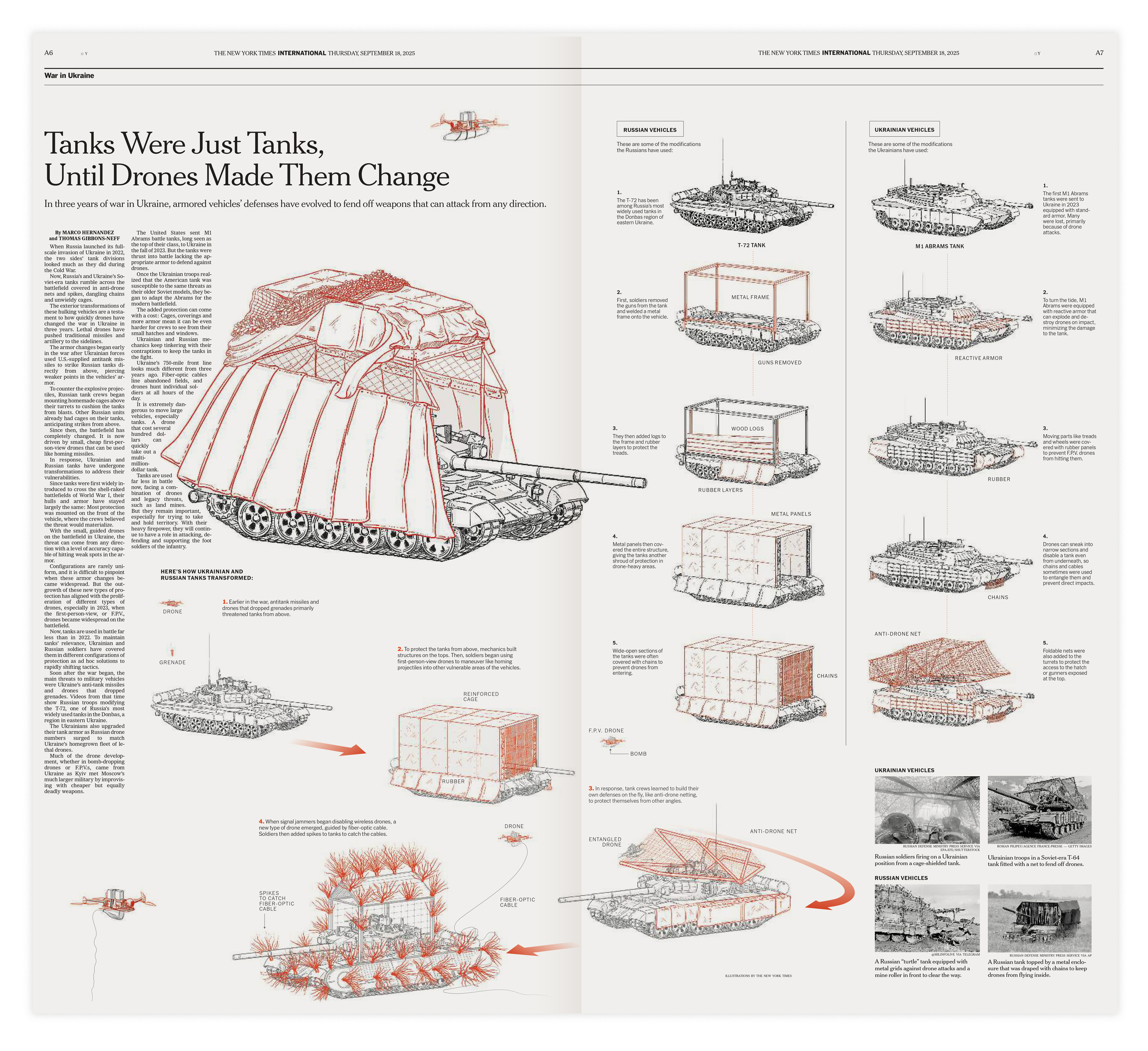

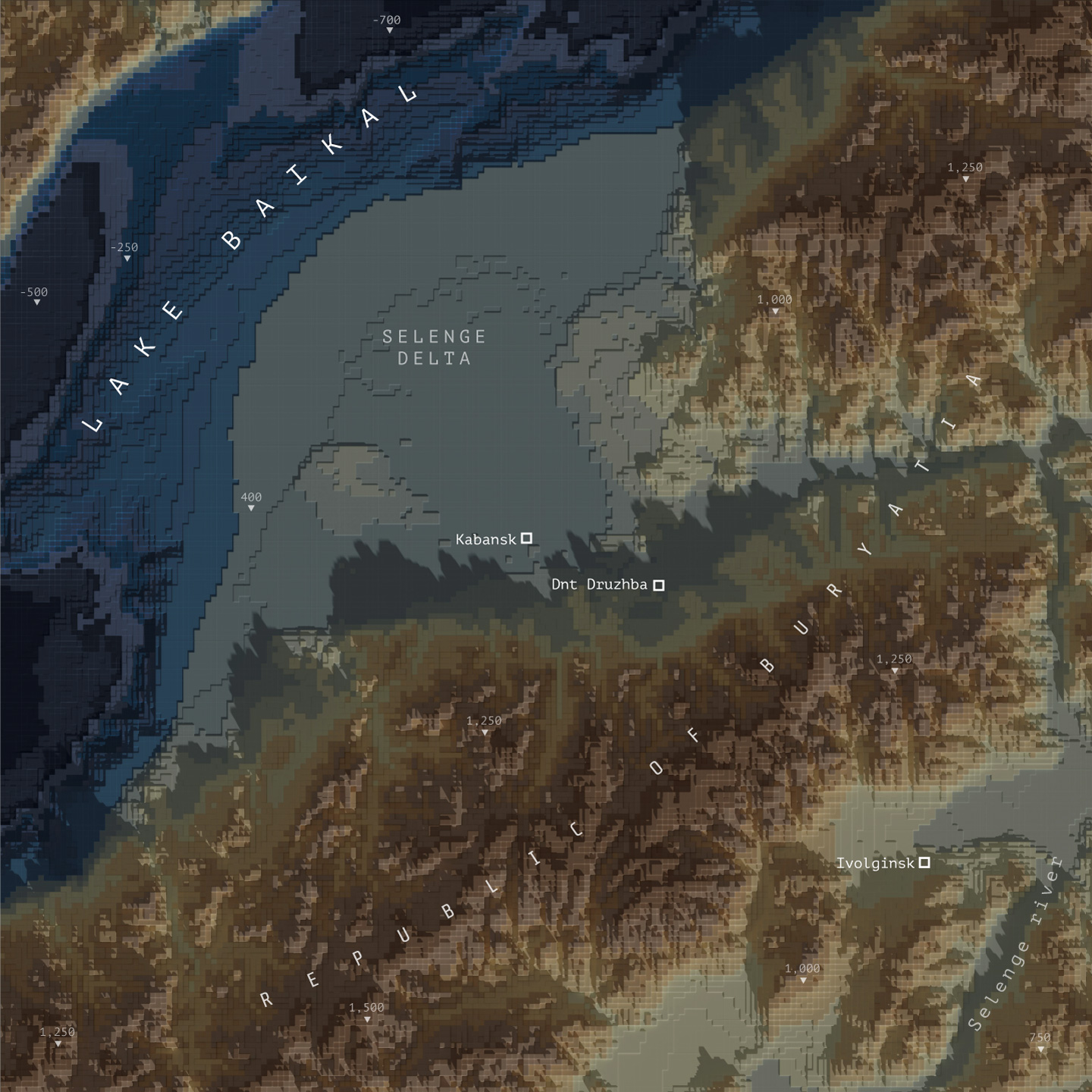
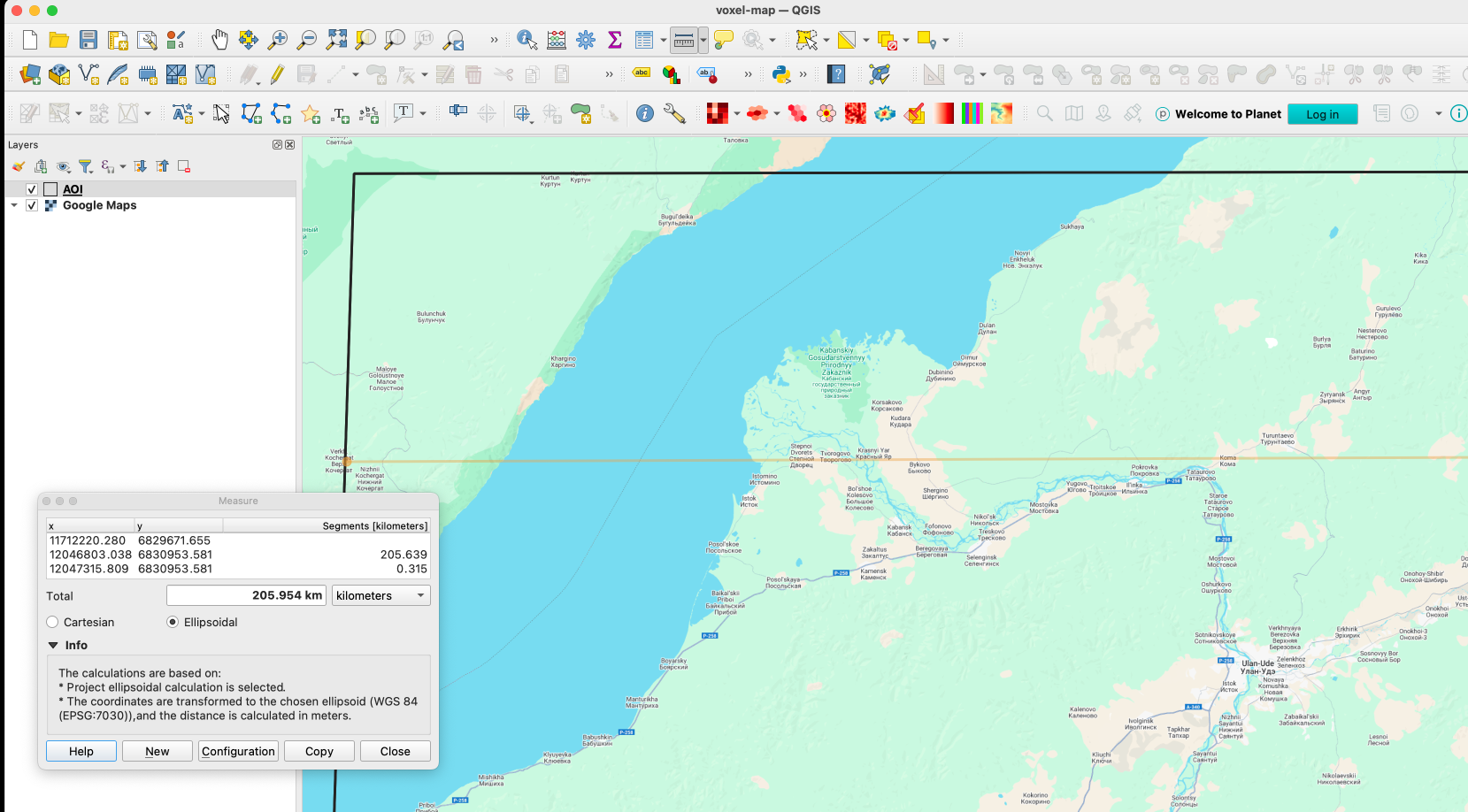
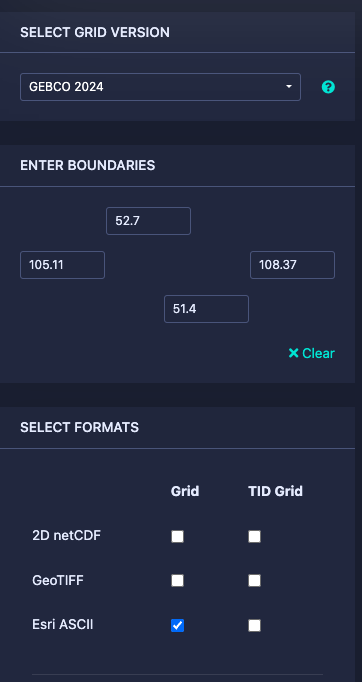
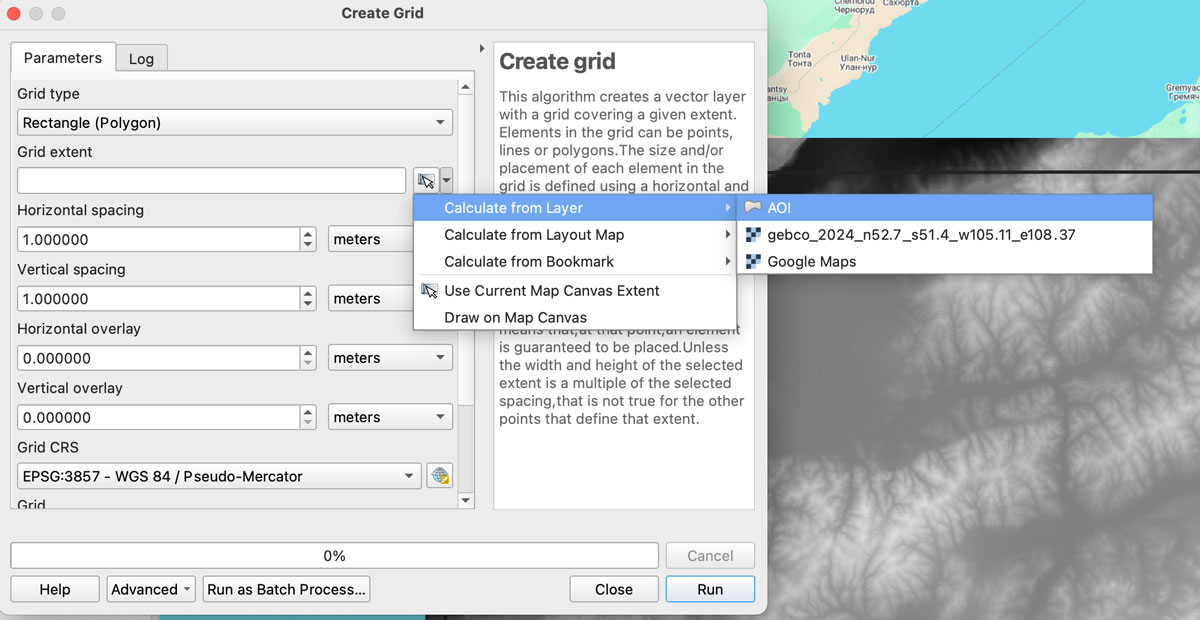
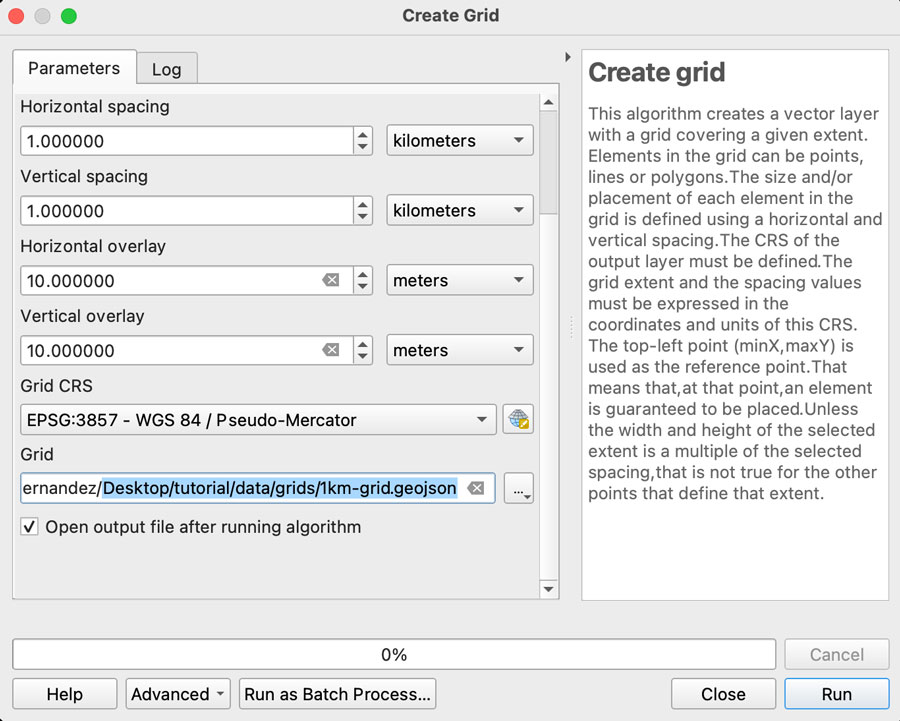
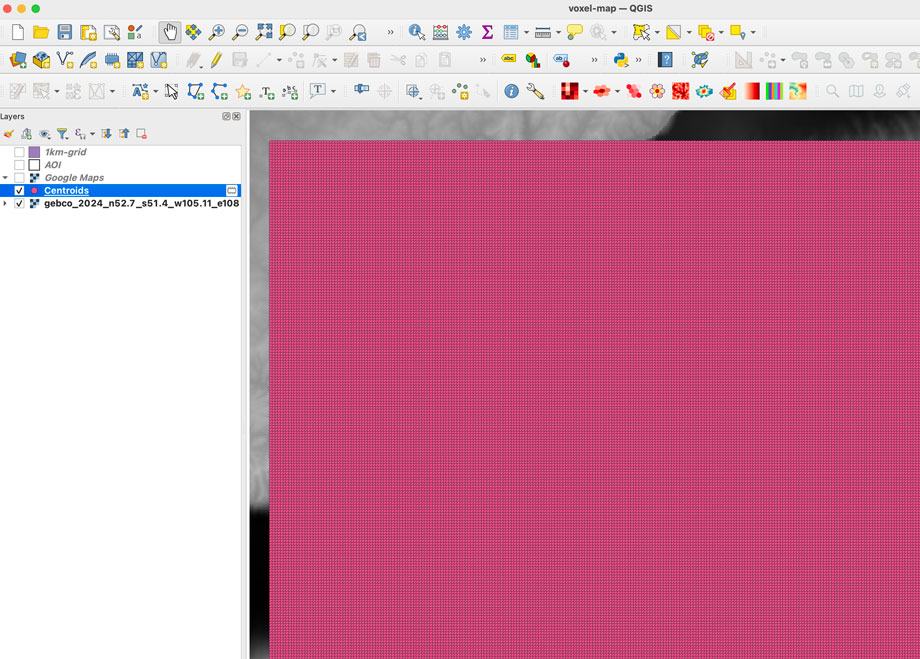
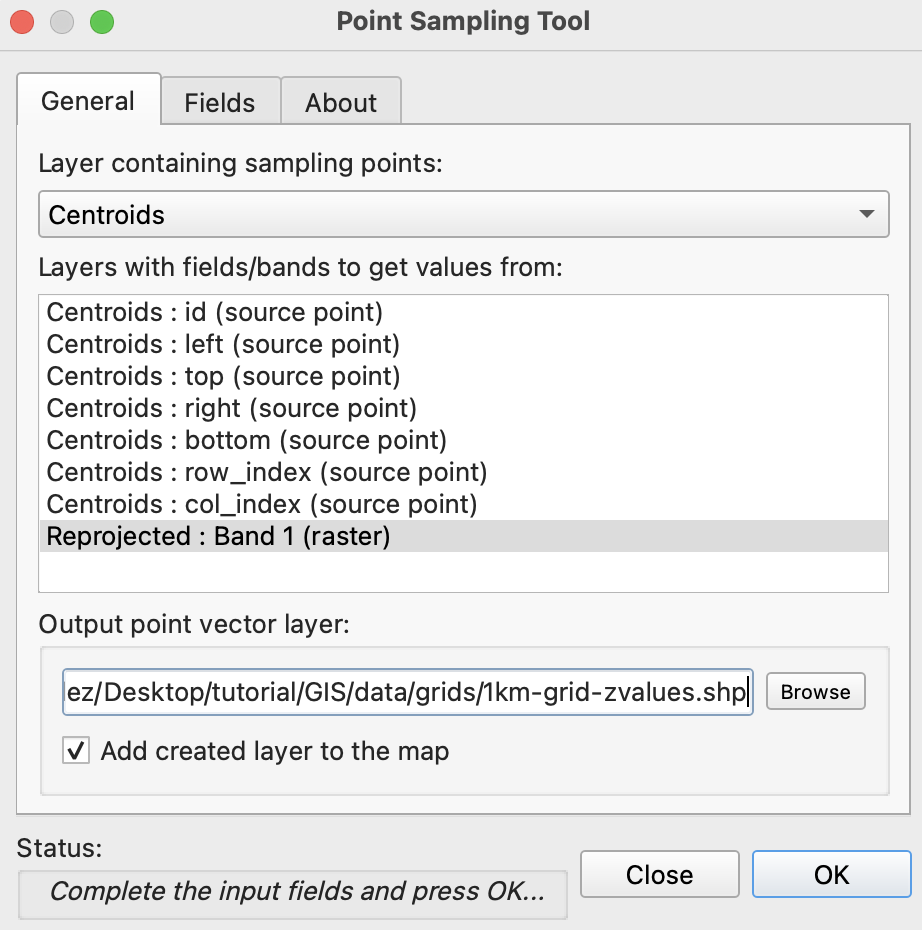
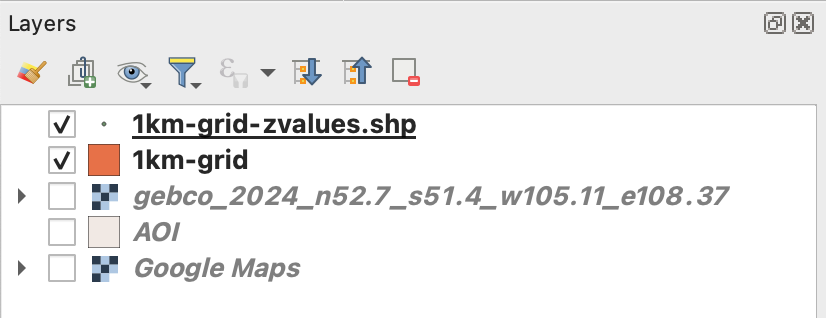
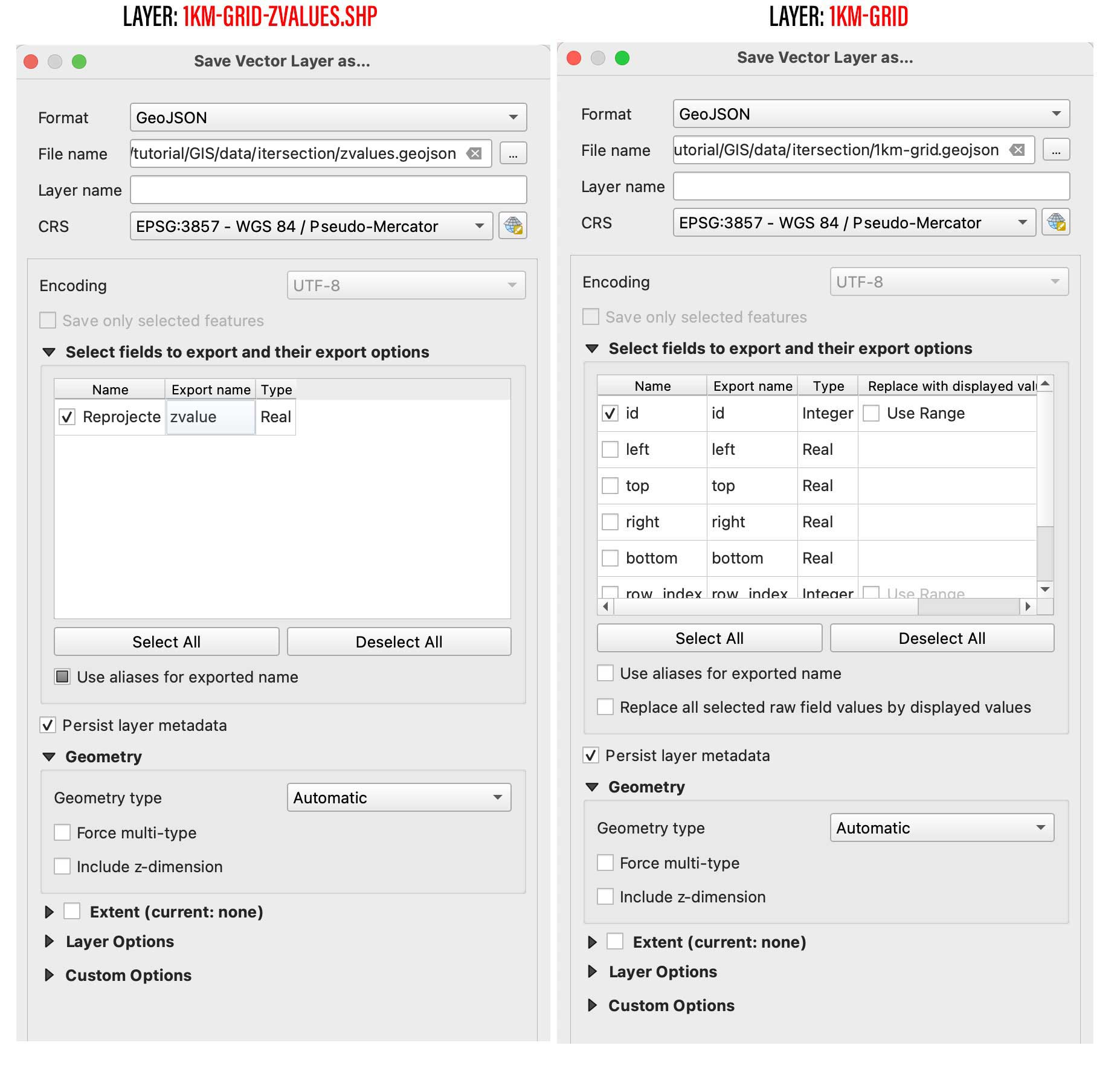
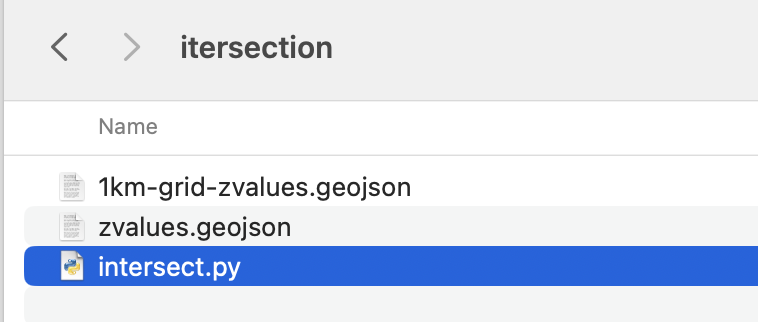
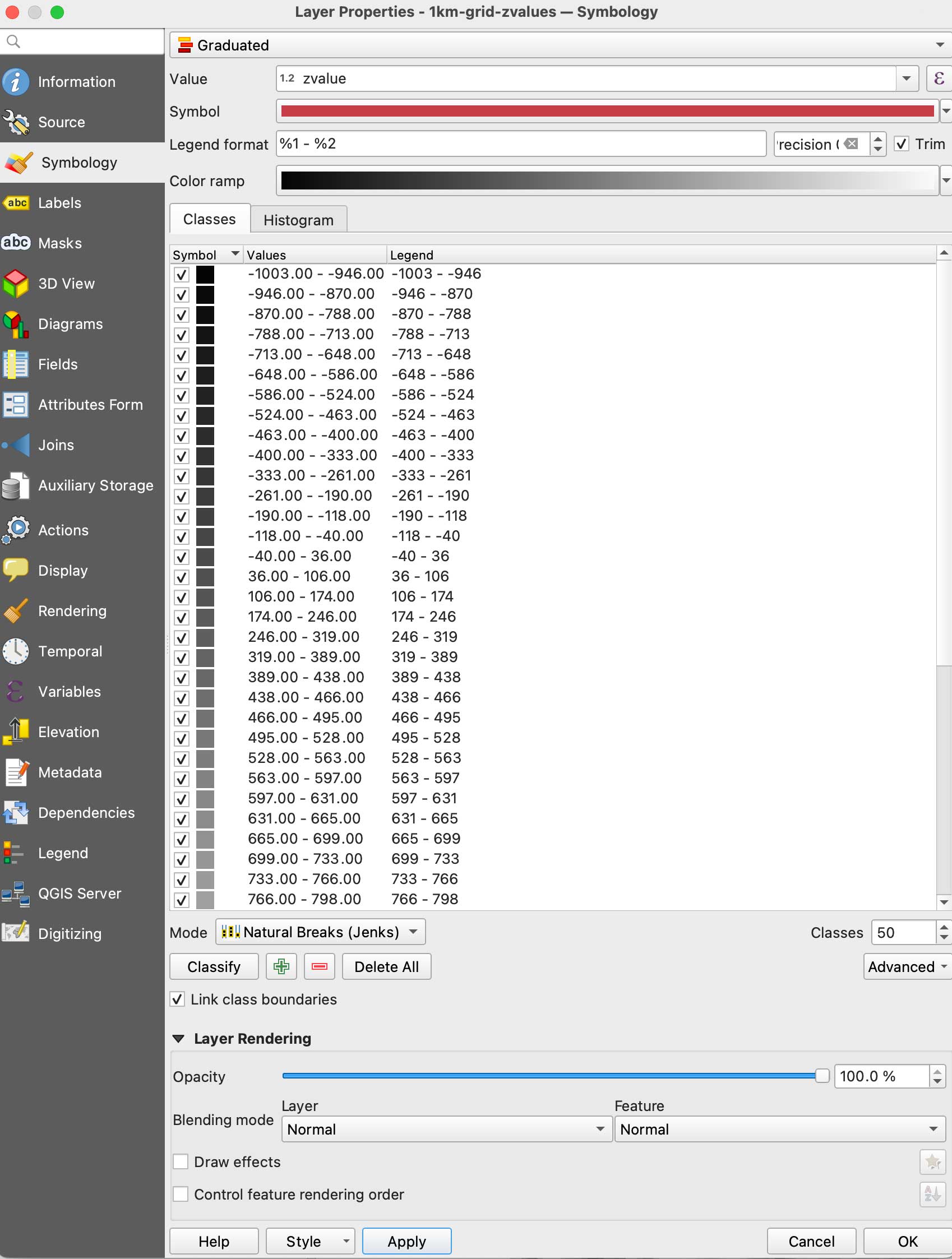
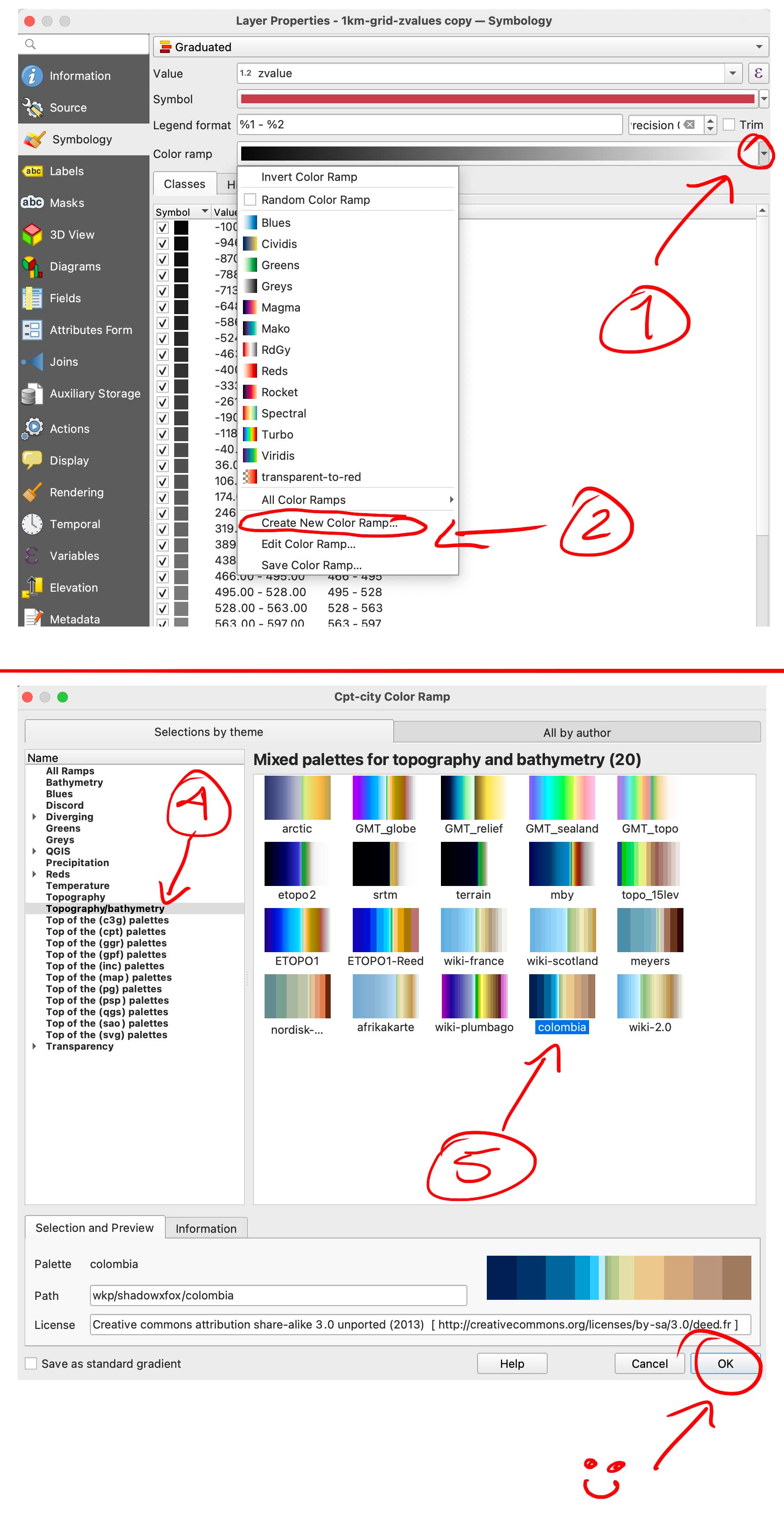
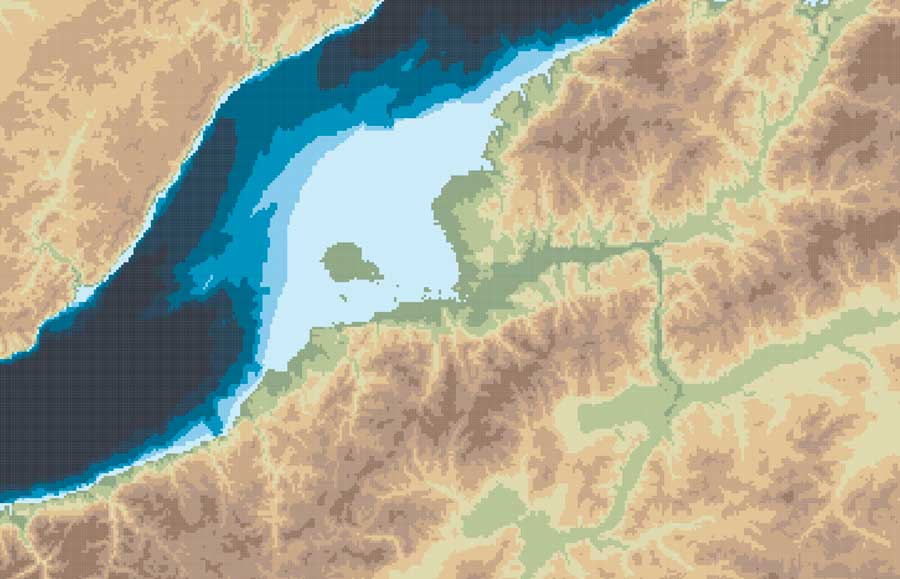
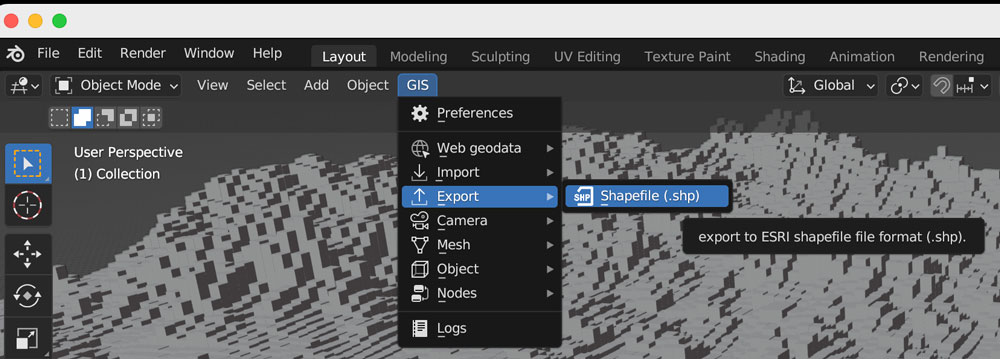
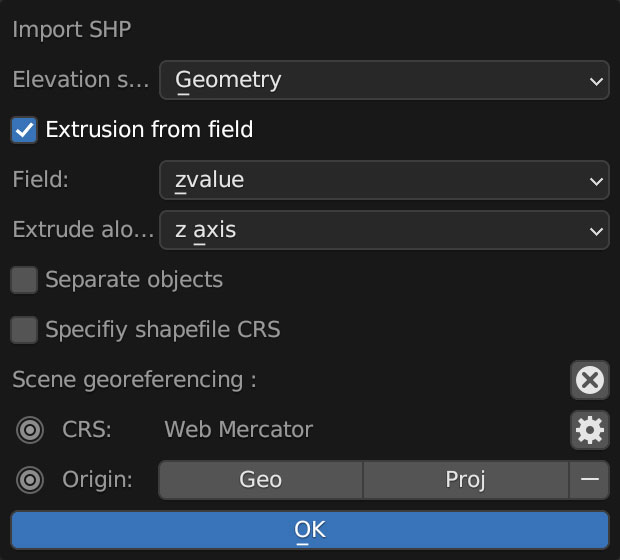
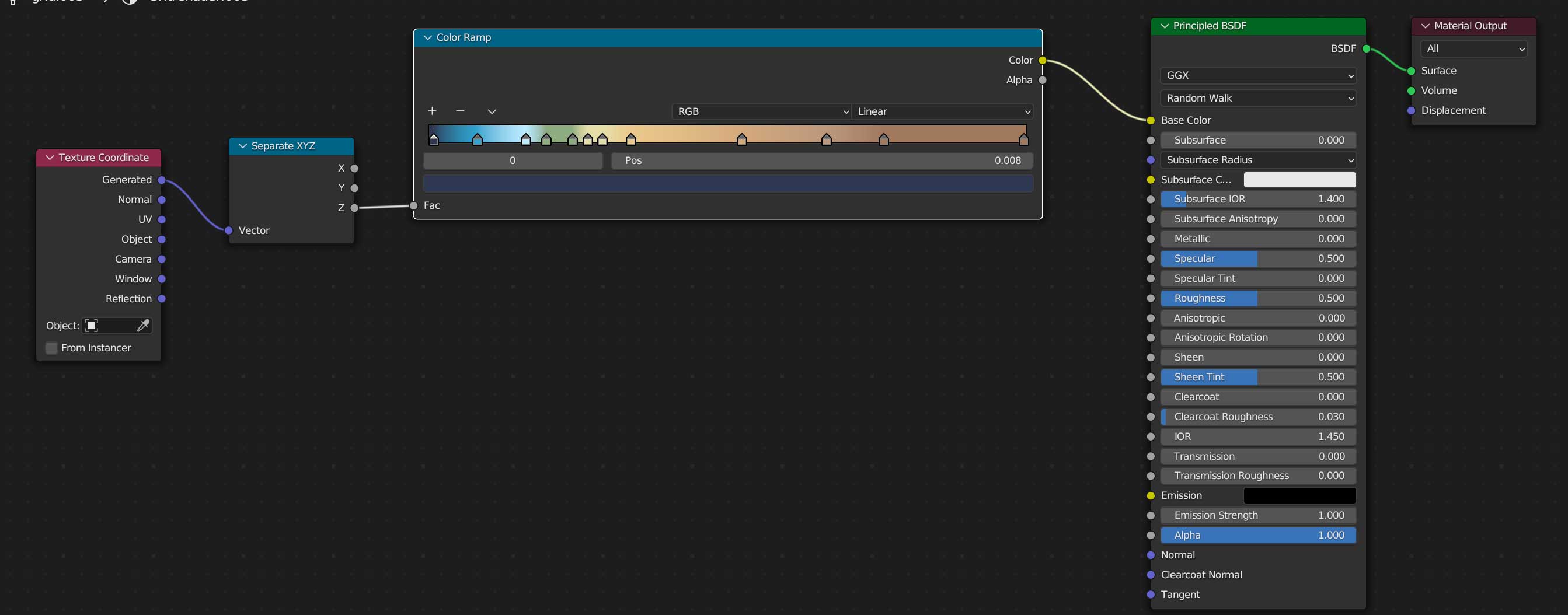
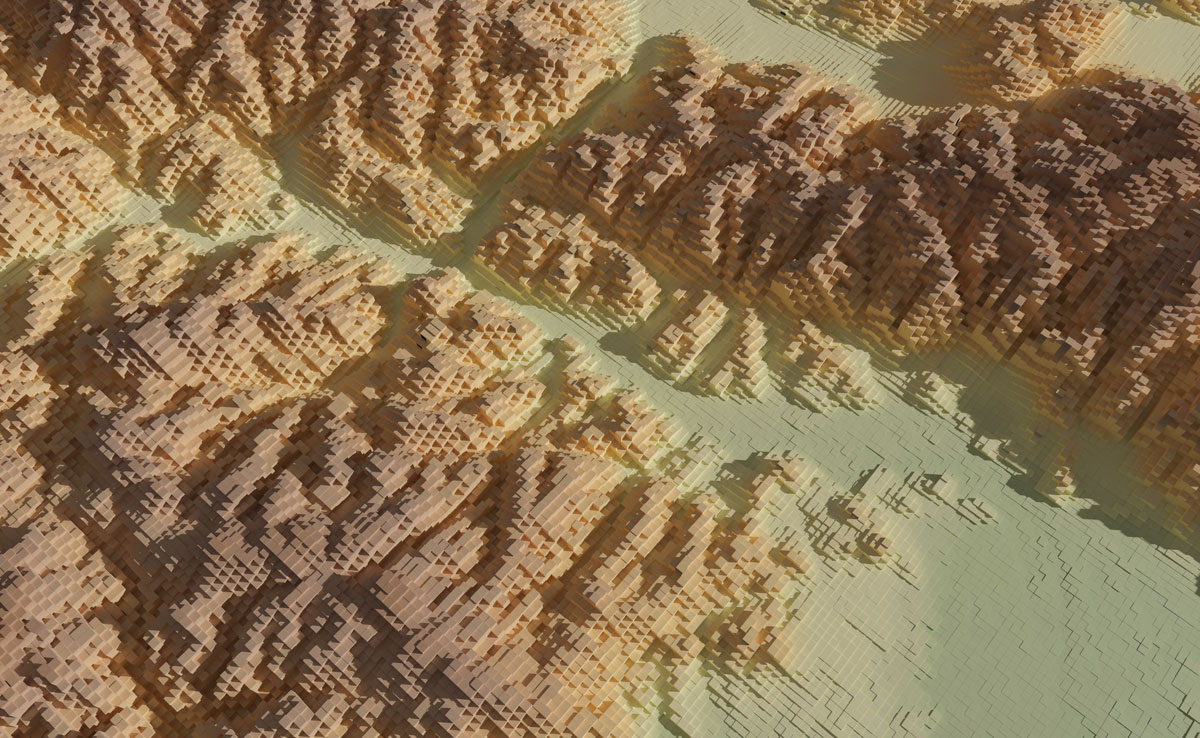
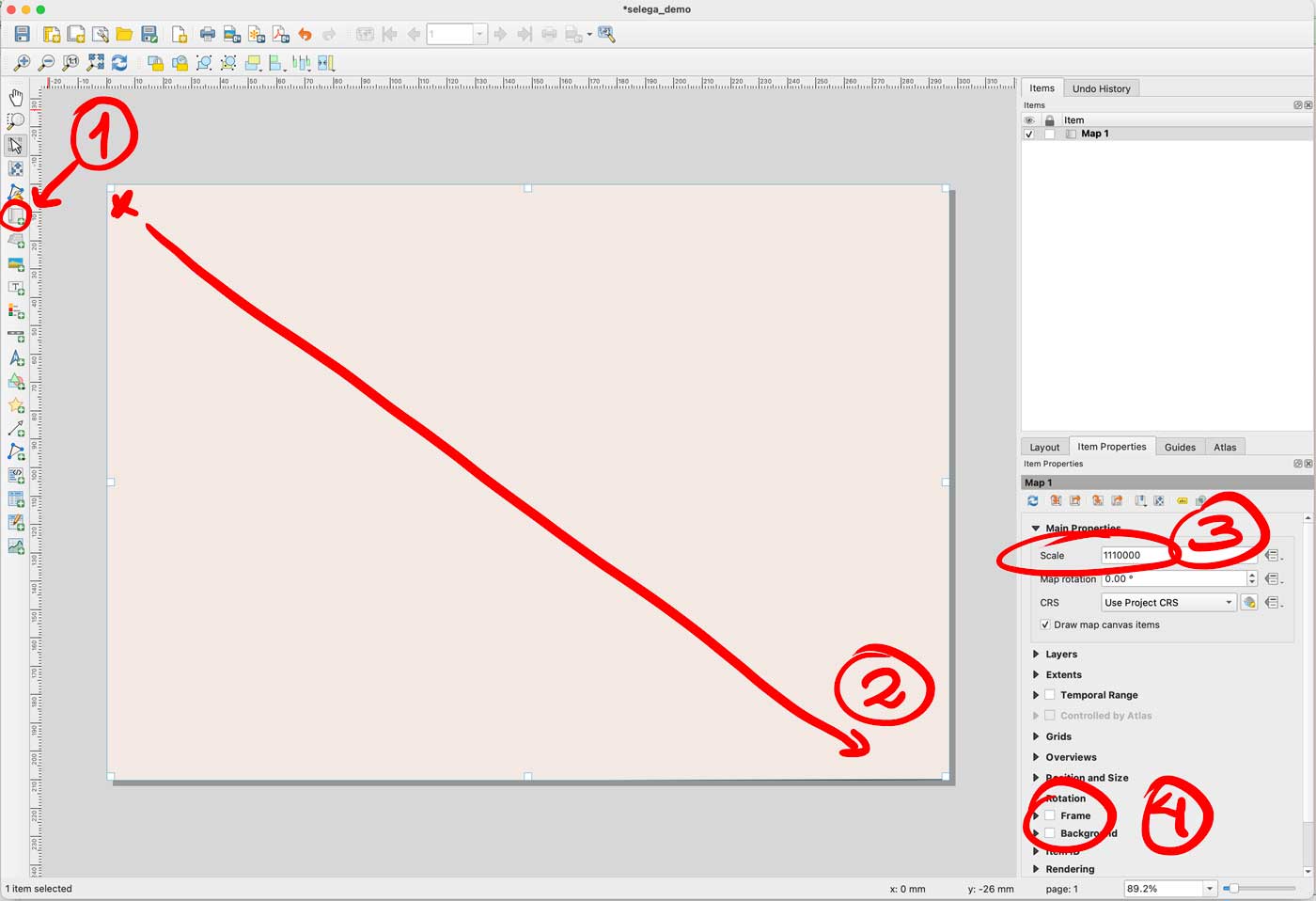
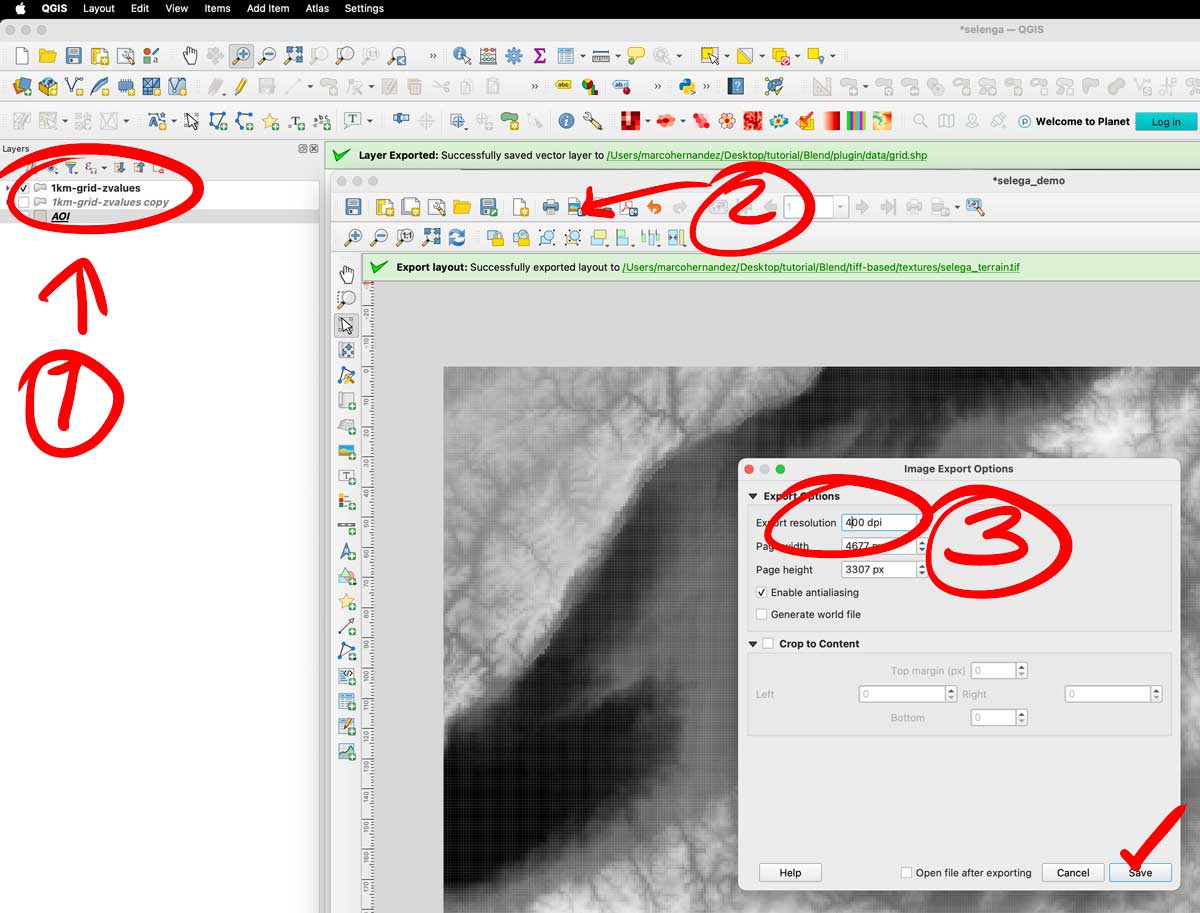
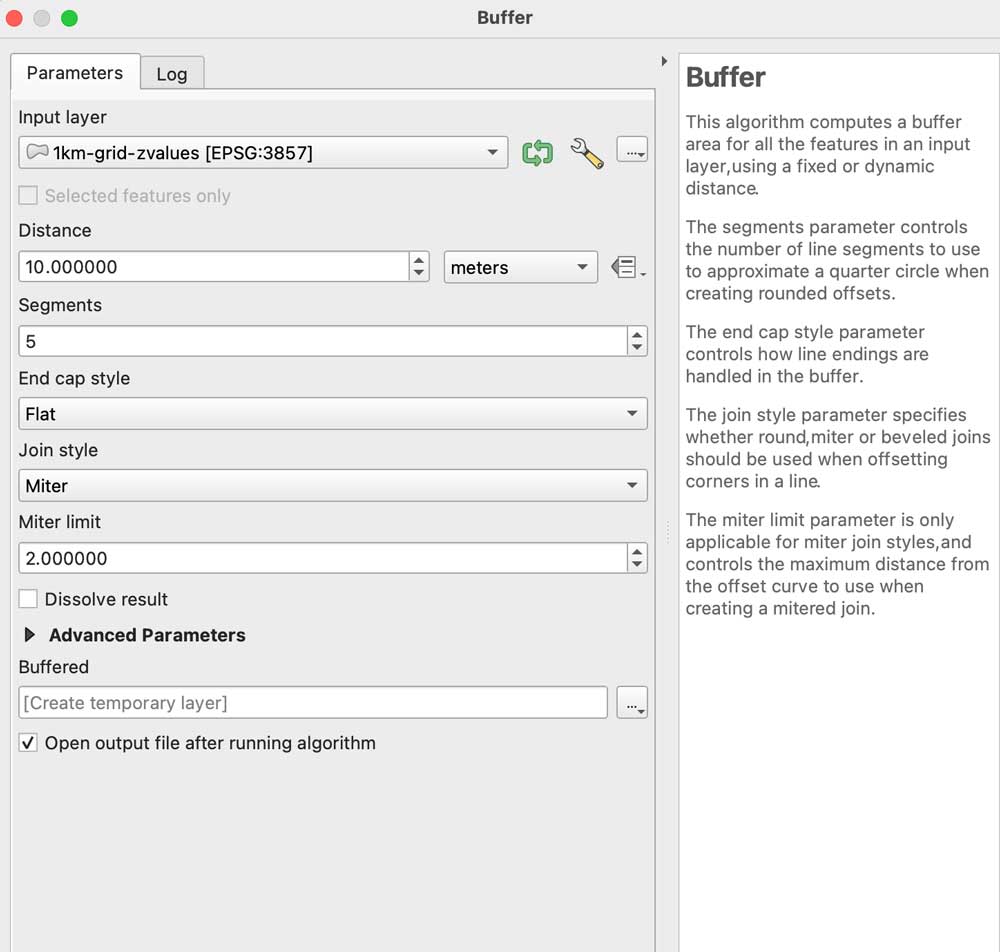
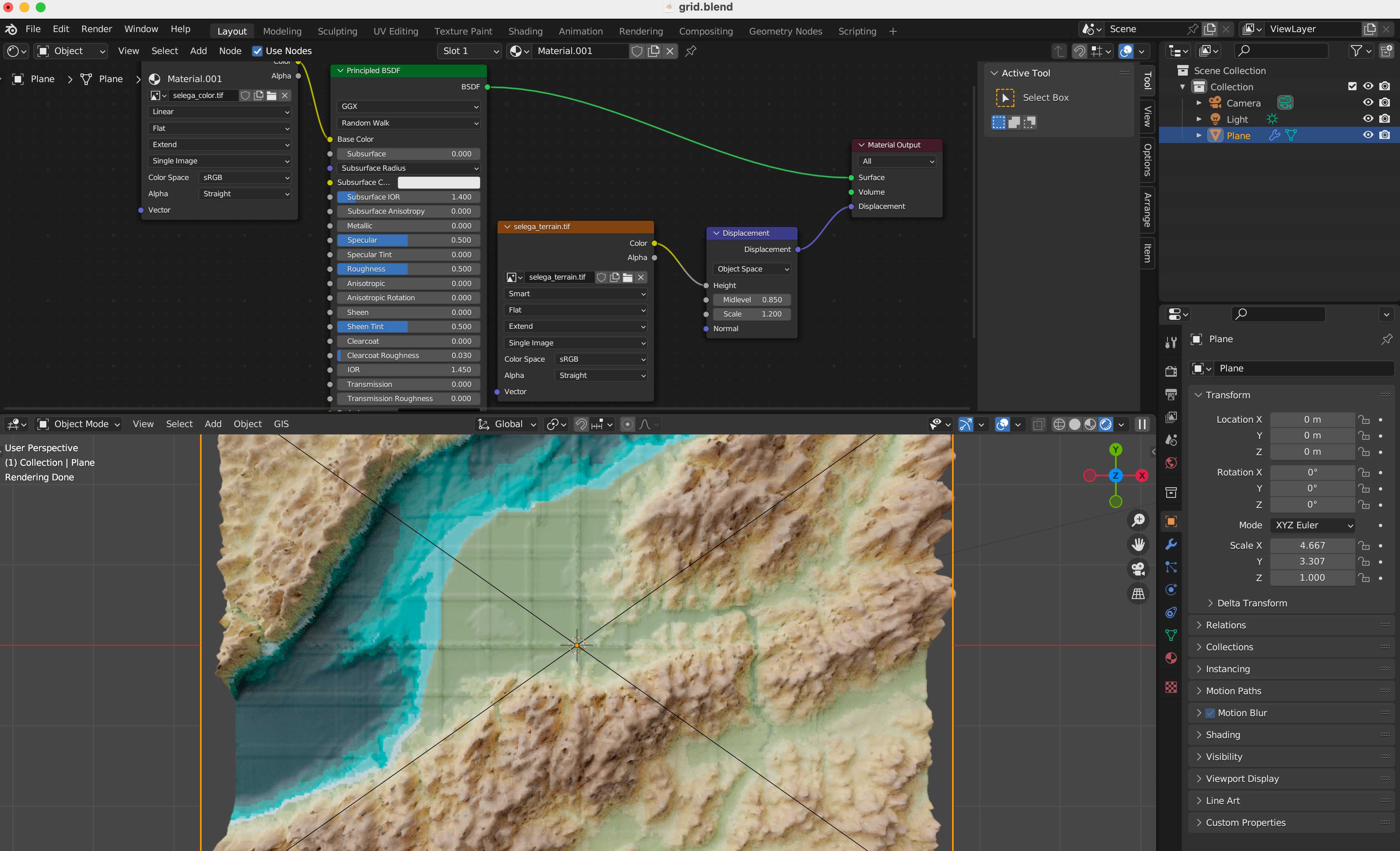
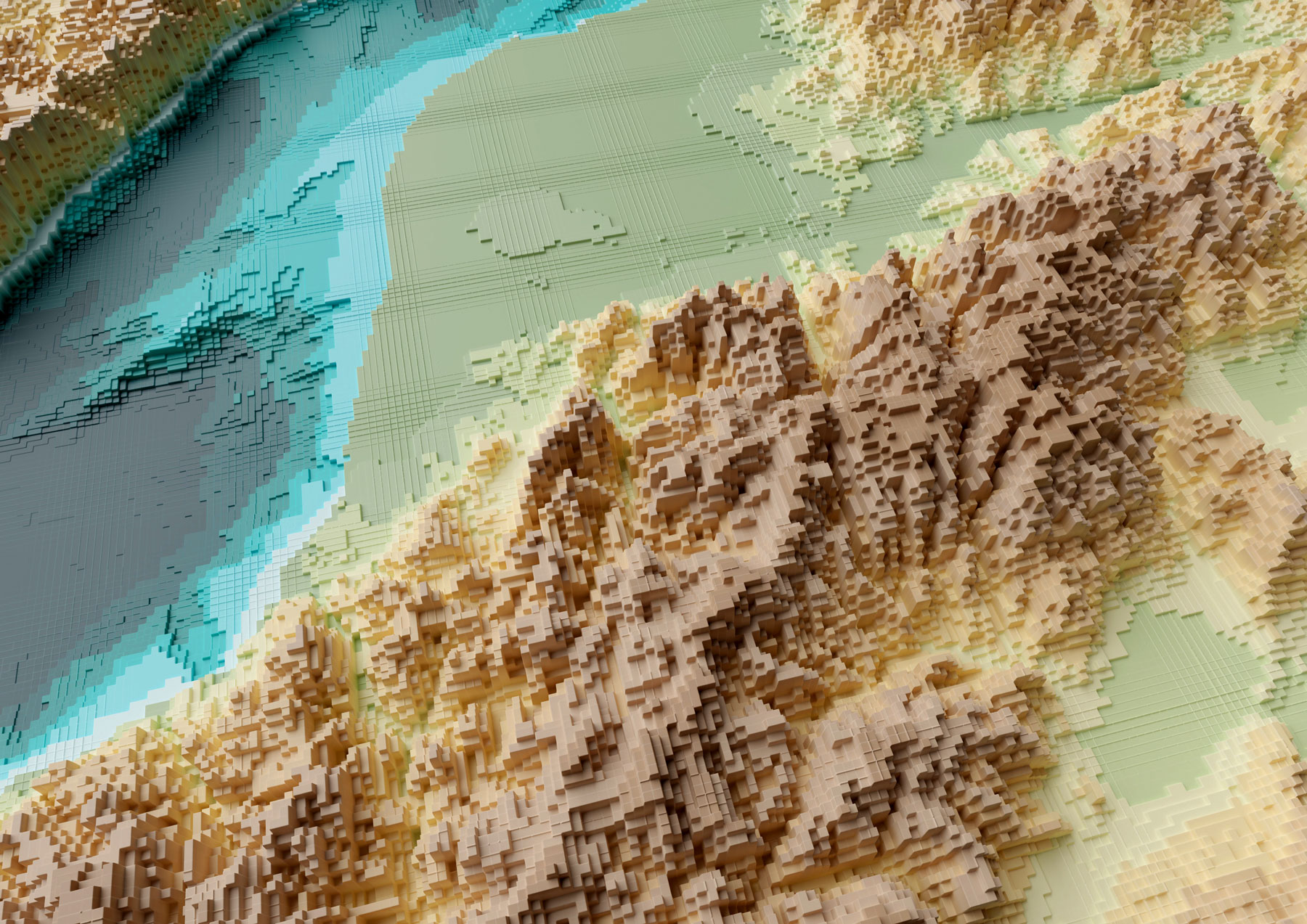
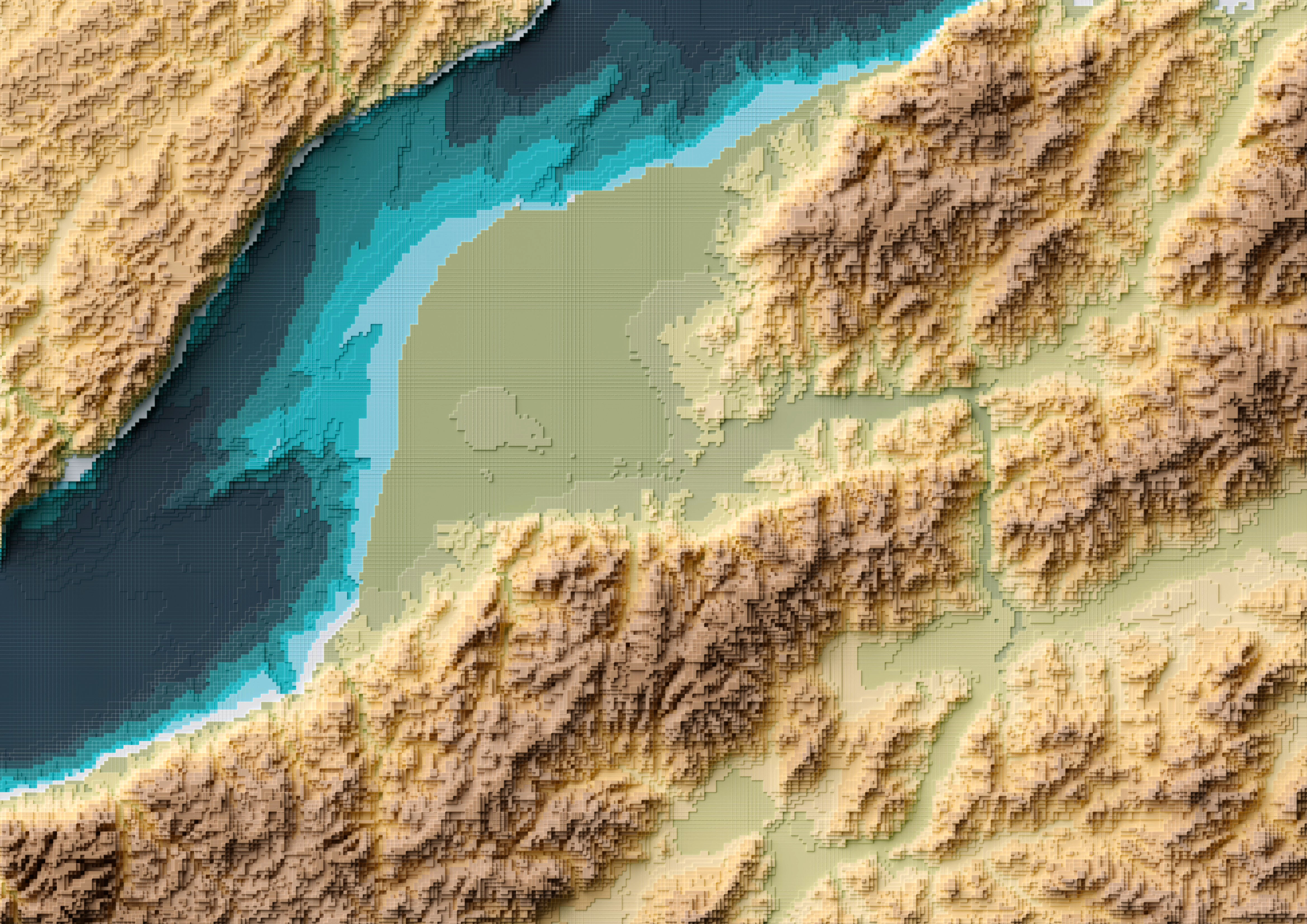
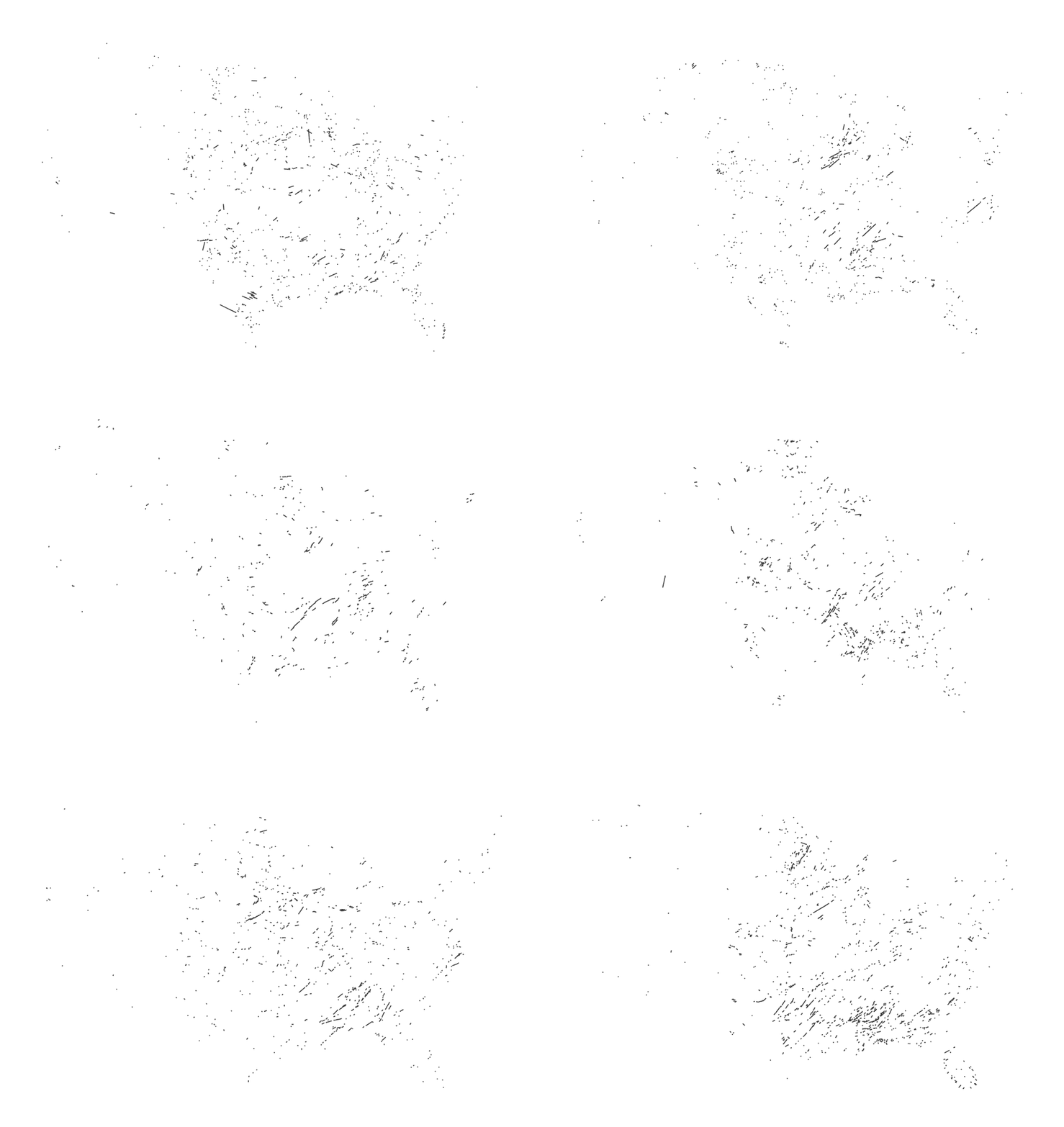
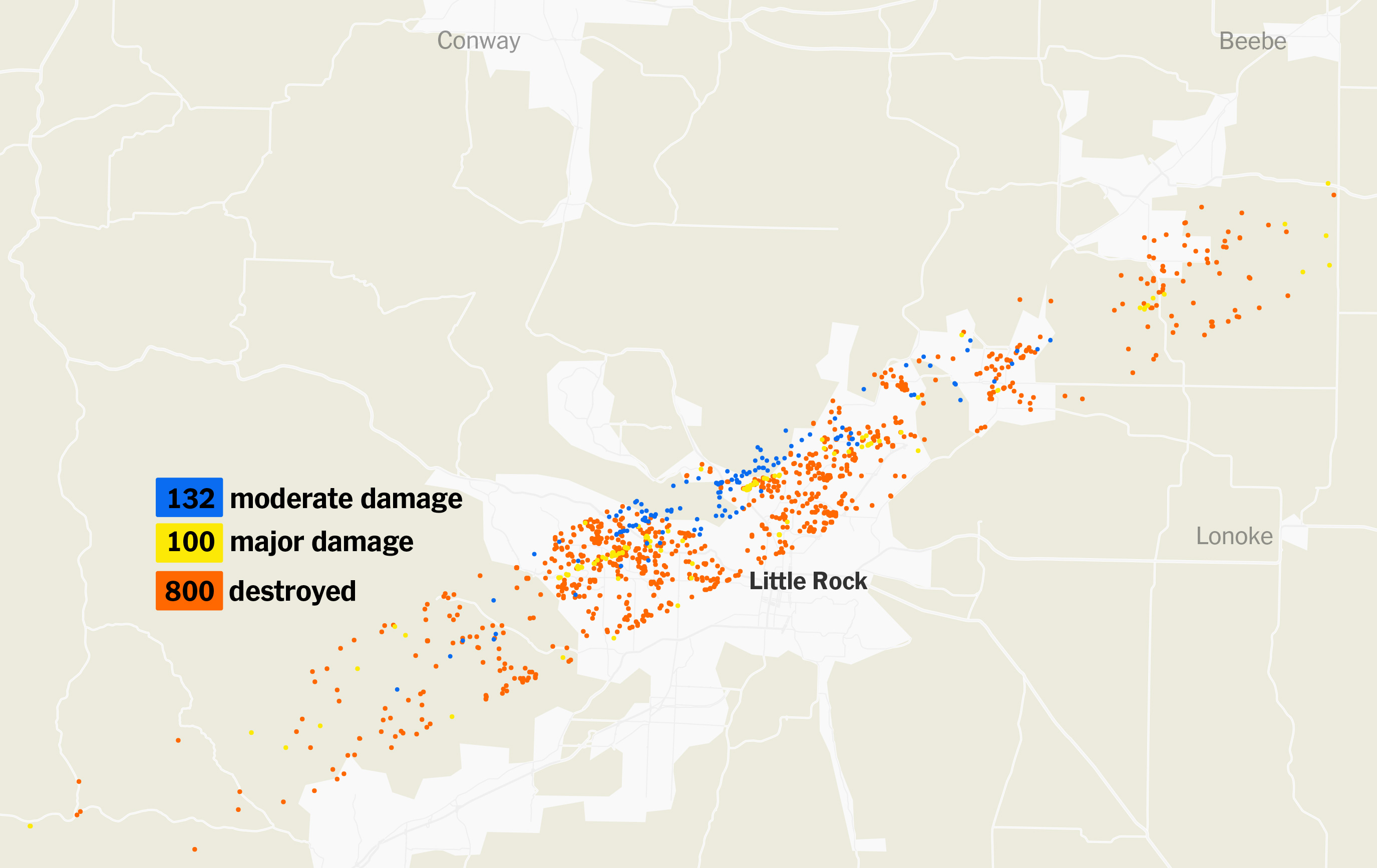
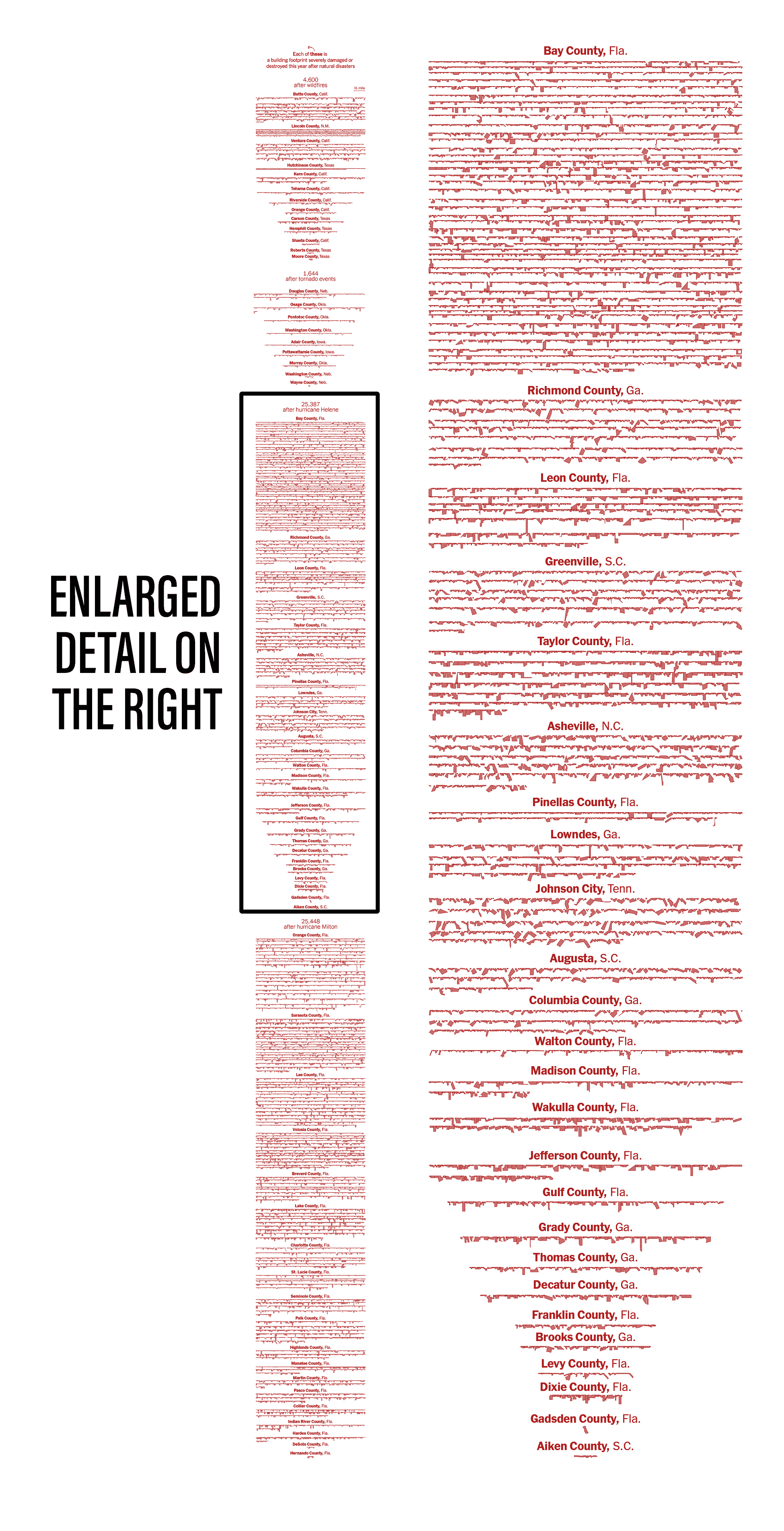
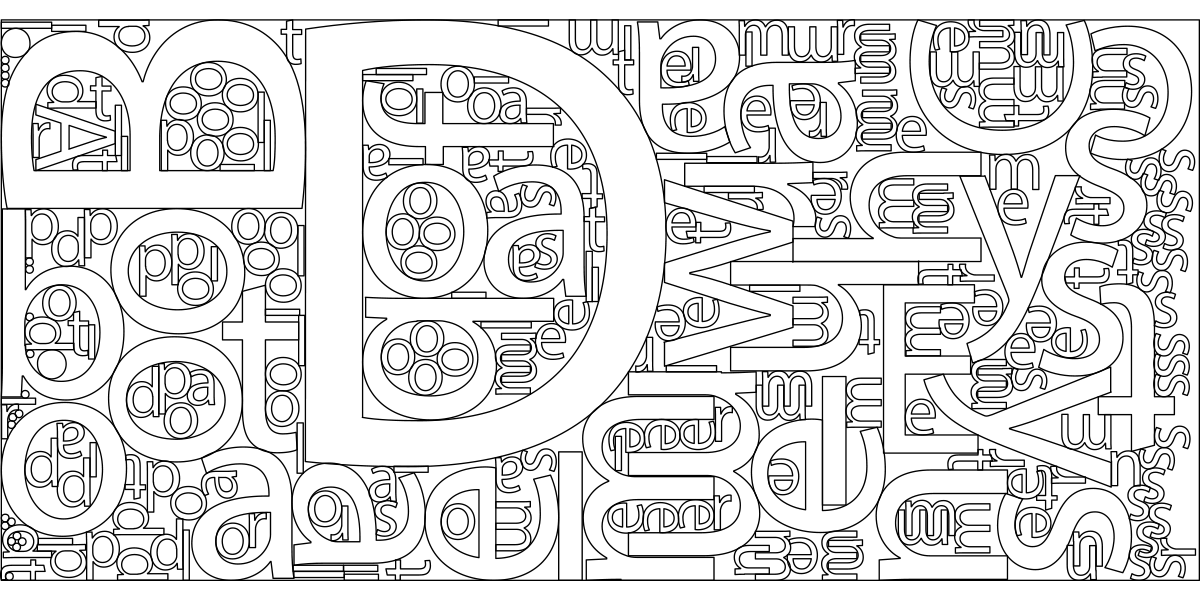
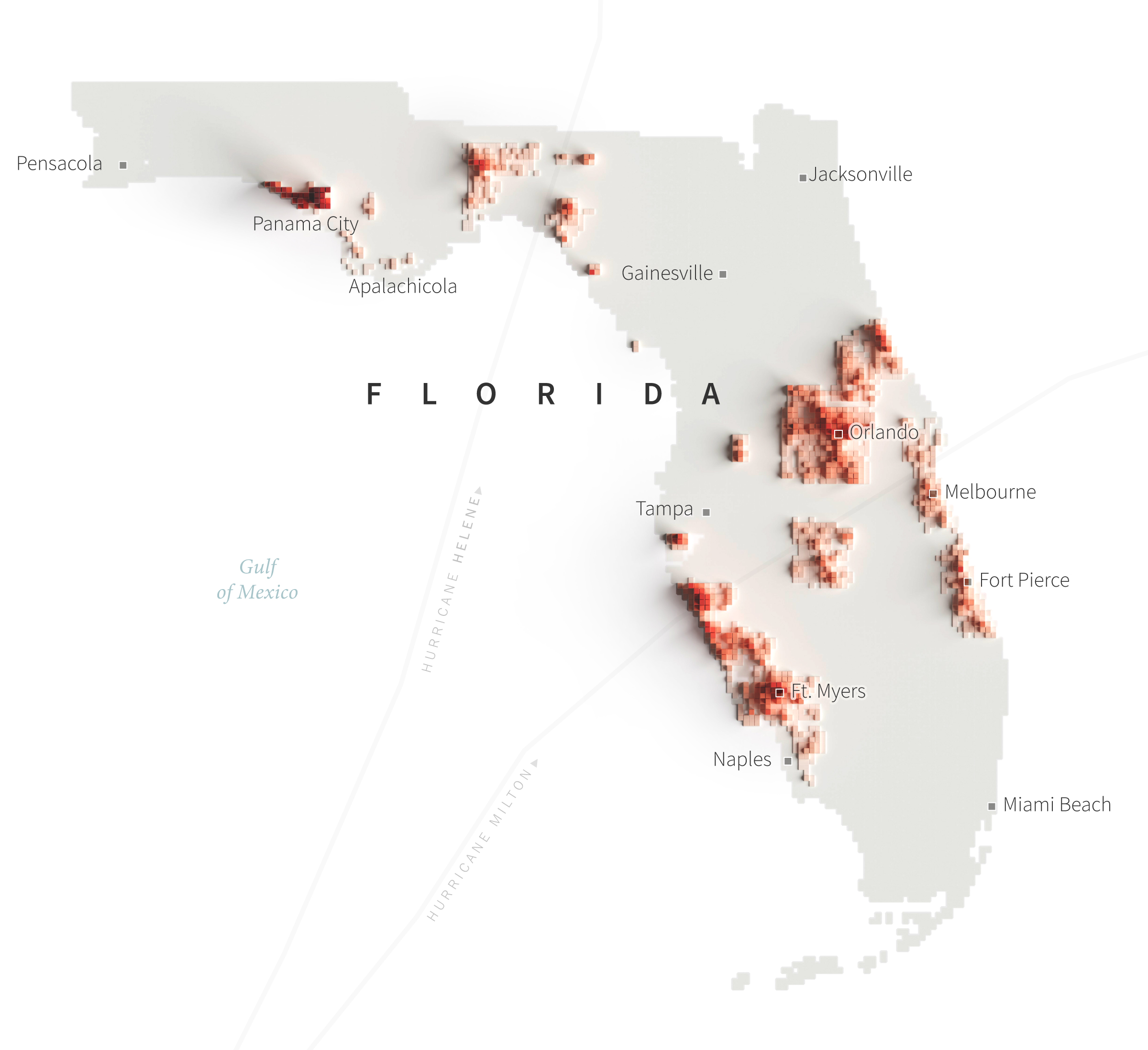
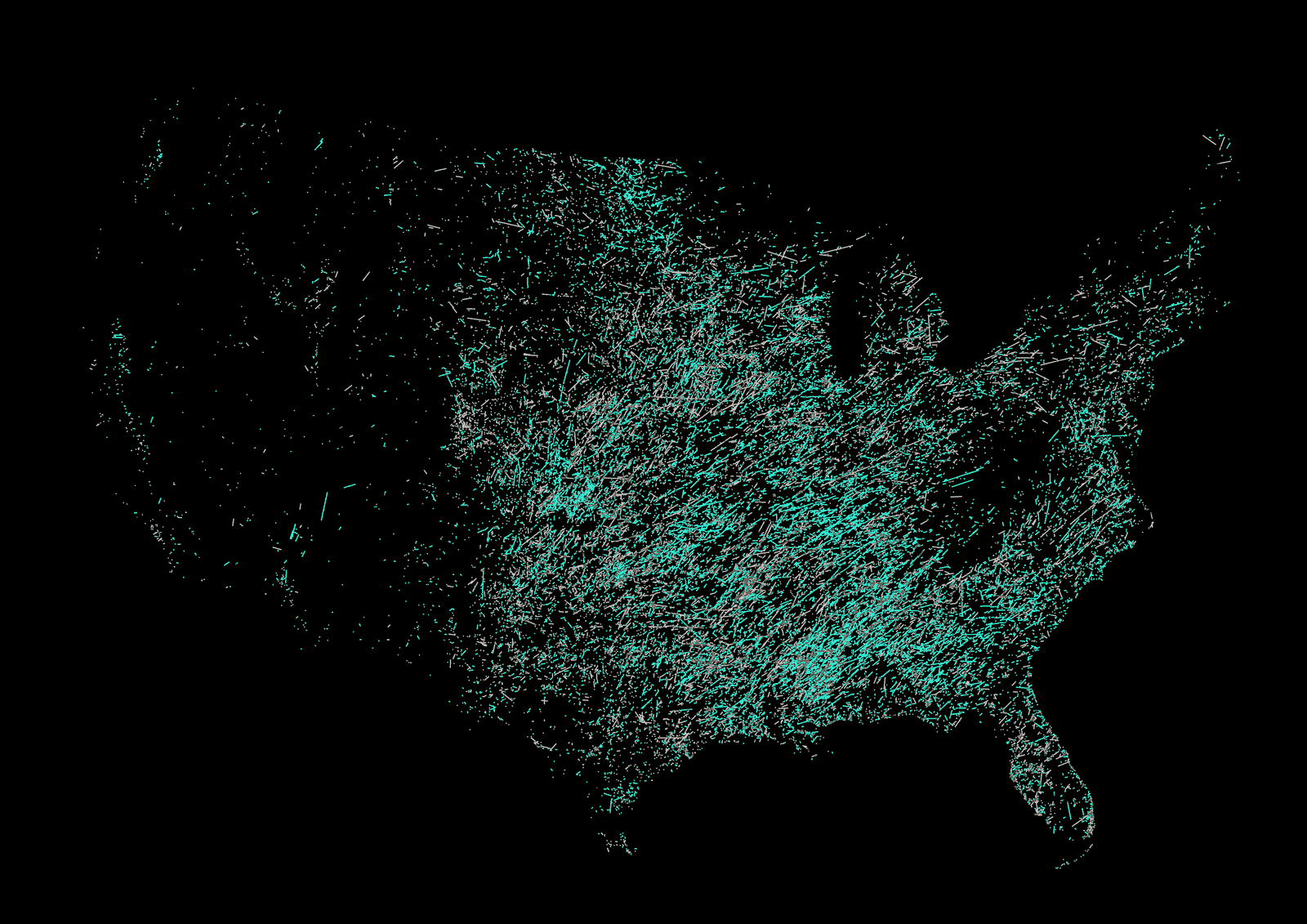
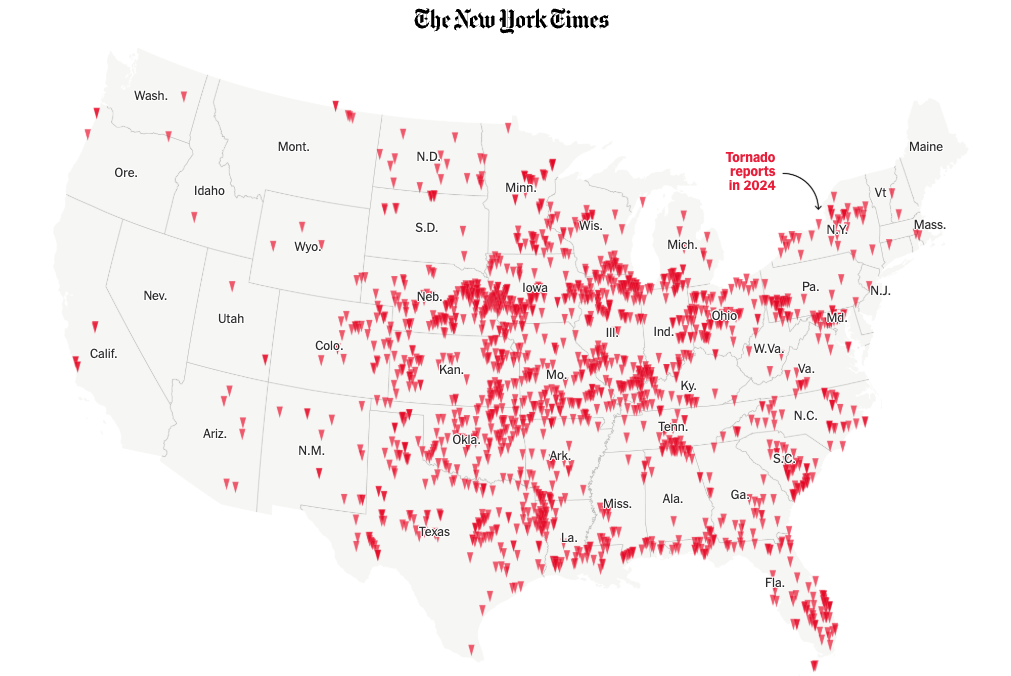
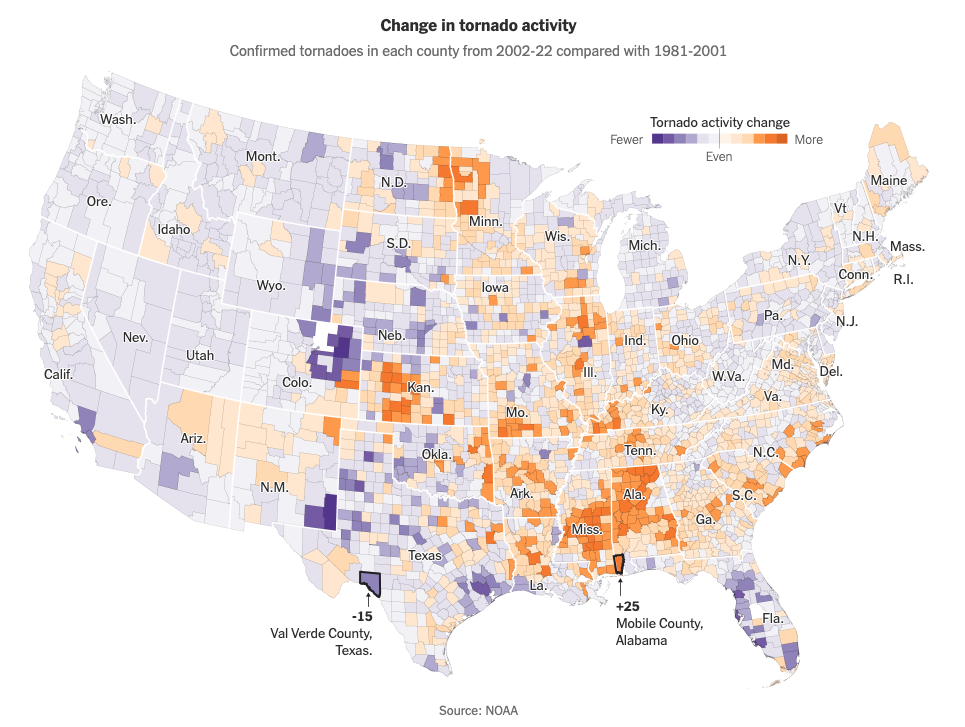
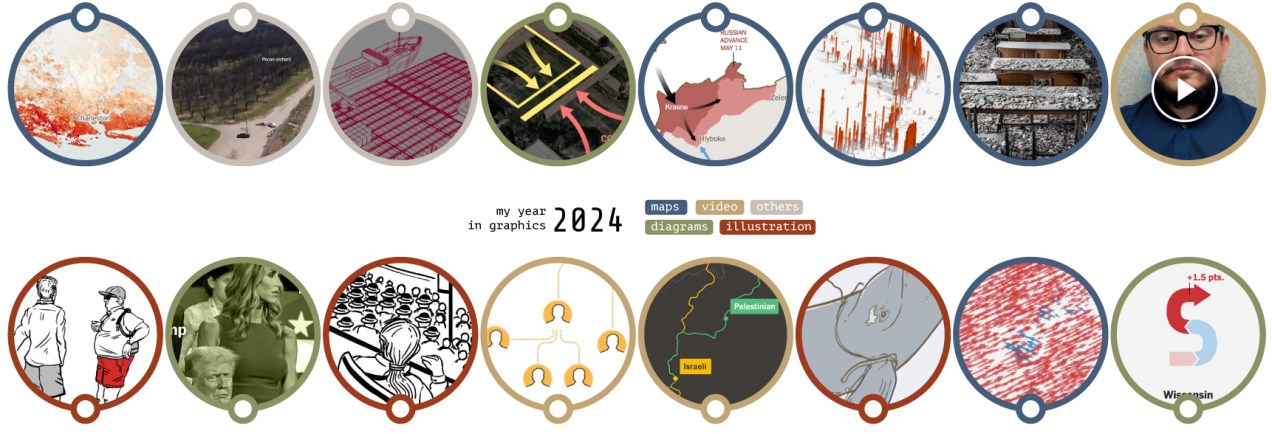
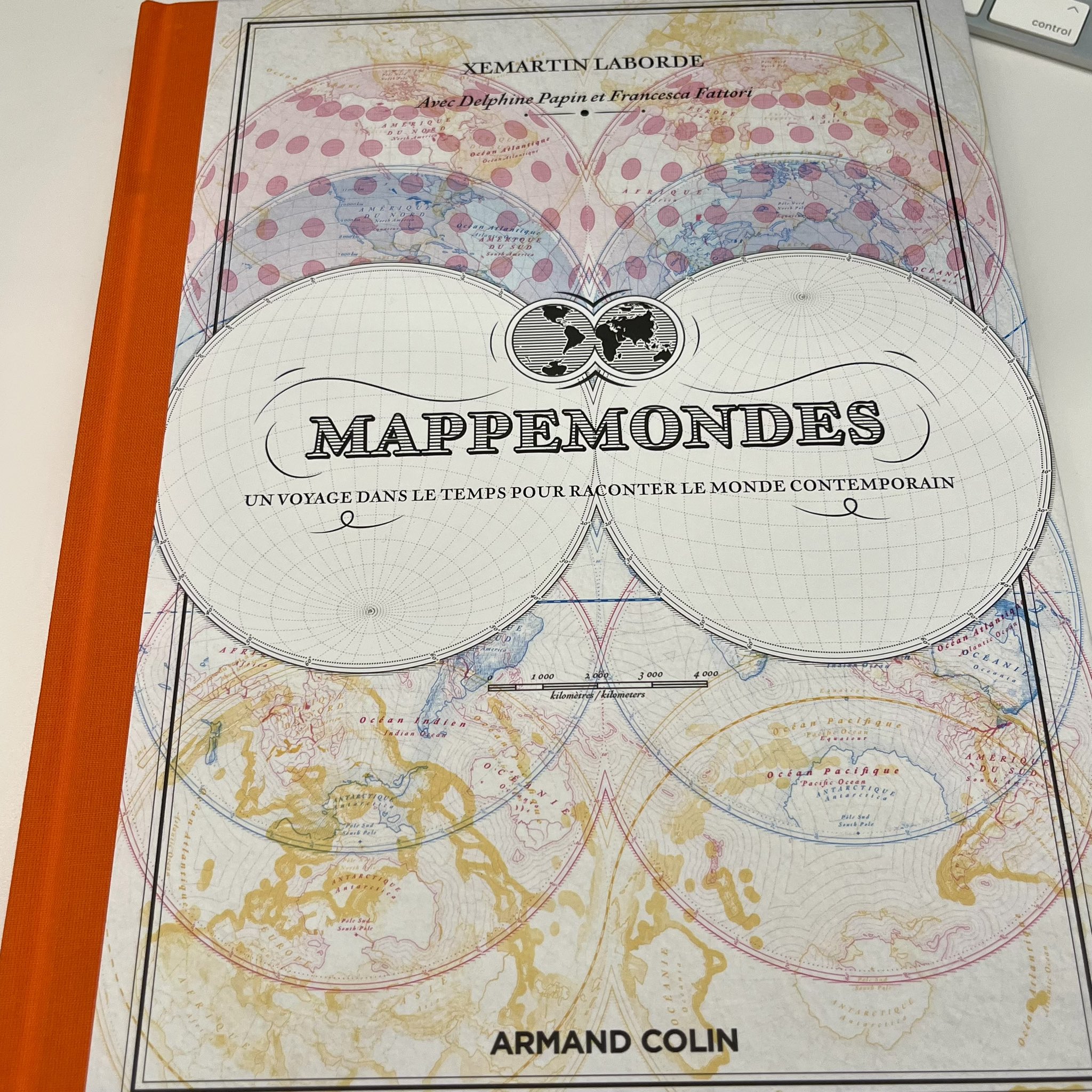
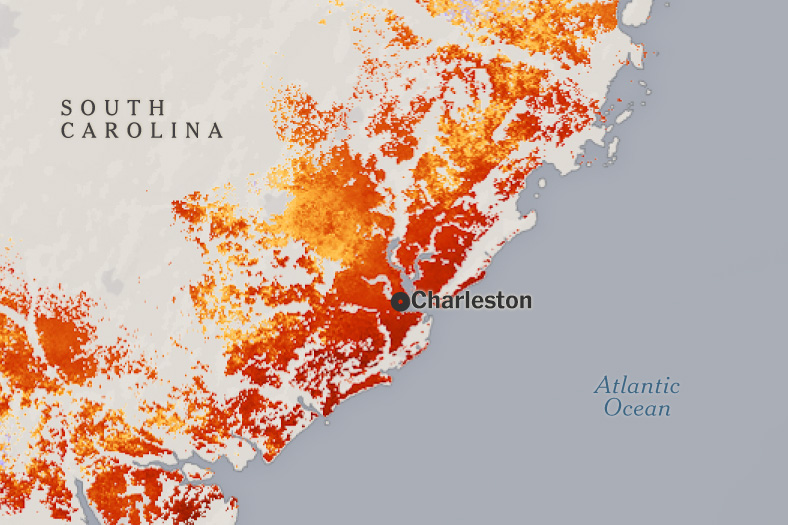
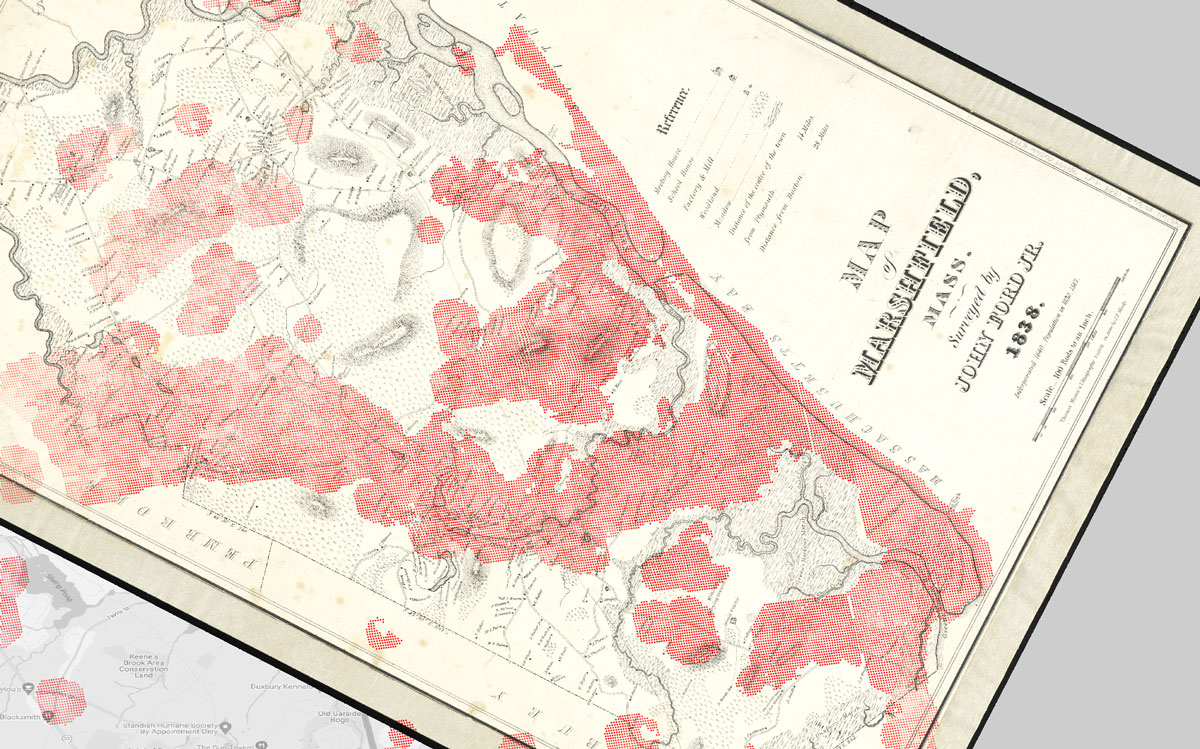
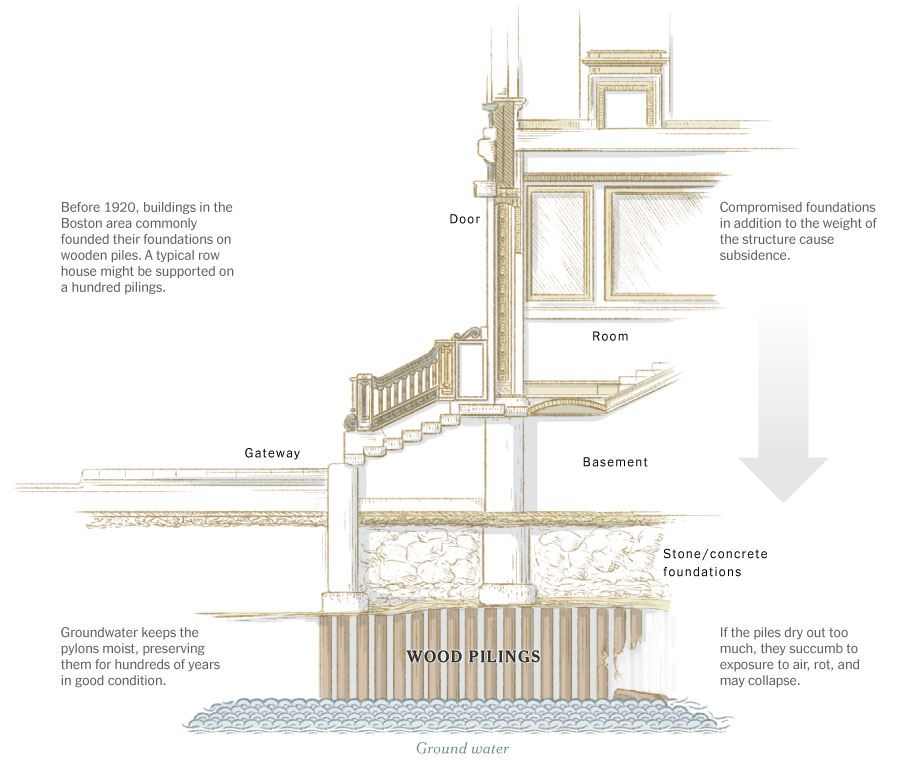
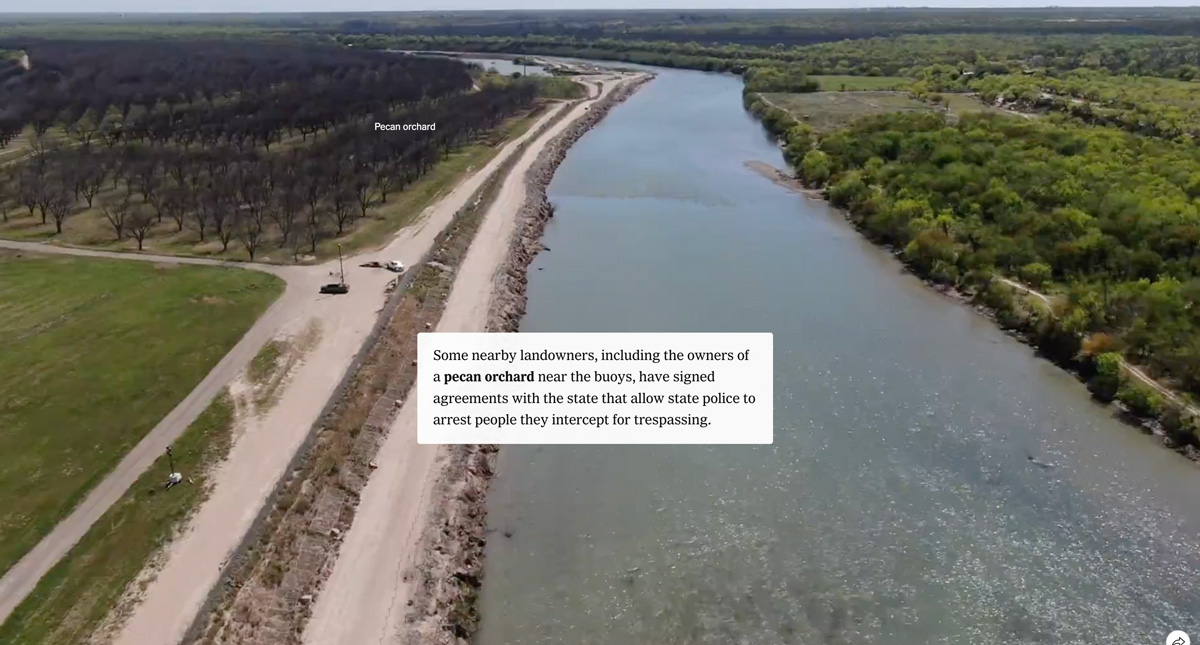
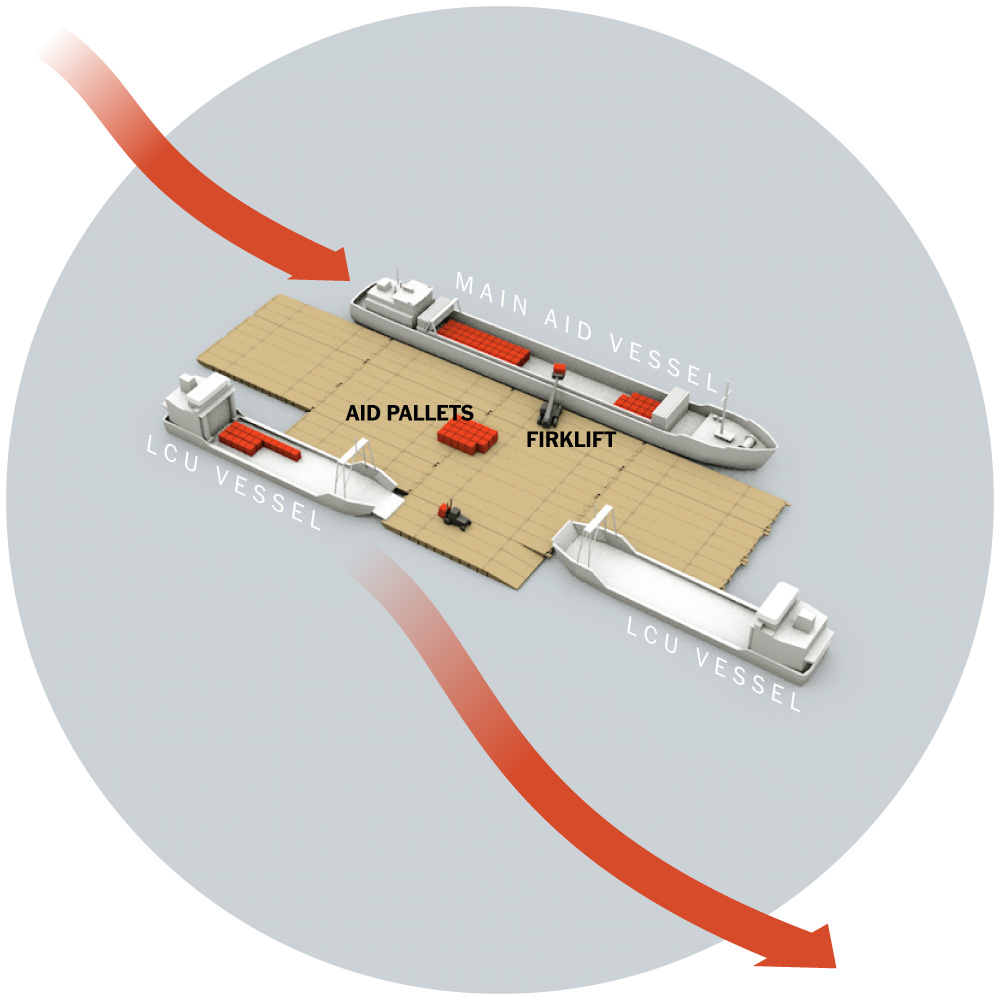
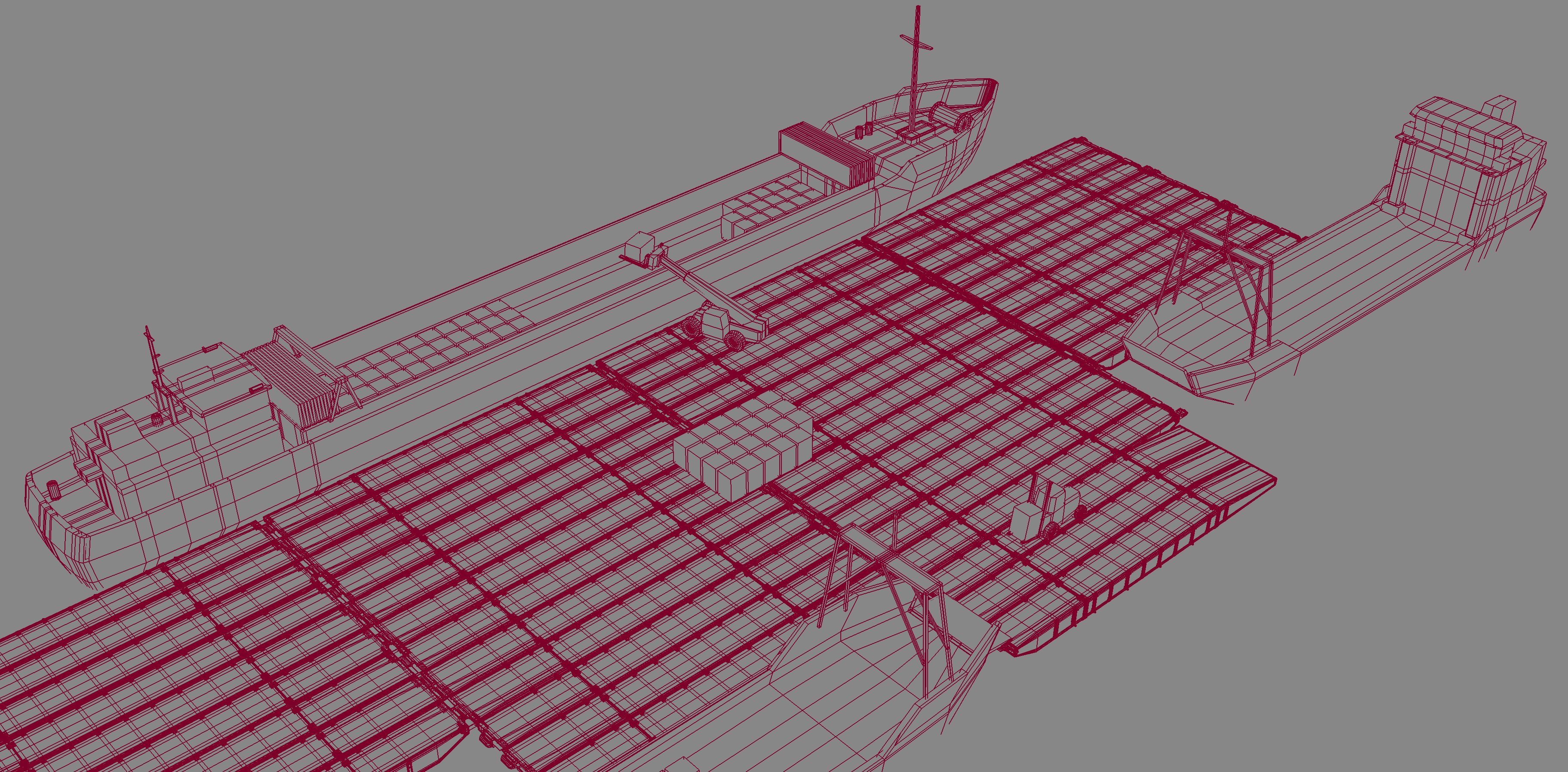
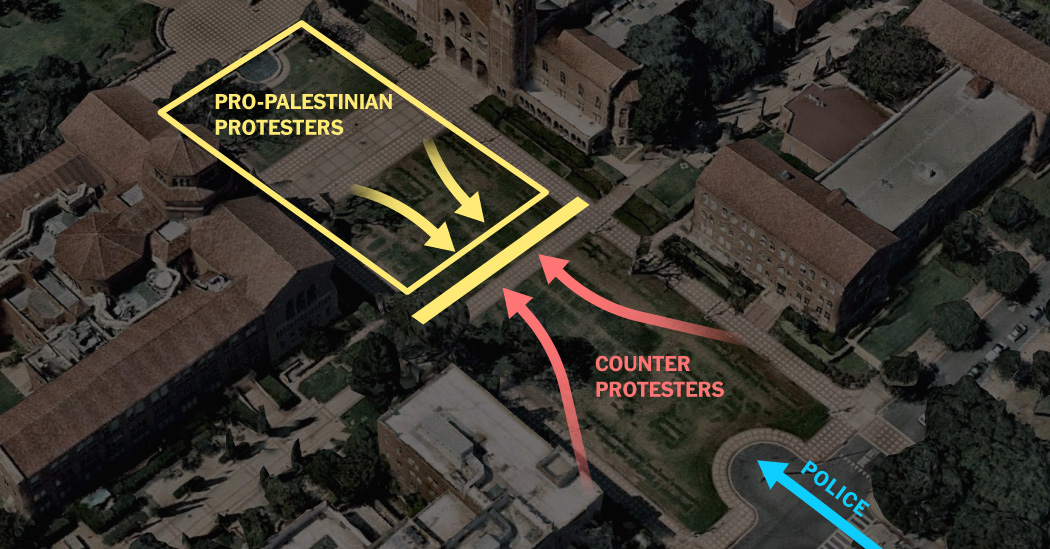
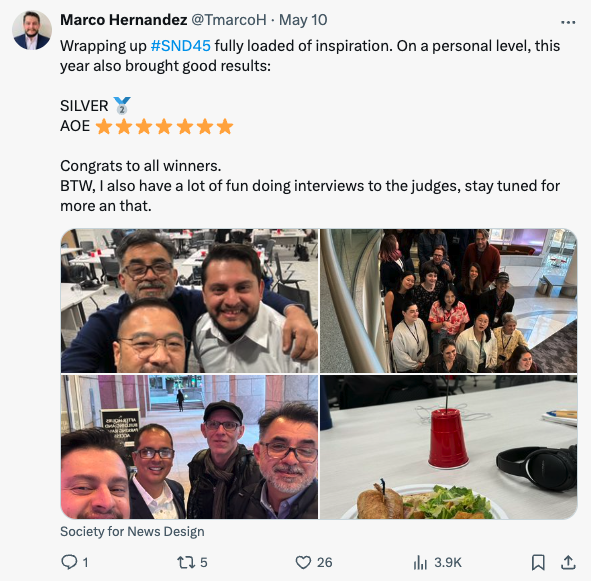
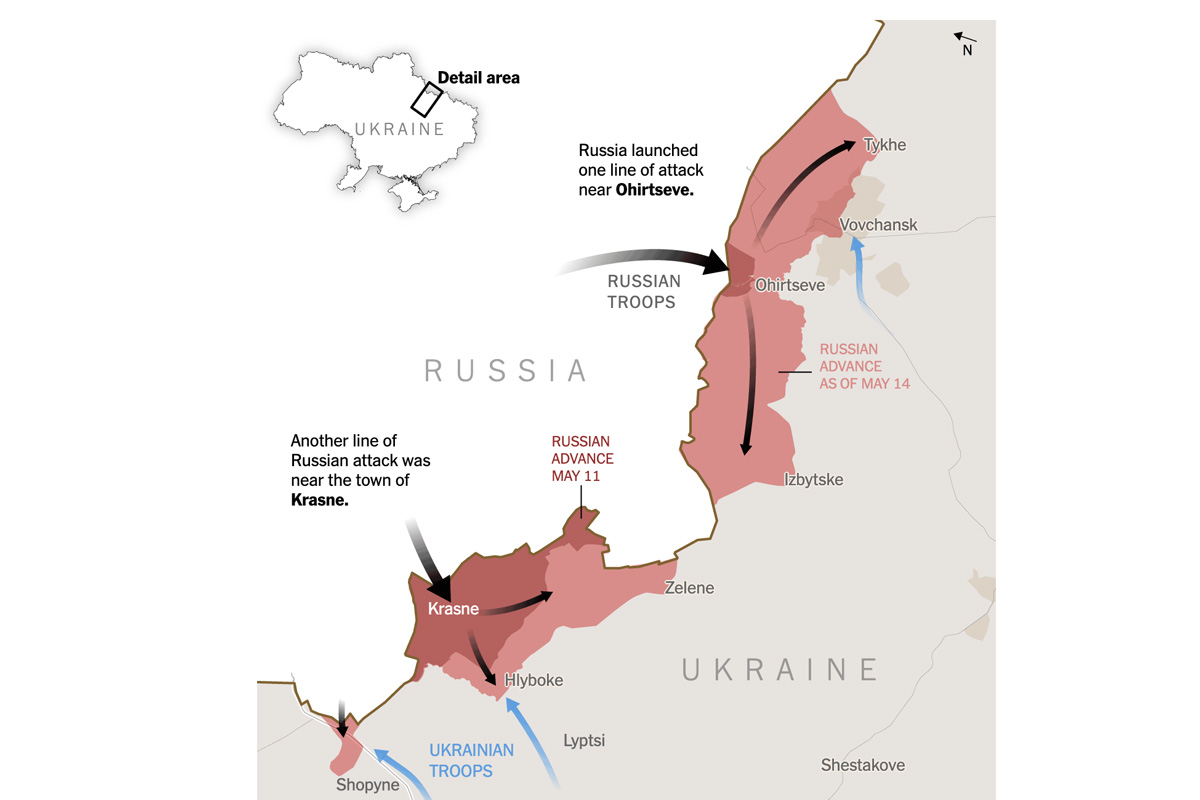


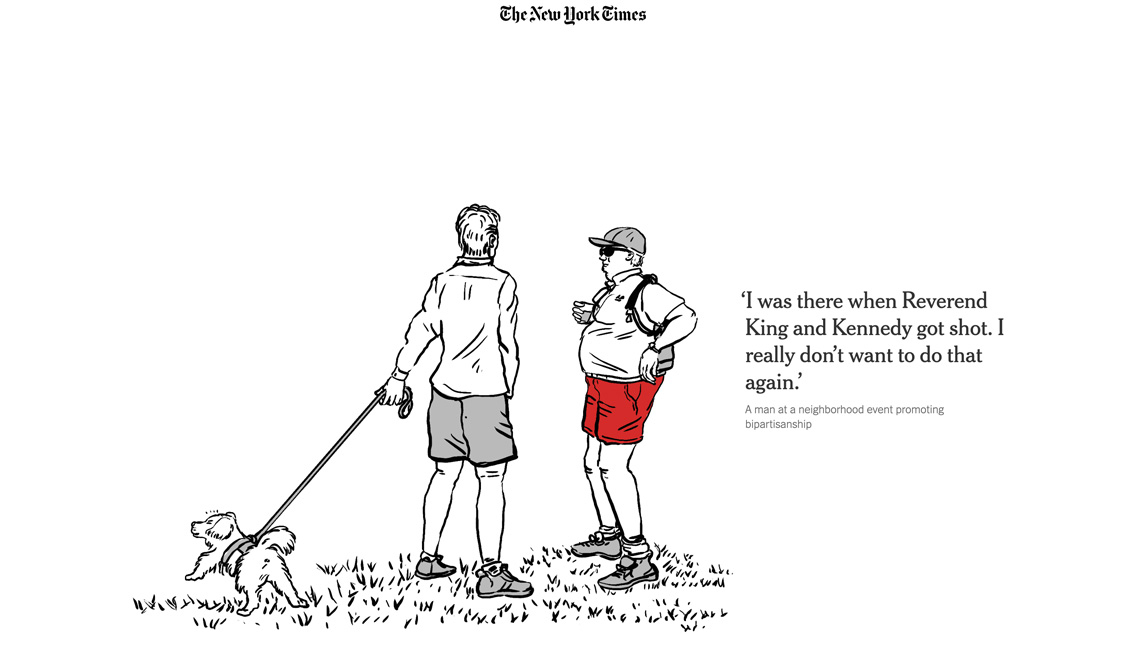
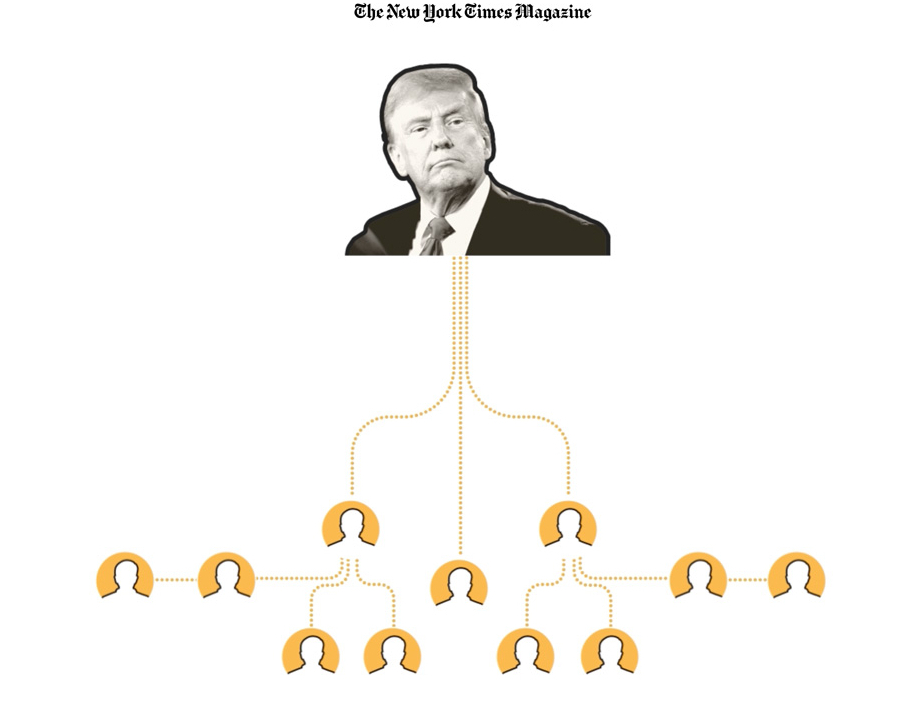
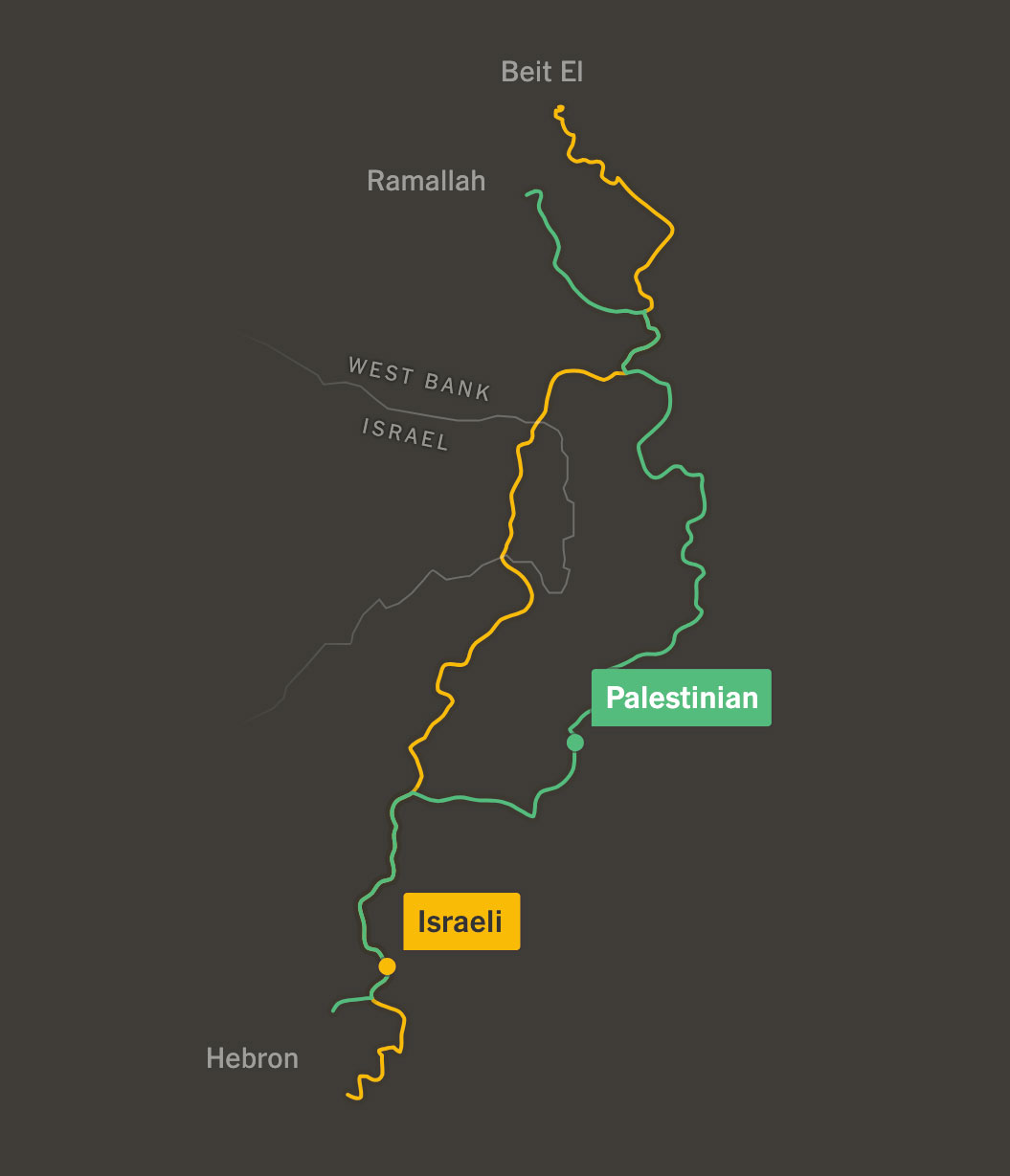
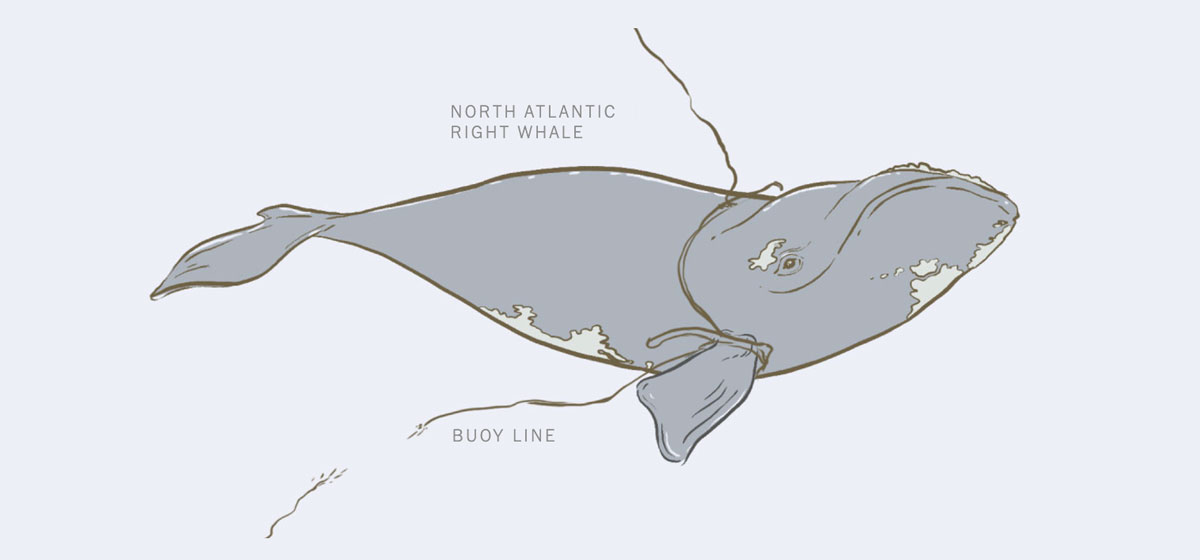
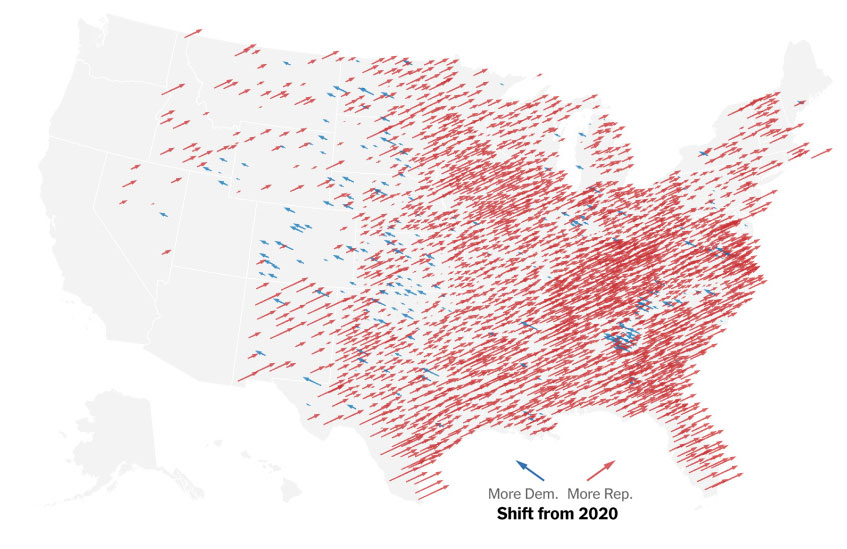
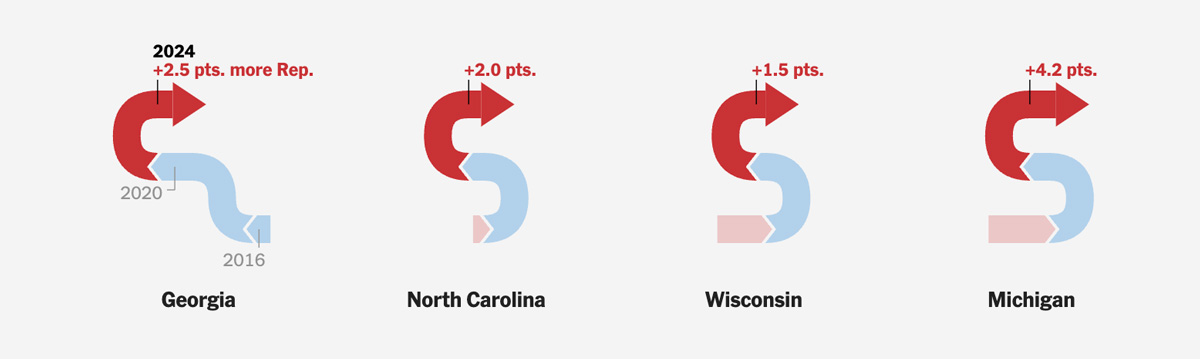
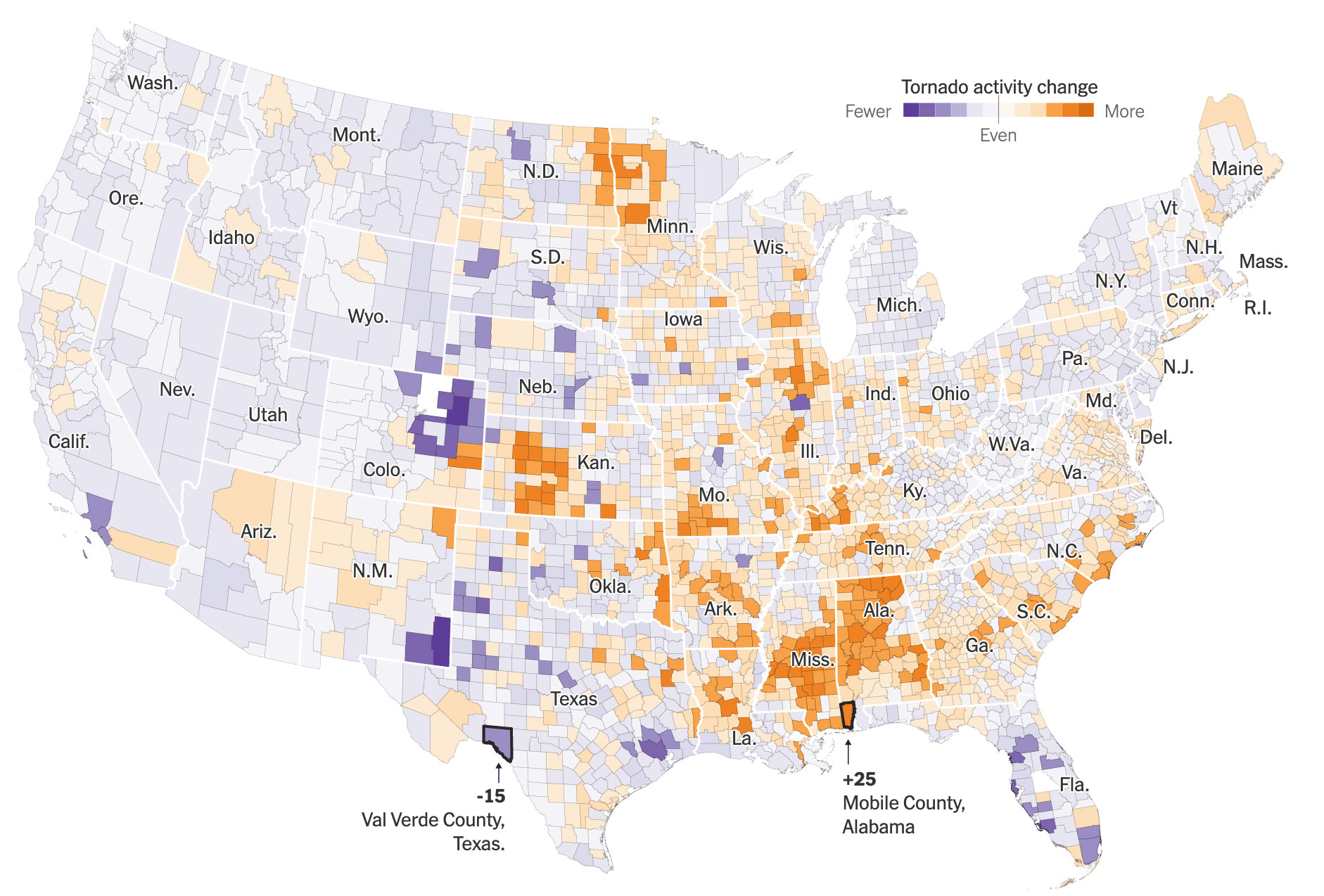


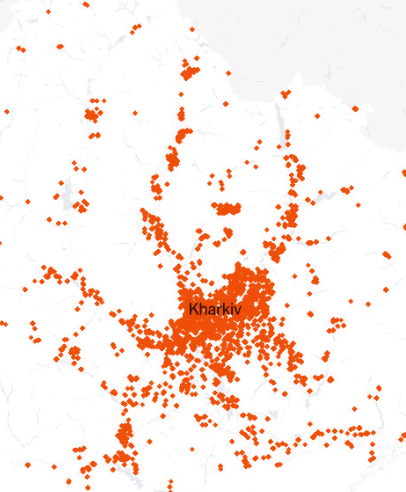




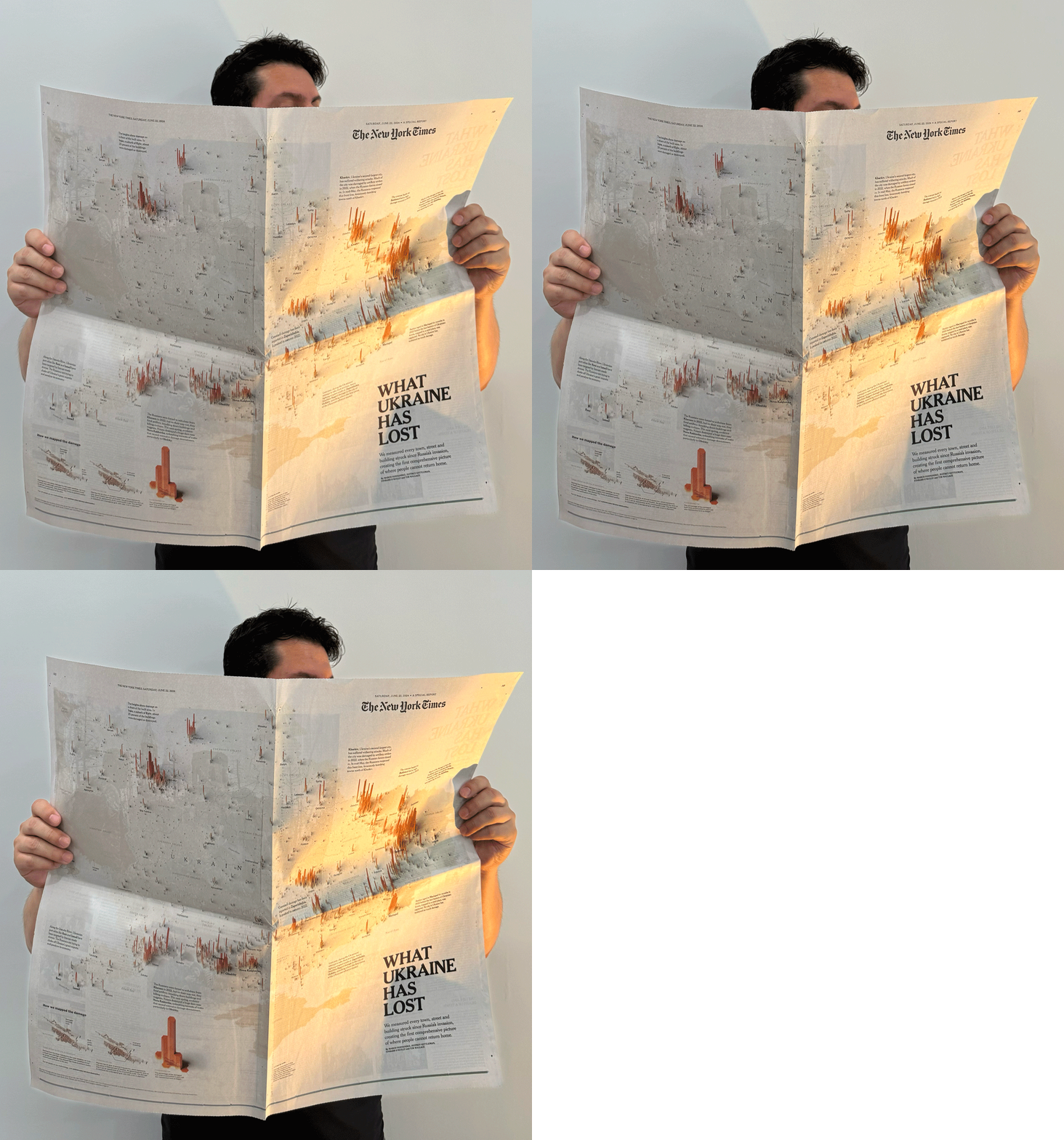
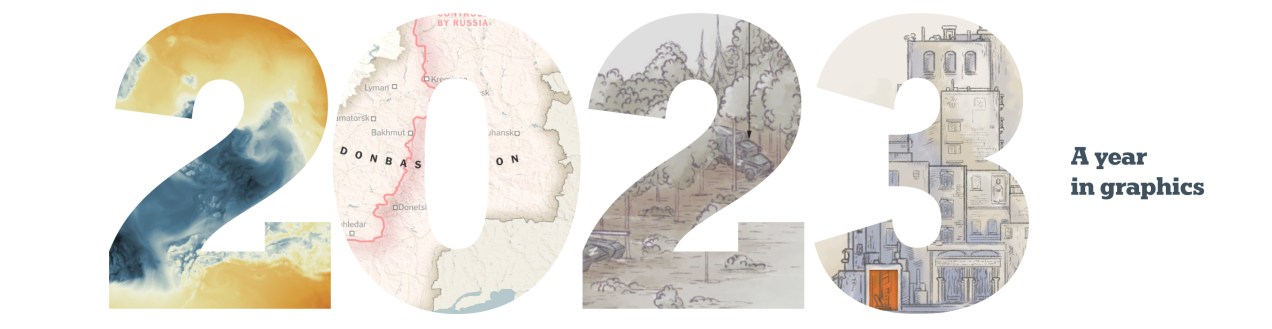
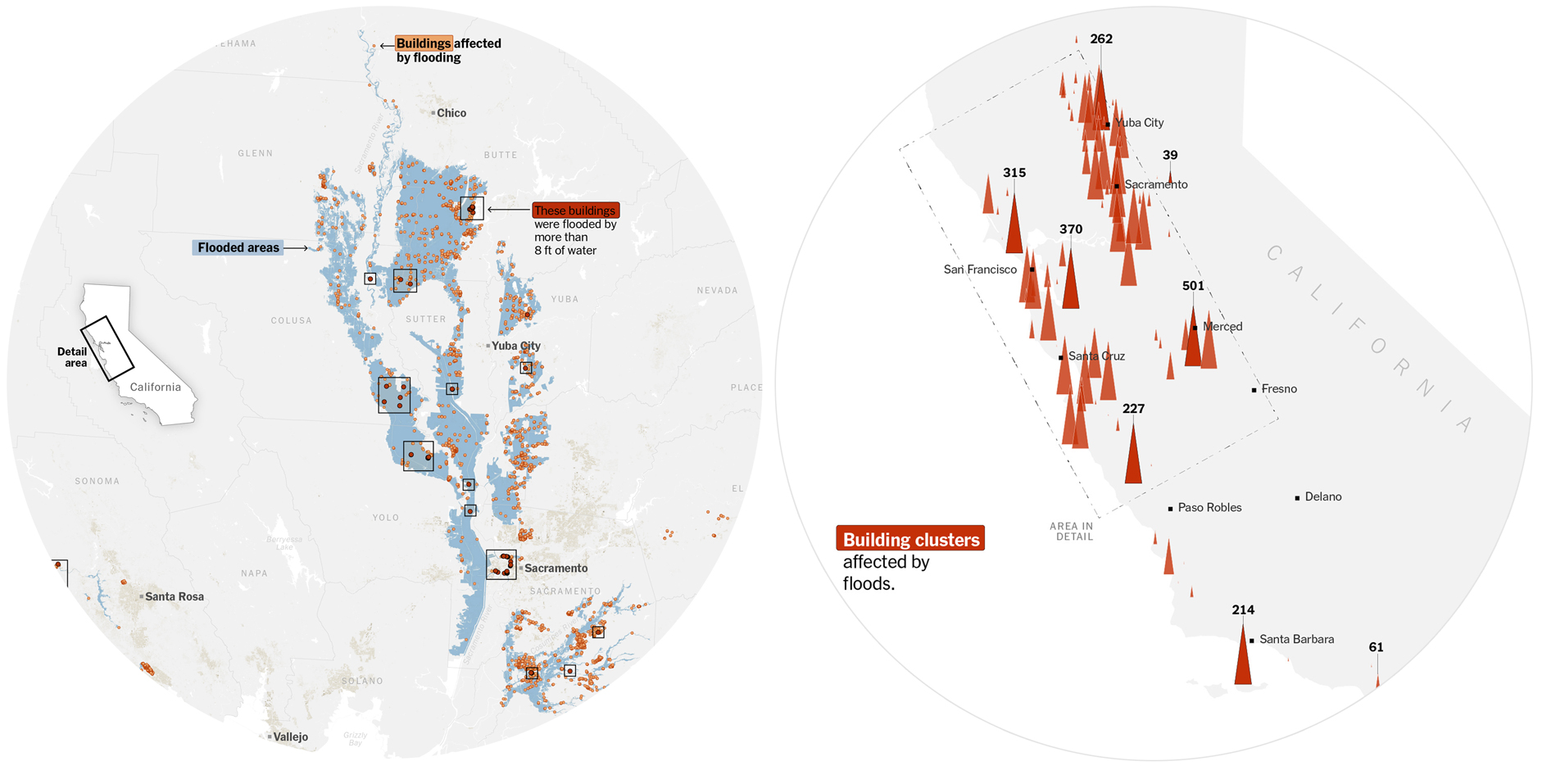
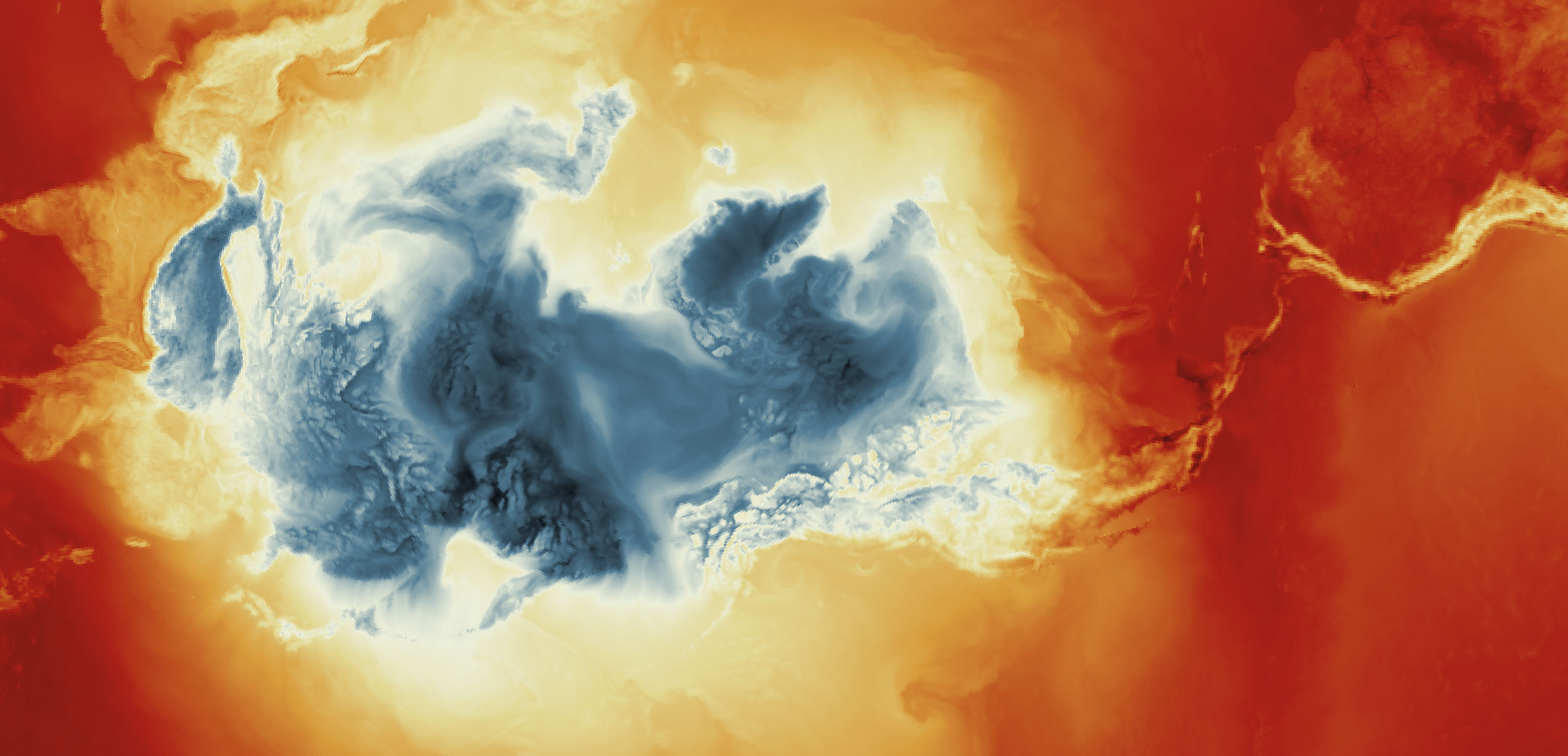
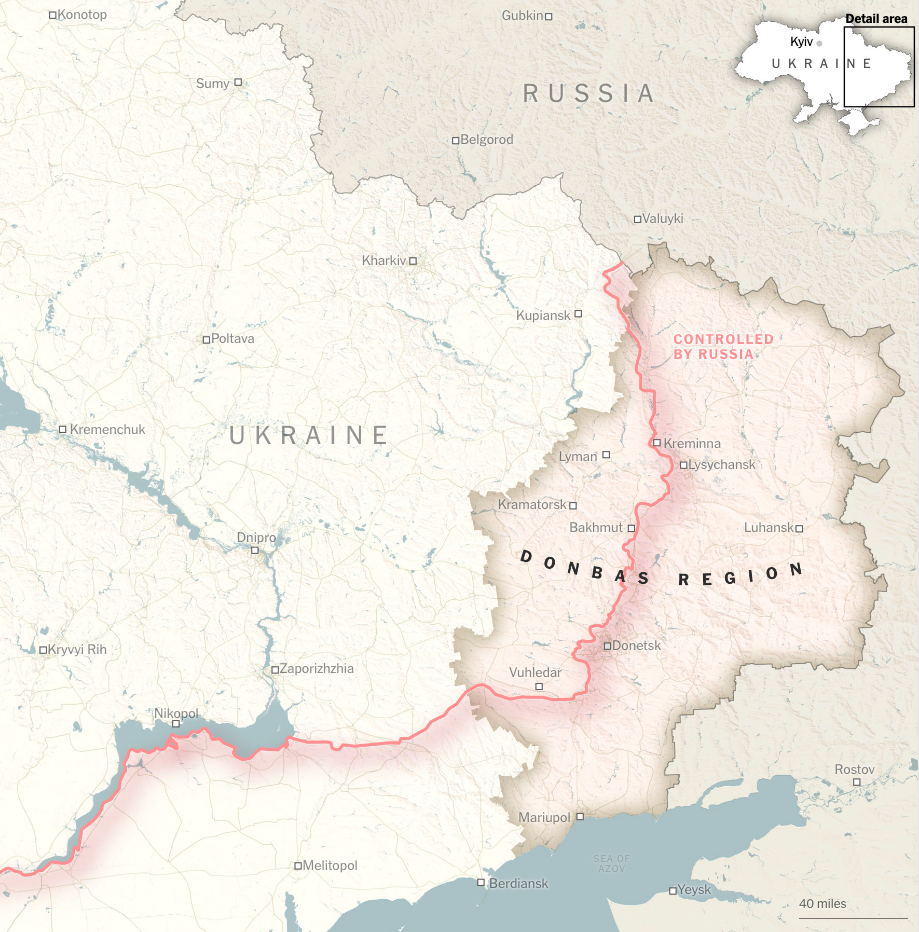
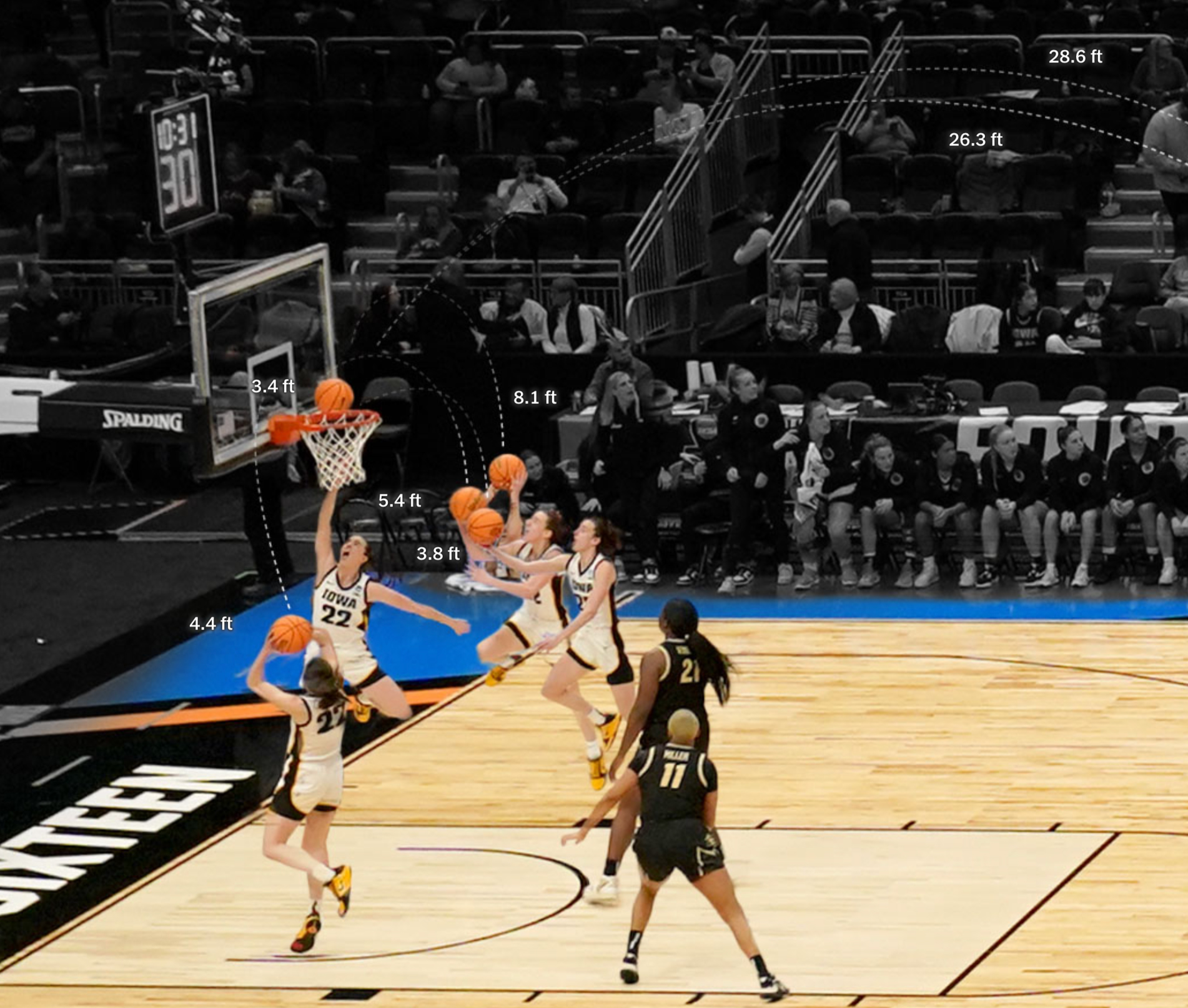
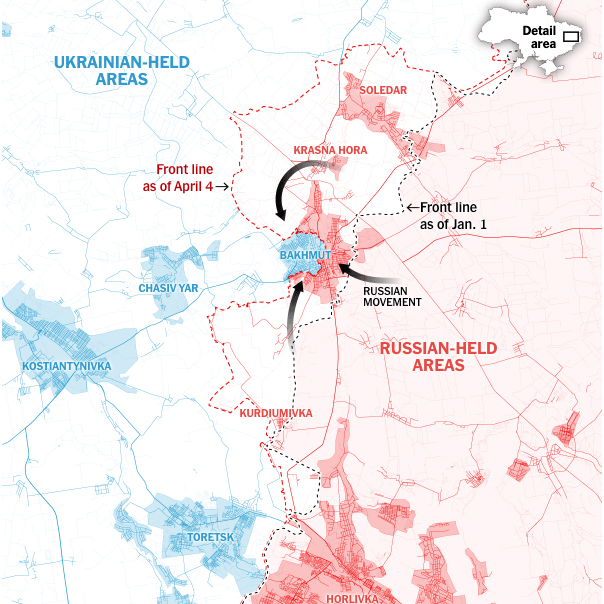
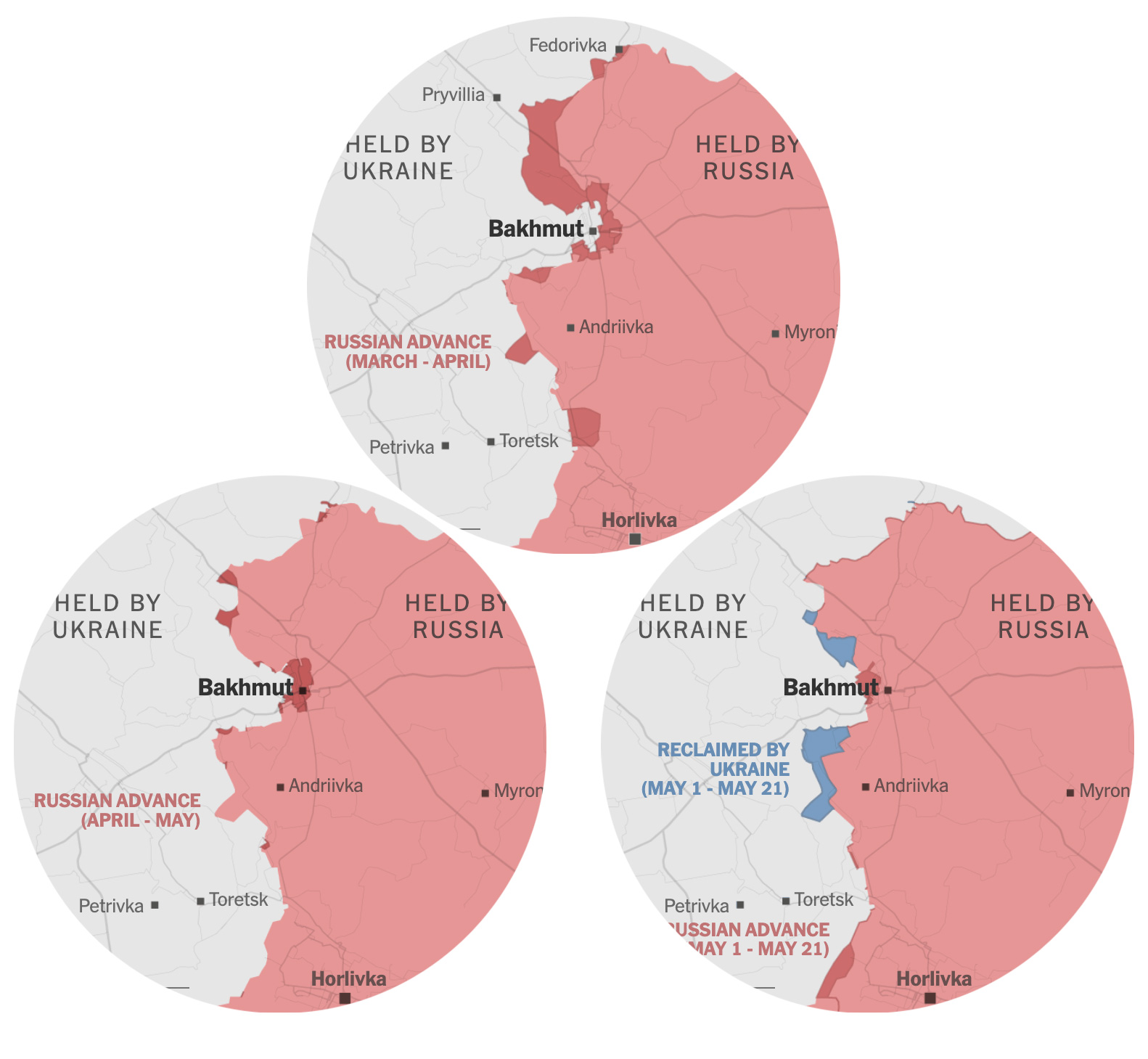
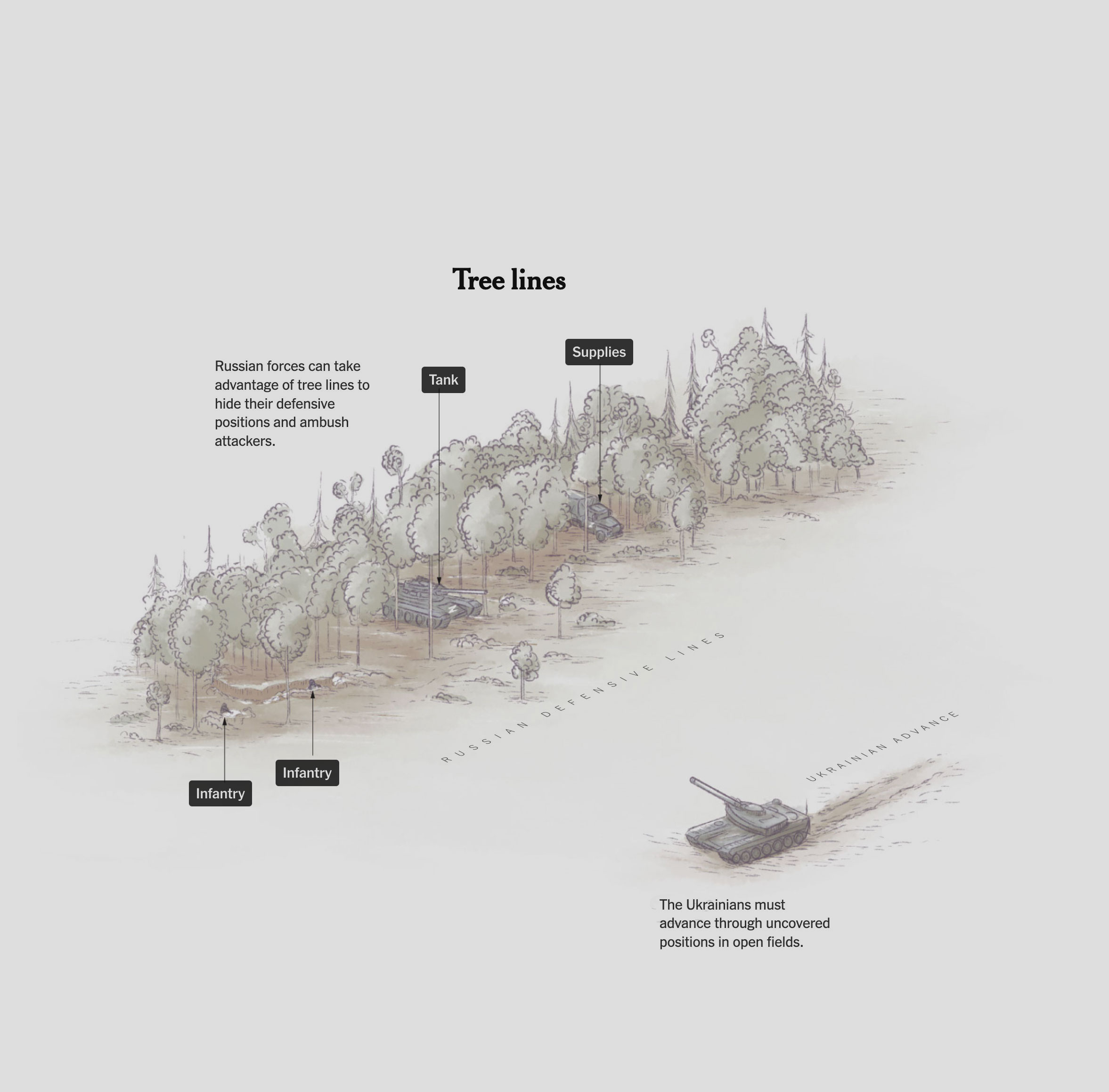
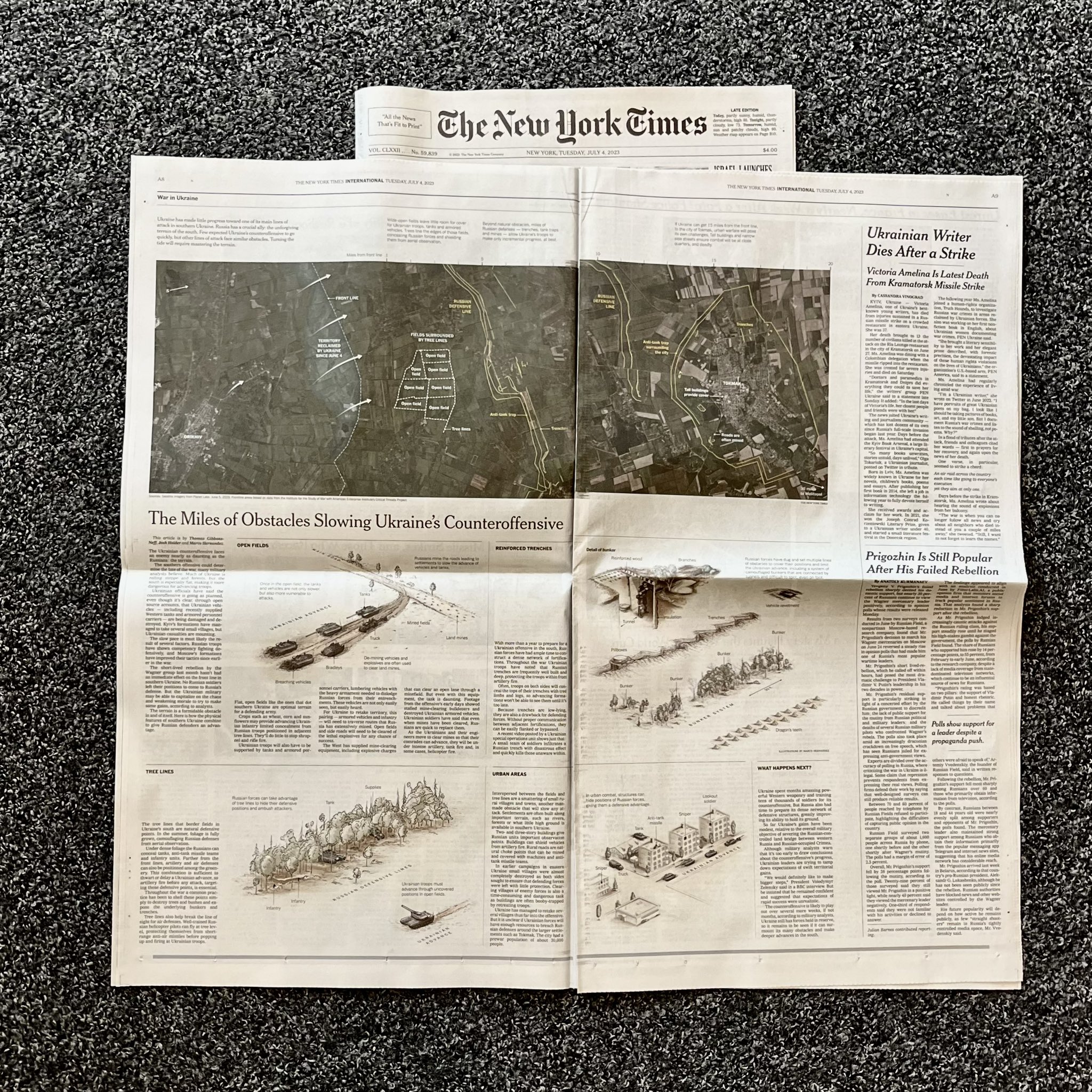
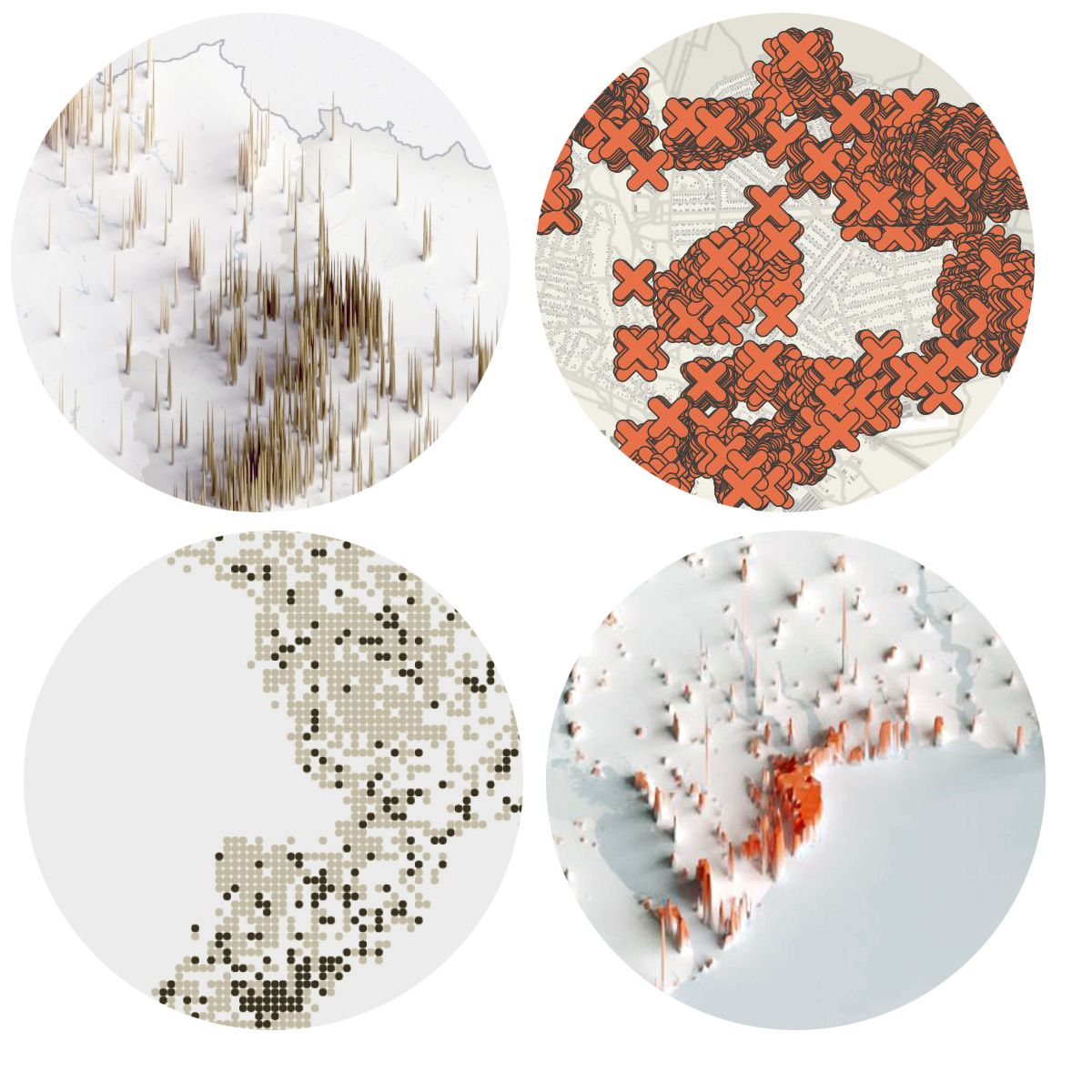
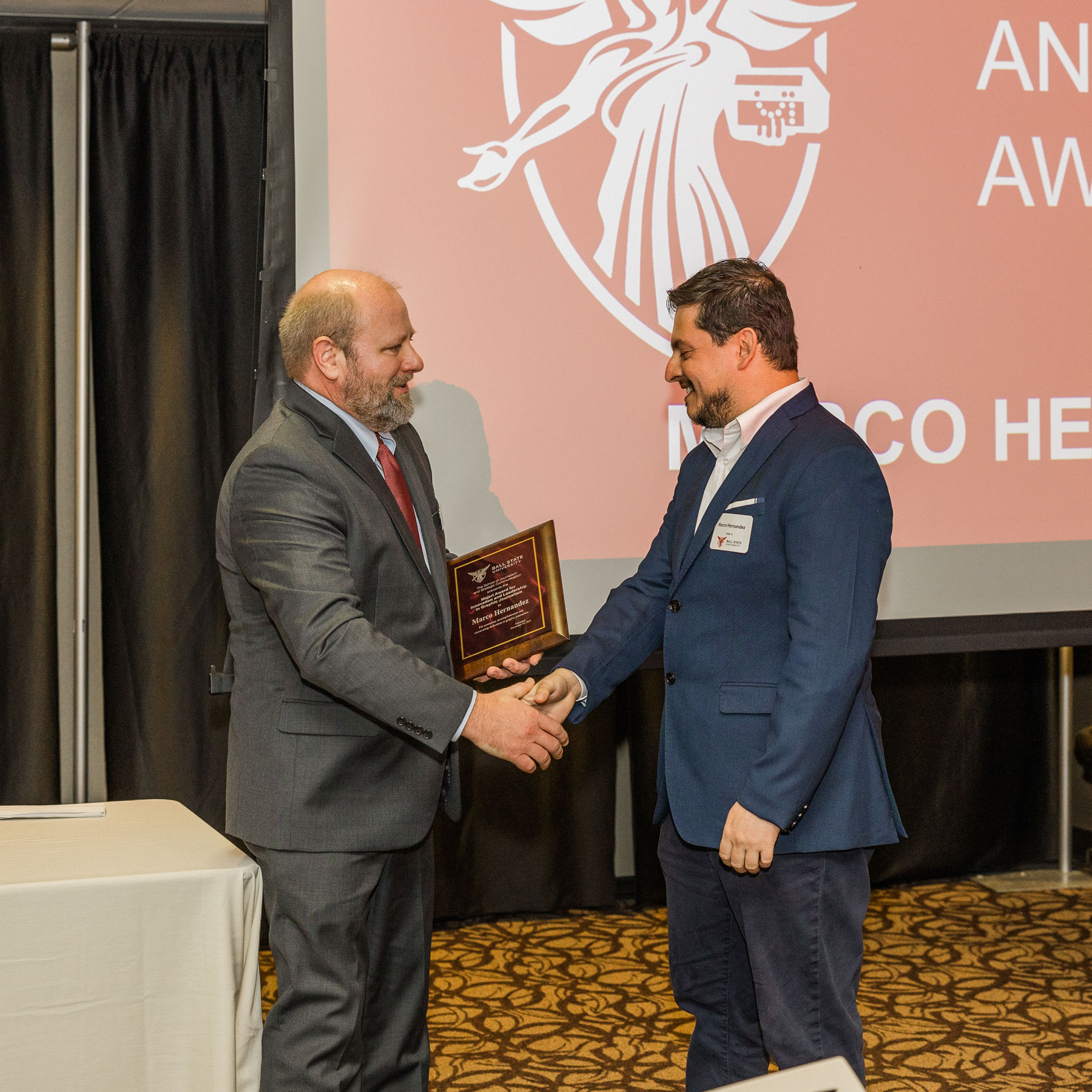
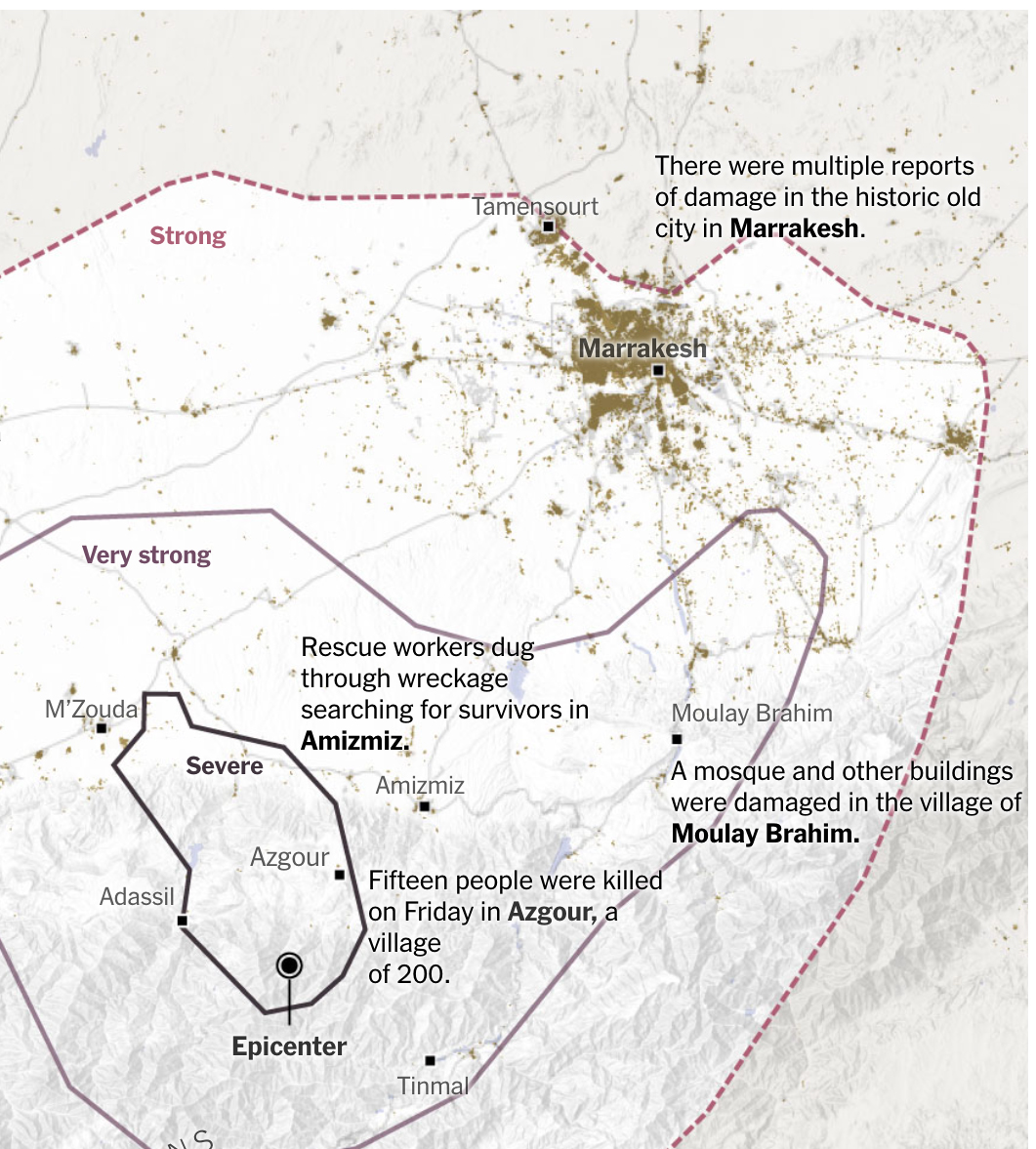
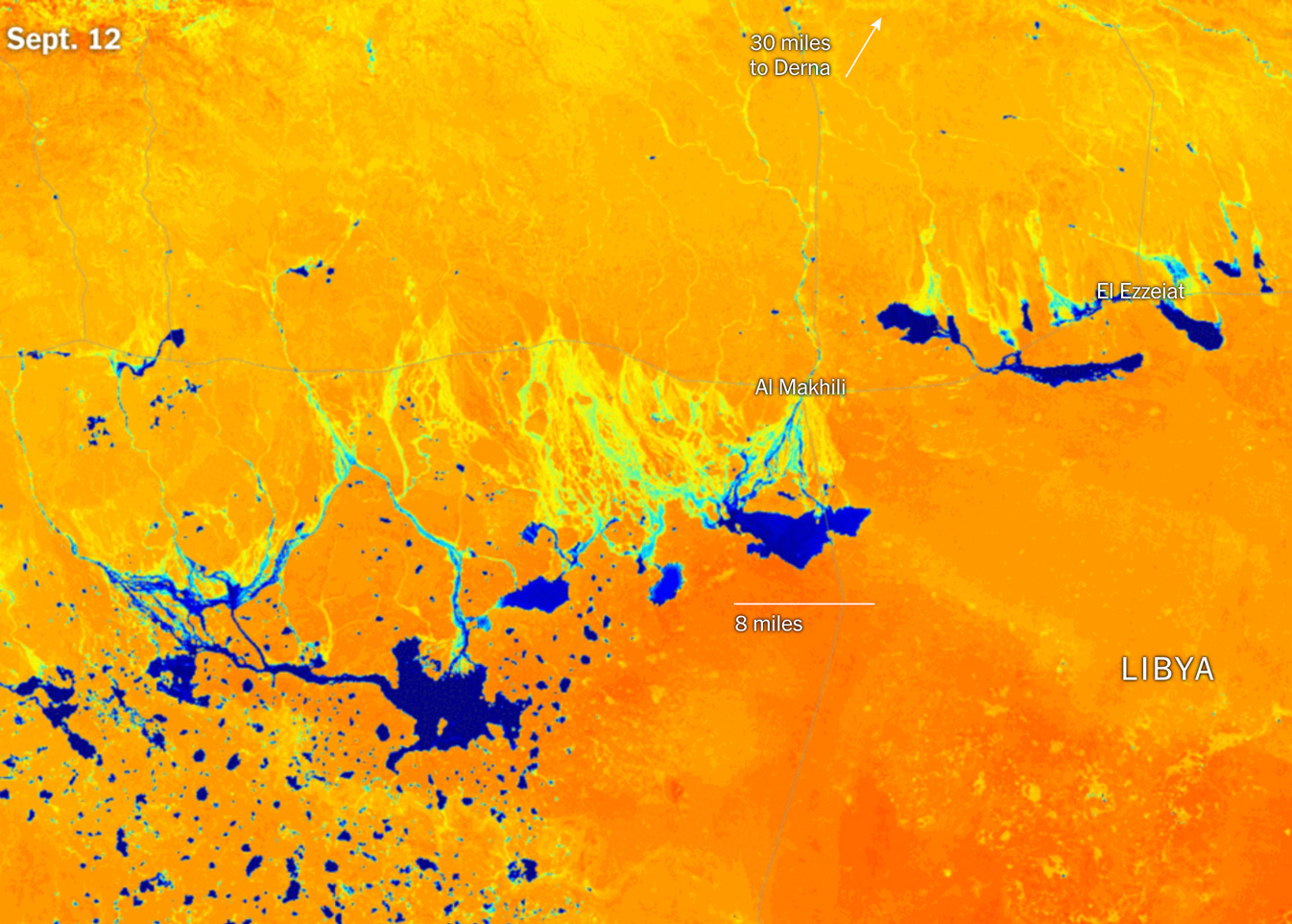
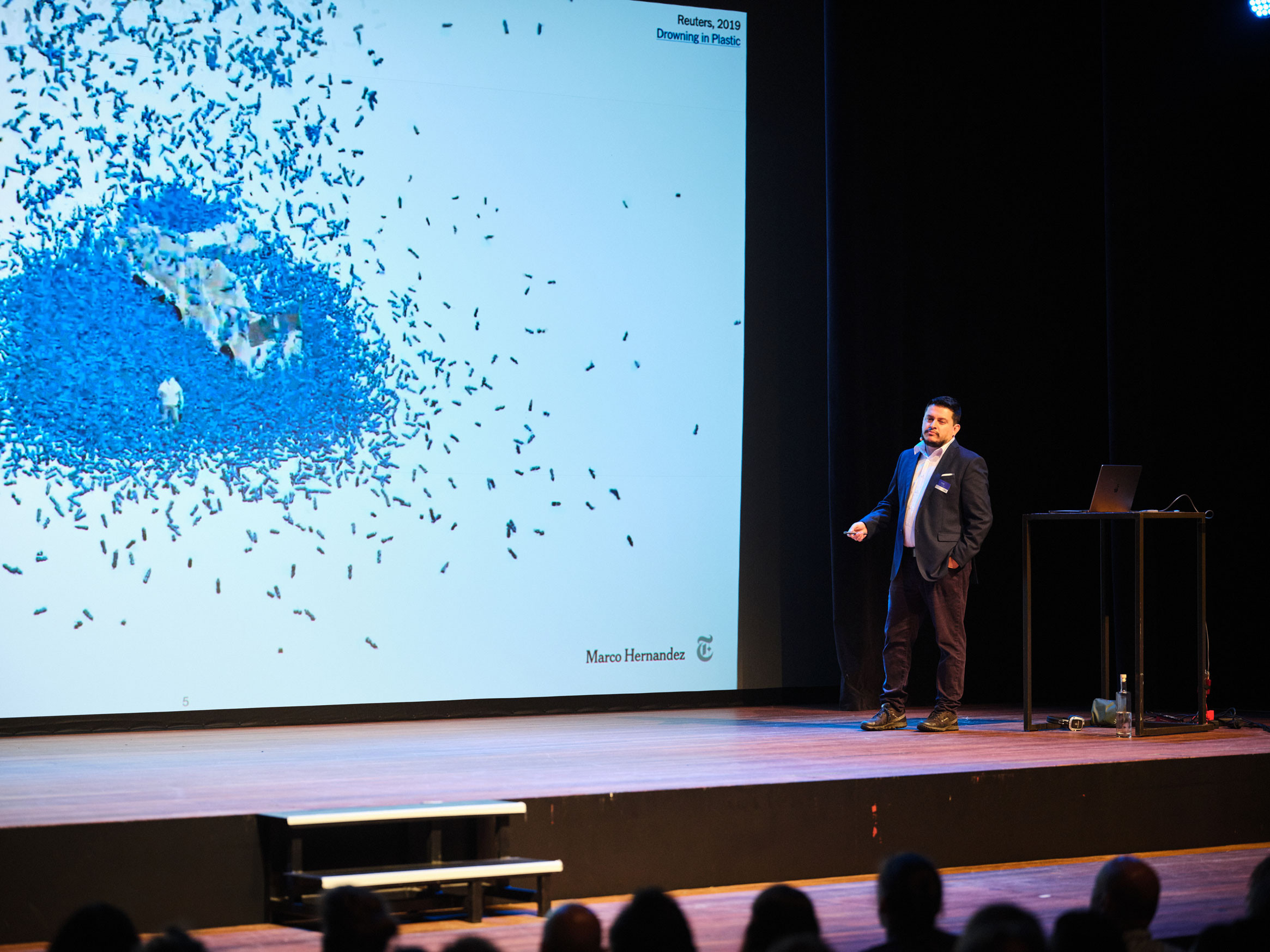
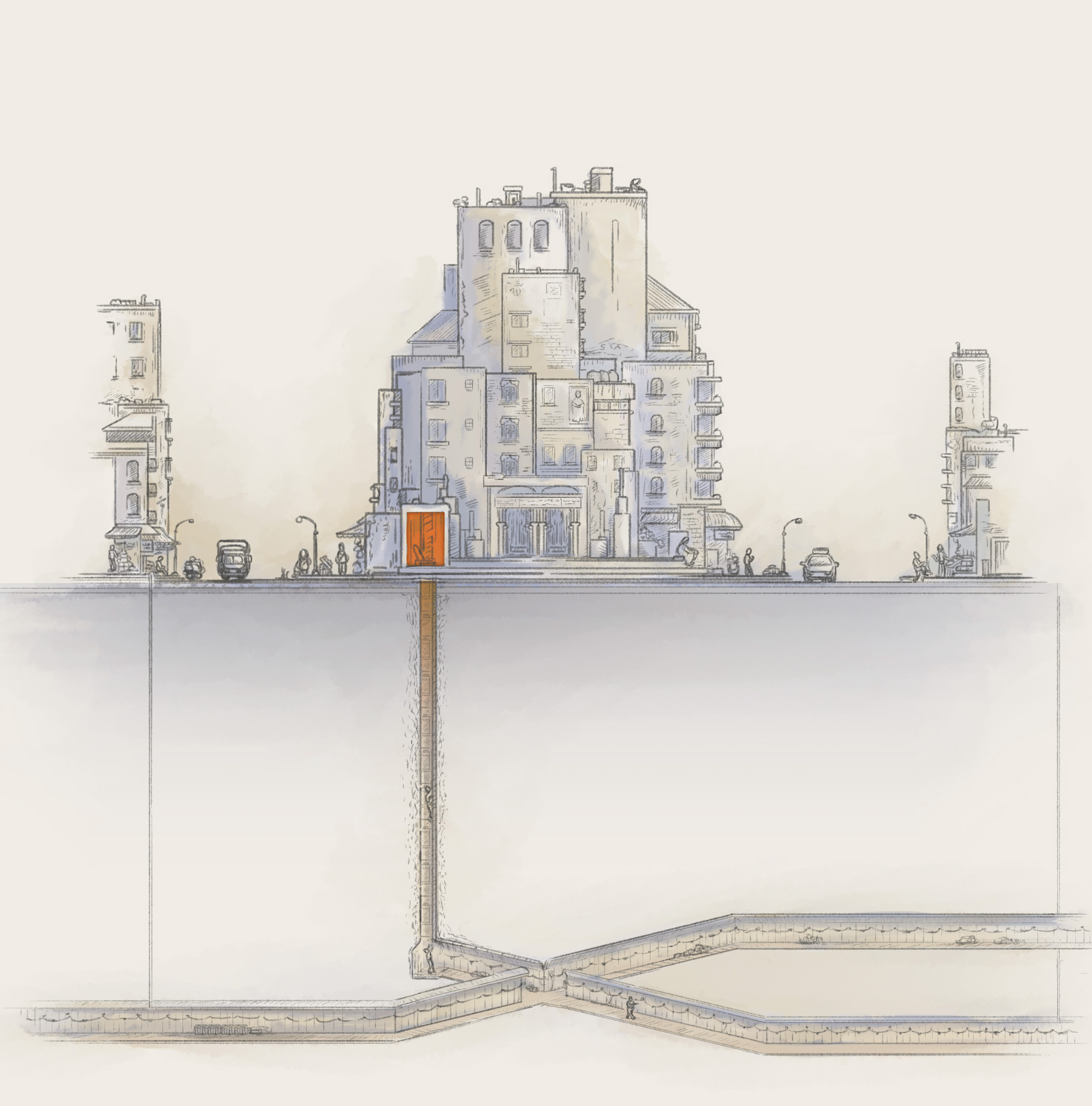
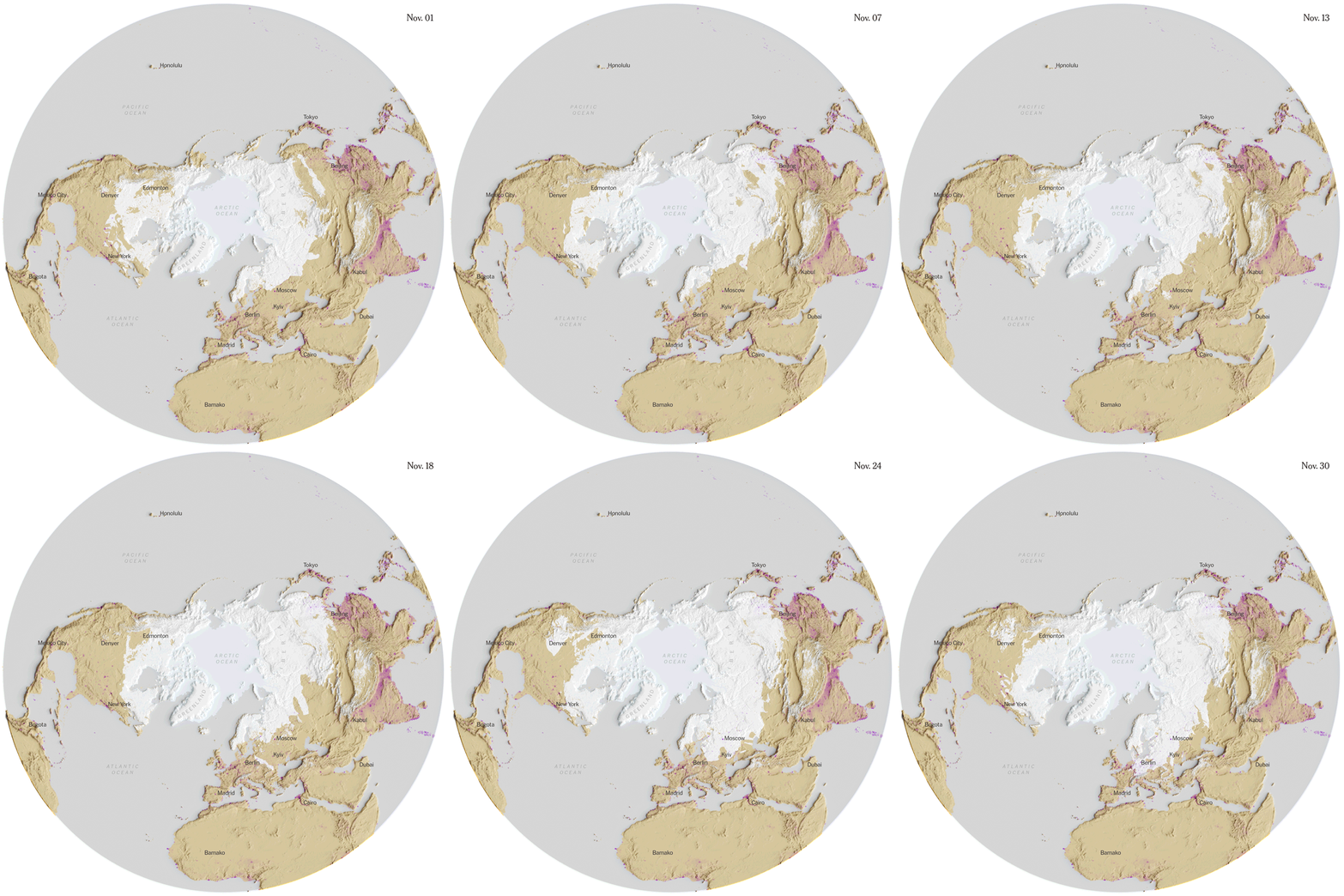
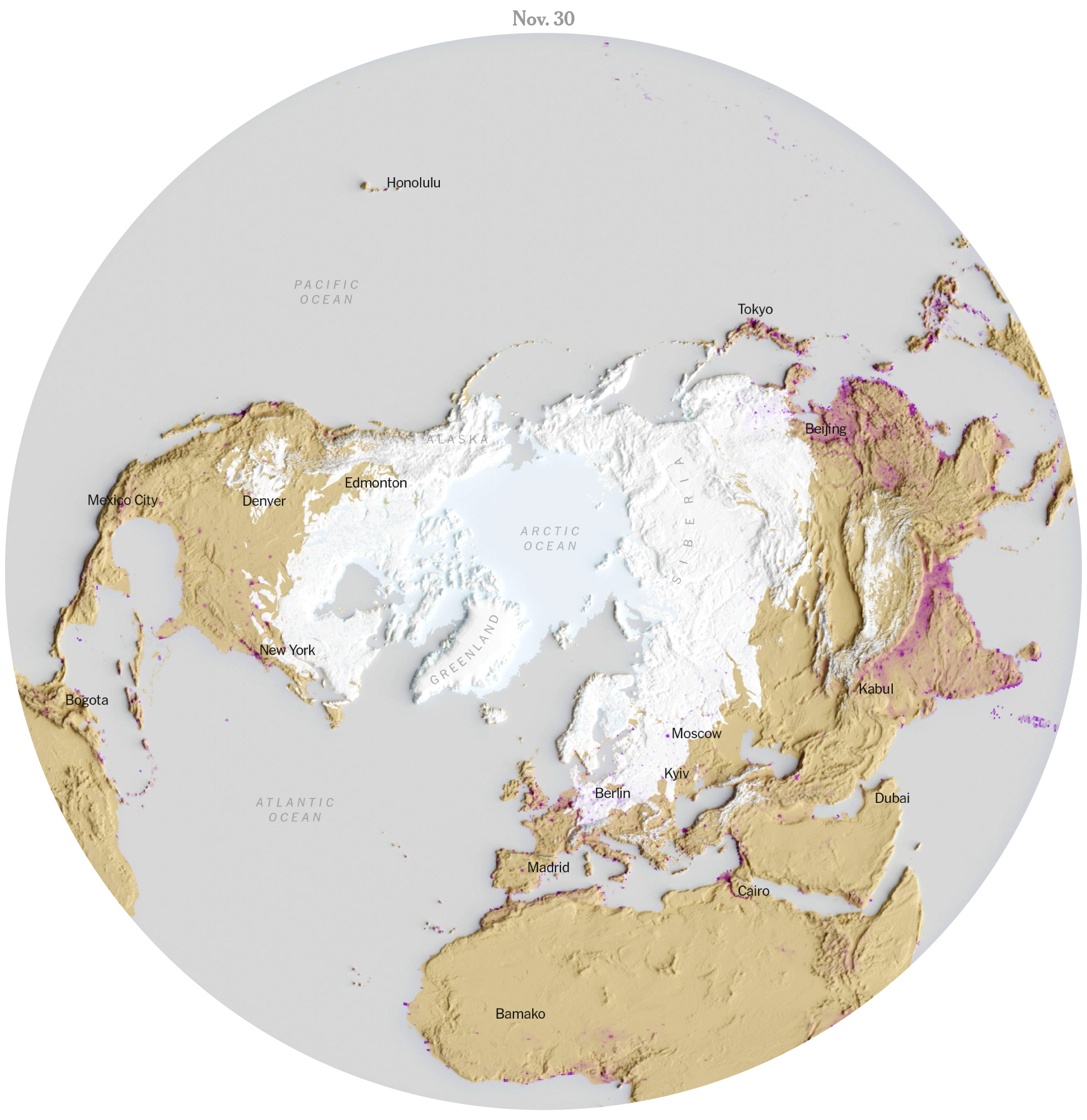
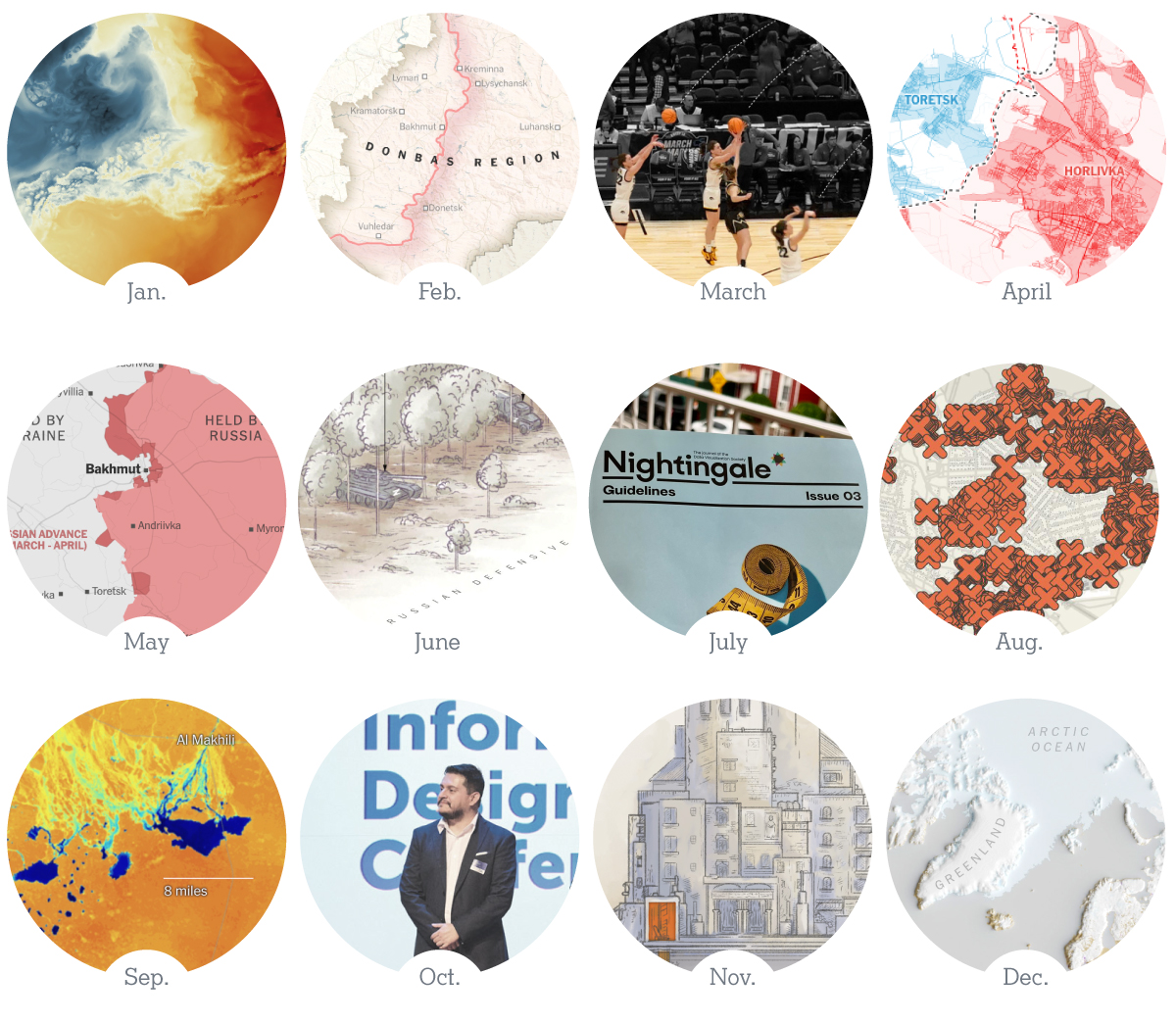
 Marco Hernandez